1. مقدمه
Thank you for choosing the HAKINAKU HD13 4-in-1 Plug-in Smoke and Carbon Monoxide Detector. This device is designed to enhance the safety of your home or travel environment by providing real-time monitoring of carbon monoxide (CO) concentration, smoke, temperature, and humidity. It features a convenient plug-and-play design with a built-in backup battery for continuous operation during power outages. Please read this manual thoroughly before installation and use to ensure proper function and safety.
2. اطلاعات ایمنی مهم
هشدار: This device is intended for residential use only. It is not designed for marine or recreational vehicle use. Installation of this device should not be used as a substitute for proper installation, use, and maintenance of fuel-burning appliances, including appropriate ventilation and exhaust systems.
- Do not paint over the detector. Paint can clog the sensing chambers and prevent the unit from operating properly.
- Do not block the air vents on the detector. Ensure proper airflow for accurate readings.
- Test the detector weekly by pressing the test button.
- Never ignore any alarm. Investigate the cause and take appropriate action immediately.
- Keep the detector away from direct sunlight, high humidity areas, and areas with extreme temperatures.
- This device contains a lithium-ion battery. Do not attempt to replace the battery yourself. Contact customer support if battery issues arise.
3. محتویات بسته
- HAKINAKU HD13 4-in-1 Smoke & Carbon Monoxide Detector (1 unit)
- راهنمای کاربر (این سند)
4. ویژگی های محصول
- تشخیص ۳ در ۱: Integrated sensors for Carbon Monoxide (CO), Smoke, Temperature, and Humidity.
- طراحی Plug & Play: Compatible with 110-240V US-standard outlets for easy installation.
- Built-in 1000mAh Backup Battery: Provides 40-48 hours of operation during power outages
- سنسورهای با دقت بالا: Independent CO and smoke sensors for accurate real-time environmental monitoring.
- Ultra HD Color Screen Display: Clear display of CO levels (PPM), smoke status, temperature (°F), and humidity (%).
- زنگ صدا و نور: 85dB alarm with visual indicators for immediate alerts.
- روشنایی قابل تنظیم: Screen brightness can be adjusted or turned off.
- 3D Porous Air Duct Design: Ensures sensitive and accurate detection of gas and smoke.

Figure 4.1: The detector's display showing real-time CO, smoke, temperature, and humidity readings.

Figure 4.2: Illustration of the detector's 1000mAh high battery capacity for long-lasting endurance.
5. راه اندازی
- باز کردن بسته: آشکارساز را با دقت از بستهبندی آن خارج کنید.
- انتخاب مکان: Choose a suitable location for installation. For optimal performance, place the detector in areas such as bedrooms, kitchens, living rooms, basements, hotel rooms, garages, or tool rooms. Avoid placing it near windows, doors, or vents where drafts could interfere with readings. Do not place it in dead air spaces, such as at the peak of a vaulted ceiling or in corners where air circulation is poor.
- وصل کردن: Plug the detector directly into a standard 110V to 240V AC US-standard electrical outlet. Ensure the outlet is not controlled by a switch that could accidentally turn off power to the detector.
- روشن کردن اولیه: Upon plugging in, the device will perform a self-test and the display will illuminate. It may take a few minutes for the sensors to stabilize and begin accurate readings.
- تست: After initial setup, press the 'Test' button (usually indicated by a speaker icon or 'M' for mute/test) to ensure the alarm sounds and the display functions correctly.
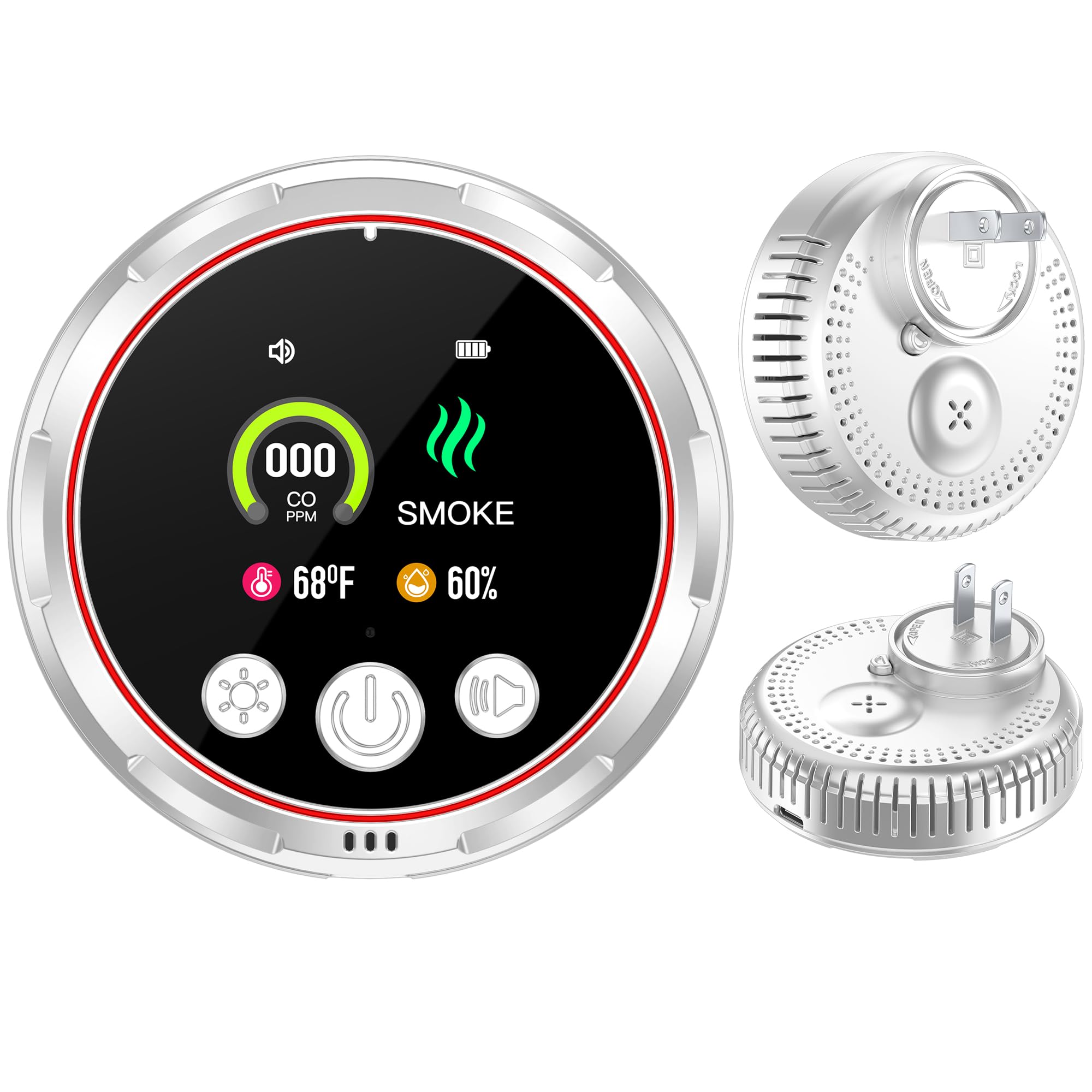
Figure 5.1: The HAKINAKU HD13 detector plugged into a standard electrical outlet.
6. دستورالعمل های عملیاتی
The HAKINAKU HD13 detector operates continuously once plugged in. The display provides real-time information about your environment.
6.1 نمایش بیش از حدview
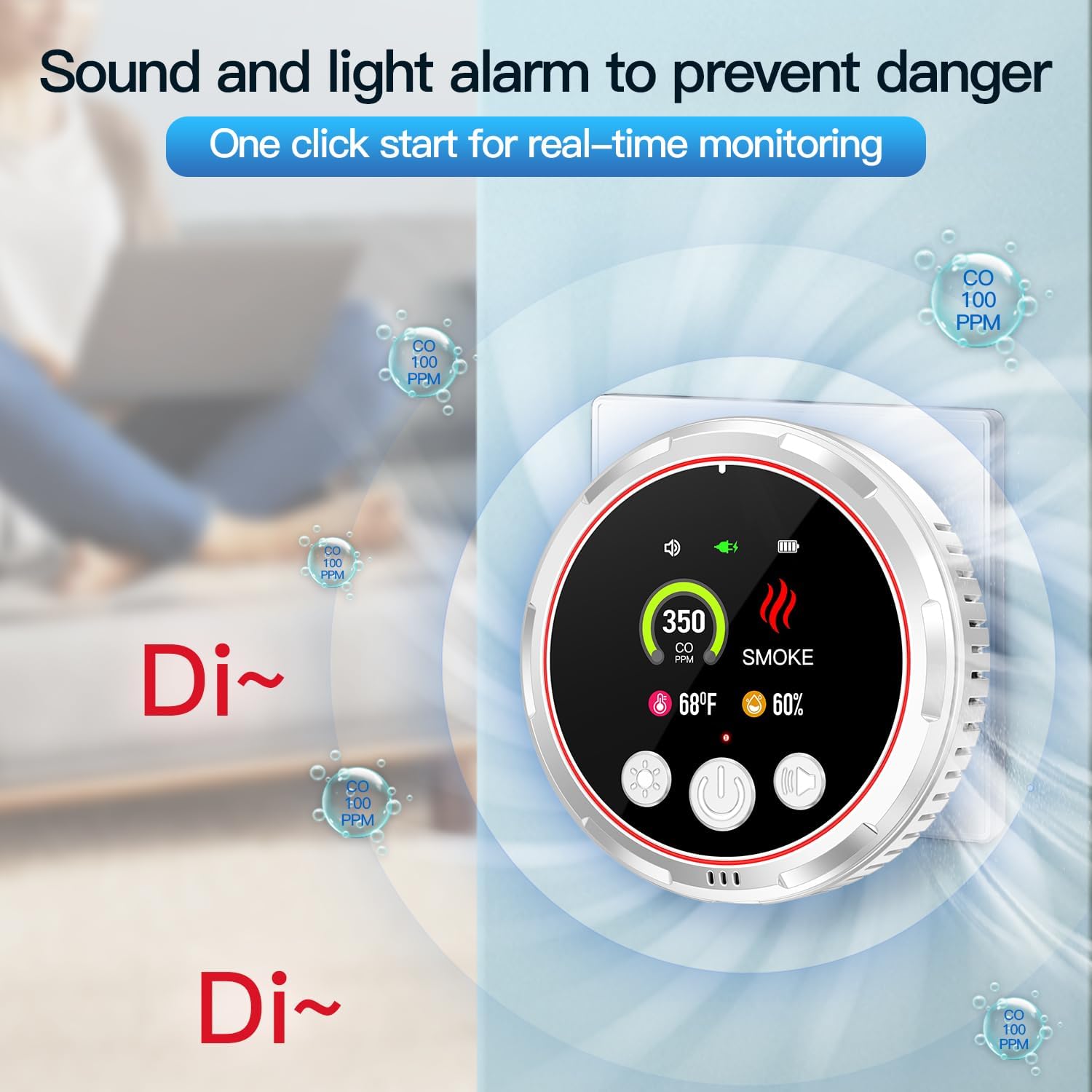
Figure 6.1: Close-up of the Ultra HD color screen display.
- CO (PPM): Displays the current Carbon Monoxide concentration in parts per million.
- دود: Indicates the presence of smoke.
- دما (°F): Shows the ambient room temperature.
- رطوبت (%): Displays the relative humidity level.
- نشانگر باتری: Shows the status of the internal backup battery.
- وضعیت هشدار: Indicates if the alarm function is active or muted.
6.2 توابع دکمه
The device features three control buttons on the front panel:
- Light Button (Sun icon): Press to adjust the screen brightness. Multiple presses cycle through different brightness levels, including off.
- Power Button (Circle with line icon): Press and hold to power the device on or off (when operating on battery backup). A short press may activate the display if it's in a low-power state.
- Test/Mute Button (Speaker icon): Press to test the alarm function. During an alarm, press to temporarily mute the alarm.
6.3 شرایط هشدار
The detector will sound an 85dB alarm and provide visual alerts on the display under the following conditions:
- هشدار مونوکسید کربن (CO): Triggered when CO levels exceed safe thresholds.
- هشدار دود: Triggered upon detection of smoke.
If an alarm sounds, evacuate the premises immediately and call emergency services. Do not re-enter until the area has been deemed safe by professionals.
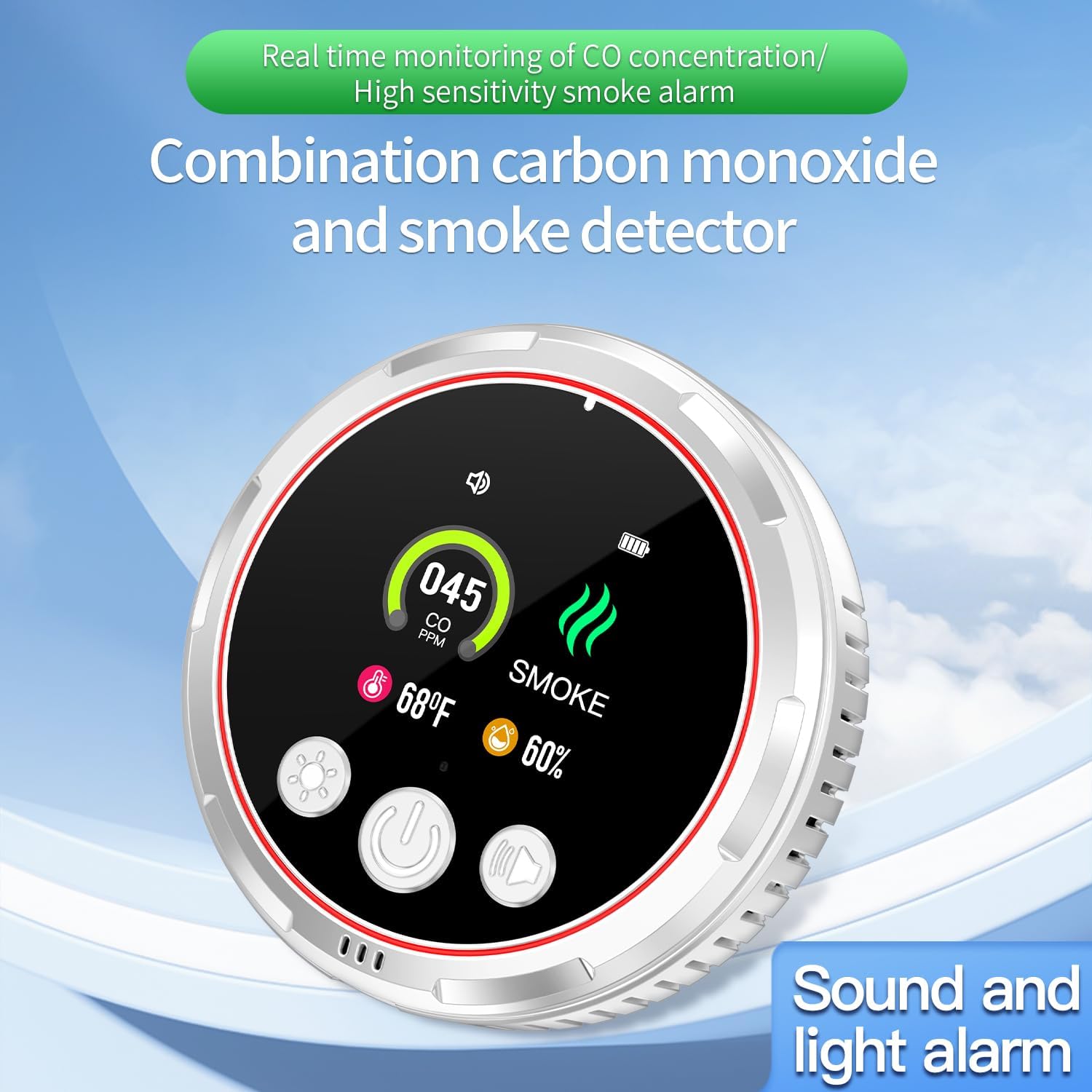
Figure 6.2: The detector activating its sound and light alarm during a CO detection event.
7. تعمیر و نگهداری
Regular maintenance ensures the longevity and proper functioning of your detector.
- تست هفتگی: Press the 'Test/Mute' button once a week to verify the alarm sounds.
- تمیز کردن: Gently vacuum the detector's vents and exterior cover monthly using a soft brush attachment to remove dust and debris. Do not use cleaning solvents or sprays directly on the unit.
- بررسی باتری: The built-in backup battery is designed to last the lifetime of the unit. The battery indicator on the display will show its charge level. If the battery level is consistently low despite being plugged in, contact customer support.
- اجتناب از آلاینده ها: Do not expose the detector to excessive dust, dirt, grease, or chemicals, as these can impair sensor performance.
8 عیب یابی
| مشکل | علت احتمالی | راه حل |
|---|---|---|
| Detector does not power on when plugged in. | No power from outlet; faulty outlet; unit malfunction. | Check the outlet with another device. Try a different outlet. If still no power, contact customer support. |
| Alarm sounds without apparent reason. | False alarm due to cooking fumes, steam, or dust; actual CO/smoke presence. | Ventilate the area. If the alarm persists, treat it as a real emergency and evacuate. |
| صفحه نمایش خالی یا کم نور است. | Screen brightness set to low or off; power issue. | Press the 'Light' button to adjust brightness. Ensure the unit is properly plugged in. |
| Battery indicator shows low charge. | Unit running on backup battery; battery degradation. | Ensure the unit is continuously plugged into a working outlet. If the issue persists, contact customer support. |
| Detector fails weekly test. | خرابی واحد | برای کمک با پشتیبانی مشتری تماس بگیرید. |
9. مشخصات
- شماره مدل: HD13
- برند: هاکیناکو
- منبع تغذیه: AC (110-240V compatible)
- باتری پشتیبان: باتری لیتیوم-یونی داخلی ۸۰۰ میلیآمپر ساعتی (موجود در بستهبندی)
- Battery Life (Backup): تقریبا 40-48 ساعت
- انواع تشخیص: Carbon Monoxide (CO), Smoke, Temperature, Humidity
- صدای آلارم: 85 دسی بل
- رنگ: سفید
- وزن مورد: تقریباً ۱.۶ اونس (۰.۱ پوند)
- ابعاد محصول: 3.42 x 1 x 3.42 اینچ
- سازنده: Shenzhen Huidu Technology Co., Ltd.
- UPC: 758321273831
10. گارانتی و پشتیبانی
For warranty information, technical support, or any questions regarding your HAKINAKU HD13 detector, please refer to the product packaging or contact HAKINAKU customer service through the retailer where the product was purchased. Keep your purchase receipt as proof of purchase for warranty claims.


