1. مقدمه
Thank you for choosing the GOBOULT Crown Smart Watch. This manual provides essential information for setting up, operating, and maintaining your device. The GOBOULT Crown Smart Watch features a 1.95-inch HD display, Bluetooth calling, a functional rotating crown, and comprehensive health monitoring capabilities.
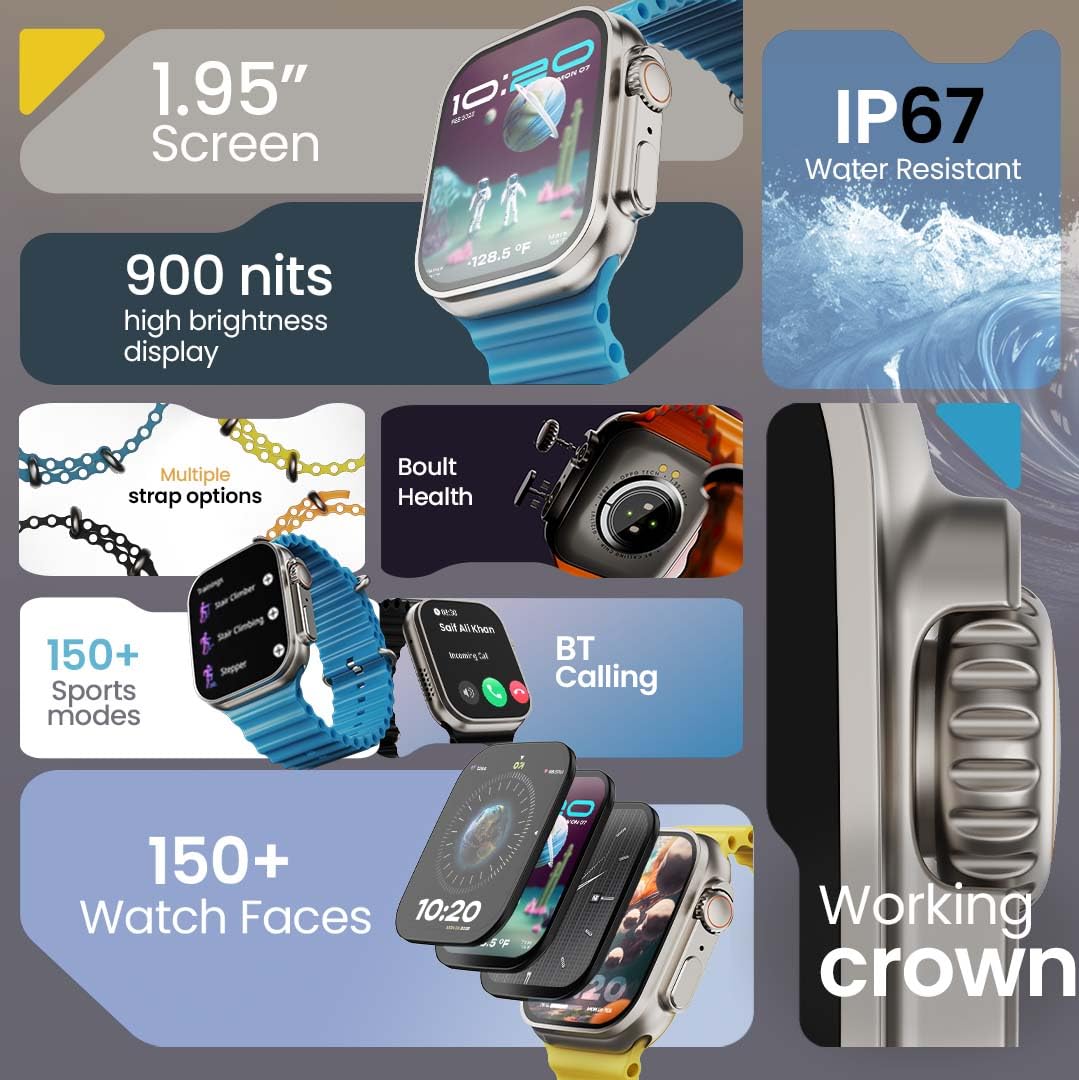
تصویر 1.1: تمام شدview of the GOBOULT Crown Smart Watch highlighting its 1.95-inch screen, 900 nits brightness, IP67 rating, multiple strap options, Boult Health features, Bluetooth calling, 150+ sports modes, 150+ watch faces, and working crown.
۲. چه چیزهایی در جعبه است؟
مطمئن شوید که تمام موارد زیر در بستهبندی محصول شما وجود دارد:
- GOBOULT Crown Smart Watch
- کابل شارژ
- راهنمای کاربر
- کارت گارانتی
3. محصول تمام شدview
The GOBOULT Crown Smart Watch is designed with a premium zinc alloy frame and a vibrant 1.95-inch HD display. It features a functional rotating crown for intuitive navigation and a dedicated button for sports modes.
3.1 مولفه های کلیدی
- نمایشگر ۱۰.۲۵ اینچی اچدی: Offers clear visuals with up to 900 nits brightness for excellent outdoor visibility.
- Working Rotating Crown: Used for scrolling, zooming, and navigating menus.
- دکمه کناری: Often dedicated for quick access to sports modes or other functions.
- Zinc Alloy Frame: دوام و حس ممتازی را ارائه میدهد.
- حسگرها: Located on the back for heart rate, SpO2, and other health monitoring.
- میکروفون و بلندگو: Integrated for Bluetooth calling and voice assistant functions.
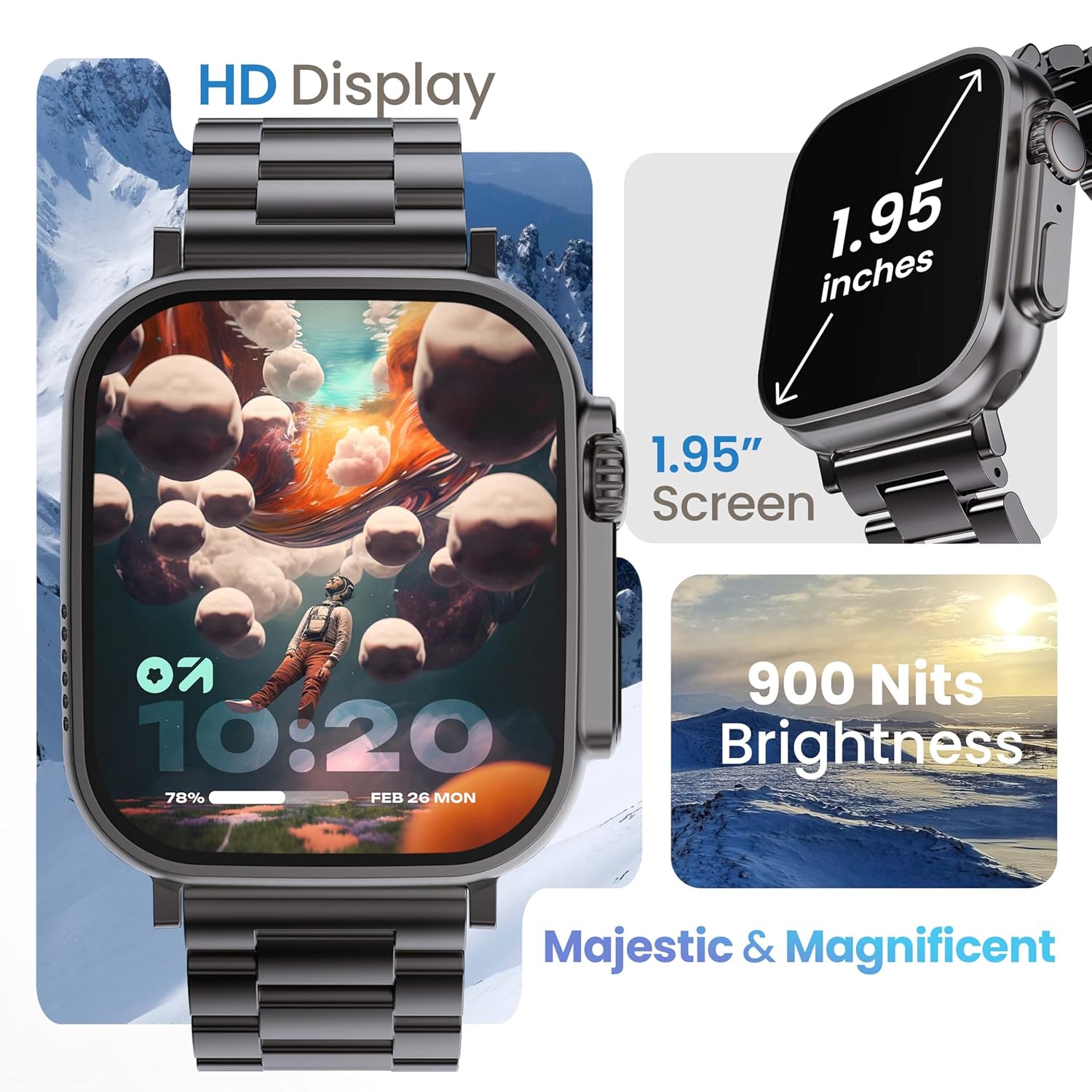
Image 3.1: The 1.95-inch HD display of the GOBOULT Crown Smart Watch, emphasizing its size and 900 Nits brightness for clear visibility.
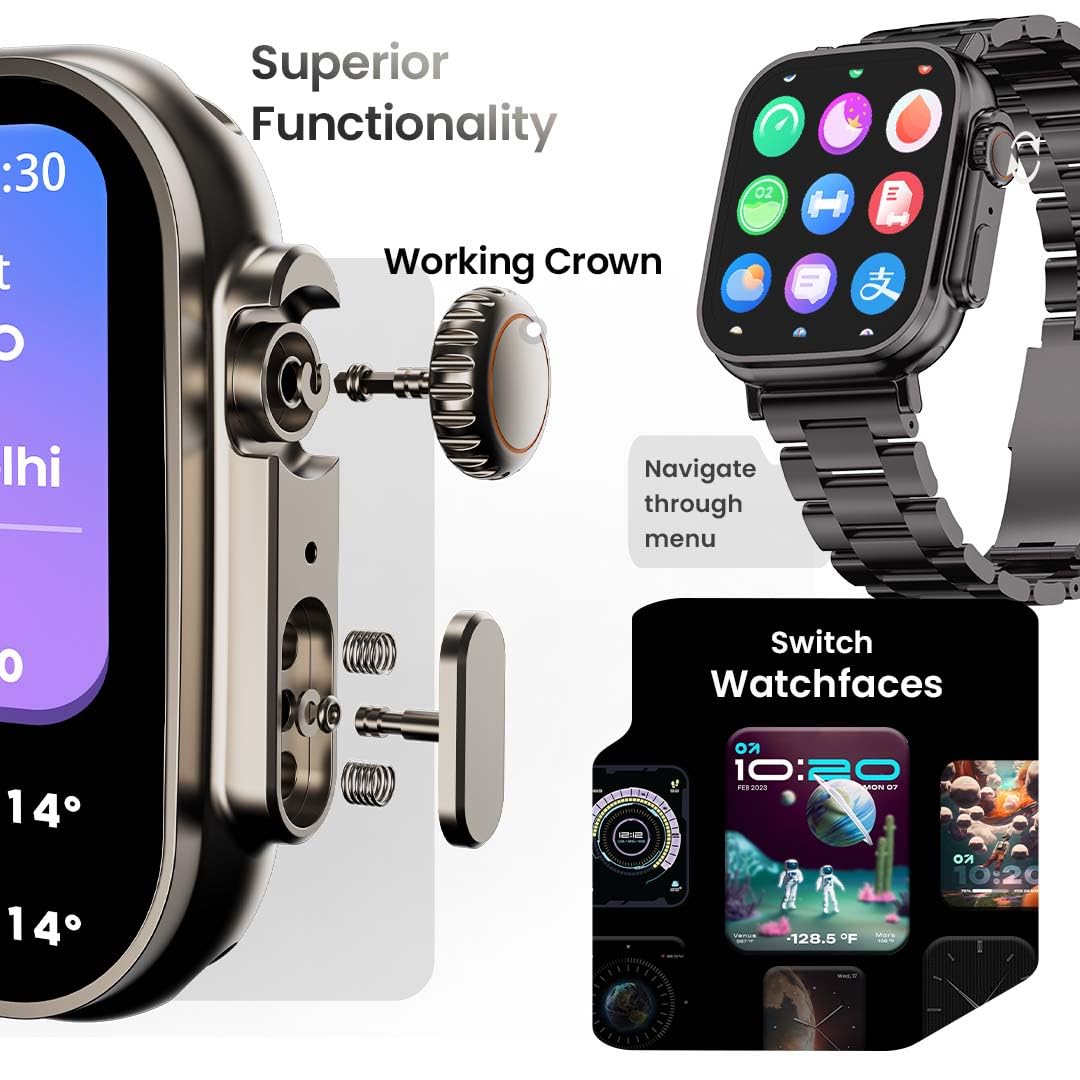
تصویر ۳.۱: جزئیات view of the working crown on the GOBOULT Crown Smart Watch, illustrating its use for navigating menus and switching watch faces.
4. راه اندازی
۵.۱ شارژ کردن ساعت هوشمند
- Connect the magnetic charging cable to the charging pins on the back of the watch.
- سر USB کابل را به یک آداپتور برق USB استاندارد (که همراه دستگاه نیست) یا پورت USB کامپیوتر وصل کنید.
- The watch display will indicate charging status. A full charge takes approximately 150 minutes.
توجه: قبل از شارژ، مطمئن شوید که پینهای شارژ تمیز و خشک هستند تا از خوردگی جلوگیری شود.
۳.۳ جفت شدن با تلفن هوشمند شما
To unlock all features, pair your GOBOULT Crown Smart Watch with the companion app on your smartphone.
- Download the official GOBOULT companion app from your smartphone's app store (compatible with iOS and Android devices).
- اطمینان حاصل کنید که بلوتوث در گوشی هوشمند شما فعال است.
- Open the GOBOULT app and follow the on-screen instructions to create an account or log in.
- «افزودن دستگاه» یا «جفت کردن دستگاه جدید» را در برنامه انتخاب کنید.
- The app will search for available devices. Select 'GOBOULT Crown' from the list.
- درخواست جفتسازی را هم در ساعت و هم در تلفن هوشمند خود تأیید کنید.
Once paired, the watch will synchronize data with your phone, and you can customize settings through the app.
5. دستورالعمل های عملیاتی
5.1 ناوبری اولیه
- صفحه لمسی: برای پیمایش در منوها و اعلانها، انگشت خود را به چپ، راست، بالا یا پایین بکشید. برای انتخاب موارد، ضربه بزنید.
- Working Crown: Rotate the crown to scroll through lists, zoom in/out, or switch watch faces. Press the crown to return to the home screen or access the app menu.
- دکمه کناری: Press to quickly access the sports mode menu.
5.2 تماس بلوتوثی
The GOBOULT Crown Smart Watch supports Bluetooth calling (BT 5.2) with a built-in speaker and microphone.
- Ensure your watch is paired with your smartphone via Bluetooth.
- To make a call, access the dial pad on your watch or select a contact from your synchronized phonebook.
- To answer an incoming call, tap the green icon on the watch screen. To reject, tap the red icon.
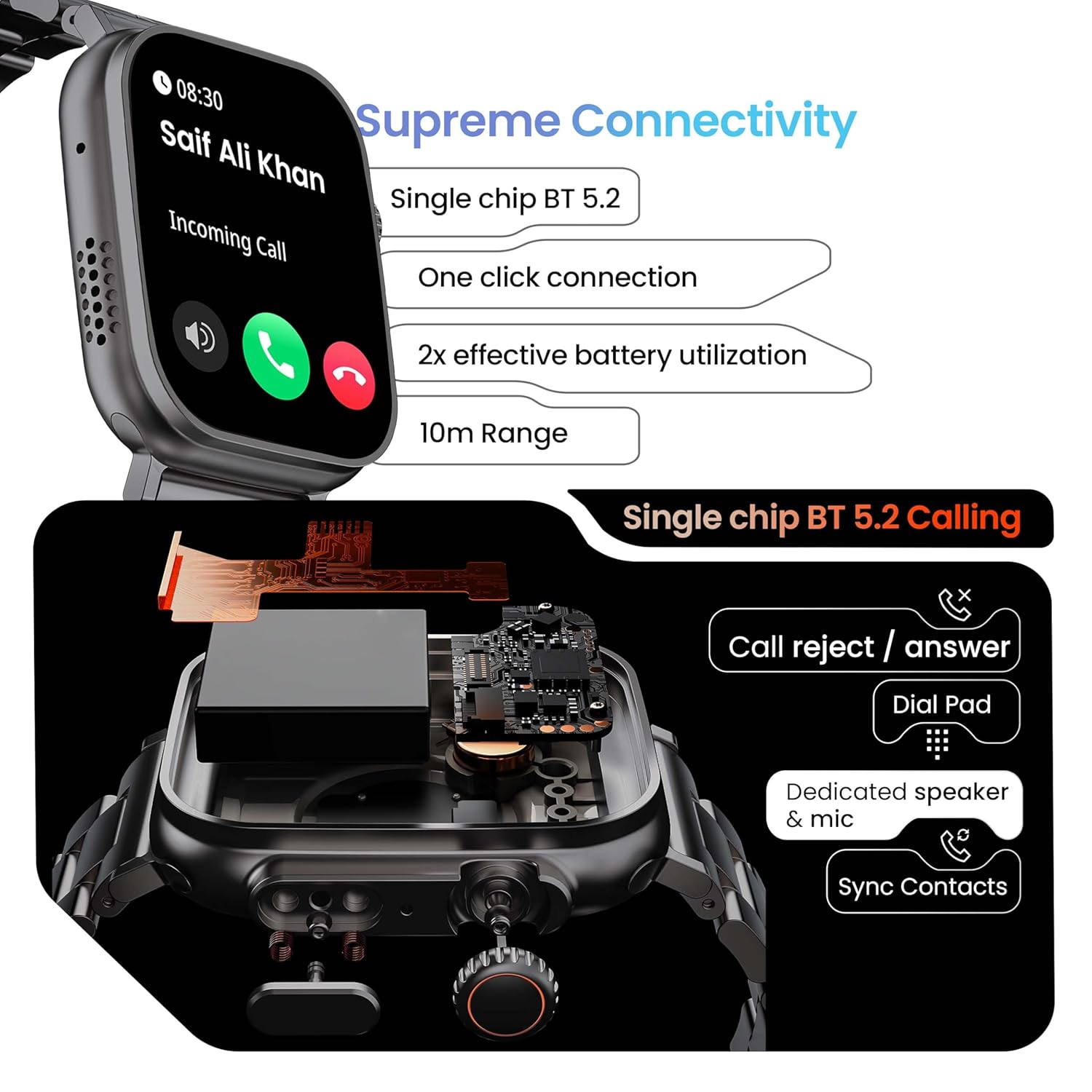
Image 5.1: Illustration of the Bluetooth 5.2 calling functionality on the GOBOULT Crown Smart Watch, including call reject/answer, dial pad, dedicated speaker & mic, and contact synchronization.
5.3 حالت ورزشی
The watch offers over 120 sports modes to track various physical activities.
- Press the dedicated side button or navigate through the app menu to access 'Sports Modes'.
- Select your desired activity (e.g., Running, Cycling, Yoga, HIIT).
- The watch will begin tracking metrics such as duration, heart rate, calories burned, and steps.
- End the workout by following the on-screen prompts. Data will be synchronized with the app.

Image 5.2: The GOBOULT Crown Smart Watch actively tracking a workout, showing real-time data for heart rate, calories, and steps, with a dedicated button for sports modes.
5.4 نظارت بر سلامت
The watch provides continuous health tracking features.
- پایش ضربان قلب: ضربان قلب شما را 24 ساعته و 7 روز هفته پیگیری میکند.
- پایش SpO2: میزان اشباع اکسیژن خون را اندازهگیری میکند.
- تحلیل خواب: الگوهای خواب و کیفیت آن را رصد میکند.
- ردیاب فعالیت: تعداد قدمها، مسافت طی شده و کالری سوزانده شده در طول روز را ثبت میکند.
- هشدارهای بیتحرکی: به شما یادآوری میکند که پس از دورههای عدم فعالیت، حرکت کنید.
- Female Menstrual Cycle Tracking: Available through the companion app.
- آموزش تنفس: تمرینات تنفسی هدایتشده برای آرامش.
Access detailed health data and trends in the GOBOULT companion app.
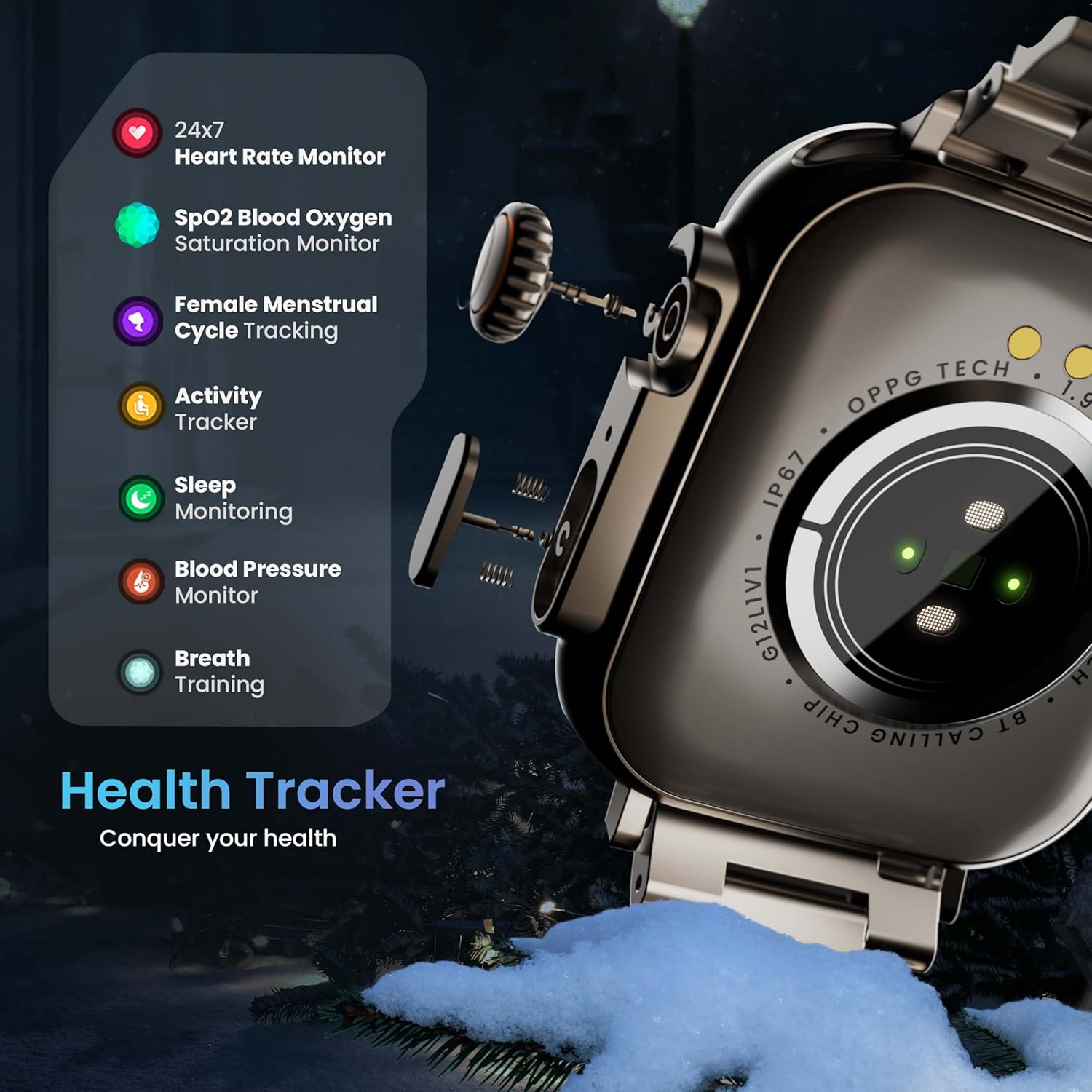
Image 5.3: The GOBOULT Crown Smart Watch highlighting its comprehensive health tracker capabilities, including 24x7 Heart Rate Monitor, SpO2 Blood Oxygen Saturation Monitor, Female Menstrual Cycle Tracking, Activity Tracker, Sleep Monitoring, Blood Pressure Monitor, and Breath Training.
دستیار صوتی هوش مصنوعی ۵.۵
Interact with your watch using voice commands for quick tasks.
- Activate the AI Voice Assistant by a specific gesture or button press (refer to in-app settings for configuration).
- Speak your command clearly, such as "Hey Siri" or "Ok Google" (if connected to a compatible phone).
- The watch will process your request, allowing you to set reminders, check weather, or control smart home devices.
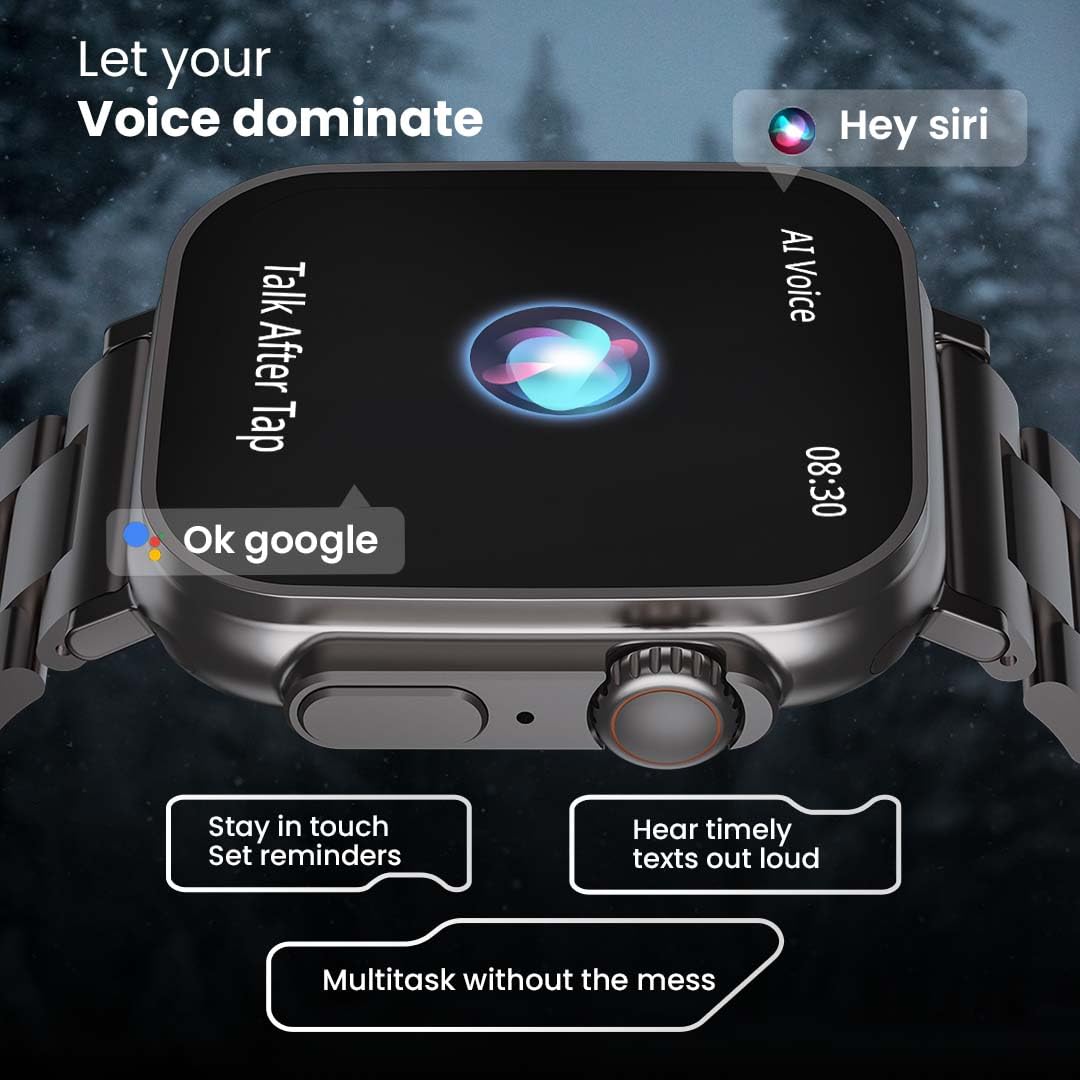
Image 5.4: The GOBOULT Crown Smart Watch interacting with AI Voice Assistants like Hey Siri and Ok Google, enabling users to stay in touch, set reminders, and hear timely texts aloud.
۴.۵ صفحههای ساعت و شخصیسازی
Personalize your watch with over 100 cloud-based watch faces.
- Long-press the watch face on the home screen to quickly switch between pre-loaded faces.
- For more options, open the GOBOULT app and browse the 'Watch Faces' library.
- Download and apply new watch faces directly from the app.
5.7 Mini Games
The watch includes several mini-games for entertainment.
- Navigate to the 'Games' section in the app menu.
- Select a game (e.g., Young Bird, Hamster, Battleships, 2048) and follow the on-screen instructions to play.
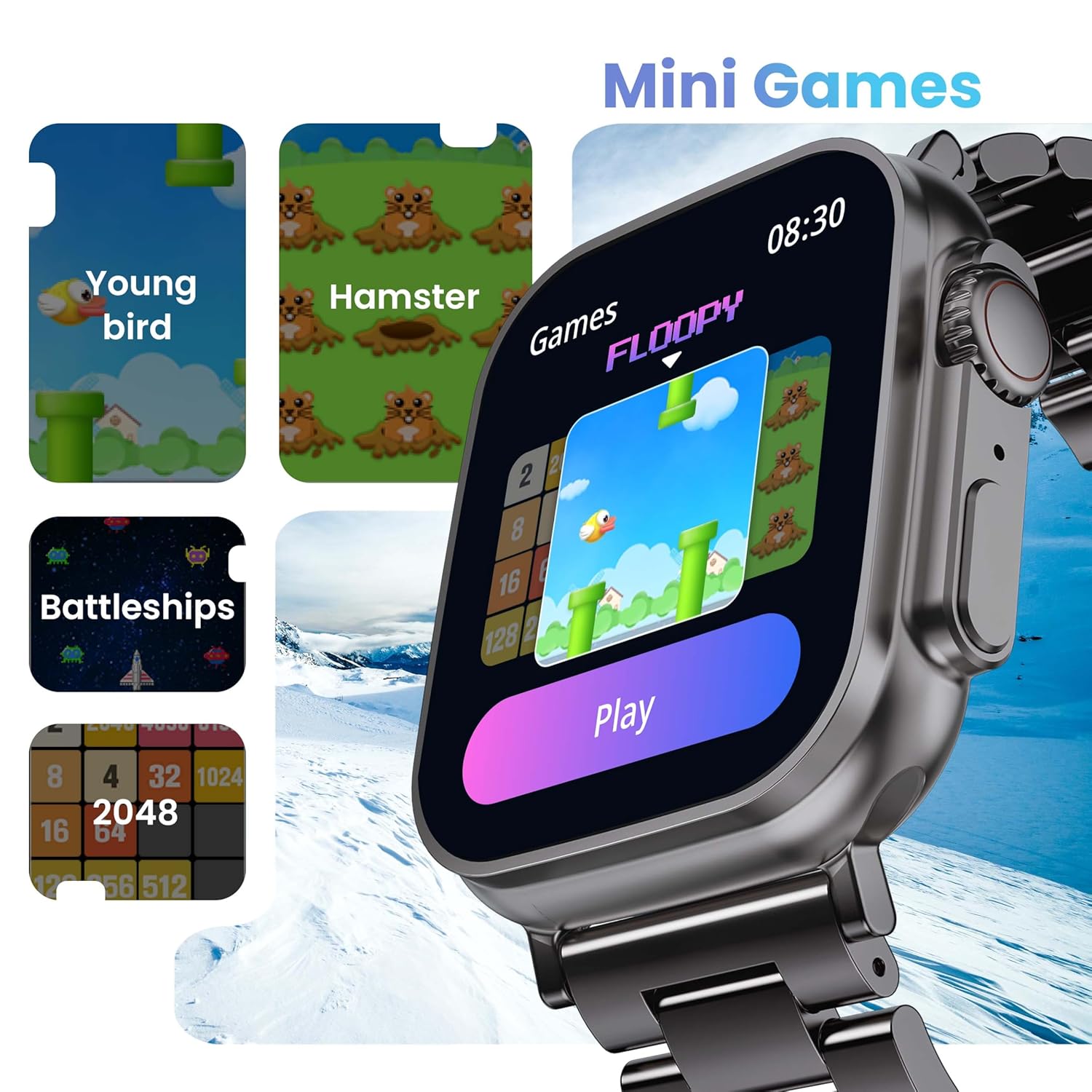
Image 5.5: The GOBOULT Crown Smart Watch showcasing its mini-games feature, including 'Young bird', 'Hamster', 'Battleships', and '2048'.
5.8 تلفن من را پیدا کنید
با استفاده از ساعت، گوشی هوشمند جفتشده خود را پیدا کنید.
- Go to the watch menu.
- Select the "Find Phone" option.
- The connected phone will ring or vibrate, helping you locate it.
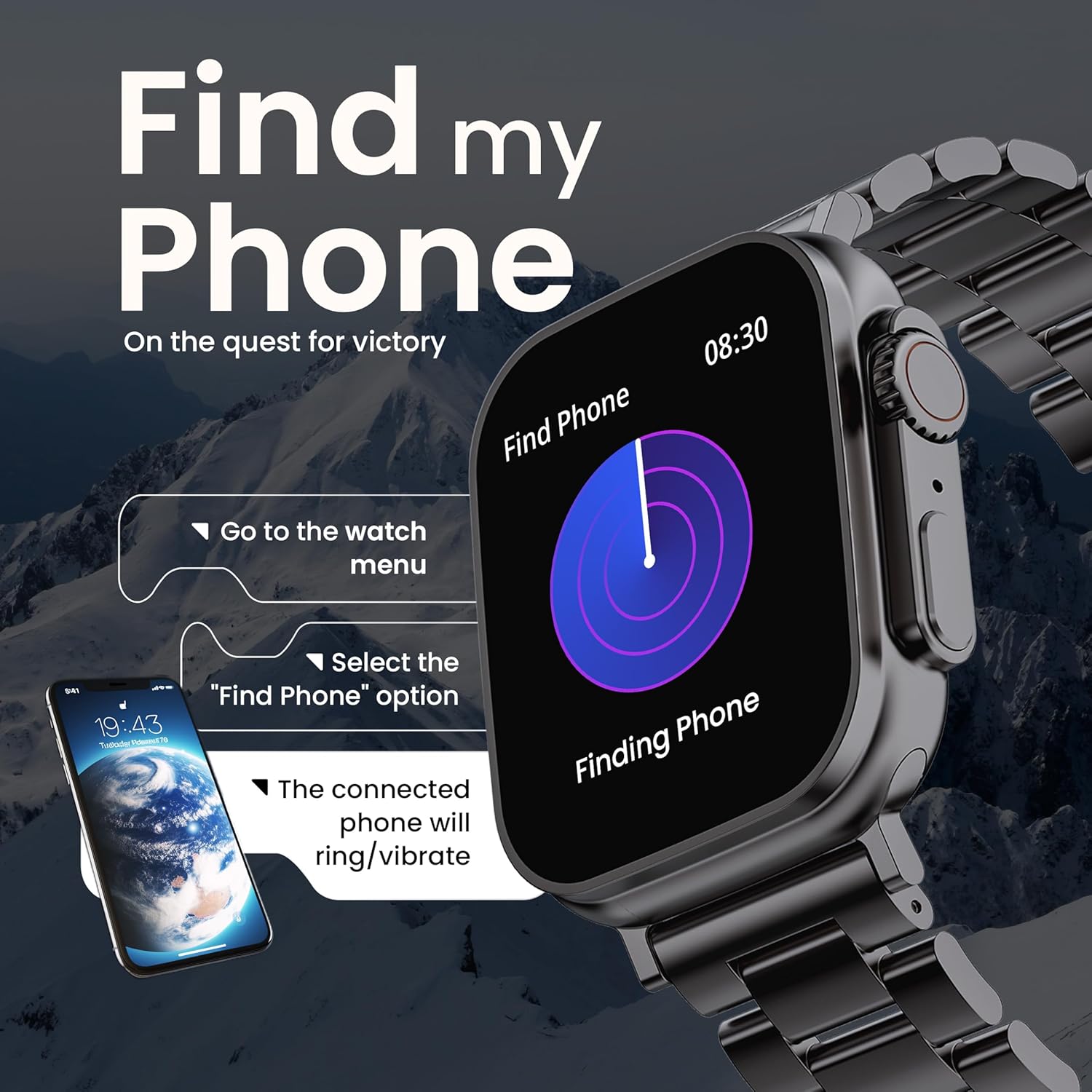
Image 5.6: The GOBOULT Crown Smart Watch illustrating the 'Find my Phone' feature, showing the steps to activate it and how the connected phone will respond.
6. تعمیر و نگهداری
۴.۲ تمیز کردن ساعت هوشمند
- صفحه نمایش و بدنه ساعت را با یک پارچه نرم و بدون پرز پاک کنید.
- برای لکه های سرسخت، دampپارچه را کمی با آب خیس کنید. از استفاده از مواد شیمیایی قوی یا مواد ساینده خودداری کنید.
- Clean the charging pins regularly to ensure proper connection.
- If your watch has a stainless steel band, use the provided strap adjustment tool for any modifications.
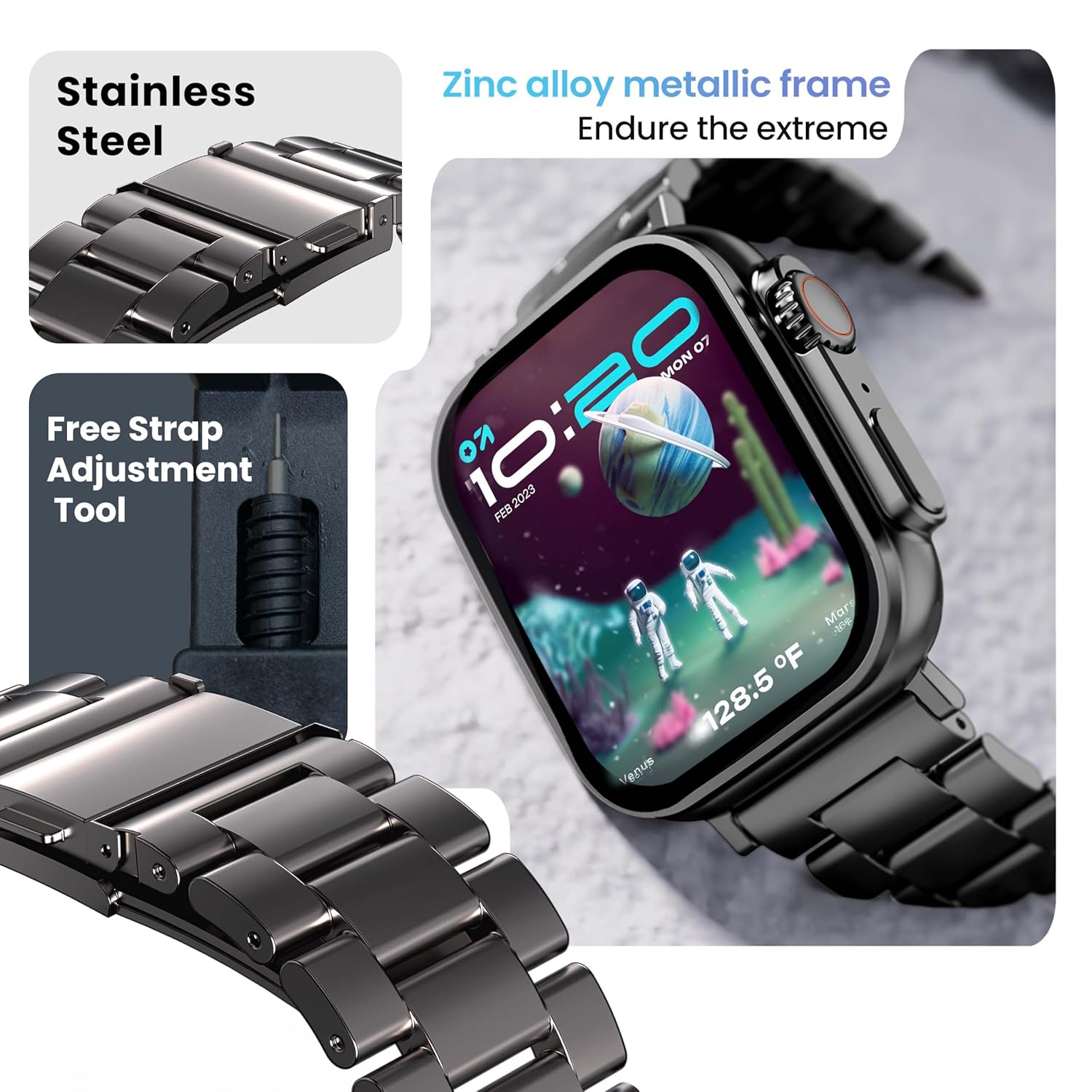
Image 6.1: The GOBOULT Crown Smart Watch featuring its stainless steel band and the included free strap adjustment tool for maintenance.
۲.۷ مقاومت در برابر آب
The GOBOULT Crown Smart Watch has an IP67 waterproof rating.
- رتبه IP67: This means the watch is dust-proof and can withstand submersion in water up to 1.5 meters for 30 minutes.
- It is suitable for daily use, such as washing hands or light rain.
- Avoid using the watch during swimming, diving, or in hot water (e.g., showers, saunas) as steam and high pressure can compromise the seal.
- دکمهها را زیر آب فشار ندهید.
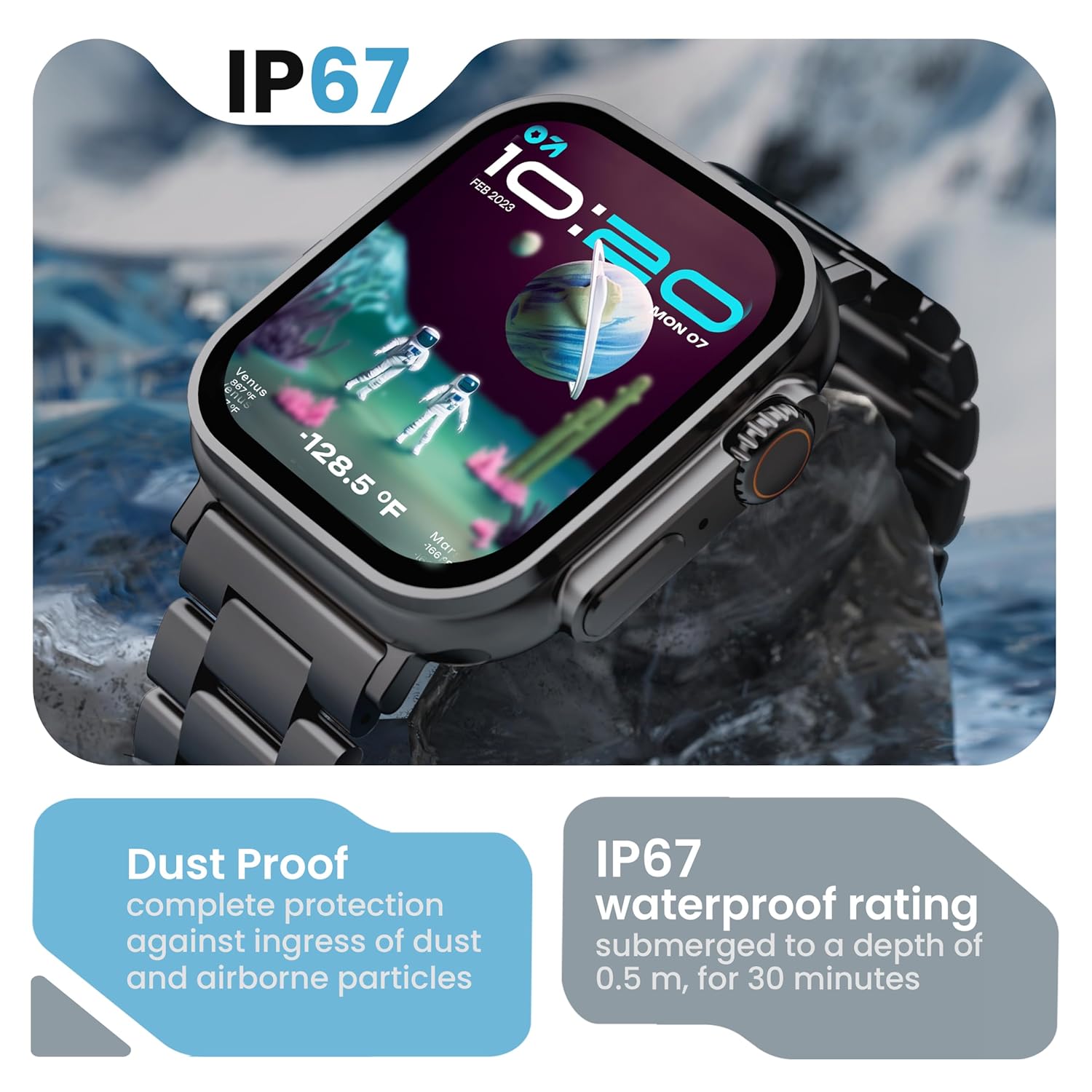
Image 6.2: The GOBOULT Crown Smart Watch emphasizing its IP67 rating, indicating complete protection against dust ingress and water submersion up to 0.5 meters for 30 minutes.
7 عیب یابی
If you encounter issues with your GOBOULT Crown Smart Watch, refer to the following common solutions:
| مشکل | راه حل ممکن |
|---|---|
| ساعت روشن نمی شود | مطمئن شوید که ساعت کاملاً شارژ شده است. آن را حداقل به مدت 30 دقیقه به شارژر وصل کنید. |
| نمیتوان با گوشی هوشمند جفتسازی کرد | Ensure Bluetooth is enabled on your phone. Restart both the watch and phone. Make sure the watch is within Bluetooth range. Check the app for pairing instructions. |
| دادههای نادرست سلامت | مطمئن شوید که ساعت به طور محکم روی مچ دستتان بسته شده است، نه خیلی تنگ و نه خیلی گشاد. قسمت حسگر پشت ساعت را تمیز کنید. |
| مشکلات تماس بلوتوث | Verify the watch is connected for both data and call audio in your phone's Bluetooth settings. Ensure microphone and speaker are not obstructed. |
| صفحه نمایش پاسخ نمی دهد | ساعت را مجدداً راه اندازی کنید. اگر مشکل همچنان ادامه داشت، مطمئن شوید که صفحه نمایش تمیز و خشک است. |
| عمر باتری کوتاه | روشنایی صفحه نمایش را کاهش دهید، اعلانهای غیرضروری را غیرفعال کنید و در صورت عدم نیاز، نظارت مداوم بر ضربان قلب را محدود کنید. |
اگر پس از امتحان کردن این راهحلها مشکل همچنان ادامه داشت، لطفاً با پشتیبانی مشتری تماس بگیرید.
8. مشخصات
Below are the technical specifications for the GOBOULT Crown Smart Watch (Model: B0FCSBLK42):
| ویژگی | جزئیات |
|---|---|
| شماره مدل | B0FCSBLK42 |
| اندازه نمایشگر | 1.95 اینچ |
| نوع نمایشگر | TFT |
| Maximum Display Brightness | 900 نیت |
| فناوری اتصال | بلوتوث 5.2 |
| سازگاری سیستم عامل | Android Wear 1.0, iOS |
| ظرفیت باتری | 300 میلیونamp ساعت (لیتیوم پلیمر) |
| عمر متوسط باتری | تا 7 روز |
| زمان شارژ باتری | 150 دقیقه |
| رتبه بندی مقاومت در برابر آب | IP67 (Water Resistant up to 1.5 meters depth) |
| نوع مواد باند | فولاد ضد زنگ |
| وزن مورد | 40 گرم |
| ابعاد مورد (D x W x H) | ۱۰ عمق × ۱۰ عرض × ۱۰ ارتفاع (میلیمتر) |
| معیارهای اندازهگیری شده | Blood Oxygen (SpO2), Distance, Heart Rate, Step Count |
| برنامه های کاربردی پشتیبانی شده | Voice Assistant, Communication, Notifications |
| نوع کنترلر | دستیار گوگل، سیری |
9. گارانتی و پشتیبانی
9.1 اطلاعات گارانتی
The GOBOULT Crown Smart Watch comes with a 1 سال گارانتی سازنده از تاریخ خرید. این ضمانتنامه شامل نقصهای تولیدی میشود. لطفاً رسید خرید خود را برای درخواستهای گارانتی نگه دارید.
9.2 پشتیبانی مشتری
For technical assistance, warranty claims, or any other inquiries, please contact:
- سازنده: صوتی Boult
- وارد کننده: Exotic Mile Pvt. Ltd.
- اطلاعات تماس واردکننده: B67 Wazirpur Industrial Area, New Delhi 110052
Please refer to the warranty card included in your box for specific terms and conditions.


