1. مقدمه
Welcome to the GOBOULT Pyro Smartwatch user manual. This guide provides essential information for setting up, operating, and maintaining your new smartwatch. The GOBOULT Pyro combines advanced technology with a sleek design, offering features such as a vibrant AMOLED display, Bluetooth calling, comprehensive health monitoring, and various sports modes.
Please read this manual thoroughly to ensure proper use and to maximize your experience with the device.

Image 1.1: The GOBOULT Pyro Smartwatch in Charcoal Black. This image displays the watch face and strap, highlighting its overall design.
2. ویژگی های کلیدی
The GOBOULT Pyro Smartwatch is equipped with a range of features designed to enhance your daily life and fitness routine:
- نمایشگر آمولد ۱.۶۴ اینچی: Enjoy an ultra-clear and vibrant display with 600 nits brightness and Always-On Display functionality.
- Rotating Dial Navigation: Effortlessly browse menus and switch between applications.
- Bluetooth Calling 5.3: Make and receive calls directly from your wrist with enhanced audio quality.
- مقاومت در برابر آب و گرد و غبار IP68: Designed to withstand dust, sweat, and water immersion.
- 150+ Cloud-Based Watch Faces: Personalize your smartwatch to match your style.
- 120+ حالت ورزشی: Track various fitness activities with real-time insights.
- دستیار صوتی هوش مصنوعی: Control tasks hands-free using voice commands.
- پایش سلامت: Includes SpO2, heart rate, blood pressure, stress, sleep, and menstrual cycle tracking.
- Smart Productivity Features: Remote camera control, flashlight, world clock, weather updates, and 'Find My Phone' functionality.

تصویر ۳.۴: یک پایانview نمایشasing key features of the GOBOULT Pyro Smartwatch, including the working dial, Always-On Display, 600 nits brightness, 120+ sports modes, Bluetooth calling, health monitoring, and IP68 water resistance.
3. راه اندازی
3.1. جعبه گشایی و بازرسی اولیه
پس از باز کردن بستهبندی، مطمئن شوید که همه اجزا موجود و بدون آسیب هستند. جعبه باید شامل موارد زیر باشد:
- GOBOULT Pyro Smartwatch
- کابل شارژ
- راهنمای کاربر (این سند)
- کارت گارانتی
۳.۲ شارژ کردن ساعت هوشمند
Before first use, fully charge your GOBOULT Pyro Smartwatch. Connect the provided charging cable to the charging port on the back of the smartwatch and to a standard USB power adapter (not included). A full charge typically takes approximately 150 minutes.
توجه: Use a compatible charger to avoid damage. The smartwatch requires 1 AAA battery (included) for internal functions, but the main power is supplied via the charging cable.
۳.۲. جفت شدن با تلفن هوشمند شما
To unlock the full functionality of your smartwatch, pair it with your smartphone via Bluetooth:
- Download the official GOBOULT companion app from your smartphone's app store (available for Android and iOS).
- اطمینان حاصل کنید که بلوتوث در گوشی هوشمند شما فعال است.
- Open the GOBOULT app and follow the on-screen instructions to add a new device.
- Select 'GOBOULT Pyro' from the list of available devices.
- درخواست جفتسازی را هم در گوشی هوشمند و هم در ساعت هوشمند خود تأیید کنید.
Once paired, the smartwatch will synchronize data and notifications with your phone.
4. عملیات
۴.۱ نمایش و ناوبری
The GOBOULT Pyro features a 1.43-inch AMOLED display with 600 nits brightness, ensuring clear visibility even in bright sunlight. The Always-On Display (AOD) feature allows you to see essential information without fully activating the screen.

Image 4.1: The 1.43-inch AMOLED display of the GOBOULT Pyro Smartwatch, showcasing its vibrant colors and clarity, along with the Always-On Display feature and 600 nits brightness.
Navigate through menus and apps using the touchscreen and the intuitive rotating dial. Rotate the dial to scroll through lists or zoom, and press it to select items or return to the home screen.

Image 4.2: Close-up of the GOBOULT Pyro Smartwatch demonstrating the rotating action bezel for navigation through menus and options.
۵.۲. شخصیسازی واچ فیسها
Personalize your smartwatch with over 150 cloud-based watch faces. You can change watch faces directly from the smartwatch settings or through the companion app. The app also allows for custom watch face options.

Image 4.3: A visual representation of the 150+ cloud-based watch faces available for the GOBOULT Pyro Smartwatch, including options for custom watch faces.
۱. تماس بلوتوثی
With Bluetooth 5.3, you can make and receive calls directly from your smartwatch. The device features a dedicated microphone and speaker for clear, hands-free communication. Ensure your smartwatch is connected to your phone via Bluetooth for this feature to work.

Image 4.4: The GOBOULT Pyro Smartwatch displaying an incoming call, illustrating the Bluetooth calling feature with its dedicated microphone and speaker.
۵.۵ حالتهای ورزشی و ردیابی فعالیت
The smartwatch supports over 120 sports modes, allowing you to track a wide range of physical activities. Select your desired sport from the menu to monitor real-time data such as duration, calories burned, and heart rate.

Image 4.5: The GOBOULT Pyro Smartwatch displaying a running activity summary, highlighting the availability of 120+ sports modes for tracking various physical activities.
۳. نظارت بر سلامت
The GOBOULT Pyro provides 24/7 health monitoring capabilities:
- مانیتور ضربان قلب: ضربان قلب شما را به طور مداوم پیگیری میکند.
- پایش SpO2: سطح اکسیژن خون شما را اندازهگیری میکند.
- مانیتورینگ فشار خون: تخمینی از فشار خون شما ارائه میدهد.
- Sleep & Stress Monitoring: Analyzes sleep patterns and stress levels.
- Female Menstrual Cycle Tracking: به ردیابی و پیشبینی چرخههای قاعدگی کمک میکند.
For accurate readings, ensure the smartwatch is worn snugly on your wrist. Consult a medical professional for any health concerns; the smartwatch is not a medical device.

تصویر ۳.۱: نمای عقب view of the GOBOULT Pyro Smartwatch, showing the optical PPG tech sensors used for health monitoring features like heart rate, SpO2, and blood pressure tracking.
4.6. AI Voice Assistant and Smart Features
Access your AI voice assistant (Siri or Google Assistant) for hands-free commands. The smartwatch also offers additional smart features:
- SMS & Push Notifications: Receive alerts for messages and app notifications.
- کنترل دوربین از راه دور: از ساعت خود به عنوان شاتر دوربین گوشی خود استفاده کنید.
- چراغ قوه: یک عملکرد چراغ قوه ساده را فعال کنید.
- ساعت جهانی: View times in different time zones.
- Weather Details: بهروزرسانیهای آب و هوای فعلی را دریافت کنید.
- تلفن من را پیدا کن: گوشی هوشمند جفتشده خود را پیدا کنید.
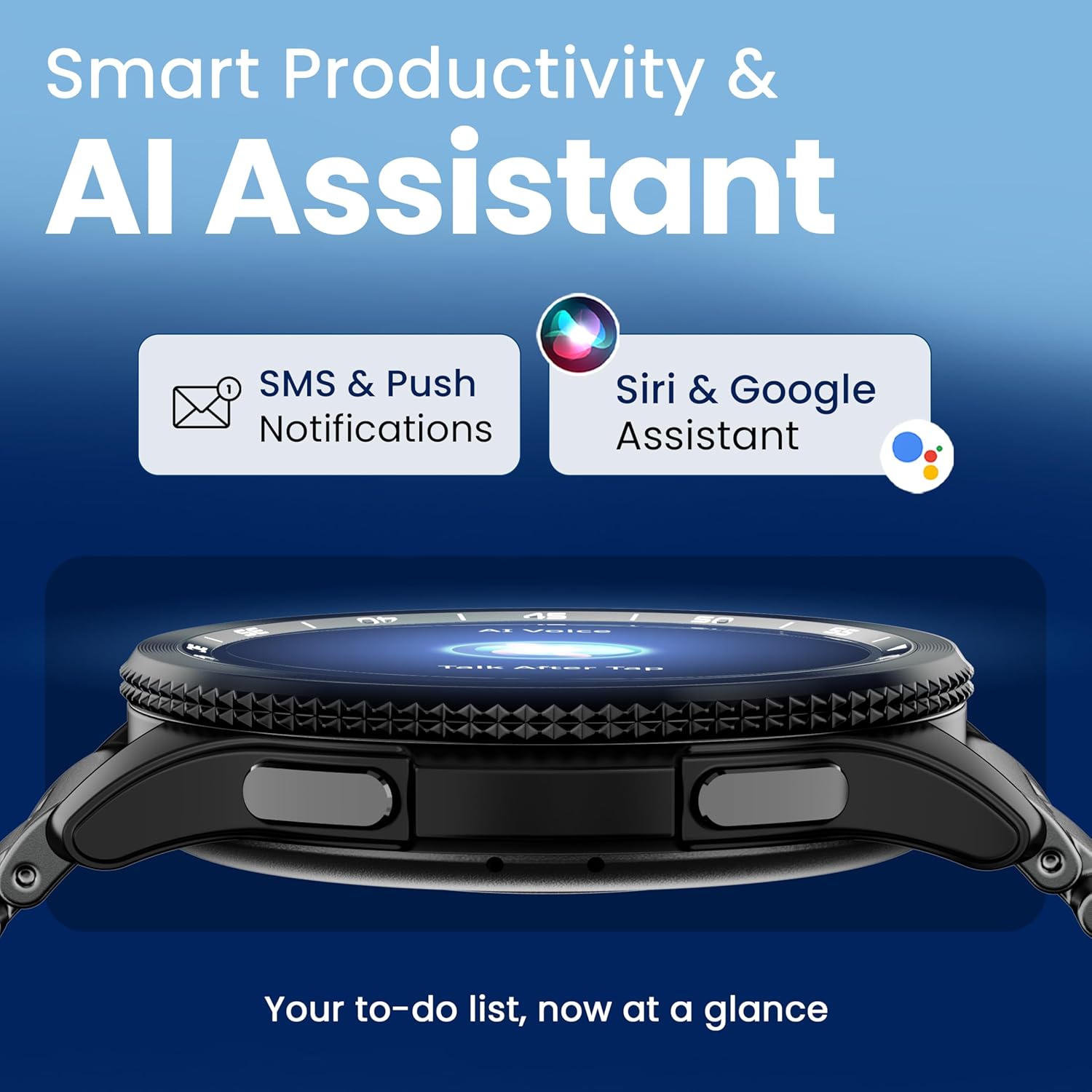
Image 4.7: The GOBOULT Pyro Smartwatch displaying the AI Voice Assistant interface, alongside icons for SMS and push notifications, indicating smart productivity features.

Image 4.8: The GOBOULT Pyro Smartwatch displaying the 'Find Phone' feature, with additional icons for remote camera control, flashlight, world clock, and weather details.
5. تعمیر و نگهداری
۴.۲ مقاومت در برابر آب و گرد و غبار (IP68)
The GOBOULT Pyro Smartwatch is IP68 rated, meaning it is resistant to dust and can withstand immersion in water up to 1.5 meters for 30 minutes. This makes it suitable for daily wear, including during workouts and in rainy conditions. However, it is not recommended for diving, high-pressure water activities, or prolonged submersion.
مهم: Water resistance is not a permanent condition and may decrease over time with normal wear. Avoid exposing the watch to hot water, steam, or detergents, as these can compromise the seals.
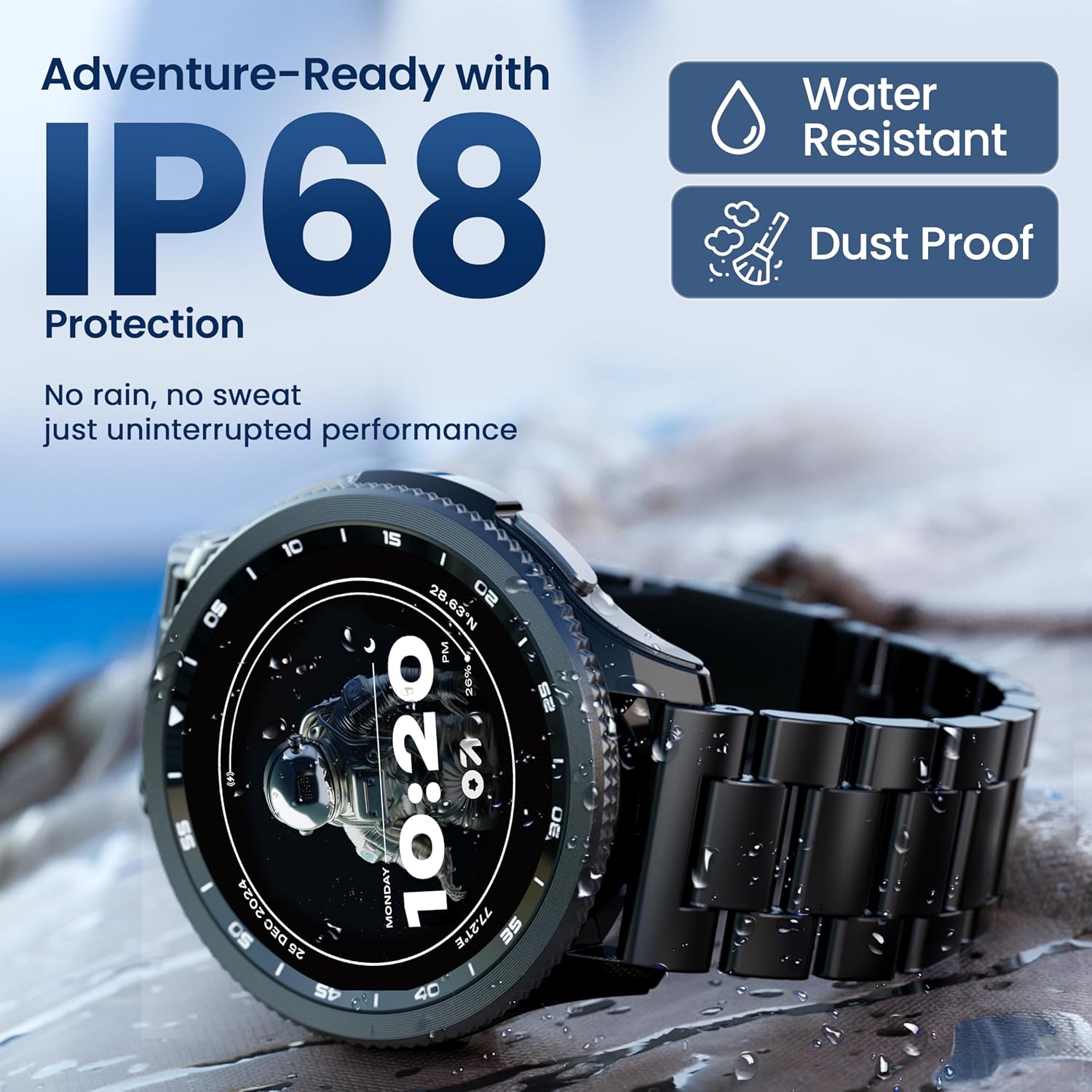
Image 5.1: The GOBOULT Pyro Smartwatch shown with water droplets, illustrating its IP68 water and dust resistance for uninterrupted performance in various conditions.
۱. تمیز کردن ساعت هوشمند
برای تمیز نگه داشتن ساعت هوشمند و عملکرد بهینه آن:
- صفحه نمایش و بدنه را با یک پارچه نرم و بدون پرز پاک کنید.
- در صورت لزوم، دampپارچه را کمی با آب خیس کنید. از استفاده از مواد شیمیایی قوی یا مواد ساینده خودداری کنید.
- برای اطمینان از شارژ کارآمد، مرتباً اتصالات شارژ را تمیز کنید.
- اگر بند ساعت قابل جدا شدن است، آن را بسته به نوع جنسش جداگانه تمیز کنید.
5.3. مراقبت از باتری
برای افزایش طول عمر باتری:
- از دمای شدید خودداری کنید.
- قبل از شارژ مکرر، اجازه ندهید باتری کاملاً خالی شود.
- If storing the watch for an extended period, charge it to about 50% and power it off.
6 عیب یابی
If you encounter issues with your GOBOULT Pyro Smartwatch, refer to the following common solutions:
| مشکل | راه حل ممکن |
|---|---|
| روشن نشدن ساعت هوشمند | مطمئن شوید که ساعت کاملاً شارژ شده است. آن را حداقل به مدت 30 دقیقه به شارژر وصل کنید. |
| جفت شدن با گوشی هوشمند امکانپذیر نیست | Check if Bluetooth is enabled on your phone. Ensure the smartwatch is in pairing mode. Restart both devices and try again. Make sure the companion app is installed and updated. |
| قرائت های بهداشتی نادرست | Ensure the watch is worn snugly on your wrist, not too tight or too loose. Clean the sensors on the back of the watch. Avoid excessive movement during readings. |
| اعلان ها ظاهر نمی شوند | Verify that notification permissions are granted to the GOBOULT app on your smartphone. Check the app's settings to ensure notifications are enabled for desired applications. Ensure Bluetooth connection is stable. |
| باتری به سرعت تخلیه می شود | Reduce screen brightness. Disable Always-On Display if not needed. Limit background app refresh. Ensure no apps are constantly running in the background. Frequent Bluetooth calling can also consume more power. |
| Charging issues (e.g., not connecting to charger) | Ensure the charging cable is correctly aligned with the magnetic contacts on the watch. Clean the charging contacts on both the cable and the watch. Try a different USB power source. |
| Rotating dial not working | Check for any physical obstruction or debris around the dial. Gently clean the area. If the issue persists, a software glitch might be present; try restarting the watch. |
7. مشخصات
Below are the technical specifications for the GOBOULT Pyro Smartwatch:
| ویژگی | جزئیات |
|---|---|
| نام تجاری | گوبولت |
| سری مدل | پیرو |
| اندازه نمایشگر | 1.43 اینچ |
| نوع نمایشگر | AMOLED |
| روشنایی | 600 نیت |
| قابلیت اتصال | بلوتوث 5.3 |
| سازگاری سیستم عامل | اندروید، iOS |
| مقاومت در برابر آب | IP68 |
| ظرفیت باتری | 300 میلیونamp ساعت |
| میانگین عمر باتری | تا 7 روز |
| زمان شارژ باتری | حدودا 150 دقیقه |
| وزن مورد | 68 گرم |
| اجزای شامل | Smartwatch, Charging Cable, User Manual, Warranty Card |
8. ضمانت و پشتیبانی
8.1. اطلاعات گارانتی
Your GOBOULT Pyro Smartwatch comes with a manufacturer's warranty. Please refer to the included Warranty Card for detailed information regarding warranty terms, conditions, and duration. Keep your proof of purchase for warranty claims.
8.2. پشتیبانی مشتری
For technical assistance, troubleshooting beyond this manual, or warranty service, please contact GOBOULT customer support. Contact details can typically be found on the Warranty Card or the official GOBOULT website. When contacting support, please have your product model (Pyro) and purchase details ready.


