
LIGE FV12-A, FV12-F
LIGE Smart Watch User Manual
Models: FV12-A, FV12-F
Brand: LIGE
1. Introduction
This manual provides comprehensive instructions for the operation and maintenance of your LIGE FV12-A and FV12-F Smart Watches. These smartwatches feature a high-definition AMOLED touchscreen, advanced health monitoring capabilities, extensive sports modes, and convenient Bluetooth calling functionality, designed to enhance your daily life and fitness journey.

Figure 1.1: LIGE FV12-A (gold) and FV12-F (black) Smart Watches.
2. What's in the Box
Please verify that all items are present in your package:
- LIGE Smart Watch Unit (FV12-A or FV12-F)
- Stainless Steel Strap (for FV12-A) / Mesh Strap (for FV12-F)
- Silicone Strap
- Magnetic Charging Cable
- User Manual (this document)
3. Setup
3.1 Charging the Smart Watch
Before first use, fully charge your smartwatch. Connect the magnetic charging cable to the charging points on the back of the watch. Connect the USB end of the cable to a standard USB power adapter (5V/1A recommended) or a computer USB port.
- A full charge typically takes approximately 2 hours.
- The watch will display a charging indicator on the screen.
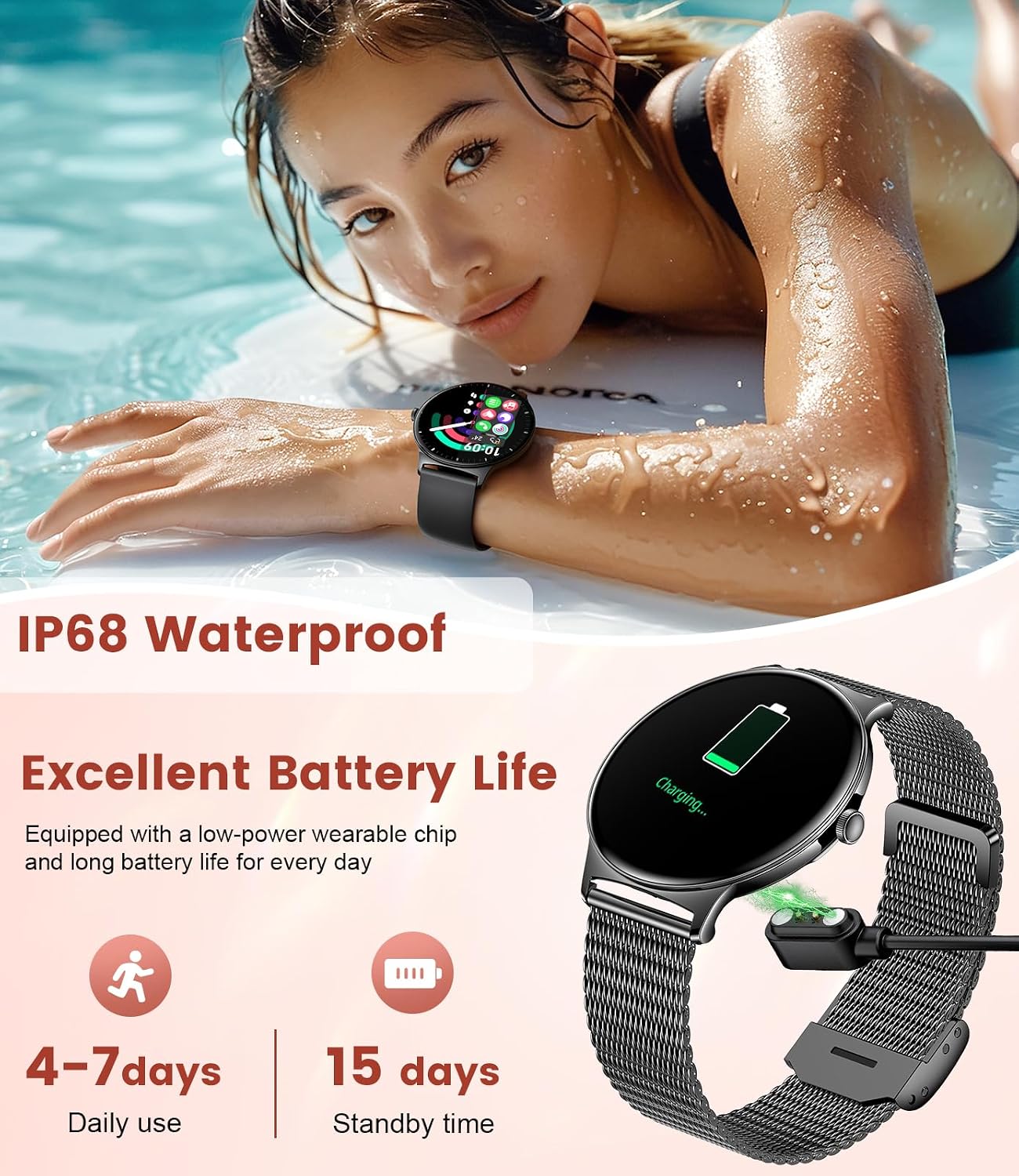
Figure 3.1: Smartwatch connected to its magnetic charging cable.
3.2 App Installation
To unlock the full functionality of your LIGE Smart Watch, you need to install the companion application on your smartphone. Search for the "LIGE Fit" app (or similar name indicated in the watch's quick start guide) on the Apple App Store (for iOS devices) or Google Play Store (for Android devices).
- Ensure your smartphone meets the compatibility requirements: Android 4.4 and above, or iOS 8.0 and above.
3.3 Pairing with Your Smartphone
Follow these steps to pair your smartwatch with the app:
- Enable Bluetooth on your smartphone.
- Open the installed companion app.
- Follow the in-app instructions to add a new device. The app will search for available smartwatches.
- Select "FV12-A" or "FV12-F" from the list of found devices.
- Confirm the pairing request on both your phone and the watch if prompted.
- Once paired, the watch will synchronize data with the app.
4. Operating Instructions
4.1 Basic Navigation
The LIGE Smart Watch features a full touch AMOLED screen for intuitive navigation:
- Swipe Down: Access quick settings (e.g., brightness, DND mode).
- Swipe Up: View notifications.
- Swipe Left/Right: Navigate through main functions/widgets (e.g., activity, heart rate, weather).
- Tap: Select an item or enter a function.
- Press Side Button: Return to the watch face or access the app menu.

Figure 4.1: High-resolution AMOLED display and customizable watch faces.
4.2 Bluetooth Calling and Smart Notifications
Once paired, your smartwatch can handle calls and display notifications:
- Bluetooth Calling: Answer or make calls directly from your watch. The watch employs Bluetooth 5.0 for reduced latency.
- Notifications: Receive alerts for incoming calls, SMS messages, and social media app notifications (e.g., WhatsApp, Facebook, Instagram) directly on your wrist. Ensure notification permissions are enabled in the companion app.

Figure 4.2: Bluetooth call and message notification features.
4.3 Customizing Watch Faces
Personalize your smartwatch with a wide array of watch faces:
- The watch supports over 200 free dials available through the companion app.
- You can also upload your own images to create custom DIY watch faces.
- The "Always-On-Display" function allows the time to be visible without needing to raise your hand or tap the screen.
4.4 Sports Modes
The LIGE Smart Watch offers 121 sports modes to track your physical activities accurately:
- Select your desired sport from the watch's menu to begin tracking.
- The watch records data such as duration, calories burned, steps, and distance.
- Examples of supported modes include Cycling, Jump Rope, Running, Rock Climbing, Walk, Hiking, Yoga, Skateboard, Play Tennis, and many more.

Figure 4.3: Tracking 121 sports modes with the smartwatch.
4.5 Health Monitoring
Monitor your health with integrated features:
- Women's Health Monitoring: Track menstrual cycles, predict periods, gestation, and ovulation.
- Sleep Monitoring: Analyze your sleep patterns to help improve sleep quality.
- Heart Rate Monitoring: Continuously monitor your heart rate throughout the day.

Figure 4.4: Women's health monitoring features.
4.6 Other Functions
Your LIGE Smart Watch includes several additional convenient features:
- Music Control: Control music playback on your smartphone (play, pause, skip tracks).
- Remote Camera: Use your watch as a remote shutter for your smartphone's camera.
- Weather Forecast: Get real-time weather updates.
- Voice Assistant: Access your phone's voice assistant directly from the watch.
- Reminder Function: Set reminders for various activities, such as standing up or drinking water.
- Alarm: Set alarms directly on the watch.

Figure 4.5: Multifunctional features of the LIGE Smart Watch.
5. Maintenance
5.1 Cleaning Your Smart Watch
To maintain the appearance and functionality of your watch:
- Wipe the screen and body with a soft, lint-free cloth.
- For stubborn dirt, dampen the cloth slightly with water. Avoid using harsh chemicals or abrasive materials.
- Clean the charging contacts regularly to ensure proper charging.
5.2 Water Resistance (IP68)
Your LIGE Smart Watch is IP68 water-resistant, meaning it is protected against dust ingress and can withstand immersion in water up to 1.5 meters for up to 30 minutes.
- It is suitable for daily use, such as hand washing, rain, and shallow swimming.
- Do not use it for hot showers, saunas, or diving, as steam and high water pressure can compromise the seal.
- Avoid contact with hot water, soap, detergents, or corrosive liquids.
- If the watch gets wet, wipe it dry before charging.
6. Troubleshooting
If you encounter issues with your LIGE Smart Watch, try the following solutions:
| Problem | Possible Solution |
|---|---|
| Watch not turning on | Ensure the watch is fully charged. Connect to the charger and wait a few minutes. |
| Cannot pair with phone |
|
| No notifications received |
|
| Inaccurate activity data | Ensure the watch is worn snugly on your wrist. Calibrate settings in the app if available. |
| Short battery life | Reduce screen brightness, disable "Always-On-Display" if not needed, limit background app refresh. |
7. Specifications
| Feature | Description |
|---|---|
| Display | 1.43-inch HD AMOLED Touchscreen, 466*466 resolution |
| Connectivity | Bluetooth 5.0 |
| Compatibility | Android 4.4+ / iOS 8.0+ |
| Battery Life | 4-7 days (daily use), 15 days (standby time) |
| Water Resistance | IP68 (Dust and water resistant up to 1.5m for 30 minutes) |
| Thickness | 7.9 mm (ultra-thin design) |
| Strap Material | Stainless Steel / Silicone (interchangeable) |
| Sports Modes | 121+ modes |
| Health Monitoring | Heart Rate, Sleep Tracking, Women's Health Tracking |

Figure 7.1: The 7.9mm ultra-thin design of the smartwatch.
8. Warranty and Support
LIGE is committed to providing reliable products and excellent customer service. If you have any questions, require assistance with your smartwatch, or need to inquire about warranty details, please do not hesitate to contact our customer support team. Refer to the packaging or the official LIGE website for specific contact information.
We are dedicated to ensuring your satisfaction and providing you with a pleasant experience.
Ask a question about this manual
Ask about setup, troubleshooting, compatibility, parts, safety, or missing instructions. Manuals+ will review the question and use this page’s manual context to help answer it.