1. مقدمه
This manual provides essential information for the setup, operation, and maintenance of your iFFALCON 55-Inch Class U85 Series QD-Mini LED 4K UHD Google Smart TV. Please read this manual thoroughly before using your television to ensure proper and safe operation. Keep this manual for future reference.
The iFFALCON U85 Series TV features advanced display technologies including QD-Mini LED for precise lighting, QLED for vibrant colors, 4K UHD resolution, HDR 1000 nits peak brightness, and a 144Hz native refresh rate. It integrates Google TV for smart entertainment and offers enhanced audio with Dolby Atmos and DTS Virtual X. Gaming is optimized with features like 240Hz DLG and FreeSync Premium Pro.
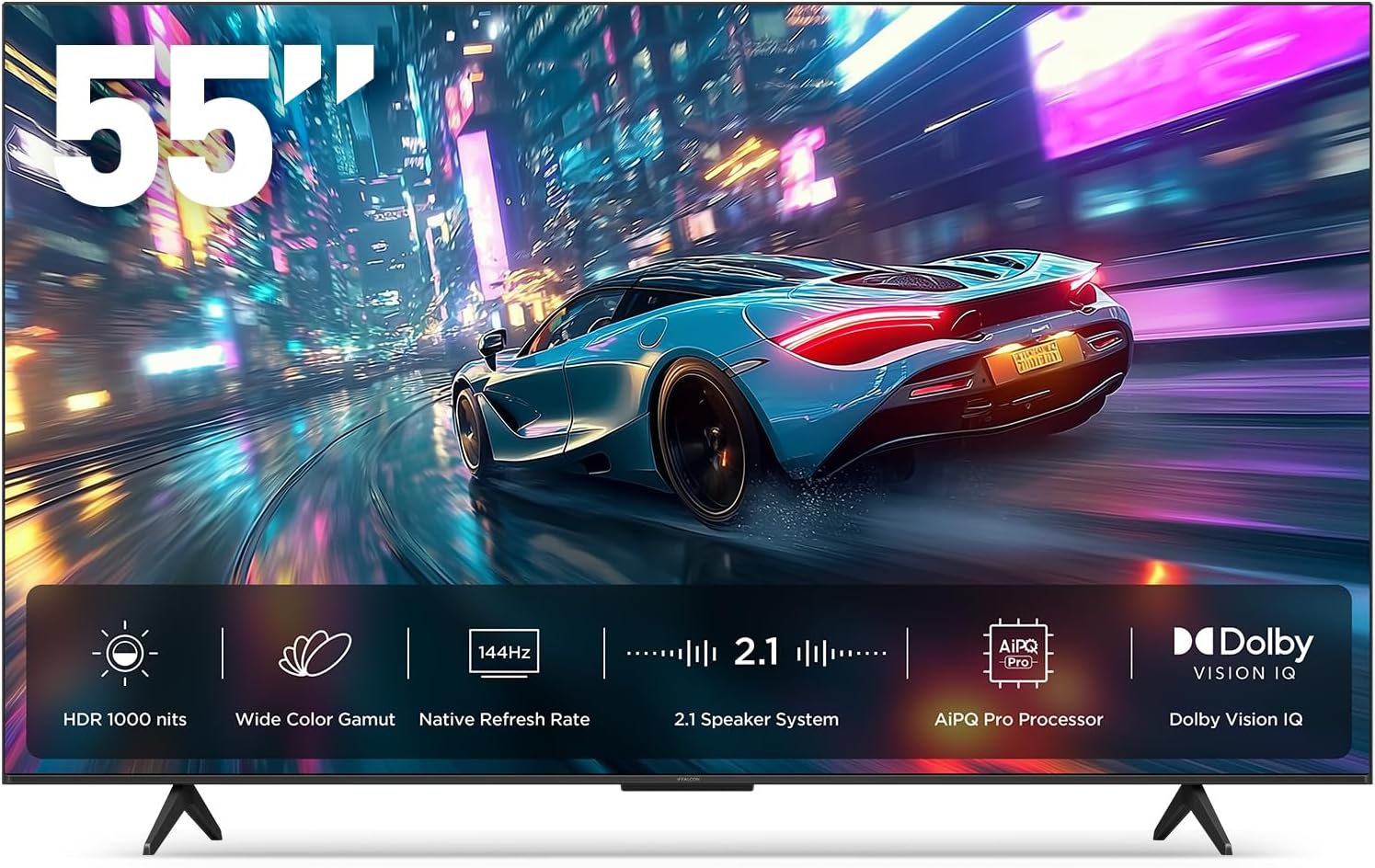
تصویر 1.1: جلو view of the iFFALCON 55-Inch U85 Series TV, showcasing its display with a vibrant image of a car on a city street.
۲. چه چیزهایی در جعبه است؟
تلویزیون خود را با دقت از بستهبندی خارج کنید و مطمئن شوید که همه اقلام موجود هستند. در صورت مفقود شدن یا آسیب دیدن هر یک از اقلام، با فروشنده خود تماس بگیرید.
- تلویزیون ال ای دی مینی
- کابل برق
- 2 عدد باتری AAA برای ریموت
- 6 عدد پیچ پایه
- Table stands (2 pieces)
- ۵ عدد گیره کابل
- راهنمای شروع سریع
- ریموت تلویزیون
3. راه اندازی
۲.۲ تنظیمات فیزیکی
Before proceeding, ensure the TV is placed on a stable, flat surface or securely mounted to a wall. Refer to the Quick Start Guide for detailed instructions on attaching the table stands or mounting the TV to a wall bracket (wall mount sold separately).
3.2 اتصال لوازم جانبی
Connect your external devices such as cable boxes, gaming consoles, or Blu-ray players to the TV's HDMI ports. Ensure the power cable is securely connected to the TV and a power outlet.
۳.۳ روشن کردن اولیه و تنظیم تلویزیون گوگل
- کابل برق را به پریز برق وصل کنید.
- دکمه روشن/خاموش را روی کنترل از راه دور یا تلویزیون فشار دهید.
- Follow the on-screen instructions to complete the initial setup, including network connection, Google account sign-in, and channel scanning.
۵. کار با تلویزیون
4.1 عملکردهای کنترل از راه دور
The included remote control allows you to navigate menus, adjust volume, change channels, and access smart features. Familiarize yourself with the button layout for optimal use.
4.2 Smart Features: Google TV, Google Assistant, and Alexa
Your iFFALCON U85 TV is equipped with Google TV, providing access to a wide range of streaming services and apps. Use the built-in Google Assistant or connect to an Alexa-enabled device for hands-free voice control.
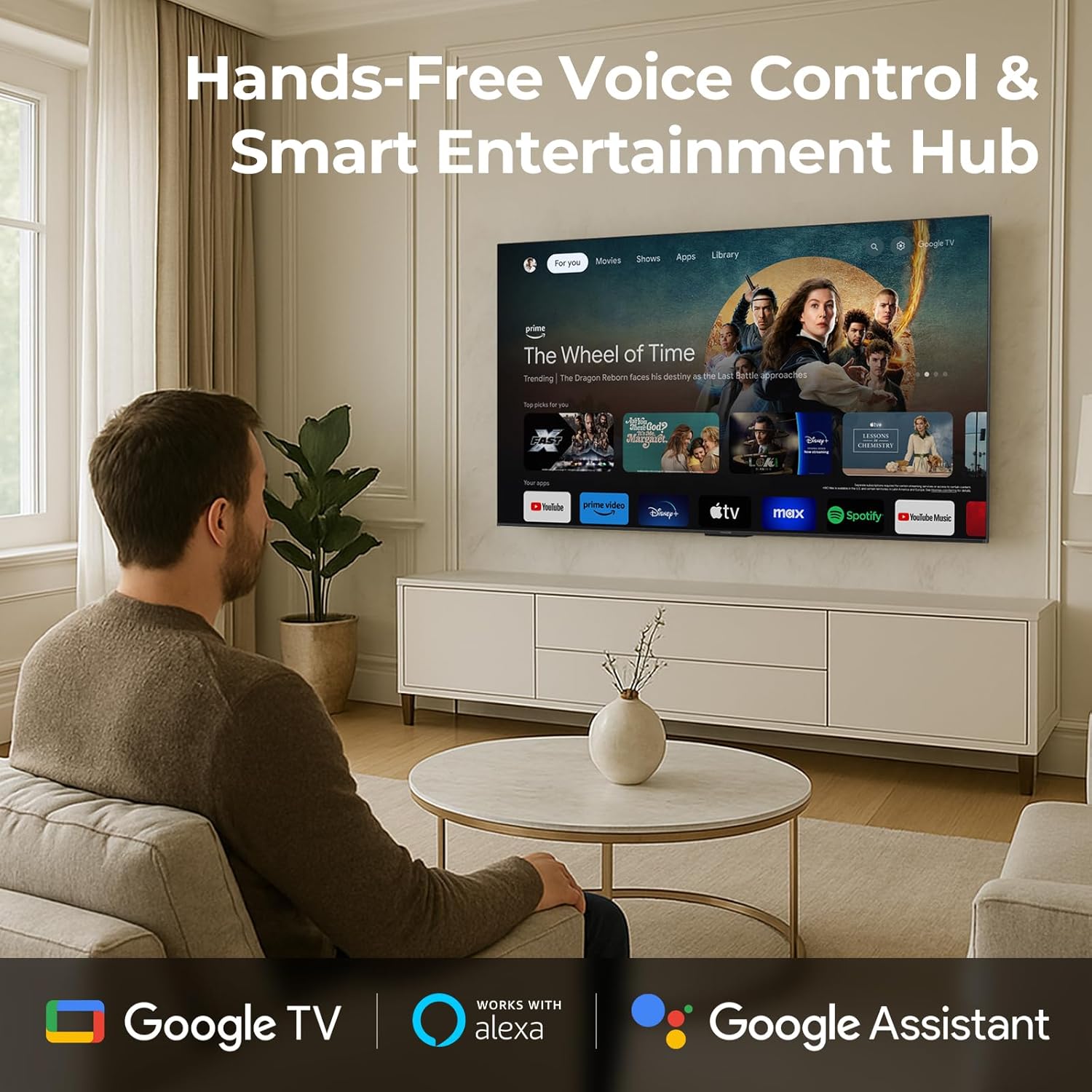
Image 4.1: A man interacting with the iFFALCON TV using voice commands, demonstrating the hands-free control feature.
۳.۳ تنظیمات و کیفیت تصویر
The U85 Series TV offers exceptional picture quality through several advanced technologies:
- QD-مینی الایدی: Provides precise lighting control with up to 144 local dimming zones and 1000 nits peak brightness for bright highlights and deep blacks.
- QLED Wide Color: Quantum Dot technology delivers a 93% DCI-P3 wide color gamut for true-to-life images.
- پردازنده AiPQ Pro: Optimizes brightness, contrast, and detail in real-time for enhanced visual performance.
- IQ Dolby Vision: Automatically adjusts HDR brightness based on ambient light conditions.
- نسبت کنتراست 6000:1: Achieves deep blacks and vibrant colors with enhanced contrast.

Image 4.2: Visual comparison illustrating how Mini-LED technology enhances bright highlights and deep blacks compared to conventional TVs.
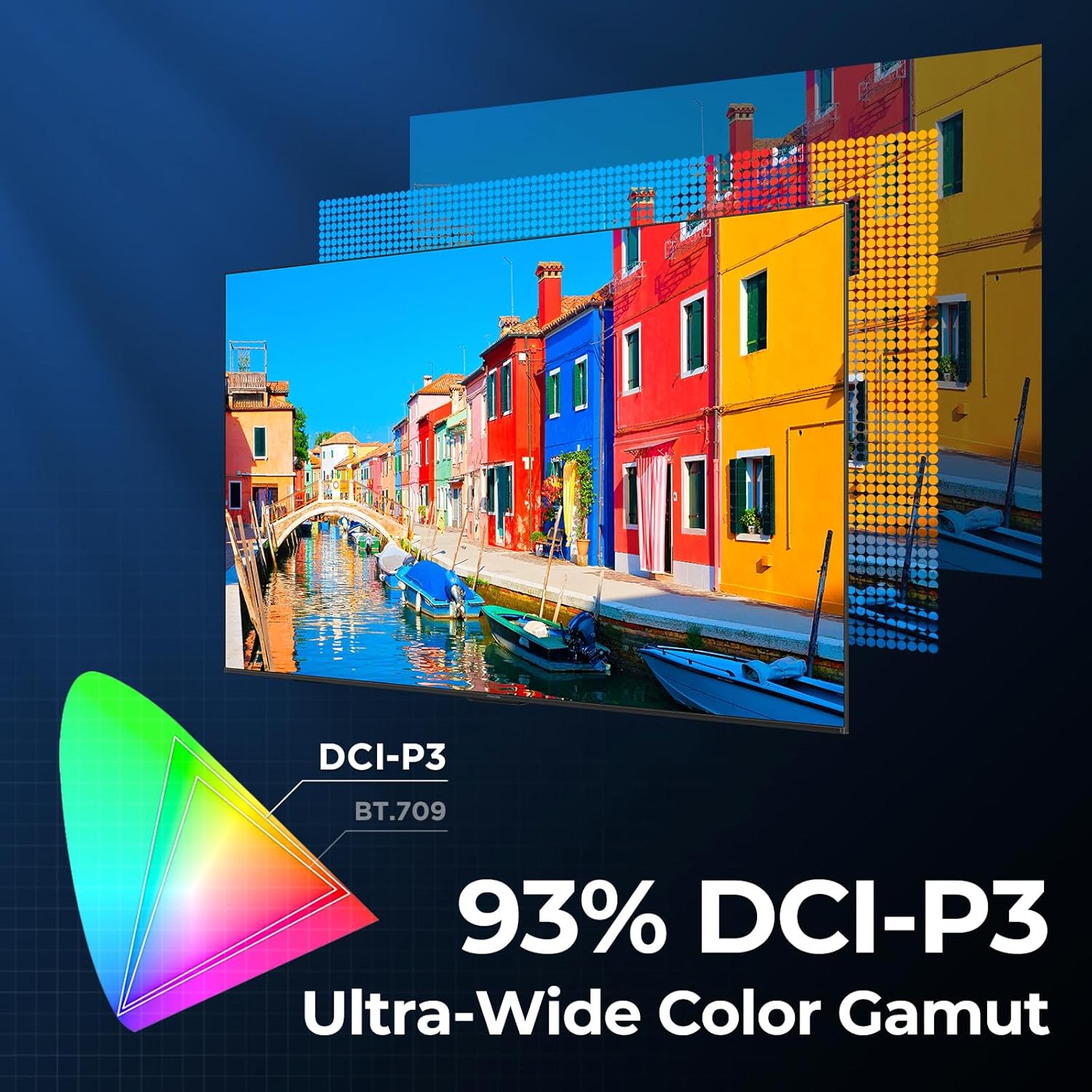
Image 4.3: Diagram showing the 93% DCI-P3 ultra-wide color gamut, indicating the TV's ability to display a broad spectrum of colors.
4.4 Audio Settings and Quality
Experience immersive sound with the TV's integrated audio features:
- 2.1-channel 50W Sound System: Delivers powerful stereo sound with deep bass.
- Dolby Atmos: Provides multi-dimensional audio that flows around and above you.
- DTS مجازی X: Creates expansive, room-filling sound with virtual height and surround effects.
- IMAX پیشرفته: Optimizes audio and visual performance for a cinematic experience.

Image 4.4: A couple enjoying a movie on the iFFALCON TV, illustrating the immersive audio experience with sound waves emanating from the screen.
۵.۳ ویژگیهای بازی
The iFFALCON U85 TV is designed for an optimal gaming experience:
- 4K 144Hz Panel with VRR: Ensures smooth, crystal-clear motion and reduces screen tearing.
- 240Hz DLG Acceleration: Boosts refresh rates for ultra-smooth action.
- FreeSync Premium Pro: Provides tear-free, low-latency HDR gaming.
- Game Mode & Game Bar: Dedicated settings and on-screen overlay for quick adjustments during gameplay.
- ALLM (حالت تأخیر کم خودکار): برای گیمپلی واکنشگرا، بهطور خودکار به حالت کمتاخیر تغییر میکند.

Image 4.5: A gaming console connected to the iFFALCON TV, highlighting the 144Hz refresh rate and other gaming features.
۵.۲.۷ ویژگیهای راحتی چشم
برای تمدید viewing comfort, the TV incorporates multiple eye-care technologies:
- نور آبی کم: انتشار نور آبی مضر را کاهش میدهد.
- کاهش سوسو زدن: Minimizes screen flicker for a more comfortable viewتجربه کردن
5. تعمیر و نگهداری
To ensure the longevity and optimal performance of your iFFALCON U85 TV, follow these maintenance guidelines:
- تمیز کردن صفحه نمایش: صفحه نمایش را به آرامی با یک پارچه نرم، خشک و بدون پرز پاک کنید. برای لکههای سرسخت، به آرامی ...ampپارچه را با آب یا یک پاککننده مخصوص صفحه نمایش بپوشانید. از مواد شیمیایی قوی یا مواد ساینده خودداری کنید.
- تمیز کردن قاب: برای تمیز کردن قاب و پایه تلویزیون از یک پارچه نرم و خشک استفاده کنید.
- تهویه: از تهویه مناسب در اطراف تلویزیون اطمینان حاصل کنید. منافذ تهویه را مسدود نکنید.
- سیم برق: مرتباً سیم برق را از نظر هرگونه آسیب بررسی کنید. در صورت آسیب، استفاده را متوقف کرده و با پشتیبانی مشتری تماس بگیرید.
- اجتناب از نور مستقیم خورشید: Do not expose the TV to direct sunlight or excessive heat.
6 عیب یابی
If you encounter issues with your TV, refer to the following common solutions. If the problem persists, contact customer support.
| مشکل | علت احتمالی | راه حل |
|---|---|---|
| بدون قدرت | سیم برق وصل نیست؛ پریز برق کار نمیکند | مطمئن شوید که سیم برق محکم به پریز وصل شده است؛ پریز را با دستگاه دیگری آزمایش کنید |
| تصویر ندارد، اما صدا دارد | منبع ورودی نادرست؛ کابل HDMI شل | Select correct input source; Reconnect HDMI cable securely |
| صدا نداره ولی تصویر داره | صدا قطع یا خیلی کم است؛ مشکل دستگاه صوتی خارجی | بیصدا کردن یا افزایش صدا؛ بررسی اتصال به دستگاههای صوتی خارجی |
| کنترل از راه دور کار نمی کند | باتریها تمام شدهاند؛ مانعی بین کنترل از راه دور و تلویزیون وجود دارد | باتریها را تعویض کنید؛ هرگونه مانع را بردارید |
| مشکلات اتصال شبکه | سیگنال وایفای ضعیف است؛ مشکل روتر | Move TV closer to router or use Ethernet; Restart router |
7. مشخصات
| ویژگی | جزئیات |
|---|---|
| نام تجاری | آیفالکون |
| شماره مدل | 55U85 |
| اندازه صفحه نمایش | 55 اینچ |
| فناوری نمایش | مینی الایدی، کیوالایدی |
| قطعنامه | 4K UHD |
| نرخ تازه سازی | 120 Hz (Native), 144Hz Game Mode Pro, 240Hz DLG |
| اوج روشنایی | 1000 نیت |
| نسبت کنتراست | 6000:1 |
| مناطق کم نور محلی | 144 |
| ویژگی های خاص | Dynamic Contrast Enhancer, Eye Comfort Mode, Game Mode, Intelligent Voice Recognition, Local Dimming, Dolby Vision IQ, Dolby Atmos, DTS Virtual X, IMAX Enhanced, Google TV, Google Assistant, Alexa Compatibility, FreeSync Premium Pro, ALLM |
| فناوری اتصال | بلوتوث ، Wi-Fi |
| ابعاد محصول (D x W x H) | ۵.۹ اینچ در ۱۱.۸ اینچ در ۱۴.۶ اینچ |
| وزن مورد | 27.3 پوند |
| باتری های مورد نیاز | ۲ باتری AAA (برای ریموت) |
8. گارانتی و پشتیبانی
Your iFFALCON 55-Inch Class U85 Series QD-Mini LED 4K UHD Google Smart TV is covered by a manufacturer's warranty. For specific warranty details and duration, please refer to the warranty card included with your product or visit the official iFFALCON support webسایت
For technical assistance, troubleshooting beyond this manual, or to inquire about warranty service, please contact iFFALCON customer support. Contact information can typically be found on the manufacturer's webسایت یا در راهنمای شروع سریع.
لطفاً مدرک خرید خود را برای ادعاهای گارانتی نگه دارید.


