1. مقدمه
Thank you for choosing DOQAUS Life 4 Bluetooth Headphones. This manual provides instructions for the proper setup, operation, and maintenance of your headphones. Please read this manual thoroughly before use to ensure optimal performance and longevity of your device.
محتویات بسته
- DOQAUS Life 4 Bluetooth Headphones
- کابل شارژ USB-C
- کابل صوتی 3.5 میلی متری
- راهنمای کاربر
2. اطلاعات ایمنی
برای جلوگیری از آسیب رسیدن به هدفون یا آسیب به خودتان، لطفاً اقدامات احتیاطی ایمنی زیر را رعایت کنید:
- هدفون را در معرض دمای شدید، رطوبت یا محیطهای خورنده قرار ندهید.
- از انداختن یا قرار دادن هدفون در معرض ضربات شدید خودداری کنید.
- هدفونها را خودتان باز نکنید یا سعی در تعمیر آنها نداشته باشید. این کار گارانتی را باطل میکند.
- Clean the headphones with a soft, dry cloth only. Do not use liquid cleaners.
- گوش دادن طولانی مدت با صدای بلند ممکن است به شنوایی آسیب برساند. صدا را در سطح ایمن تنظیم کنید.
- دور از دسترس کودکان نگهداری شود.
3. محصول تمام شدview
The DOQAUS Life 4 headphones are designed for comfort and high-quality audio. They feature 40mm drivers for clear sound and Bluetooth 5.4 technology for stable wireless connectivity.
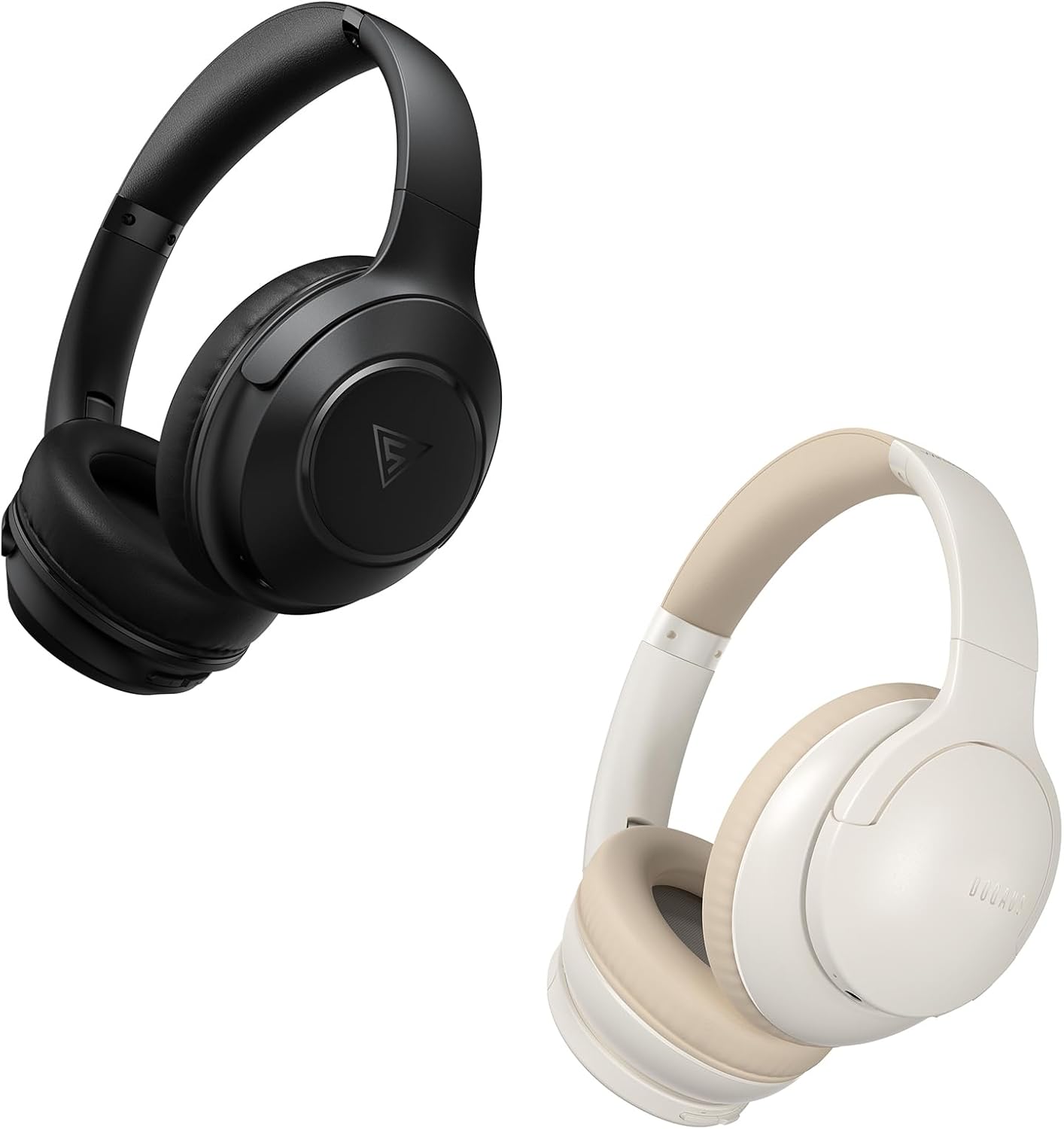
Image: DOQAUS Life 4 Bluetooth Headphones, showing both black and white color variants. These over-ear headphones feature soft earcups and an adjustable headband for comfortable wear.

تصویر: یک داخلی view of the DOQAUS Life 4 headphone, highlighting the advanced Bluetooth 5.4 wireless technology chip for stable and fast connections.

Image: A close-up of the DOQAUS Life 4 headphone earcup, illustrating the 40mm large-aperture driver responsible for powerful HD sound quality.

Image: A person wearing the DOQAUS Life 4 headphones, illustrating their comfortable design suitable for all-day wear.
4. راه اندازی
4.1 شارژ اولیه
Before first use, fully charge your headphones. Connect the USB-C charging cable to the charging port on the headphones and the other end to a USB power source (e.g., computer, wall adapter). The LED indicator will show charging status.
- A full charge provides up to 90 hours of playtime in Bluetooth mode.
- A quick 10-minute charge can provide approximately 5 hours of listening time.

Image: The DOQAUS Life 4 headphones displayed with text indicating "90-HOURS PLAYTIME" and "10 minutes of charging for 5 hours of listening," highlighting the extended battery life.
4.2 جفت شدن بلوتوث
- از خاموش بودن هدفون اطمینان حاصل کنید.
- دکمه روشن/خاموش را فشار داده و نگه دارید تا نشانگر LED به طور متناوب آبی و قرمز چشمک بزند که نشان دهنده حالت جفت شدن است.
- در دستگاه خود (گوشی هوشمند، تبلت، رایانه)، بلوتوث را فعال کنید و دستگاههای موجود را جستجو کنید.
- Select "DOQAUS Life 4" from the list of found devices.
- Once connected, the LED indicator will slowly flash blue.
اتصال چند نقطهای: The DOQAUS Life 4 headphones support connecting to two Bluetooth devices simultaneously. After connecting to the first device, disable Bluetooth on that device, then pair with the second device. Re-enable Bluetooth on the first device, and the headphones should connect to both.
4.3 اتصال سیمی (حالت AUX)
To use the headphones in wired mode, connect one end of the 3.5mm audio cable to the AUX port on the headphones and the other end to your audio source. The headphones will automatically switch to wired mode, and Bluetooth functionality will be disabled.

Image: The DOQAUS Life 4 headphones demonstrating both wireless Bluetooth connectivity with a smartphone and a wired connection using a 3.5mm audio cable, illustrating versatile connection options.
5. دستورالعمل های عملیاتی
5.1 کنترل های اساسی
- روشن/خاموش برق: دکمه پاور را به مدت 3 ثانیه فشار داده و نگه دارید.
- پخش/مکث: دکمه چند منظوره را یک بار فشار دهید.
- افزایش صدا: دکمه "+" را فشار دهید.
- کاهش حجم: دکمه "-" را فشار دهید.
- آهنگ بعدی: دکمه "+" را به مدت 2 ثانیه فشار داده و نگه دارید.
- آهنگ قبلی: دکمه "-" را به مدت 2 ثانیه فشار داده و نگه دارید.
- پاسخ/پایان تماس: دکمه چند منظوره را یک بار فشار دهید.
- رد تماس: دکمه Multi-function را به مدت 2 ثانیه فشار داده و نگه دارید.
- دستیار صوتی را فعال کنید: دکمه چند منظوره را دوبار فشار دهید.
5.2 حالت EQ
The DOQAUS Life 4 headphones feature three equalizer (EQ) modes to optimize your listening experience for different music styles. Press the EQ button to cycle through the modes:
- حالت بیس سنگین: Enhances low-frequency sounds for a deeper bass experience.
- حالت آوازی: فرکانسهای میانرده را برای صداهای واضحتر بهینه میکند.
- حالت متعادل: صدایی خنثی و حرفهای ارائه میدهدfile suitable for various genres.

Image: A collage demonstrating the three EQ music modes of the DOQAUS Life 4 headphones: Heavy Bass, Vocal, and Balanced. The image shows the headphones and individuals enjoying music, indicating the versatility of sound profiles.
6. تعمیر و نگهداری
6.1 تمیز کردن
- هدفونها را با یک پارچه نرم، خشک و بدون پرز پاک کنید.
- از پاککنندههای ساینده، الکل یا حلالهای شیمیایی استفاده نکنید.
- Ensure charging ports and audio jacks are free of dust and debris.
6.2 ذخیره سازی
- هدفون را در جای خشک و خنک و دور از نور مستقیم خورشید و دمای شدید نگهداری کنید.
- اگر برای مدت طولانی هدفون را نگه میدارید، برای حفظ سلامت باتری، آن را به صورت دورهای شارژ کنید.
7 عیب یابی
| مشکل | علت احتمالی | راه حل |
|---|---|---|
| هدفونها روشن نمیشوند. | باتری کم. | هدفون را به طور کامل شارژ کنید. |
| نمیتوان با دستگاه جفتسازی کرد. | هدفون در حالت جفتسازی نیست؛ بلوتوث دستگاه غیرفعال است؛ دستگاه خیلی دور است. | Ensure headphones are in pairing mode (flashing blue/red). Enable Bluetooth on your device. Move device closer to headphones. |
| صدا نداره | صدا خیلی کم است؛ هدفون وصل نیست؛ منبع صوتی نادرست است. | Increase volume. Verify Bluetooth connection or 3.5mm cable connection. Check audio output settings on your device. |
| کیفیت صدا ضعیف است. | Weak Bluetooth signal; incorrect EQ mode. | Move closer to your device. Try switching EQ modes. |
8. مشخصات
- مدل: زندگی 4
- نسخه بلوتوث: 5.4
- اندازه درایور: 40 میلی متر
- زمان بازی: Up to 90 hours (Bluetooth mode)
- شارژ سریع: ۱۰ دقیقه شارژ، ۲ ساعت پخش
- فرمت های صوتی پشتیبانی شده: A2DP, AVRCP, HSP, HFP, SBC, AAC
- قابلیت اتصال: بلوتوث، 3.5 میلی متر AUX
9. گارانتی و پشتیبانی
DOQAUS Life 4 headphones come with a 30-day return policy and an 18-month replacement warranty. For any inquiries or support needs, please contact our customer service team. All inquiries are typically processed within 24 hours.
For further assistance, please refer to the contact information provided with your purchase or visit the official DOQAUS webسایت


