1. مقدمه
This manual provides essential information for the safe and efficient use of your JVC VIDAA LT-43VDF5455 43-inch Full HD Smart TV. Please read these instructions thoroughly before operating the device and retain them for future reference.
The JVC LT-43VDF5455 is a 43-inch Full HD Smart TV featuring HDR10 support for enhanced contrast and natural colors. It includes an integrated triple tuner (DVB-C/T2/S2) for versatile program reception and runs on the VIDAA operating system, offering access to various streaming applications.
2. اطلاعات ایمنی مهم
- منبع تغذیه: مطمئن شوید که تلویزیون به پریز برق با ولتاژ صحیح وصل شده استtagه. پریزهای برق را بیش از حد بار نکنید.
- تهویه: منافذ تهویه را مسدود نکنید. فضای کافی در اطراف تلویزیون برای جریان هوای مناسب در نظر بگیرید تا از گرم شدن بیش از حد جلوگیری شود.
- آب و رطوبت: تلویزیون را در معرض باران، رطوبت یا قرار دادن اشیاء پر از مایعات روی یا نزدیک تلویزیون قرار ندهید.
- تمیز کردن: قبل از تمیز کردن، تلویزیون را از برق بکشید. از یک پارچه نرم و خشک استفاده کنید. از پاک کننده های مایع یا آئروسل استفاده نکنید.
- قرار دادن: تلویزیون را روی یک سطح صاف و پایدار قرار دهید. از قرار دادن آن در معرض نور مستقیم خورشید یا نزدیک منابع گرما خودداری کنید.
- سرویس دهی: خودتان اقدام به سرویس تلویزیون نکنید. تمام مراحل سرویس را به پرسنل خدمات واجد شرایط ارجاع دهید.
3. محتویات بسته
لطفاً بررسی کنید که همه اقلام موجود و در شرایط خوبی باشند:
- JVC VIDAA LT-43VDF5455 43-inch Full HD Smart TV
- کنترل از راه دور (شامل ۳ باتری قلمی)
- پایه تلویزیون (پایه)
- راهنمای کاربر (این سند)
4. راه اندازی
۴.۱ وصل کردن پایه تلویزیون
Carefully place the TV screen-down on a soft, flat surface to prevent damage. Attach the provided feet to the designated slots on the bottom of the TV using the screws supplied. Ensure the stand is securely fastened before placing the TV upright.

تصویر: جلو view of the JVC LT-43VDF5455 Smart TV with its stand attached.
4.2 Physical Dimensions and Placement
The TV has a width of 96.5 cm, a height of 60 cm (with stand), and a depth of 26.1 cm (with stand). The screen diagonal is 43 inches (108 cm). For wall mounting, the VESA standard is M4 100x100. Ensure adequate space for ventilation.

Image: Diagram illustrating the physical dimensions of the JVC LT-43VDF5455 television, including width, height with stand, depth with stand, and screen diagonal.
4.3 اتصال برق
سیم برق را به ورودی برق تلویزیون و سپس به یک پریز برق مناسب وصل کنید.
۳.۴ راهنمای راهاندازی اولیه
Upon first power-on, the TV will guide you through an initial setup wizard. This includes language selection, country, network connection (Wi-Fi), and channel scanning for the integrated triple tuner (DVB-C/T2/S2).
5. عملکرد تلویزیون خود
5.1 عملکردهای کنترل از راه دور
The provided remote control allows you to navigate the TV's features. Key functions include:
- دکمه پاور: تلویزیون را روشن/خاموش یا در حالت آماده به کار قرار میدهد.
- دکمه ورودی: Selects input sources (HDMI, USB, Tuner).
- دکمه های اعداد: انتخاب مستقیم کانال
- دوره +/-: میزان صدا را تنظیم می کند.
- کانال +/-: کانال ها را تغییر می دهد.
- دکمههای ناوبری (بالا/پایین/چپ/راست) و تأیید: برای پیمایش و انتخاب منو.
- دکمههای میانبر برنامه: Direct access to popular streaming services like Netflix, YouTube, Prime Video, Disney+.

Image: The remote control for the JVC Smart TV, highlighting dedicated buttons for popular streaming applications such as YouTube, Netflix, Prime Video, and Disney+.
5.2 ویژگی های تلویزیون هوشمند (سیستم عامل VIDAA)
Your JVC TV runs on the VIDAA operating system, providing a user-friendly interface for accessing a wide range of applications and services.
- اپ استور: Browse and download additional applications.
- خدمات پخش جریانی: Enjoy pre-installed apps like Netflix, Prime Video, Disney+, YouTube, and DAZN.
- Web مرورگر: Access the internet directly from your TV.
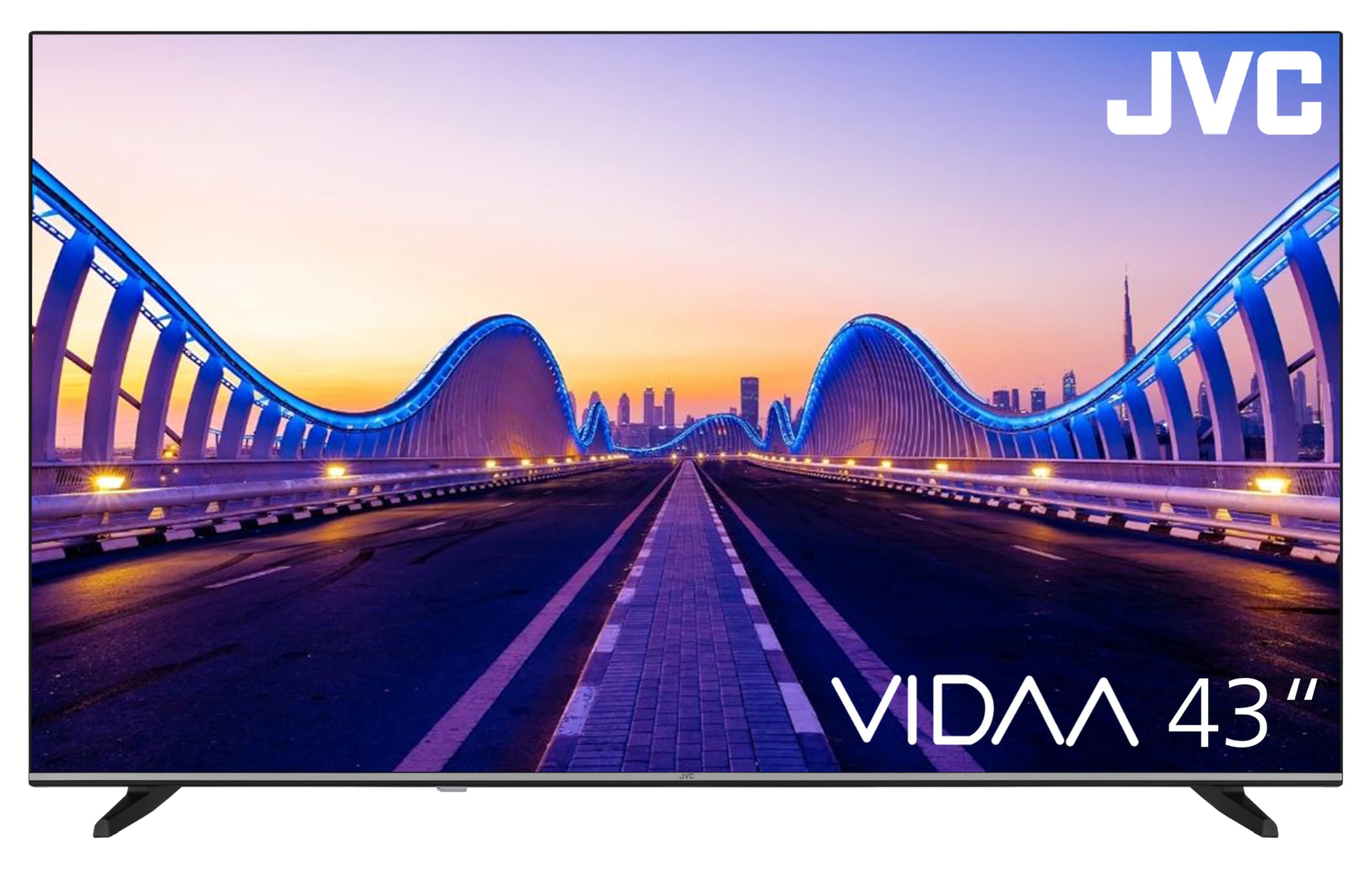
Image: The JVC Smart TV displaying the VIDAA operating system home screen, featuring a selection of popular streaming applications and content recommendations.
۴.۳ تنظیمات تصویر و صدا
Access the TV's menu to adjust picture settings (brightness, contrast, color, sharpness, HDR mode) and sound settings (equalizer, sound mode). The TV supports HDR10 for enhanced dynamic range.

Image: A JVC Smart TV screen showcasing content with high dynamic range (HDR), demonstrating improved detail and contrast.
6. اتصالات
تلویزیون JVC شما گزینههای اتصال مختلفی برای دستگاههای خارجی ارائه میدهد:
- پورتهای HDMI (x2): Connect devices such as Blu-ray players, game consoles, or set-top boxes. One port supports ARC (Audio Return Channel) for simplified audio connections to soundbars or AV receivers, and both support CEC (Consumer Electronics Control).
- پورت USB (1 عدد): دستگاه های ذخیره سازی USB را برای پخش رسانه وصل کنید files (photos, music, videos) using the integrated media player.
- ورودی آنتن: Connect an antenna for DVB-T2 (terrestrial) reception or a cable for DVB-C (cable) reception.
- ورودی ماهواره: Connect a satellite dish for DVB-S2 (satellite) reception.
- پورت LAN: برای اتصال به اینترنت سیمی.
- خروجی صوتی دیجیتال: Connect to an external audio system for high-quality digital sound.
- جک هدفون: اتصال هدفون برای گوش دادن خصوصی.
- اسلات CI: For Common Interface modules, typically used with pay-TV services.
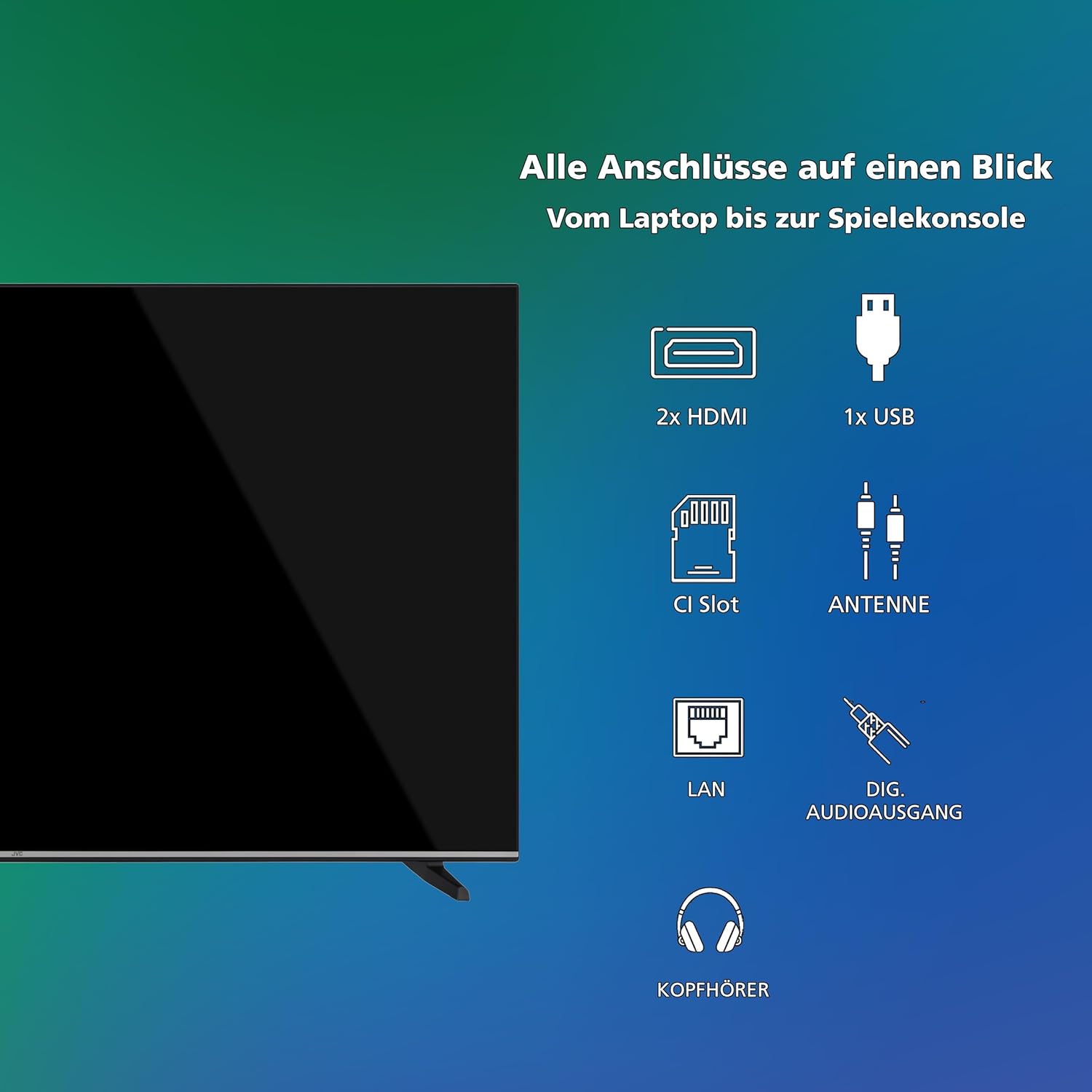
تصویر: نمای بصریview of all available connection ports on the JVC Smart TV, including HDMI, USB, CI Slot, Antenna, LAN, Digital Audio Output, and Headphone jack.
7. تعمیر و نگهداری
- تمیز کردن صفحه نمایش: صفحه نمایش را به آرامی با یک پارچه نرم و بدون پرز پاک کنید. برای لکههای سرسخت، کمی ...ampپارچه را با آب یا یک پاککننده مخصوص صفحه نمایش بپوشانید (روی پارچه بمالید، نه مستقیماً روی صفحه نمایش).
- نظافت کابینت: برای تمیز کردن قاب تلویزیون از یک پارچه نرم و خشک استفاده کنید.
- حذف گرد و غبار: Regularly dust the ventilation openings to prevent dust buildup, which can affect performance and lifespan.
- سیم برق: سیم برق را به صورت دورهای از نظر هرگونه آسیبدیدگی بررسی کنید.
8 عیب یابی
اگر با تلویزیون خود با مشکلاتی مواجه شدید، به راهحلهای رایج زیر مراجعه کنید:
- بدون برق:
- بررسی کنید که آیا سیم برق به طور محکم به تلویزیون و پریز برق وصل شده است یا خیر.
- Ensure the wall outlet is functioning by testing it with another device.
- دکمه پاور را روی کنترل از راه دور یا روی خود تلویزیون فشار دهید.
- تصویر/صدا ندارد:
- Verify that the correct input source is selected (e.g., HDMI 1, DTV).
- بررسی کنید که تمام اتصالات کابل (HDMI، آنتن و غیره) محکم باشند.
- مطمئن شوید که صدا بیصدا یا روی حداقل تنظیم نشده باشد.
- کیفیت تصویر پایین:
- Check antenna or cable connections.
- تنظیمات تصویر (روشنایی، کنتراست، وضوح) را در منوی تلویزیون تنظیم کنید.
- اگر از دستگاه خارجی استفاده میکنید، وضوح خروجی آن را بررسی کنید.
- کنترل از راه دور کار نمی کند:
- باتریها (۲ عدد AAA) را تعویض کنید.
- مطمئن شوید که هیچ مانعی بین کنترل از راه دور و حسگر IR تلویزیون وجود ندارد.
- Smart TV Apps Not Loading/Working:
- Check your internet connection (Wi-Fi or LAN).
- Restart the TV by unplugging it for a few minutes and plugging it back in.
- مطمئن شوید که نرمافزار تلویزیون بهروز است.
9. مشخصات
| شماره مدل | LT-43VDF5455 |
| نام تجاری | JVC |
| اندازه صفحه نمایش | 43 اینچ (108 سانتی متر) |
| قطعنامه | ۱۰۸۰p (فول اچدی) |
| فناوری نمایش | ال سی دی، ال ای دی |
| نرخ تازه سازی | 120 هرتز |
| سیستم عامل | VIDAA |
| ویژگی های خاص | VIDAA Smart TV, HDR10 |
| قابلیت اتصال | 2x HDMI (CEC, ARC), 1x USB, Wi-Fi, LAN, Digital Audio Out, Headphone, CI Slot |
| نوع تیونر | Integrated DVB-C/T2/S2 Triple Tuner |
| ابعاد (با پایه) | 96.5 سانتیمتر (عرض) × 60 سانتیمتر (بالا) × 26.1 سانتیمتر (D) |
| مصرف انرژی SDR | 42 کیلووات ساعت در 1000 ساعت |
| مصرف انرژی HDR | 62 کیلووات ساعت در 1000 ساعت |
| در دسترس بودن قطعات یدکی | 7 سال |
۵.۱ اطلاعات انرژی
Detailed energy consumption data and product information can be found on the EU EPREL database.

Image: The EU Energy Label for the JVC LT-43VDF5455 television, showing energy efficiency class E and consumption values.
برای جزئیات بیشتر، به سایت مراجعه کنید پایگاه داده EPREL (کد QR 2198541).

Image: The official product data sheet for the JVC LT-43VDF5455 television, detailing technical parameters and compliance information.
اطلاعات بیشتر در دسترس است پایگاه داده EPREL (کد QR 2198541).
9.2 بهینه Viewفاصله
For the JVC LT-43VDF5455 (43-inch Full HD), the recommended optimal viewing distance is approximately 216 cm.

Image: A table providing recommended optimal viewing distances based on TV screen size and resolution (4K, Full HD, HD).
10. گارانتی و پشتیبانی
JVC products are manufactured to high standards and are designed for reliable performance.
- قطعات یدکی: Spare parts for this model are guaranteed to be available for up to 7 years from the date of market placement.
- به روز رسانی نرم افزار: اطلاعاتی در مورد بهروزرسانیهای تضمینشده نرمافزار در دسترس نیست.
- پشتیبانی مشتری: برای دریافت کمک فنی، درخواست گارانتی یا سوالات بیشتر، لطفاً با پشتیبانی مشتریان JVC تماس بگیرید. به وبسایت رسمی JVC مراجعه کنید. webبرای اطلاعات تماس به سایت یا مستندات خرید خود مراجعه کنید.


