1. مقدمه
Thank you for choosing the Pelonis 5L Evaporative Cooler. This 3-in-1 device combines the functions of an air cooler, fan, and humidifier, providing a comfortable environment for your home or office. Please read this manual thoroughly before operation to ensure proper use, maintenance, and safety.
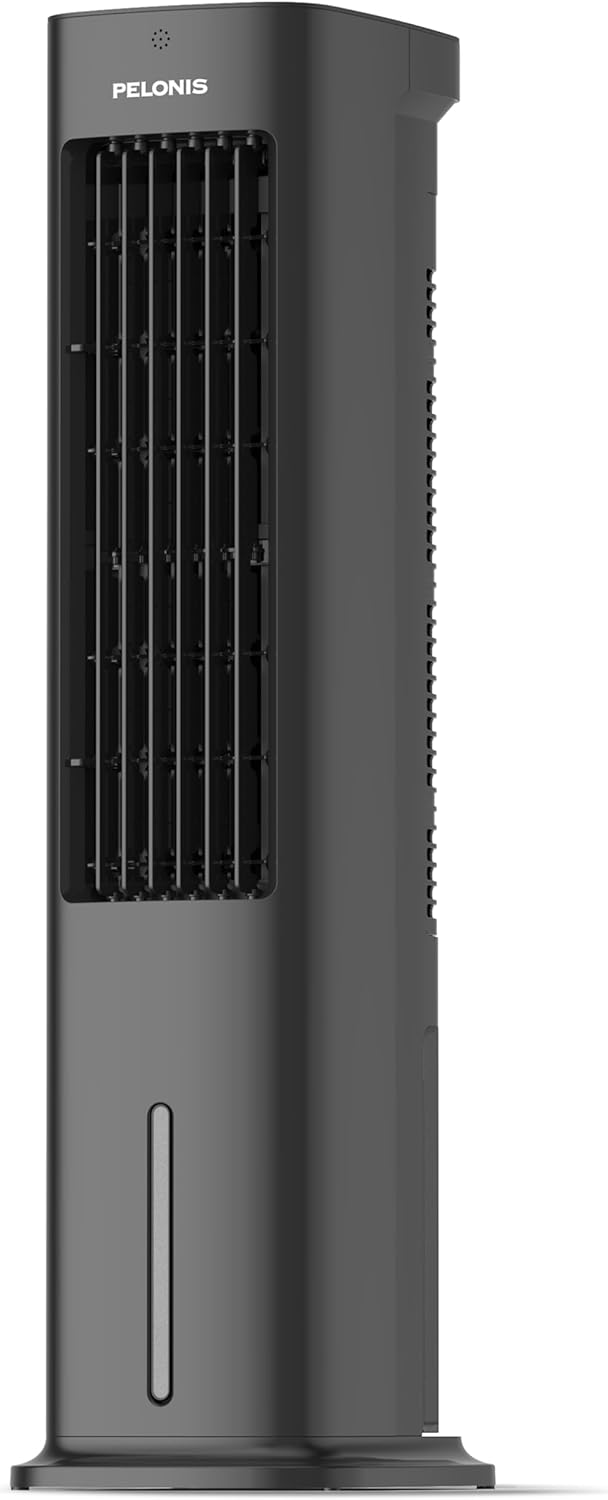
Figure 1.1: Pelonis 5L Evaporative Cooler (Side View)

Figure 1.2: The 3-in-1 functionality of the Pelonis Evaporative Cooler, illustrating its use as a fan, humidifier, and air cooler.
2. دستورالعمل های ایمنی مهم
برای کاهش خطر آتشسوزی، برقگرفتگی یا آسیبدیدگی، همیشه این اقدامات احتیاطی ایمنی اولیه را رعایت کنید:
- قبل از استفاده از این دستگاه تمام دستورالعمل ها را بخوانید.
- هیچ فن را با سیم یا دوشاخه آسیب دیده کار نکنید. فن را دور بیندازید یا برای معاینه و/یا تعمیر به یک مرکز خدمات مجاز بازگردانید.
- طناب را زیر فرش نکشید. طناب را با فرش های پرتابی، رانر یا پوشش های مشابه نپوشانید. سیم را زیر مبلمان یا لوازم خانگی قرار ندهید. بند ناف را دور از محل تردد و جایی که روی آن گیر نمی کند بچینید.
- Always unplug the appliance from the power outlet when not in use, when moving it from one location to another, and before cleaning.
- دستگاه را در آب یا مایعات دیگر غوطه ور نکنید.
- اجازه ندهید کودکان با دستگاه کار کنند یا با آن بازی کنند.
- از دستگاه فقط برای مصارف خانگی مورد نظر، همانطور که در این دفترچه راهنما توضیح داده شده است، استفاده کنید.
- از جلد اطمینان حاصل کنیدtage نشان داده شده بر روی دستگاه مطابقت دارد با برق شهری محلی شماtage قبل از اتصال دستگاه.
- Do not block air openings or operate near curtains or other objects that may block air intake.
- همیشه دستگاه را روی یک سطح صاف و پایدار قرار دهید.
3. محتویات بسته
لطفا بسته را از نظر وجود موارد زیر بررسی کنید:
- Pelonis 5L Evaporative Cooler Unit
- کنترل از راه دور (شامل ۲ باتری قلمی)
- 2 Cooling Pads
- راهنمای کاربر
4. محصول تمام شدview
Familiarize yourself with the main components of your Pelonis Evaporative Cooler.

شکل 4.1: جلو view of the cooler, highlighting its fan, humidification, and cooling functions.

Figure 4.2: Illustration of the 60-degree oscillation feature for wide air distribution.

Figure 4.3: The evaporative cooler being controlled by its remote, emphasizing wireless convenience.
5. راه اندازی
Follow these steps to set up your evaporative cooler:
5.1 مونتاژ پایه
- دستگاه را با دقت از بسته بندی آن جدا کنید.
- Attach the base to the bottom of the main unit. Ensure it is securely fastened, typically by screwing it into place.
5.2 پر کردن مخزن آب
The unit features a 5L water tank for humidification and cooling functions.
- مخزن آب را در پایین دستگاه پیدا کنید.
- مخزن آب را با دقت بیرون بکشید.
- مخزن را با آب تمیز پر کنید. از حداکثر خط پر تجاوز نکنید.
- For enhanced cooling, place the two cooling pads in the freezer until frozen, then place them into the water tank.
- مخزن آب را دوباره به داخل دستگاه بکشید تا با صدای کلیک در جای خود قرار گیرد.

Figure 5.1: Instructions for filling the 5L water tank, showing the maximum fill line and warning against overfilling or tipping.
۳.۲ نصب باتری کنترل از راه دور
The remote control requires 2 AAA batteries (included).
- محفظه باتری پشت ریموت کنترل را باز کنید.
- ۴ باتری AAA را وارد کنید و از قطبیت صحیح (+/-) اطمینان حاصل کنید.
- محفظه باتری را ببندید.
6. دستورالعمل های عملیاتی
Your Pelonis Evaporative Cooler offers multiple functions and settings for optimal comfort.
6.1 روشن/خاموش
- سیم برق را به یک پریز برق مناسب وصل کنید.
- را فشار دهید قدرت دکمه روی پنل کنترل یا ریموت کنترل برای روشن یا خاموش کردن دستگاه.
6.2 انتخاب حالت
The unit has three primary modes: Fan, Evaporative Cooler, and Humidifier.
- را فشار دهید حالت برای تغییر حالتهای موجود، دکمه را فشار دهید.
- حالت فن: Circulates air without humidification or cooling.
- Evaporative Cooler Mode: Uses water and cooling pads to provide a cooling effect. Ensure the water tank is filled.
- حالت رطوبت ساز: رطوبت هوا را افزایش میدهد. مطمئن شوید که مخزن آب پر است.

Figure 6.1: Visual representation of the three operational modes: Humidifier, Air Cooler, and Fan.
6.3 تنظیمات سرعت
Choose from three fan speeds: Quiet, Standard, or Strong.
- را فشار دهید سرعت دکمه تنظیم سرعت فن.
- The current speed setting will be indicated on the display.
۶.۵ تابع نوسان
The unit features a 60° automatic oscillation for wider air distribution.
- را فشار دهید نوسان button to activate or deactivate the automatic swing function.
- You can also manually adjust the vertical angle of the air outlet.
6.5 عملکرد تایمر
Set the unit to automatically turn off after a specified period, up to 7 hours.
- را فشار دهید تایمر button repeatedly to set the desired operating time in 1-hour increments.
- The timer indicator will show the selected duration.
6.6 حالت باد
Select from Natural, Sleep, or Normal wind modes for varied airflow patterns.
- را فشار دهید حالت باد button to cycle through Natural, Sleep, and Normal modes.
- حالت طبیعی: نسیم طبیعی را با سرعتهای مختلف فن شبیهسازی میکند.
- حالت خواب: با سرعت پایینتر و بیصداتری برای خواب راحت عمل میکند.
- حالت عادی: سرعت ثابت فن.

Figure 6.2: The evaporative cooler operating in a bedroom, emphasizing its quiet night mode for optimal cooling during sleep.
7. تعمیر و نگهداری
نگهداری منظم، عملکرد بهینه و طول عمر کولر آبی شما را تضمین میکند.
7.1 تمیز کردن مخزن آب
برای جلوگیری از رشد کپک و قارچ، مخزن آب را مرتباً تمیز کنید.
- دستگاه را از پریز برق جدا کنید.
- مخزن آب را بردارید.
- آب باقیمانده را خالی کنید.
- مخزن را با یک پارچه نرم و مواد شوینده ملایم تمیز کنید. با آب تمیز کاملاً آبکشی کنید.
- قبل از نصب مجدد، اجازه دهید مخزن در معرض هوا کاملاً خشک شود.
7.2 Cleaning the Filter Screen
The removable filter screen should be cleaned periodically.
- واحد را از برق بکشید.
- صفحه فیلتر را از پشت دستگاه پیدا کرده و بردارید.
- Rinse the filter screen under running water to remove dust and debris. For stubborn dirt, use a soft brush.
- Allow the filter screen to dry completely before reinserting it into the unit.

Figure 7.1: Illustration of the removable filter screen and the process of cleaning it for improved air quality.
7.3 تمیز کردن بیرونی
- قسمت بیرونی دستگاه را با یک نرم کننده پاک کنیدamp پارچه
- از پاک کننده ها یا حلال های ساینده استفاده نکنید.
7.4 ذخیره سازی
- If storing the unit for an extended period, ensure the water tank is empty and clean, and the filter screen is dry.
- دستگاه را در جای خشک و خنک و دور از نور مستقیم خورشید نگهداری کنید.
8 عیب یابی
If you encounter issues with your Pelonis Evaporative Cooler, refer to the following table for common problems and solutions.
| مشکل | علت احتمالی | راه حل |
|---|---|---|
| واحد روشن نمی شود | بدون منبع تغذیه دکمه پاور فشرده نشده است | بررسی کنید که آیا سیم برق به طور ایمن وصل شده است. Press the Power button on the unit or remote. |
| هوای خنک وجود ندارد / خنککنندگی ضعیف | مخزن آب خالی Cooling pads not frozen Filter screen clogged | مخزن آب را پر کنید. Freeze the cooling pads before use. صفحه فیلتر را تمیز کنید. |
| واحد نویز دارد | دستگاه روی سطح صاف قرار ندارد جسم خارجی داخل | دستگاه را روی یک سطح ثابت و صاف قرار دهید. Unplug and check for any obstructions. |
| کنترل از راه دور کار نمی کند | باتری ها مرده یا اشتباه وارد شده اند مانع بین ریموت و دستگاه | باتریها را تعویض کنید و قطبیت را بررسی کنید. Ensure a clear line of sight to the unit's receiver. |
اگر پس از امتحان کردن این راهحلها مشکل همچنان ادامه داشت، لطفاً با پشتیبانی مشتری تماس بگیرید.
9. مشخصات
| ویژگی | جزئیات |
|---|---|
| شماره مدل | PFC50A4AWGBDE |
| ابعاد (L x W x H) | 29.5 × 23 × 85 سانتی متر |
| وزن | 9.06 کیلوگرم |
| ظرفیت مخزن آب | 5 لیتر |
| جلدtage | 220 ولت |
| نوع کنترل | کنترل از راه دور |
| ویژگی های خاص | Timer, Tower Base, Remote Controlled, Oscillating, Quiet Operation, Safety Certified |
| گواهینامه | CE، RoHS |
| اجزای شامل | کنترل از راه دور |
10. ضمانت و پشتیبانی
This Pelonis Evaporative Cooler comes with a 2 سال گارانتی از تاریخ خرید این ضمانت نقص در مواد و طرز کار در استفاده معمولی را پوشش می دهد.
For warranty claims, technical support, or any questions regarding your product, please contact Pelonis customer service through the retailer where you purchased the product or visit the official Pelonis webسایت برای اطلاعات تماس
لطفا رسید خرید خود را برای گارانتی نگه دارید.


