1. مقدمه
The ZEBRONICS Pixigo A16 is a 15.6-inch portable monitor designed for enhanced productivity and entertainment on the go. Featuring a Full HD 1080p resolution, anti-glare screen, and versatile connectivity options, it serves as an ideal secondary display for laptops, smartphones, and gaming consoles. Its lightweight design and 180° adjustable stand ensure flexibility and ease of use in various environments.
2. محتویات بسته
مطمئن شوید که تمام موارد ذکر شده در زیر در بسته شما موجود است:
- Monitor - 1 unit
- Mini HDMI Cable - 1 unit
- Type C DP Cable - 1 unit
- Power Adapter - 1 unit
- User Manual - 1 unit
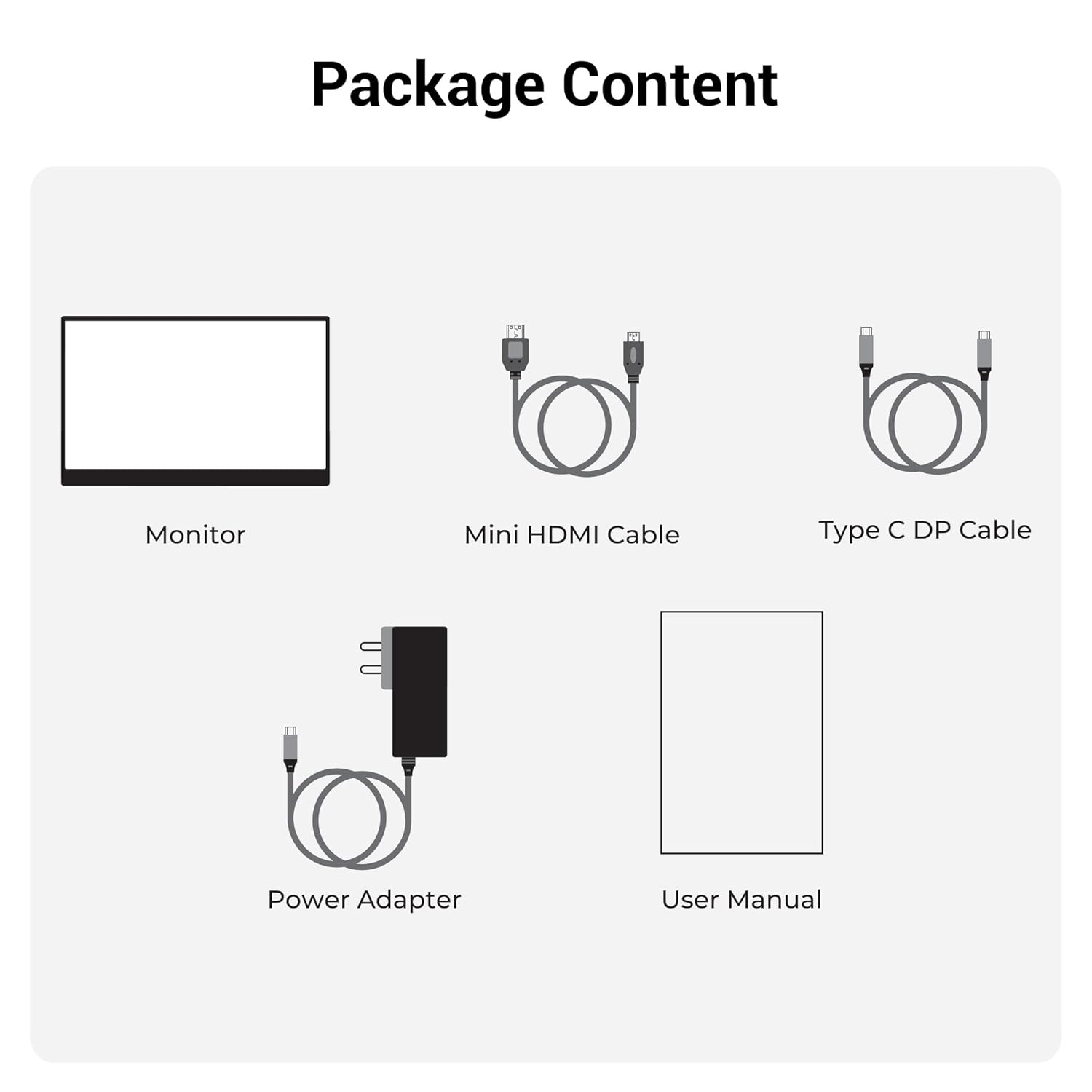
شکل 2.1: محتویات بسته
3. محصول تمام شدview
۳.۲ پورتها و کنترلها
Familiarize yourself with the various ports and control buttons on your Pixigo A16 monitor:
- پورت مینی HDMI: For video input from devices with HDMI output.
- Type C Port 2 (Power + Display): Supports both power delivery and display signal via a single Type-C cable.
- Type C Port 1 (Only Power): Dedicated for power input to the monitor.
- Power / Return Button: Used to power the monitor on/off and navigate back in the OSD menu.
- نشانگر LED: Shows the power status of the monitor.
- Roller Key / Menu: Used to access and navigate the On-Screen Display (OSD) menu and adjust settings.
- جک هدفون: برای اتصال دستگاه های صوتی خارجی

شکل ۳.۳: پورتها و کنترلهای مانیتور
3.2 ویژگی های کلیدی
- 15.6-inch FHD 1080p Display: Delivers sharp and vivid visuals with a resolution of 1920x1080.
- Anti-glare Screen: Minimizes reflections and eye strain for comfortable viewing.
- پایه قابل تنظیم ۳۶۰ درجه: Offers flexible positioning to achieve the optimal viewزاویه
- ورودی دوگانه: Features 1x Type-C DP port and 1x Mini HDMI port for broad compatibility.
- بلندگوهای داخلی: خروجی صوتی یکپارچه را ارائه میدهد.
- سبک و قابل حمل: Compact design for easy transport and use in various locations.
- 300 نیت روشنایی: Ensures a bright and vibrant screen, even in well-lit environments.
- 16.7 میلیون رنگ: Supports accurate color reproduction.
- نسبت تصویر ۳:۲: Ideal for media consumption and multitasking.
- قابل نصب روی دیوار: Supports wall mounting for a clutter-free setup.

شکل ۲: ویژگیهای نمایشگر
4. راه اندازی
Follow these steps to set up your ZEBRONICS Pixigo A16 portable monitor:
- مانیتور را باز کنید: مانیتور و تمام لوازم جانبی را با دقت از بستهبندی خارج کنید.
- جایگاه را قرار دهید: Adjust the integrated 180° stand to your desired viewزاویه
- اتصال برق: Connect the provided Power Adapter to the Type C Port 1 (Power Only) on the monitor and plug it into a power outlet.
- اتصال به دستگاه:
- For Type-C Devices (with DisplayPort Alt Mode): Use the Type C DP Cable to connect your device (laptop, smartphone) to Type C Port 2 (Power + Display) on the monitor. This single cable can provide both power and display signal.
- For HDMI Devices: Use the Mini HDMI Cable to connect your device (laptop, gaming console) to the Mini HDMI Port on the monitor. Ensure the monitor is also powered via Type C Port 1.
- روشن کردن: Press the Power / Return Button to turn on the monitor.

Figure 4.1: Wide Compatibility with PC, Laptop, Mobile, and Gaming Console
5. دستورالعمل های عملیاتی
5.1 عملیات اساسی
- روشن/خاموش برق: Press and hold the Power / Return Button for a few seconds.
- انتخاب منبع ورودی: The monitor should automatically detect the input source. If not, access the OSD menu using the Roller Key and manually select the input.
- تنظیم صدا: Use the Roller Key to adjust the volume of the built-in speakers or connected headphones.
5.2 منوی نمایش روی صفحه (OSD).
منوی OSD به شما امکان میدهد تنظیمات مختلف نمایشگر را سفارشی کنید:
- Press the Roller Key to open the OSD menu.
- Roll the Roller Key up or down to navigate through menu options.
- Press the Roller Key to select an option or confirm a setting.
- Press the Power / Return Button to go back to the previous menu or exit the OSD.
۵.۲ تنظیم پایه
The integrated stand can be adjusted up to 180 degrees to find the most comfortable viewing angle for your needs. Simply pivot the monitor on its stand to tilt it forward or backward.

Figure 5.1: 180° Adjustable Stand
6. تعمیر و نگهداری
برای اطمینان از طول عمر و عملکرد بهینه مانیتور خود، این دستورالعملهای نگهداری را دنبال کنید:
- تمیز کردن صفحه نمایش: کمی d از یک پارچه نرم و بدون پرز استفاده کنیدampبا آب یا یک پاککنندهی صفحه نمایش غیر ساینده، آن را تمیز کنید. از مواد شیمیایی قوی یا مواد ساینده خودداری کنید.
- تمیز کردن سیasing: مانیتور را پاک کنیدasinبا یک پارچه نرم و خشک.
- ذخیره سازی: When not in use, store the monitor in a cool, dry place, away from direct sunlight and extreme temperatures.
- رسیدگی: Handle the monitor with care, especially when transporting it. Its lightweight design makes it portable, but it should still be protected from impacts.
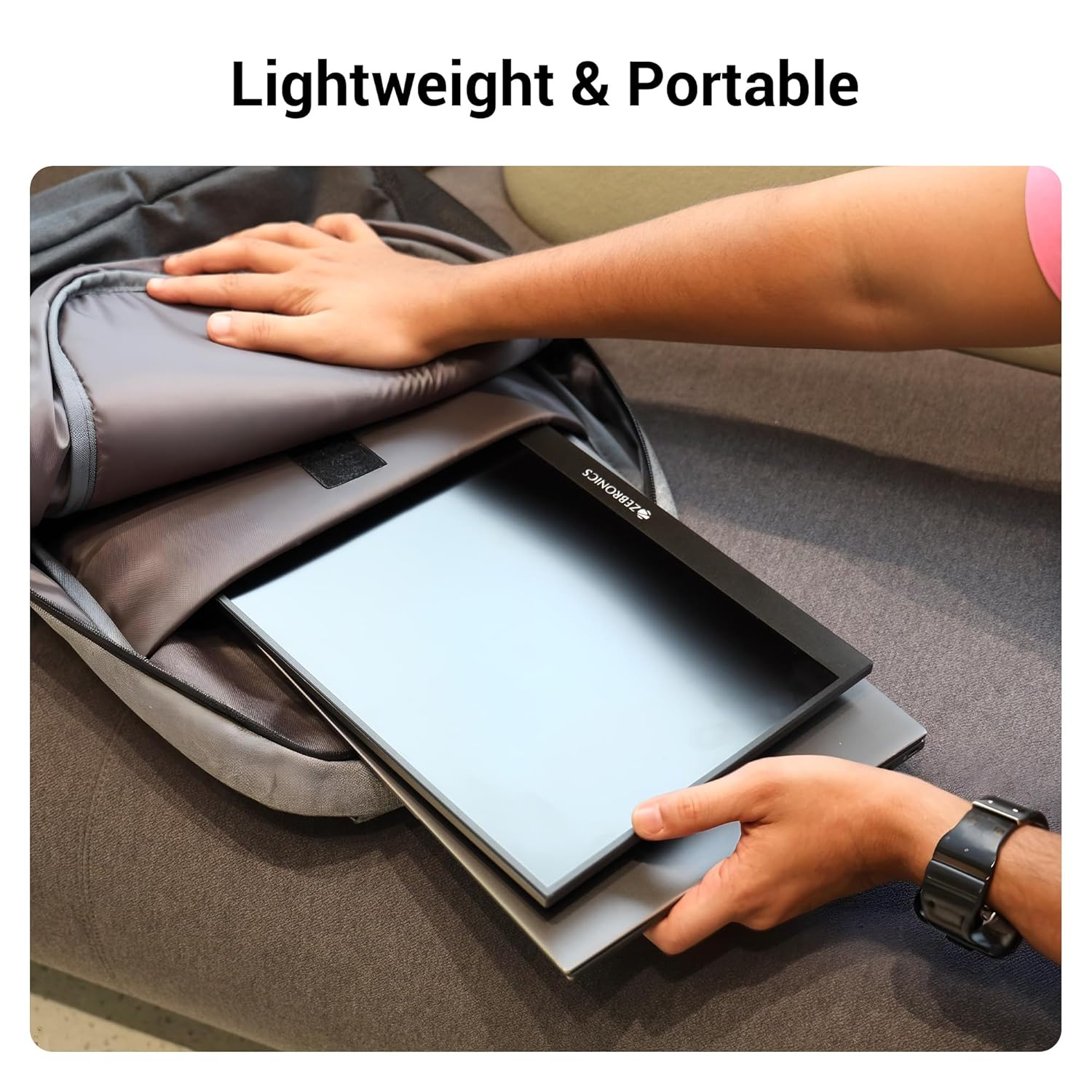
Figure 6.1: Lightweight and Portable Design
7 عیب یابی
اگر با مانیتور خود با مشکل مواجه شدید، به مشکلات و راهحلهای رایج زیر مراجعه کنید:
| مشکل | علت احتمالی | راه حل |
|---|---|---|
| بدون نمایش/بدون سیگنال | Incorrect input source selected; Loose cable connection; Insufficient power. | Check cable connections (HDMI/Type-C). Ensure the monitor is powered. Select the correct input source via the OSD menu. For Type-C, ensure your device supports DisplayPort Alt Mode. |
| صفحه نمایش سوسو میزند | Faulty cable; Incompatible resolution/refresh rate; Power fluctuations. | کابل دیگری را امتحان کنید. وضوح یا نرخ تازهسازی را در دستگاه متصل خود تنظیم کنید. از منبع تغذیه پایدار اطمینان حاصل کنید. |
| صدا ندارد | Volume too low/muted; Incorrect audio output selected on device. | Increase monitor volume using the Roller Key. Check audio settings on your connected device to ensure audio is routed to the monitor. |
| روشن نشدن مانیتور | No power; Power adapter issue. | Ensure the power adapter is securely connected to the monitor (Type C Port 1) and a working power outlet. |
8. مشخصات
Detailed technical specifications for the ZEBRONICS Pixigo A16 portable monitor:
- برند: زبرونیک
- مدل: Zeb-Pixigo A16
- اندازه صفحه نمایش: 15.6 اینچ (39.6 سانتی متر)
- وضوح صفحه نمایش: ۱۹۲۰ در ۱۰۸۰ پیکسل (فول اچدی ۱۰۸۰p)
- نسبت تصویر: 16:9
- روشنایی: 300 نیت
- پشتیبانی از رنگ: 16.7 میلیون رنگ
- شرح سطح صفحه نمایش: Matte (Anti-glare)
- قابلیت اتصال: 1x Mini HDMI Port, 2x Type C Ports (1x Power + Display, 1x Power Only), Headphone Jack
- بلندگوهای داخلی: بله
- وزن مورد: 804 گرم
- ابعاد محصول (LxWxH): 1.7 × 35.5 × 22.2 سانتی متر
9. گارانتی و پشتیبانی
For warranty information, technical support, or service inquiries, please refer to the warranty card included in your package or visit the official ZEBRONICS webرسید خرید خود را به عنوان مدرک خرید برای درخواستهای گارانتی نگه دارید.