1. مقدمه
Thank you for choosing the soyes Mini Phone 4G Unlocked Smartphone. This compact and feature-rich device is designed for portability and essential communication, offering a balance of functionality and convenience. This manual provides detailed instructions to help you set up, operate, and maintain your new smartphone.
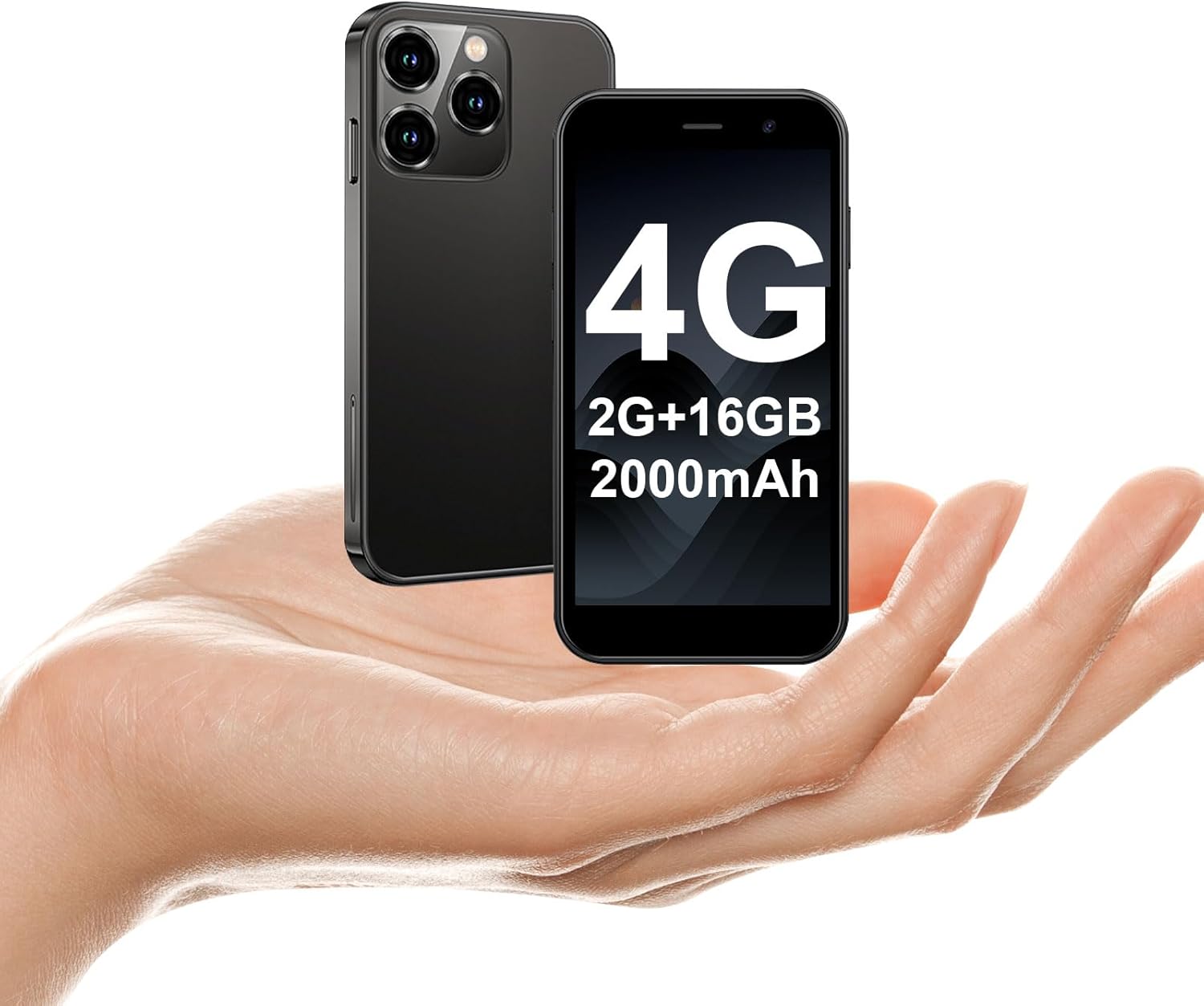
The soyes Mini Phone 4G Unlocked Smartphone, designed for portability and essential communication.
۲. چه چیزهایی در جعبه است؟
لطفاً بررسی کنید که همه اقلام در بسته شما موجود باشد:
- 1 x soyes Mini Smartphone
- 1 x Tempered Film (Screen Protector)
- 1 عدد کابل نوع C
- 1 x Mobile Phone Case
- 1 x SIM Ejector Pin
3. راه اندازی
۲. نصب سیمکارت و کارت حافظه
The soyes Mini Phone supports dual SIM cards and a memory card for expanded storage. Ensure your SIM card is compatible with the following frequency bands: WCDMA B2/B4, B5; FDD B2/B4/B5/B7/B17/B28/B28A/B41/B66.
- سینی سیم کارت را در کنار گوشی پیدا کنید.
- Insert the provided SIM ejector pin into the small hole next to the tray and press gently until the tray pops out.
- سینی را با احتیاط بیرون بکشید.
- Place your Nano-SIM cards into the designated slots (SIM1, SIM2) and the TF (microSD) card into its slot, ensuring the gold contacts face downwards.
- سینی را به آرامی به داخل گوشی فشار دهید تا در جای خود قرار گیرد.

Insert your SIM and memory cards into the tray.
۳.۲ روشن کردن اولیه
Press and hold the Power button (located on the right side of the phone) until the screen lights up. Follow the on-screen prompts to complete the initial setup, including language selection, Wi-Fi connection, and Google account setup.
3.3. شارژ کردن دستگاه
Before first use, it is recommended to fully charge the phone. Connect the provided Type-C cable to the phone's charging port and the other end to a compatible USB power adapter (not included) or a computer's USB port.

Connect the Type-C cable to charge your device.
4. دستورالعمل های عملیاتی
4.1. ناوبری اولیه
The soyes Mini Phone features a 3.0-inch HD touchscreen. Navigate the interface by tapping, swiping, and pinching. The Android 8.1 operating system provides an intuitive user experience.

Experience clear visuals on the 3.0-inch HD touchscreen.
۴.۲. تماس و پیامرسانی
Utilize the Phone app for making and receiving calls. The Messaging app allows you to send and receive SMS/MMS messages. With dual SIM support, you can manage two different phone numbers simultaneously.
4.3. استفاده از دوربین
The phone is equipped with a 2MP front camera and a 5MP rear camera. Open the Camera app to capture photos and videos. Tap the screen to focus and press the shutter button to take a picture.

Capture moments with the HD Dual Camera.
۲. نصب و استفاده از برنامه
Running on Android 8.1, the soyes Mini Phone is fully compatible with the Google Play Store. You can download and install a wide range of applications, including social media, entertainment, and productivity tools.
- Ensure you are connected to Wi-Fi or have mobile data enabled.
- Open the 'Play Store' app from your home screen or app drawer.
- جستجو برای your desired application.
- Tap 'Install' to download and set up the app.

Download and enjoy a wide variety of applications from the Google Play Store.
۳.۶. تشخیص چهره
The device features advanced facial recognition technology for faster and secure unlocking. To set up Face ID, go to Settings > Security > Face Unlock and follow the on-screen instructions.

Unlock your phone quickly and securely with Face ID.
4.6. مدیریت ذخیره سازی
The soyes Mini Phone comes with 2GB RAM and 16GB ROM. You can expand the storage capacity up to 256GB using a TF (microSD) card, allowing you to store more photos, videos, and applications.

Manage your storage with 2GB RAM, 16GB ROM, and expandable memory.
5. تعمیر و نگهداری
5.1. مراقبت از باتری
The phone is equipped with a 2000mAh battery. To maximize battery life:
- از دمای شدید خودداری کنید.
- Charge the phone regularly, but avoid leaving it fully charged or fully depleted for extended periods.
- از کابل Type-C ارائه شده برای شارژ استفاده کنید.

The 2000mAh battery provides extended usage time.
5.2. تمیز کردن
برای تمیز کردن صفحه نمایش و بدنه گوشی از یک پارچه نرم و بدون پرز استفاده کنید. از استفاده از مواد شیمیایی قوی یا مواد ساینده خودداری کنید.
5.3. به روز رسانی نرم افزار
Periodically check for software updates in Settings > System > System update to ensure your device has the latest features and security patches.
6 عیب یابی
If you encounter issues with your soyes Mini Phone, please refer to the following common solutions:
| مشکل | راه حل ممکن |
|---|---|
| تلفن پاسخگو نیست یا هنگ کرده است | برای ریستارت اجباری، دکمه پاور را حدود ۱۰ تا ۱۵ ثانیه فشار داده و نگه دارید. |
| باتری به سرعت تخلیه می شود | Close unused apps, reduce screen brightness, disable Wi-Fi/Bluetooth when not in use, or check for background app activity. |
| نمیتوان به وایفای/داده موبایل متصل شد | Toggle Wi-Fi/Mobile Data off and on. Restart the phone. Ensure correct SIM card installation and network settings. |
| Apps crashing or not installing | Clear cache for the app or Play Store. Ensure sufficient storage space. Check app compatibility with Android 8.1. |
| شناسه چهره کار نمیکند | Ensure good lighting and that your face is clearly visible to the front camera. Re-register your face in settings if necessary. |
If the problem persists, consider performing a factory reset (backup your data first) or contact customer support.
7. مشخصات
The soyes Mini Phone 4G Unlocked Smartphone offers the following technical specifications:

طراحی فشرده و سبک برای حمل آسان.

Designed to fit comfortably in the palm of your hand.
| ویژگی | جزئیات |
|---|---|
| نام مدل | soyes-15mini-bk |
| سیستم عامل | اندروید 8.1 |
| پردازنده | چهار هسته ای |
| RAM | 2 گیگابایت |
| حافظه داخلی (ROM) | 16 گیگابایت |
| حافظه قابل ارتقا | TF Card Slot (up to 256GB) |
| اندازه صفحه نمایش | 3.0 اینچ |
| وضوح صفحه نمایش | 480*854 HD |
| دوربین عقب | 5 مگاپیکسل |
| دوربین جلو | 2 مگاپیکسل |
| ظرفیت باتری | لیتیوم یون 2000 میلی آمپر ساعت |
| پشتیبانی از سیم کارت | دو سیم کارت (نانو سیم کارت) |
| فناوری سلولی | 4G (آنلاک شده) |
| باندهای فرکانس پشتیبانی شده | WCDMA B2/B4, B5; FDD B2/B4/B5/B7/B17/B28/B28A/B41/B66 |
| قابلیت اتصال | وایفای، بلوتوث، جیپیاس |
| ویژگی های خاص | Face ID, Stereo Speakers, Fast Charging Support |
| Dimensions (Phone) | تقریباً ۵.۷ اینچ (طول) × ۴.۲ اینچ (عرض) |
| وزن | ۳.۵۳ اونس (۱۰۰ گرم) |
| پورت شارژ | نوع C |
8. گارانتی و پشتیبانی
For warranty information and customer support, please refer to the documentation included with your product packaging or visit the official soyes webرسید خرید خود را به عنوان مدرک خرید نگه دارید.


