1. مقدمه
Thank you for choosing the Montech Titan PLA 850W ATX Gaming Power Supply. This manual provides essential information for the proper installation, operation, and maintenance of your power supply unit (PSU). Please read this manual thoroughly before installation and retain it for future reference.
2. اطلاعات ایمنی
هشدار: نصب یا استفاده نادرست میتواند منجر به آسیب به تجهیزات، برقگرفتگی یا آسیب جدی شود. همیشه این دستورالعملهای ایمنی را رعایت کنید:
- Ensure the power supply is disconnected from the AC power outlet before installation, removal, or any maintenance.
- This product is designed for indoor use only. Do not expose it to moisture, high temperatures, or dusty environments.
- منبع تغذیه (PSU) را باز نکنید.asing. حجم بالاtagدر داخل وجود دارند و باز کردن دستگاه، گارانتی را باطل میکند.
- فقط از کابلهای ماژولار ارائه شده با این منبع تغذیه استفاده کنید. استفاده از کابلهای شخص ثالث ممکن است باعث آسیب به PSU یا قطعات متصل شود.
- Ensure proper grounding for your computer system.
- اگر در مورد هر یک از مراحل نصب مطمئن نیستید، با یک تکنسین واجد شرایط مشورت کنید.
3. محتویات بسته
بررسی کنید که همه اقلام در بسته شما موجود باشد:
- Montech Titan PLA 850W Power Supply Unit
- Modular Cable Set (including ATX 24-pin, CPU 8-pin, PCIe 6+2-pin, SATA, Peripheral 4-pin)
- سیم برق AC
- پیچ های نصب
- اتصالات کابل
- راهنمای کاربر
4. محصول تمام شدview
The Montech Titan PLA 850W is a high-performance, fully modular power supply designed for gaming and high-end PC systems. It features 80 Plus Platinum and Cybenetics Platinum certifications for exceptional efficiency, ATX 3.1 and PCIe 5.1 readiness for next-generation components, and a silent 135mm Fluid Dynamic Bearing (FDB) fan with a Zero RPM mode.
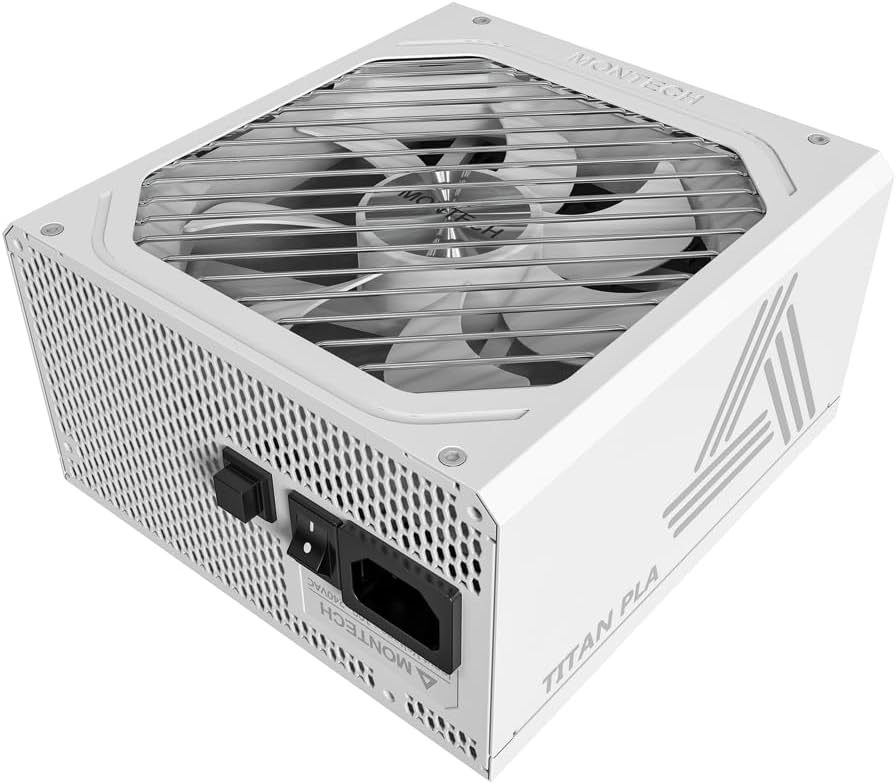
تصویر: زاویه دار view of the Montech Titan PLA 850W Power Supply, showcasing its white chassis and top fan grill.

تصویر: تمام شدview of key features including 80 PLUS Platinum, Cybenetics A+ certification, ATX 3.1 & PCIe 5.1 readiness, silent performance, premium build, and ultimate protection.
4.1 ویژگی های کلیدی
- 80 PLUS Platinum & Cybenetics Platinum Certified: Achieves up to 90% efficiency, reducing heat and operating costs.
- سازگار با ATX 3.1 و PCIe 5.1: Fully compliant with the latest power standards for modern GPUs, supporting 2x total power excursion and 3x GPU power excursion.
- طراحی کاملا ماژولار: Allows for clean cable management and improved airflow within your PC case.
- 135mm FDB Silent Fan with Zero RPM Mode: Ensures quiet operation under low to moderate loads by stopping the fan.
- خازنهای ۱۰۰٪ ژاپنی با تحمل دمای ۱۰۵ درجه سانتیگراد: Provides enhanced durability, stability, and reliability.
- حفاظتهای جامع: Includes OVP, OPP, SCP, OCP, UVP, OTP for system safety.

Image: Diagram illustrating ATX 3.1 and PCIe 5.1 readiness, showing support for power and GPU excursions and hold time above 21ms.

Image: Logos for 80 PLUS Platinum and Cybenetics Platinum certifications, indicating high power efficiency.

تصویر: نمای نزدیک view of internal Japanese 105°C capacitors, highlighting premium component quality.

Image: Cybenetics A+ certification logo alongside a view of the 135mm FDB fan, emphasizing silent operation.
۱. دستورالعملهای راهاندازی
5.1 چک لیست قبل از نصب
- Ensure your computer case is compatible with ATX power supplies.
- Gather all necessary tools: screwdriver, cable ties (included).
- Unpack the PSU and all modular cables.
5.2 نصب فیزیکی
- کامپیوتر خود را خاموش کنید و سیم برق متناوب (AC) را از پریز برق جدا کنید.
- کیس کامپیوتر خود را باز کنید
- Carefully place the Montech Titan PLA 850W PSU into the designated PSU bay in your computer case. Ensure the fan is facing the correct direction (typically facing down if your case has a bottom vent, or up if it draws air from inside the case).
- با استفاده از پیچهای نصب ارائه شده، PSU را به کیس محکم کنید.
5.3 اتصالات کابلی
The Montech Titan PLA 850W is a fully modular power supply, allowing you to connect only the cables you need. Refer to the diagram below for connector types and locations.

تصویر: عقب view of the Montech Titan PLA power supply showing the fully modular cable connection ports, labeled for M/B, CPU/PCI-E, Peripheral-IDE/SATA/Molex, and 12V-2x6.
- Motherboard (M/B) Power: Connect the 24-pin ATX cable to the PSU and then to your motherboard's 24-pin connector.
- قدرت CPU: Connect the 8-pin (4+4-pin) CPU cable(s) to the PSU and then to your motherboard's CPU power connector(s).
- توان PCIe: Connect the 6+2-pin PCIe cable(s) to the PSU and then to your graphics card(s). Use separate cables for each high-power GPU connector if possible.
- پاور SATA: Connect SATA power cables to the PSU and then to your SSDs, HDDs, or optical drives.
- توان جانبی (مولکس): Connect peripheral cables to the PSU and then to any components requiring Molex connectors.
- Once all necessary cables are connected, use cable ties to manage them neatly for better airflow and aesthetics.
5.4 روشن شدن اولیه
- اطمینان حاصل کنید که همه اتصالات امن هستند.
- قاب کامپیوتر خود را ببندید.
- Connect the AC power cord to the PSU's input socket and then to a wall outlet.
- کلید پاور پشت PSU را در حالت روشن (I) قرار دهید.
- کامپیوتر خود را روشن کنید.

Image: Rear panel of the Montech Titan PLA 850W Power Supply, showing the AC input, power switch, and input voltage label (100~240VAC).
6. دستورالعمل های عملیاتی
6.1 روشن/خاموش کردن
To power on your system, ensure the PSU switch is in the 'ON' position and press your computer's power button. To power off, shut down your operating system normally. For complete power disconnection, flip the PSU switch to the 'OFF' (O) position and unplug the AC cord.
6.2 حالت صفر در دقیقه
The Montech Titan PLA 850W features a Zero RPM mode. In this mode, the PSU fan will remain off under low to moderate loads to provide silent operation. The fan will automatically activate when the load increases to maintain optimal temperatures. This is normal operation and not an indication of a fault.
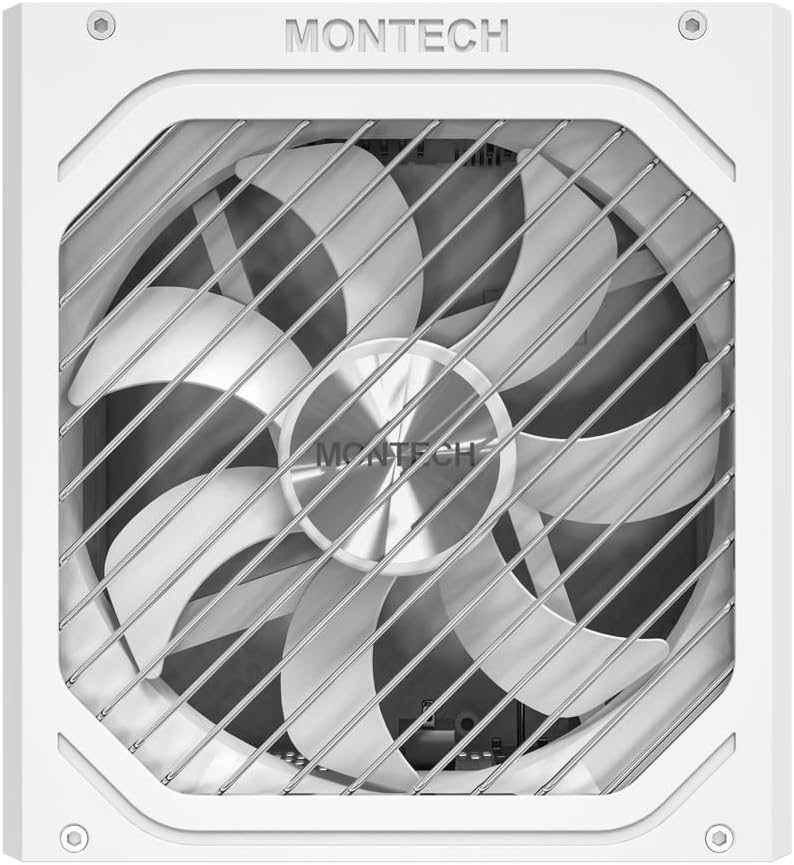
تصویر: از بالا به پایین view of the Montech Titan PLA 850W Power Supply fan, visible through the protective grill.
7. تعمیر و نگهداری
To ensure the longevity and optimal performance of your Montech Titan PLA 850W PSU, follow these maintenance guidelines:
- حذف گرد و غبار: Periodically clean the exterior of the PSU and the fan grill to prevent dust buildup. Use compressed air to gently clear dust from the fan blades and internal components. Always disconnect the AC power before cleaning.
- شرایط محیطی: منبع تغذیه را در مکانی با تهویه مناسب و دور از نور مستقیم خورشید، منابع گرما و رطوبت بیش از حد قرار دهید.
- بازرسی کابل: Occasionally check all modular cable connections to ensure they are secure and free from damage.
8 عیب یابی
If you encounter issues with your Montech Titan PLA 850W PSU, refer to the following common problems and solutions:
| مشکل | علت احتمالی | راه حل |
|---|---|---|
| سیستم روشن نمی شود | AC power cord disconnected. کلید PSU خاموش است. اتصالات کابل شل قطعه معیوب. | مطمئن شوید که سیم برق متناوب (AC) محکم به پریز وصل شده است. Flip PSU switch to 'ON' (I). تمام اتصالات کابل ماژولار را بررسی کنید. Test PSU with a PSU tester (if available) or try minimal components. |
| System powers on but is unstable/shuts down. | اضافه بار. گرم شدن بیش از حد. قطعه معیوب. | از کل آب سیستم اطمینان حاصل کنیدtage از 850 وات تجاوز نمی کند. Check for proper case ventilation and dust buildup. Verify all components are correctly installed. |
| فن PSU نمیچرخد. | Zero RPM mode active. انسداد فن فن معیوب | This is normal under low loads. The fan will spin up when needed. Check for any obstructions. Clean dust if necessary. If fan never spins under load, contact support. |
If the problem persists after attempting these solutions, please contact Montech customer support for further assistance.
9. مشخصات
Detailed specifications for the Montech Titan PLA 850W Power Supply:
| ویژگی | مشخصات |
|---|---|
| نام مدل | TITAN PLA 850W |
| واتtage | 850 وات |
| صدور گواهینامه کارایی | 80 PLUS Platinum, Cybenetics Platinum |
| فاکتور فرم | ATX |
| ابعاد (L x W x H) | 6.3 x 5.91 x 3.39 اینچ (160 x 150 x 86 میلیمتر) |
| نوع فن | 135mm Fluid Dynamic Bearing (FDB) |
| خازن ها | 100% Japanese 105°C |
| مدولار | کاملا ماژولار |
| استاندارد ATX | ATX 3.1 |
| استاندارد PCIe | PCIe 5.1 |
| حفاظت ها | OVP, OPP, SCP, OCP, UVP, OTP |
| حجم ورودیtage | 100-240VAC |
Image: Rating label of a Montech Titan PLA power supply (750W variant shown), detailing AC input and DC output specifications.
10. گارانتی و پشتیبانی
The Montech Titan PLA 850W Power Supply is backed by a ۱ سال گارانتی سازنده, covering defects in materials and workmanship under normal use. For warranty claims or technical support, please visit the official Montech webبه سایت مراجعه کنید یا با بخش خدمات مشتریان آنها تماس بگیرید. رسید خرید خود را برای اعتبارسنجی گارانتی نگه دارید.
For the most up-to-date support information, please refer to the official Montech support channels.


