مقدمه
This manual provides essential information for the safe and efficient operation of your Panasonic TV-65Z80AEZ 65-inch 4K Ultra HD OLED Smart TV. Please read these instructions thoroughly before using your television and retain them for future reference. This 4K OLED television from the Z80 series features integrated Fire TV, offering a comprehensive entertainment experience.
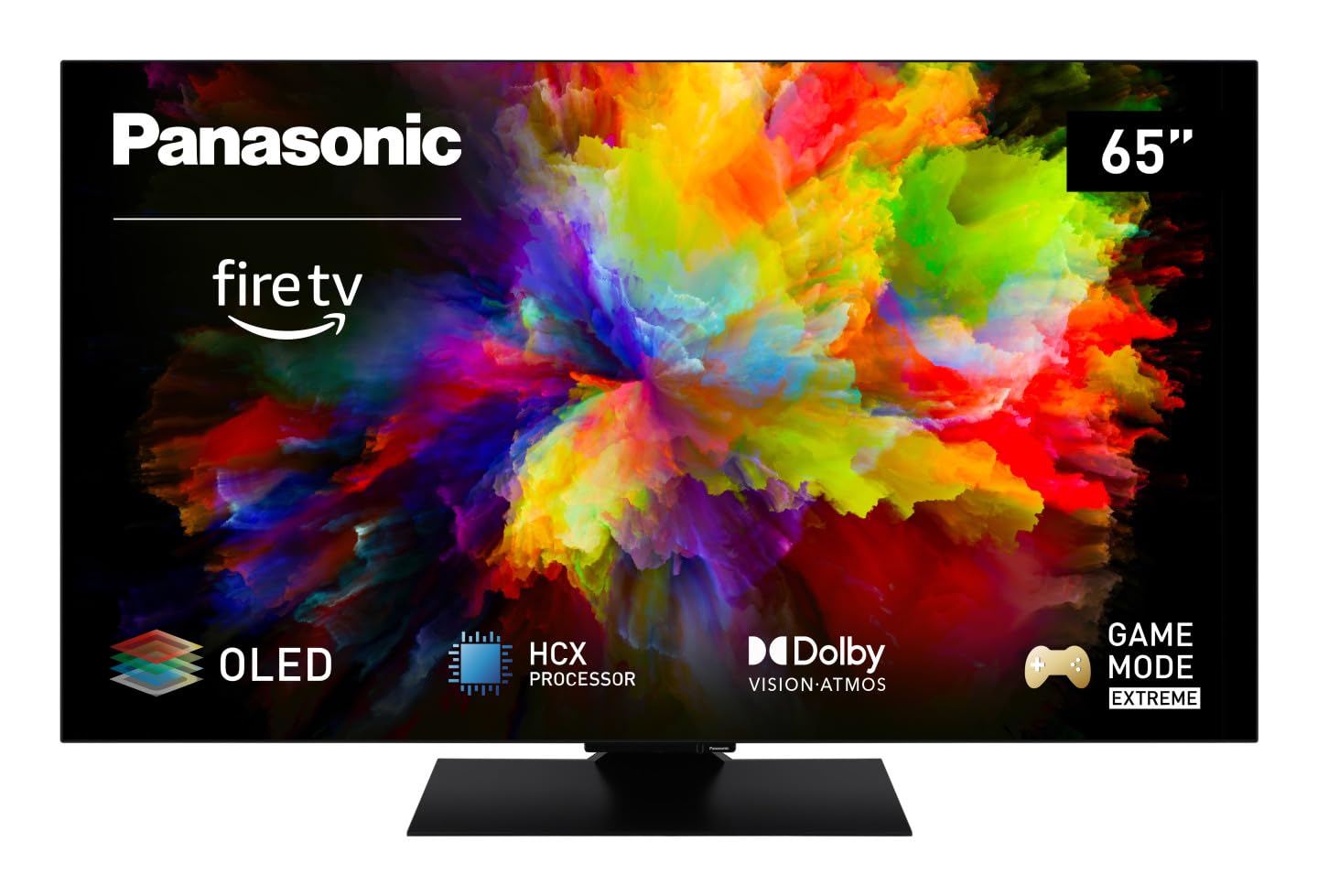
تصویر: جلو view of the Panasonic TV-65Z80AEZ 65-inch 4K OLED Smart TV.
اطلاعات ایمنی
Always follow basic safety precautions when using this television to reduce the risk of fire, electric shock, and injury. Keep the television away from water and moisture. Do not block ventilation openings. Use only attachments/accessories specified by the manufacturer. Refer all servicing to qualified service personnel.
- منبع تغذیه: از حجم منبع تغذیه اطمینان حاصل کنیدtagبا برچسب رتبهبندی روی تلویزیون مطابقت دارد.
- تهویه: Do not cover or block any ventilation openings. Allow adequate space around the TV for proper airflow.
- تمیز کردن: قبل از تمیز کردن، تلویزیون را از برق بکشید. از یک پارچه نرم و خشک استفاده کنید. از پاک کننده های مایع یا پاک کننده های آئروسل استفاده نکنید.
- نصب: If wall-mounting, ensure the wall mount is compatible with the TV's VESA standards and can support its weight. Follow the wall mount manufacturer's instructions carefully.
محتویات بسته
بررسی کنید که همه اقلام در بستهبندی موجود باشند:
- Panasonic TV-65Z80AEZ 65-inch 4K OLED Smart TV
- کنترل از راه دور
- باتریهای AAA (2 عدد) برای کنترل از راه دور
- سیم برق
- اجزای میز تلویزیون (در صورت وجود)
- راهنمای شروع سریع (این سند به عنوان یک راهنمای جامع عمل میکند)
راه اندازی
1. نصب فیزیکی
نصب پایه: If using the included stand, carefully attach it to the television according to the diagrams in the quick start guide. Ensure all screws are securely fastened. Place the TV on a stable, level surface.
نصب دیواری: If wall-mounting, consult a professional installer. Ensure the wall mount is rated for the TV's weight and size. Do not attempt to wall-mount the TV without proper tools and expertise.
2. اتصال دستگاه ها
دستگاههای خارجی خود مانند گیرندههای کابلی، پخشکنندههای بلو-ری، کنسولهای بازی و سیستمهای صوتی را به پورتهای مناسب در پشت تلویزیون وصل کنید.

تصویر: کنار view of the Panasonic TV-65Z80AEZ, illustrating the slim profile and connectivity ports.
- HDMI: For high-definition video and audio. This TV supports HDMI 2.1 for advanced gaming features.
- USB: For connecting USB storage devices or other peripherals. This TV has 2 USB ports.
- اترنت: برای اتصال به اینترنت سیمی.
- آنتن/کابل: برای اتصال آنتن یا کابل تلویزیون.
۳.۳. روشن کردن اولیه و تنظیمات شبکه
- باتریهای AAA موجود در بسته را در کنترل از راه دور قرار دهید.
- سیم برق را به تلویزیون و سپس به پریز برق وصل کنید.
- دکمه روشن/خاموش را روی کنترل از راه دور یا روی تلویزیون فشار دهید.
- Follow the on-screen instructions to select your language, region, and connect to your Wi-Fi network. You can also use a wired Ethernet connection.
4. Fire TV Setup
Your Panasonic TV-65Z80AEZ comes with Fire TV built-in. During the initial setup, you will be prompted to sign in with your Amazon account or create a new one. This enables access to streaming services, apps, and personalized recommendations.
راه اندازی تلویزیون
۶.۱ کنترلهای پایه
Use the remote control to navigate the TV's interface. The remote includes standard buttons for power, volume, channel, input selection, and navigation within the Fire TV interface.
۴. ویژگیهای تلویزیون هوشمند
- Fire TV: The intuitive 4K Fire TV home screen provides instant access to live TV, streaming apps, and personalized recommendations for up to 6 user profiles.
- کنترل صوتی الکسا: Control your Smart TV using voice commands through the integrated Alexa. Press the microphone button on your remote and speak your command.
- AirPlay: Easily share content from your Apple devices (iPhone, iPad, Mac) to your TV for a seamless viewتجربه کردن
۵.۱ کیفیت تصویر
- OLED & HCX Processor: Experience deep blacks and natural colors. The HCX processor ensures a cinematic experience with stunning image quality.
- Multi HDR Support: Enjoy optimized brightness, contrast, and colors scene by scene with support for Dolby Vision, HLG, HDR10, and HDR10+, ensuring exceptional images.
4. ویژگی های صوتی
- Surround Sound Pro & Dolby Atmos: خودت را بالا ببر viewing experience with immersive Dolby Atmos and Surround Sound Pro technology, including an integrated subwoofer, for a cinema-worthy audio experience.
5. Extreme Game Mode
This mode is designed for gamers, offering ultra-low latency, Variable Refresh Rate (VRR), 120 Hz refresh rate, and Auto Low Latency Mode (ALLM) via HDMI 2.1. It also supports AMD FreeSync Premium and NVIDIA G-SYNC for fluid and responsive gameplay.
تعمیر و نگهداری
Proper maintenance ensures the longevity and performance of your television.
- تمیز کردن صفحه نمایش: صفحه نمایش را به آرامی با یک پارچه نرم و بدون پرز پاک کنید. برای لکههای سرسخت، کمی ...ampپارچه را با آب یا یک پاککننده مخصوص صفحه نمایش بپوشانید. هرگز مایع را مستقیماً روی صفحه نمایش اسپری نکنید.
- نظافت کابینت: برای تمیز کردن قاب تلویزیون از یک پارچه نرم و خشک استفاده کنید.
- گردگیری: برای جلوگیری از گرم شدن بیش از حد، مرتباً منافذ تهویه را گردگیری کنید.
- سیم برق: Periodically check the power cord for any damage. If damaged, replace it immediately with an authorized part.
عیب یابی
اگر با تلویزیون خود با مشکلاتی مواجه شدید، به راهحلهای رایج زیر مراجعه کنید:
| مشکل | راه حل ممکن |
|---|---|
| بدون قدرت | مطمئن شوید که سیم برق به طور محکم به تلویزیون و پریز برق وصل شده است. با وصل کردن دستگاه دیگری به پریز، بررسی کنید که آیا پریز کار میکند یا خیر. |
| تصویر ندارد، اما صدا دارد | Check the input source. Press the 'Input' or 'Source' button on your remote to cycle through inputs. Ensure connected devices are powered on. |
| صدا نداره ولی تصویر داره | Check the volume level. Ensure 'Mute' is not activated. Check audio cables if using external speakers. Verify audio output settings in the TV menu. |
| کنترل از راه دور کار نمی کند | باتریها را تعویض کنید. مطمئن شوید که هیچ مانعی بین کنترل از راه دور و حسگر IR تلویزیون وجود ندارد. |
| نمیتوان به وایفای وصل شد | مطمئن شوید که روتر وایفای شما روشن و کار میکند. رمز عبور وایفای را دوباره وارد کنید. تلویزیون و روتر را دوباره راهاندازی کنید. |
اگر پس از امتحان کردن این راهحلها مشکل همچنان ادامه داشت، لطفاً با پشتیبانی مشتری تماس بگیرید.
مشخصات
| ویژگی | جزئیات |
|---|---|
| نام تجاری | پاناسونیک |
| شماره مدل | TV-65Z80AEZ |
| اندازه صفحه نمایش | 65 اینچ |
| فناوری نمایش | OLED |
| قطعنامه | 4K Ultra HD |
| نرخ تازه سازی | 120 هرتز |
| سیستم عامل | فایر او اس |
| فناوری اتصال | بلوتوث، HDMI، وای فای |
| بنادر اتصال | اترنت، HDMI، USB |
| مجموع پورت های USB | 2 |
| ویژگی های خاص | OLED, Dolby Vision, Dolby Atmos, Fire TV, Extreme Game Mode |
| دستگاه های سازگار | Laptop, Gaming Console, Smartphone, Tablet, Speakers |
| نسبت تصویر | 16:9 |
| ابعاد محصول (DxWxH) | 4.7D x 144.4W x 82.4H سانتی متر |
| اجزای شامل | Television, Remote Control, Batteries |
گارانتی و پشتیبانی
Your Panasonic TV-65Z80AEZ is covered by a manufacturer's warranty. Please refer to the warranty card included with your product for specific terms and conditions, including the warranty period and coverage details. For technical support, service, or further assistance, please visit the official Panasonic support webبه سایت مراجعه کنید یا با خط تلفن خدمات مشتریان آنها تماس بگیرید. رسید خرید خود را به عنوان مدرک خرید برای درخواستهای گارانتی نگه دارید.


