مقدمه
Thank you for choosing the Parsonver Smart Watch. This manual provides essential information and instructions to help you set up, operate, and maintain your PSSW3B or PSSW4SL smart watch. Please read this manual thoroughly before use to ensure optimal performance and longevity of your device.
آنچه در جعبه است
- Parsonver Smart Watch (PSSW3B or PSSW4SL)
- تماشای باند
- کابل شارژ
- راهنمای کاربر
راه اندازی
1. شارژ کردن دستگاه
Before initial use, fully charge your smart watch. Connect the magnetic charging cable to the charging port on the back of the watch and plug the USB end into a power adapter (not included) or a computer's USB port. A full charge typically takes approximately 2 hours. A fully charged watch provides up to 7 days of regular use and up to 40 days of standby time.
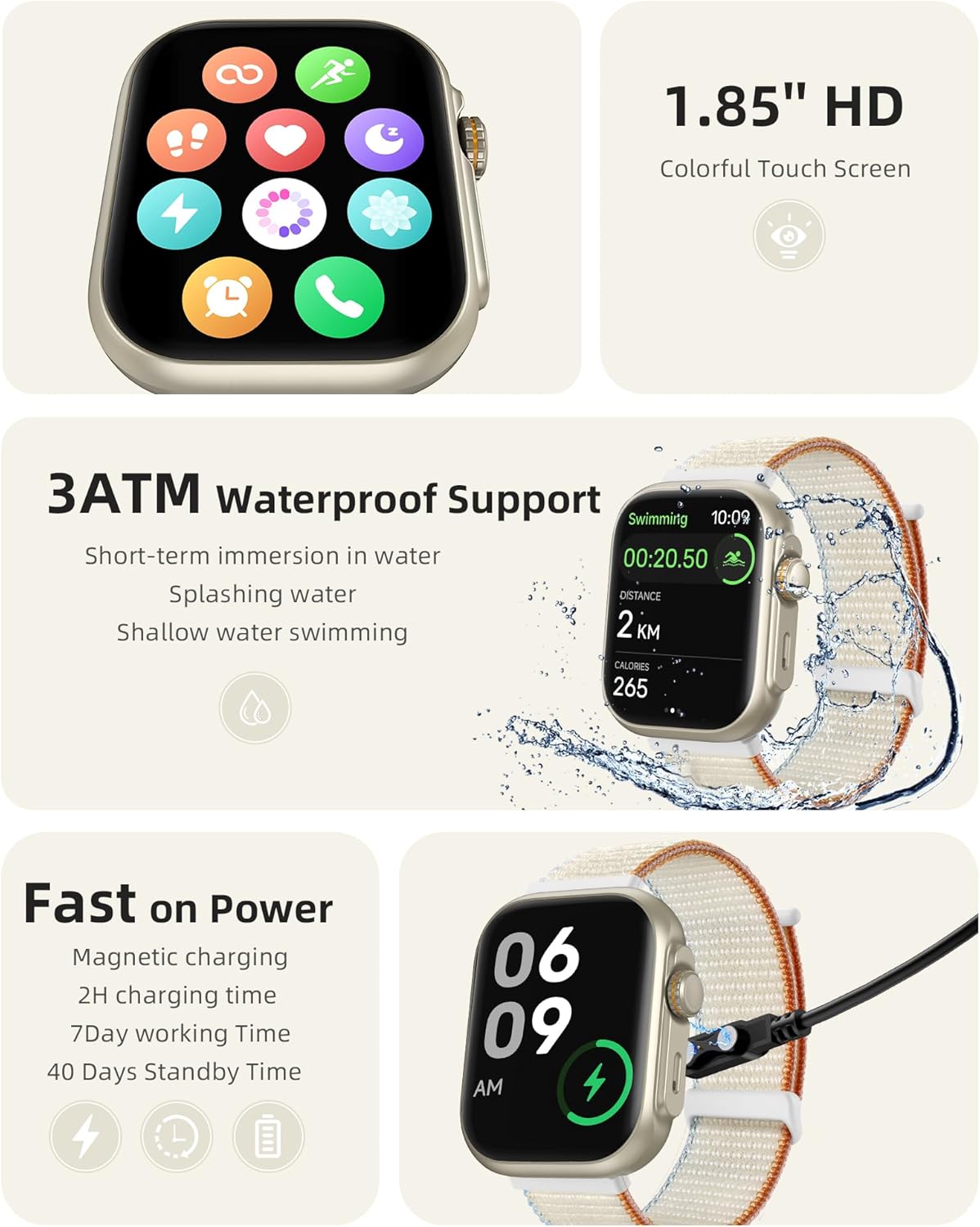
Image: The Parsonver Smart Watch connected to its magnetic charging cable, illustrating the charging process.
2. نصب برنامه
To unlock the full functionality of your smart watch, download the companion app on your smartphone. The app is compatible with iOS devices (version 12.0 and above) and Android devices (version 6.0 and above). جستجو برای the 'Parsonver' app in your device's app store or scan the QR code provided in the quick start guide.
3. جفت شدن دستگاه
After installing the app, open it and follow the on-screen instructions to create an account and pair your smart watch. Ensure Bluetooth is enabled on your smartphone. The watch uses Bluetooth 5.3 for a stable connection. Once paired, you can enable smart notifications and Bluetooth calling features.
دستورالعمل های عملیاتی
1. ناوبری اولیه
The smart watch features a 1.85" HD colorful touch screen. Swipe left, right, up, or down to navigate through menus and access different functions. Use the physical buttons on the side for quick access to specific features or to return to the home screen.
2. Bluetooth Calls and Smart Notifications
Once connected via Bluetooth, you can make and receive calls directly from your watch using its built-in speaker and microphone with noise cancellation. The watch will also display smart notifications for incoming calls, SMS messages, and alerts from various applications such as Facebook, WhatsApp, Instagرام و توییتر

Image: A visual representation of the smart watch's Bluetooth call and smart notification capabilities, showing various app icons and call screens.
3. 24-Hour Comprehensive Health Monitoring
The Parsonver Smart Watch provides continuous health tracking:
- پایش ضربان قلب: Accurately monitors your heart rate throughout the day.
- مانیتورینگ اکسیژن خون (SpO2): میزان اشباع اکسیژن خون شما را اندازهگیری میکند.
- نظارت بر خواب: Analyzes your sleep patterns, including deep sleep, light sleep, awake time, and REM sleep.
- Stress Level Detection: Intelligently detects and helps you manage stress levels.
- یادآوری ها: Includes hydration and sedentary reminders to promote a healthy lifestyle.

Image: A collage demonstrating the watch's 24-hour health monitoring functions, including heart rate, blood oxygen, sleep, and stress tracking.
4. Built-in GPS Fitness Tracker
The watch features high-precision built-in GPS, allowing you to record and display your running routes directly on the watch without needing your phone. After synchronization with the app, you can view detailed city route maps. The advanced sports chip tracks distance, real-time/average pace, and calories burned.

Image: The smart watch displaying a GPS-tracked running route, with a smartphone showing a detailed map view.
۵.۵ حالتهای ورزشی و ردیابی فعالیت
Choose from over 100 built-in sports modes to accurately track your workouts. The watch also provides a daily readiness score and all-day activity tracking, monitoring steps, calories, and distance.

Image: A user stretching with the smart watch, illustrating its use during exercise, alongside displays of daily readiness score and activity tracking icons.
6. Customization and Other Functions
Personalize your watch with over 100 creative watch dials. The watch also includes various practical functions such as camera control, music control, weather updates, alarm clock, and timer.

Image: A collection of diverse watch faces and icons representing additional practical functions available on the smart watch.
7. مقاومت در برابر آب
The Parsonver Smart Watch features 3ATM water resistance, making it suitable for short-term immersion in water, splashing, and shallow water swimming. It is not recommended for diving, hot showers, or high-pressure water activities.
تعمیر و نگهداری
1. تمیز کردن
Regularly clean your smart watch and watch band to prevent skin irritation and maintain device hygiene. Use a soft, lint-free cloth to wipe the screen and body. For the band, use a mild soap solution and rinse thoroughly, ensuring it is completely dry before reattaching to your wrist.
2. ذخیره سازی
When not in use for extended periods, store the watch in a cool, dry place away from direct sunlight and extreme temperatures. Ensure the watch is partially charged (around 50%) before storage to preserve battery health.
۲. اقدامات احتیاطی در مورد مقاومت در برابر آب
While the watch is 3ATM water-resistant, avoid exposing it to hot water, steam, or chemicals. Do not press buttons underwater. After exposure to water, especially saltwater, gently wipe the watch dry.
عیب یابی
- ساعت روشن نمیشود: Ensure the watch is fully charged. Connect it to the charging cable and wait a few minutes before attempting to power it on again.
- جفت شدن با تلفن امکانپذیر نیست: Ensure Bluetooth is enabled on your phone and the watch. Make sure the watch is within range of your phone. Restart both the watch and your phone, then try pairing again through the app.
- اعلانهایی که دریافت نشدند: Check app permissions on your phone to ensure the Parsonver app has access to notifications. Verify that notifications are enabled within the Parsonver app settings.
- دادههای نادرست سلامت: مطمئن شوید که ساعت به طور محکم روی مچ دست شما بسته شده است، نه خیلی تنگ و نه خیلی گشاد. حسگرها را مرتباً تمیز کنید. از حرکت بیش از حد در حین اندازهگیریها خودداری کنید.
- عمر باتری کوتاه: Reduce screen brightness, disable unnecessary notifications, and limit continuous heart rate monitoring if not required. Ensure the watch is fully charged each time.
مشخصات
| شماره مدل | PSSW3B, PSSW4SL |
| نام تجاری | پارسونور |
| سازنده | پارسونور |
| فناوری اتصال | بلوتوث 5.3 |
| ظرفیت باتری | 300 میلی آمپر ساعت |
| زمان شارژ | تقریبا 2 ساعت |
| عمر باتری (استفاده معمولی) | تا 7 روز |
| زمان آماده به کار | تا 40 روز |
| جی پی اس | GPS داخلی |
| مقاومت در برابر آب | 3 ATM |
| نمایش | 1.85" HD Colorful Touch Screen (PSSW3B) |
| سازگاری | iOS 12.0+ / Android 6.0+ |
اطلاعات گارانتی
Parsonver products are covered by a limited warranty. For specific details regarding your product's warranty period and terms, please refer to the warranty card included with your purchase or visit the official Parsonver webرسید خرید خود را به عنوان مدرک خرید برای درخواستهای گارانتی نگه دارید.
پشتیبانی کنید
If you encounter any issues or have questions not covered in this manual, please contact Parsonver customer support. You can find contact information on the official Parsonver webسایت یا از طریق پلتفرم خرید شما.
پشتیبانی آنلاین: Visit the Parsonver official webسایتی برای سوالات متداول، راهنماهای عیبیابی و فرمهای تماس.
پشتیبانی ایمیل: Refer to your product packaging or the Parsonver webسایت برای آدرس ایمیل خدمات مشتری.


