1. مقدمه
The myCharge Power + Plug Max 20K is a compact portable power bank designed to provide extended battery life for your electronic devices. It features a built-in USB-C cable and a folding wall plug for convenient recharging. This device is capable of charging two devices simultaneously, offering up to 120 hours of additional battery life.
ویژگی های کلیدی:
- باتری داخلی ۱۰۰۰۰ میلیآمپر ساعتی: قدرت قابل توجهی را برای چندین بار شارژ فراهم میکند.
- کابل USB-C داخلی: Integrated cable for direct device charging.
- Foldable Wall Plug: Allows for direct wall charging of the power bank without extra adapters.
- پورت USB-C اضافی: Enables simultaneous charging of a second device.
- طراحی فشرده و سبک: Easy to carry for travel.
- سازگار با محیط زیست: Built-in features reduce the need for extra adapters and cables, minimizing e-waste.
2. محصول تمام شدview
Familiarize yourself with the components of your myCharge Power + Plug portable charger.

شکل 2.1: جلو view of the myCharge Power + Plug portable charger, showing the sleek black design and the integrated USB-C charging cable.

شکل 2.2: The portable charger demonstrating its built-in foldable wall plug, shown both extended and plugged into a wall outlet for convenient recharging.

شکل 2.3: The power bank actively charging an iPhone via its built-in cable, illustrating its compatibility with various Apple and Android devices including smartphones, tablets, earbuds, headphones, and speakers.
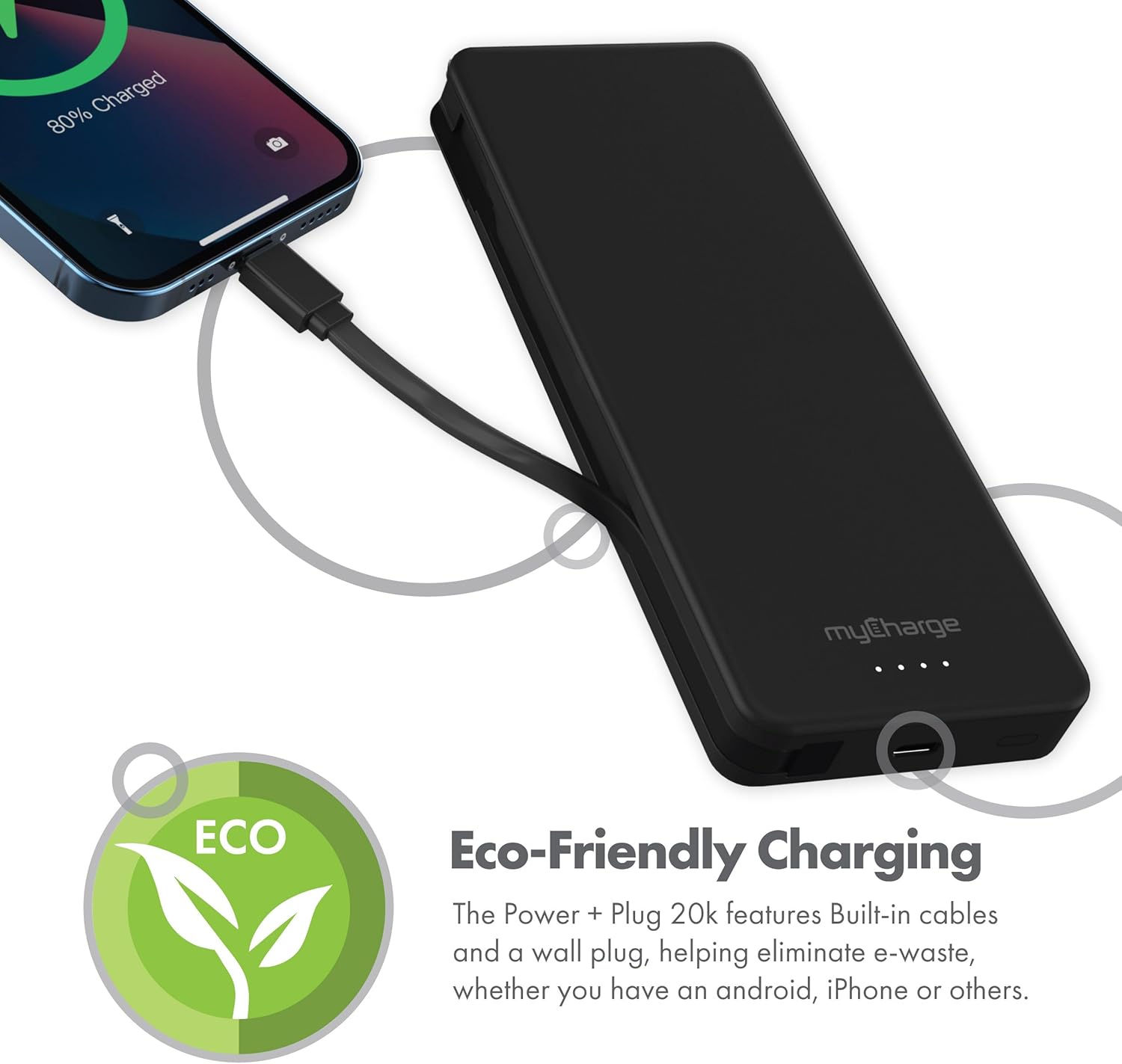
شکل 2.4: The device charging an iPhone, highlighting its eco-friendly design with built-in cables and wall plug to reduce electronic waste.
3. راه اندازی
۲.۱ شارژ اولیه پاوربانک
- Locate the foldable wall plug on the back of the power bank.
- Flip down the prongs of the wall plug.
- پاوربانک را مستقیماً به یک پریز برق دیواری استاندارد وصل کنید.
- The LED indicator lights on the front of the power bank will illuminate to show the charging status. All four lights will be solid when fully charged.
۶.۲ آشنایی با نشانگرهای LED
The myCharge Power + Plug features four LED lights on its front surface to indicate the remaining battery life and charging status:
- چهار چراغ ثابت: 75-100% charged.
- سه چراغ ثابت: 50-75% charged.
- دو نور ثابت: 25-50% charged.
- یک نور ثابت: 0-25% charged.
- چراغ چشمک زن: Indicates the power bank is actively charging.
4. دستورالعمل های عملیاتی
4.1 Charging a Single Device
- For devices with a USB-C port, extend the built-in USB-C cable from the side of the power bank.
- Connect the USB-C cable directly to your device's charging port.
- پاوربانک به طور خودکار شروع به شارژ دستگاه شما خواهد کرد.
4.2 Charging Two Devices Simultaneously
- Connect your first device using the built-in USB-C cable as described above.
- For your second device, use your own USB-C to USB-C or USB-C to Lightning cable.
- Plug one end of your cable into the additional USB-C port on the power bank.
- Connect the other end of your cable to your second device.
- Both devices will charge simultaneously.
۵.۳ ویدیوی رسمی محصول
Watch this official video from myCharge for a visual guide on using the Power + Plug 20K:
فیلم 4.1: An official product video from myCharge demonstrating the features and usage of the myCharge Power + Plug 20K portable charger, including its built-in cables and wall plug.
5. تعمیر و نگهداری
- تمیز کردن: برای تمیز کردن قسمت بیرونی پاوربانک از یک پارچه نرم و خشک استفاده کنید. از استفاده از مواد شیمیایی قوی یا مواد ساینده خودداری کنید.
- ذخیره سازی: پاوربانک را در جای خشک و خنک و دور از نور مستقیم خورشید و دمای شدید نگهداری کنید.
- مراقبت از باتری: برای افزایش طول عمر باتری، حتی اگر به طور منظم از پاوربانک استفاده نمیکنید، حداقل هر سه ماه یک بار آن را به طور کامل شارژ کنید.
- جلوگیری از آسیب: Do not drop, puncture, or disassemble the device. Keep it away from water and high humidity.
6 عیب یابی
| مشکل | علت احتمالی | راه حل |
|---|---|---|
| شارژ نشدن پاور بانک | Wall plug not fully extended or not properly seated in outlet. Outlet is not active. | Ensure the wall plug is fully extended and securely plugged into a working wall outlet. Try a different outlet. |
| شارژ نشدن دستگاه از پاور بانک | Power bank battery is depleted. Cable is not properly connected. Device is not compatible. | Recharge the power bank. Ensure cables are securely connected to both the power bank and the device. Verify device compatibility with USB-C charging. |
| شارژ آهسته | Using a non-optimal cable or adapter. Device drawing high power. | Ensure you are using the built-in USB-C cable or a high-quality USB-C cable. Close unnecessary applications on your device. |
| نشانگرهای LED کار نمی کنند | پاور بانک کاملاً خالی شده است. | Plug the power bank into a wall outlet and allow it to charge for a few minutes. The lights should eventually illuminate. |
7. مشخصات
| شماره مدل | AP20K |
| ظرفیت باتری | 20,000 میلی آمپر ساعت |
| نوع باتری | لیتیوم پلیمر (2 شامل) |
| ابعاد محصول | 5.9 x 2.84 x 1 اینچ |
| وزن مورد | 1.06 پوند |
| نوع رابط | Built-in USB-C cable & additional USB-C port |
| رنگ | 20000 mAh - Black |
| سازنده | myCharge |
| کشور مبدا | چین |
8. گارانتی و پشتیبانی
The myCharge Power + Plug portable charger is covered by a 1 سال گارانتی از تاریخ خرید این ضمانت نقص در مواد و طرز کار در استفاده معمولی را پوشش می دهد.
For warranty claims, technical support, or any inquiries regarding your product, please visit the official myCharge webبه سایت مراجعه کنید یا با بخش خدمات مشتریان آنها تماس بگیرید. رسید خرید خود را برای اعتبارسنجی گارانتی نگه دارید.
Note: Warranty terms may vary. Please refer to the official myCharge website or product packaging for the most current and detailed warranty information.


