LEXIN GTX Motorcycle Bluetooth Headset
راهنمای کاربر
1. مقدمه
The LEXIN GTX is an advanced motorcycle Bluetooth headset designed for seamless communication and entertainment on the road. Featuring Qualcomm chip technology and Bluetooth 5.0, it offers stable connections, clear audio, and support for up to 10 riders. Its robust design ensures durability in various weather conditions, making it an ideal companion for motorcycle enthusiasts.
2. محتویات بسته
قبل از شروع، لطفاً بررسی کنید که همه اقلام در بسته شما موجود است:

This image displays the complete LEXIN GTX package, including the main headset unit, two high-fidelity LEXIN Pulse speakers, two types of microphones (a boom microphone for open-face helmets and a soft wire microphone for full-face helmets), and a set of five colorful, interchangeable shells to customize the headset's appearance.
- LEXIN GTX Bluetooth Headset Unit
- LEXIN Pulse Speakers (2)
- میکروفون بوم
- میکروفون سیمی نرم
- کابل شارژ USB-C
- Helmet Mounting Bracket (Clamp & Adhesive)
- Interchangeable Color Shells (5)
- راهنمای کاربر (این سند)
3. شروع به کار
3.1 شارژ کردن دستگاه
Before first use, fully charge the LEXIN GTX headset. Connect the provided USB-C charging cable to the headset's charging port and plug the other end into a DC 5V power supply (e.g., computer USB port, wall adapter). The LED indicator will show charging status and turn off when fully charged. A full charge takes approximately 2.5 hours.
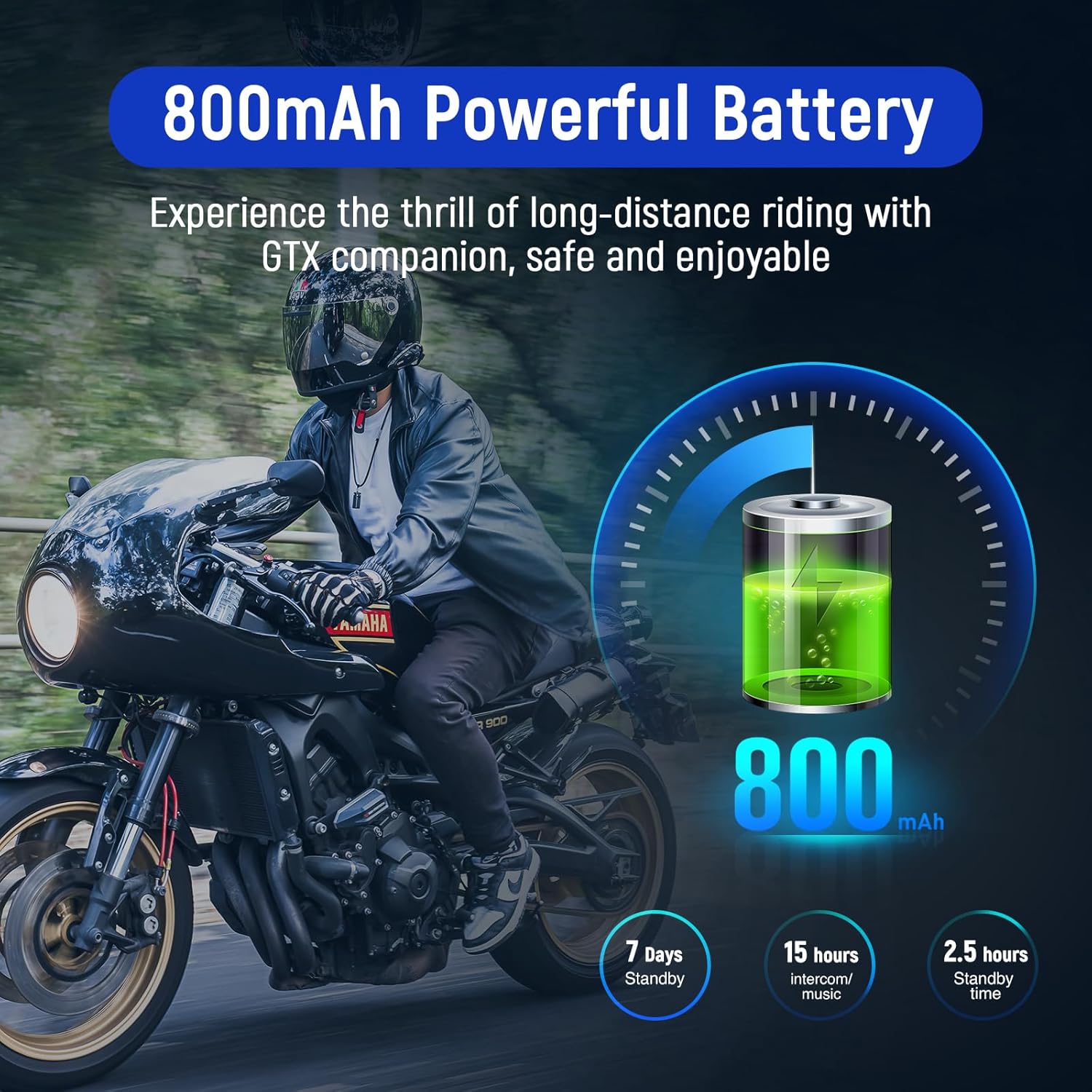
This graphic highlights the long-lasting 800mAh battery of the LEXIN GTX, providing up to 15-18 hours of intercom/music time, over 7 days of standby time, and a full charge in 2.5 hours via USB-C.
۵.۲ نصب روی کلاه ایمنی
The LEXIN GTX can be mounted using either the clamp bracket or the adhesive bracket. Choose the method most suitable for your helmet type.
- Clamp براکت: پیچ های cl را باز کنیدamp, slide it onto the helmet's left side edge between the shell and the inner padding, and tighten the screws securely.
- براکت چسبی: Clean the desired mounting area on the helmet's left side. Peel off the protective film from the adhesive pad and firmly press the bracket onto the helmet for at least 30 seconds. Allow 24 hours for the adhesive to fully cure before use.
Once the bracket is secured, slide the LEXIN GTX unit onto the bracket until it clicks into place.
۳.۲ نصب بلندگو و میکروفون
Install the speakers inside your helmet's ear pockets, ensuring they are positioned directly over your ears for optimal audio quality. Route the speaker wires discreetly under the helmet padding. Connect the speaker and microphone cables to the corresponding ports on the LEXIN GTX unit. Choose between the boom microphone (for open-face helmets) or the soft wire microphone (for full-face helmets) based on your helmet type.

یک نمودار دقیق نشان میدهدasing the internal structure of the 36mm Mylar speaker, emphasizing its design for delivering clear, distortion-free sound with deep bass and crisp treble.
4. عملیات اساسی
4.1 روشن/خاموش
- روشن کردن: Press and hold the Power Button for approximately 3 seconds until you hear an audible prompt and the LED indicator lights up.
- خاموش: Press and hold the Power Button for approximately 3 seconds until you hear an audible prompt and the LED indicator turns off.
4.2 Bluetooth Pairing with Phone/GPS
To pair your LEXIN GTX with your mobile phone or GPS device:
- With the GTX powered off, press and hold the Power Button for about 5-7 seconds until the LED flashes red and blue alternately, indicating pairing mode.
- On your phone or GPS, enable Bluetooth and search for new devices.
- Select "LEXIN GTX" from the list of available devices.
- Once paired, the LED will flash blue slowly, and you will hear a confirmation tone.
4.3 کنترل صدا
Use the Volume Up (+) and Volume Down (-) buttons on the headset to adjust the audio level for music, intercom, and phone calls.
4.4 Hands-Free Calls & Voice Assistant
The LEXIN GTX supports hands-free calling and voice assistant commands.
- پاسخ به تماس: دکمه چند منظوره را یک بار فشار دهید.
- پایان تماس: در حین تماس، دکمه چندمنظوره را یک بار فشار دهید.
- رد تماس: دکمه چند منظوره را برای 2 ثانیه فشار داده و نگه دارید.
- فعال کردن دستیار صوتی (سیری/دستیار گوگل): دکمه چند منظوره را دو بار فشار دهید.

This image depicts the hands-free operation of the LEXIN GTX, showing a user interacting with the headset. It highlights compatibility with voice assistants such as Siri and Google Assistant for convenient call management and commands.
4.5 پخش موسیقی
Once paired with your phone, you can control music playback directly from the headset.
- پخش/مکث: دکمه چند منظوره را یک بار فشار دهید.
- آهنگ بعدی: دکمه افزایش صدا (+) را به مدت 2 ثانیه فشار دهید.
- آهنگ قبلی: دکمه کاهش صدا (-) را به مدت 2 ثانیه فشار دهید.
۴.۴ عملکردهای اینترکام
5.1 2-Way Intercom
The LEXIN GTX supports direct 2-way intercom communication with another LEXIN headset.
- Ensure both GTX units are powered on and within range.
- On one unit, press the Intercom Button once to initiate pairing. The LED will flash rapidly.
- On the second unit, press the Intercom Button once to connect.
- Once connected, the LED will flash slowly, and you can begin speaking.
5.2 Group Intercom (Up to 10 Riders)
The LEXIN GTX allows for group intercom conversations with up to 10 riders, with optimal performance for groups of 4. The maximum range is up to 2000m (1.2 miles).

This visual demonstrates the LEXIN GTX's capability for group communication, showing up to 10 riders on motorcycles interacting seamlessly over a distance of up to 2000 meters (1.2 miles). Speech bubbles indicate active communication between riders.
Refer to the detailed group pairing instructions in the full manual for specific steps on connecting multiple units in a group.
5.3 چند وظیفه ای صوتی
The LEXIN GTX features audio multitasking, allowing you to listen to music or GPS navigation while simultaneously engaged in a 2-way intercom conversation. This function enhances your riding experience by providing continuous audio without interruption.

This image illustrates the audio multitasking feature of the LEXIN GTX, where a rider can simultaneously listen to music or GPS navigation while engaged in a 2-way intercom conversation. Icons for music, GPS, and Bluetooth connectivity are shown.
6. نگهداری و مراقبت
6.1 تمیز کردن
هدست را با یک پارچه نرم و لطیف پاک کنید.amp cloth. Do not use harsh chemicals or abrasive cleaners. Ensure the charging port cover is securely closed to prevent dust and water ingress.
6.2 مراقبت از باتری
To prolong battery life, avoid fully discharging the unit frequently. Charge the device regularly, especially if it will be stored for an extended period. Store in a cool, dry place.
۵.۱ مقاومت در برابر آب (IP67)
The LEXIN GTX is IP67 rated, meaning it is protected from dust and can withstand immersion in water up to 1 meter for 30 minutes. While it is highly water-resistant, avoid prolonged submersion or high-pressure water jets.

This image visually confirms the LEXIN GTX's IP67 waterproof rating, showing the headset partially submerged in water with splashes, indicating its resistance to dust and water ingress, making it suitable for various weather conditions.
7 عیب یابی
| مشکل | علت احتمالی | راه حل |
|---|---|---|
| بدون قدرت | باتری کم یا تمام شده است. | دستگاه را به طور کامل شارژ کنید. |
| نمیتوان بلوتوث را جفت کرد | Device not in pairing mode; too far from phone/GPS. | Ensure GTX is in pairing mode (flashing red/blue). Move closer to the device. Restart both devices. |
| قطع شدن ارتباط داخلی | خارج از محدوده؛ تداخل | Move closer to other riders. Avoid areas with strong electromagnetic interference. |
| کیفیت صوتی ضعیف | Speakers not positioned correctly; microphone obstructed. | Adjust speaker position. Ensure microphone is clear and close to your mouth. |
8. مشخصات فنی
| ویژگی | جزئیات |
|---|---|
| مدل | LEXIN GTX |
| نسخه بلوتوث | 5.0 |
| محدوده اینترکام | Up to 2000m (1.2 miles) for 10 riders (best for 4 riders) |
| ظرفیت باتری | 800 میلی آمپر ساعت |
| Intercom/Music Time | 15-18 ساعت |
| زمان آماده به کار | بیش از 7 روز |
| زمان شارژ | تقریبا 2.5 ساعت |
| پورت شارژ | USB-C |
| رتبه بندی ضد آب | IP67 |
| اندازه بلندگو | 36mm Mylar Speaker |
| روش کنترل | لمس، صدا |
| وزن | 0.10 lb (44g) |
| ویژگی های خاص | Lightweight, Fast Charging, Audio Multitasking, Universal Pairing |

A visual representation of the LEXIN GTX headset, detailing its compact dimensions (approximately 3.9 inches long, 1.4 inches wide, and 0.6 inches thick) and lightweight design at 0.10 pounds (44 grams), contributing to reduced wind resistance and comfortable wear.
9. گارانتی و پشتیبانی
LEXIN products are designed for reliability and performance. For warranty information, product registration, or technical support, please visit the official LEXIN webبه سایت مراجعه کنید یا با خدمات مشتریان آنها تماس بگیرید. رسید خرید خود را به عنوان مدرک خرید نگه دارید.


