1. مقدمه
Welcome to your new Amazon Fire TV 55-inch 4-Series 4K UHD Smart TV. This manual provides essential information for setting up, operating, maintaining, and troubleshooting your television. Your Fire TV combines stunning 4K Ultra HD visuals with the intelligence of Alexa, offering a seamless entertainment experience.

تصویر: جلو view of the Amazon Fire TV 4-Series 55-inch TV, showcasinحاشیهها و پایه باریک آن.

Image: A graphic highlighting key features of the Fire TV 4-Series: 4K Resolution, HDR10+ display, Ambient Experience, and Alexa integration.
2. راه اندازی
2.1 باز کردن و بازرسی
تمام قطعات را با دقت از بستهبندی خارج کنید. تلویزیون و لوازم جانبی را از نظر هرگونه آسیبدیدگی بررسی کنید. بستهبندی را برای حمل و نقل یا نیازهای سرویس بعدی نگه دارید.
۳.۲ مونتاژ پایه (اختیاری)
If you are not wall-mounting your TV, attach the included TV stand legs:
- برای جلوگیری از خش افتادن، صفحه تلویزیون را رو به پایین روی یک سطح نرم و تمیز قرار دهید.
- هر پایه را با شیارهای مربوطه در پایین تلویزیون تراز کنید.
- Secure each leg using the provided screws (4 screws total).
The distance between the TV legs is approximately 43.3 inches.
۴.۳ نصب دیواری (اختیاری)
For wall mounting, use a VESA-compatible mount that supports a 300 mm x 300 mm standard. Consult a professional for installation if you are unsure.
2.4 اتصال لوازم جانبی
دستگاه های خود را با استفاده از پورت های موجود به تلویزیون وصل کنید:
- پورت های HDMI: 3 HDMI 2.0 ports and 1 HDMI 2.1 port with eARC for high-definition audio and video devices (e.g., gaming consoles, Blu-ray players, soundbars).
- پورت USB: 1 USB 3.0 port for connecting external storage devices.
- Digital Optical Audio Port: 1 port for connecting to external audio systems.
- درگاه اترنت: 1 port for a wired internet connection.
اطمینان حاصل کنید که همه کابل ها به طور ایمن وصل شده اند.
2.5 اتصال برق
سیم برق را به ورودی برق تلویزیون و سپس به پریز برق وصل کنید.
2.6 راه اندازی کنترل از راه دور
Insert the two included AAA batteries into the Alexa Voice Remote Enhanced. The remote will automatically pair with your TV upon initial setup.
۴.۳ روشن کردن اولیه و راهاندازی شبکه
Press the power button on the remote. Follow the on-screen instructions to:
- زبان خود را انتخاب کنید
- Connect to your Wi-Fi network (supports Wi-Fi 6) or use the Ethernet connection.
- با حساب آمازون خود وارد شوید.
- Complete the guided setup for your Fire TV experience.
3. عملیاتی
3.1 روشن/خاموش
Press the power button on the Alexa Voice Remote Enhanced to turn the TV on or off. The TV may enter a sleep mode rather than fully powering down, allowing for quick startup and Ambient Experience features.
3.2 Alexa Voice Remote Enhanced
Your TV comes with an Alexa Voice Remote Enhanced, designed for intuitive control:
- کنترل صدا: Press and hold the Alexa button and speak naturally to find content, manage smart home devices, or ask questions.
- دکمه های از پیش تعیین شده: Use the dedicated app buttons for quick access to your favorite streaming services.
- ناوبری: Use the directional pad and select button to navigate the Fire OS interface.
Alternatively, you can use the free Fire TV app on your smartphone (available for Fire OS, Android, and iOS) for voice control and navigation.

Image: The Fire TV interface showing the Alexa search bar and icons for popular streaming applications, demonstrating voice control capabilities.
3.3 Fire OS Interface and Content Access
The Fire OS provides a personalized home screen where you can easily find and launch apps, movies, TV shows, and live TV. Navigate through categories and recommendations to discover new content. You can access over 1.8 million movies and TV episodes, including over 400,000 episodes of free content. Subscription fees may apply for certain services.
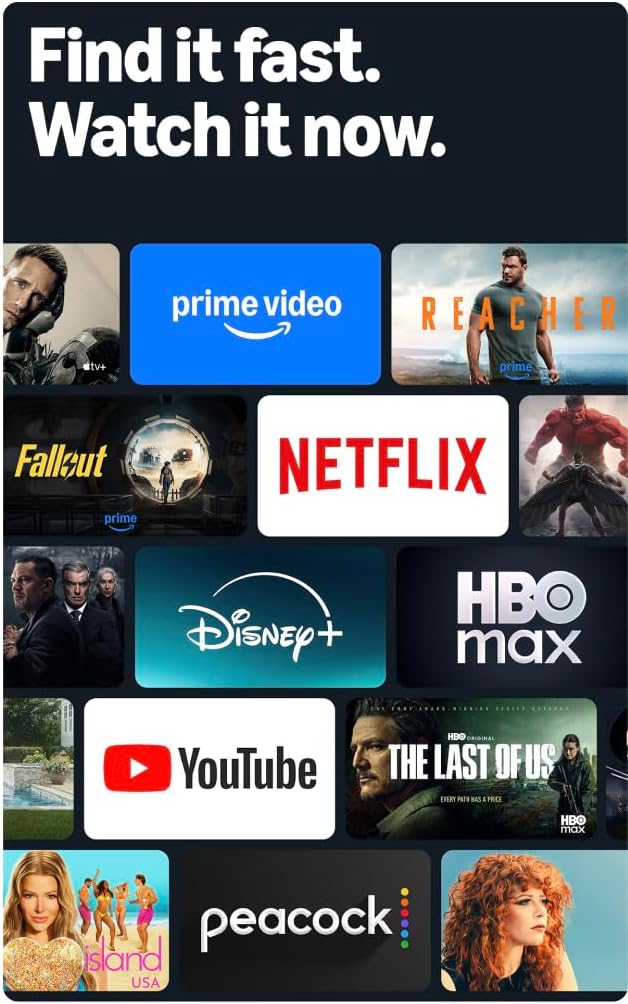
Image: A collage of streaming service logos and content thumbnails on the Fire TV screen, illustrating the wide range of available entertainment.
۴.۲ کیفیت تصویر
Experience vivid visuals with 4K Ultra HD resolution and HDR10+ support. This technology delivers bright, crisp images with enhanced contrast, ensuring details are visible even in dark scenes.

Image: A visual comparison demonstrating the superior detail and clarity of 4K resolution compared to HD, using a close-up of a chameleon.
3.5 صوتی
The TV features Dolby Digital Plus audio support with passthrough of Dolby-encoded audio, providing clear and immersive sound. The integrated speakers offer 10W + 10W audio power.
3.6 Ambient Experience
Utilize the custom Omnisense technology. Built-in sensors wake the display when you enter the room, allowing it to show your favorite artwork or quickly resume watching content.

Image: The Fire TV screen displaying vibrant abstract art, illustrating the Ambient Experience feature that activates when motion is detected.
3.7 بازی
Download free games from the Appstore or stream games from the cloud with Amazon Luna, offering a versatile gaming experience directly on your TV.
4. تعمیر و نگهداری
4.1 تمیز کردن تلویزیون
- صفحه نمایش: صفحه نمایش را به آرامی با یک پارچه نرم، خشک و بدون پرز پاک کنید. برای لکههای سرسخت، به آرامی ...ampپارچه را با آب یا محلول تمیزکننده صفحه نمایش که مخصوص لوازم الکترونیکی طراحی شده است، آغشته کنید. مایع را مستقیماً روی صفحه نمایش اسپری نکنید.
- Casing: برای پاک کردن تلویزیون از یک پارچه نرم و خشک استفاده کنید.asinز. از پاککنندهها یا حلالهای ساینده خودداری کنید.
همیشه قبل از تمیز کردن، تلویزیون را از پریز برق جدا کنید.
4.2 به روز رسانی نرم افزار
Your Fire TV receives automatic software security updates. Ensure your TV is connected to the internet to receive these updates, which improve performance and security. This device receives guaranteed software security updates until at least four years after the device is last available for purchase as a new unit on our webسایت ها
5 عیب یابی
If you encounter issues with your Amazon Fire TV, refer to the following common troubleshooting steps:
- بدون برق: مطمئن شوید که سیم برق به طور محکم به تلویزیون و یک پریز برق سالم وصل شده است. یک پریز برق دیگر را امتحان کنید.
- تصویر/صدا ندارد: Verify that all HDMI cables are correctly connected to both the TV and your external devices. Check the input source on your TV.
- ریموت پاسخ نمی دهد: Replace the AAA batteries in the Alexa Voice Remote Enhanced. Ensure there are no obstructions between the remote and the TV.
- مشکلات اتصال شبکه: Check your Wi-Fi router and ensure it is functioning correctly. Restart your router and the TV. If using a wired connection, ensure the Ethernet cable is securely connected.
- عملکرد آهسته: Restart your TV by unplugging it from the power outlet for 30 seconds and then plugging it back in. Clear cache for apps if necessary.
برای عیبیابی دقیقتر یا مشکلات مداوم، از پشتیبانی Amazon Fire TV دیدن کنید webسایت یا با خدمات مشتری تماس بگیرید.
6. مشخصات
| ویژگی | جزئیات |
|---|---|
| اندازه صفحه نمایش | ۵۰ اینچ (۴۹.۵ اینچ) viewقادر) |
| قطعنامه | 4K UHD (3840 2160 XNUMX) |
| محدوده دینامیکی بالا (HDR) | HDR10+، HDR10، HLG |
| نوع نور پس زمینه | LED مستقیم |
| نرخ تازه سازی | 60 هرتز |
| پورت های HDMI | ۳ HDMI 2.0 + ۱ HDMI 2.1 با eARC |
| پورت USB | 1 USB3.0 |
| خروجی صوتی نوری دیجیتال | 1 بندر |
| قابلیت اتصال | Wi-Fi 6 + 1 Ethernet port |
| پشتیبانی صوتی | Alexa Voice Remote Enhanced (included) or Fire TV app |
| پشتیبانی صوتی | دالبی دیجیتال پلاس |
| قدرت صوتی | 10 وات + 10 وات |
| سیستم عامل | Fire OS |
| Product Size with Stand | 48.3 × 31.3 × 11.3 اینچ |
| وزن با پایه | 22.0 پوند |
| Product Size without Stand | 48.3 × 28.2 × 3.2 اینچ |
| وزن بدون ایستادن | 21.5 پوند |
| Distance between TV legs | 43.3” |
| شماره SKU | 4K43N402 |
| استاندارد نصب دیواری VESA | 300 میلی متر × 300 میلی متر |
| باتری های کنترل از راه دور | 2 AAA (شامل) |
| فناوری کنترل از راه دور | بلوتوث 5.0 |
7. گارانتی و پشتیبانی
7.1 گارانتی محصول
Your Amazon Fire TV 4-Series includes a 1-year limited warranty and service. Optional 3-Year and 4-Year Extended Warranties are available for U.S. customers and are sold separately.
The Alexa Voice Remote Enhanced included with your TV has a 90-day limited warranty and service.
Use of Fire TV is subject to the terms found on the Amazon webسایت
7.2 پشتیبانی مشتری
For technical assistance, warranty claims, or additional support, please visit the official Amazon support webبه سایت مراجعه کنید یا با خدمات مشتریان آمازون تماس بگیرید.
8. ویژگی های دسترسی
The Amazon Fire TV 4-Series includes several accessibility features to enhance the user experience:
- صداView صفحه خوان: Provides spoken feedback for navigation and on-screen text, assisting users who are blind or visually impaired.
- بزرگنمایی صفحه نمایش: Allows users to zoom in and out, and pan around the screen for better visibility of content.
- بنر متنی: متن روی صفحه را در یک بنر قابل تنظیم ادغام میکند.
- زیرنویس بسته: Displays text captions for dialogue and sounds in supported videos and TV shows.
- توضیحات صوتی: Provides verbal descriptions of visual elements on the screen, such as actions, facial expressions, and scene changes, for supported content.
- سمعکهای بلوتوثی: پشتیبانی از پخش صدا برای سمعکها و دستگاههای بلوتوث سازگار منتخب برای یک تجربه شنیداری خصوصی. همچنین میتوان از هدفونهای بلوتوث سازگار استفاده کرد.
Note: Captions and audio descriptions are not available for all content. "Hearing aids" refers to compatible Bluetooth hearing devices such as traditional hearing aids, cochlear implants, and bone conduction hearing devices.


