مقدمه
Thank you for choosing the Doubc Q13 Wireless Bluetooth 5.3 Earbuds. These earbuds are designed to provide a high-quality audio experience with advanced features such as HiFi stereo sound, ENC noise-cancelling microphones, and IPX7 waterproofing. This manual will guide you through the setup, operation, and maintenance of your new earbuds.

Image: The Doubc Q13 Wireless Bluetooth 5.3 Earbuds in their open charging case, displaying the digital battery indicator.
محتویات بسته
لطفا بسته را از نظر وجود موارد زیر بررسی کنید:
- Doubc Q13 Wireless Earbuds (Left and Right)
- کیس شارژ
- کابل شارژ USB نوع C
- راهنمای کاربر
- سرگوشیها (اندازههای مختلف، معمولاً کوچک/بزرگ/بزرگ)
راه اندازی
۱. شارژ اولیه
قبل از اولین استفاده، ایربادها و محفظه شارژ را کاملاً شارژ کنید. کابل USB Type-C ارائه شده را به پورت شارژ روی محفظه و منبع تغذیه وصل کنید. صفحه نمایش LED روی محفظه شارژ، درصد باتری را نشان میدهد.tagه. شارژ کامل تقریباً ۳ ساعت طول میکشد.
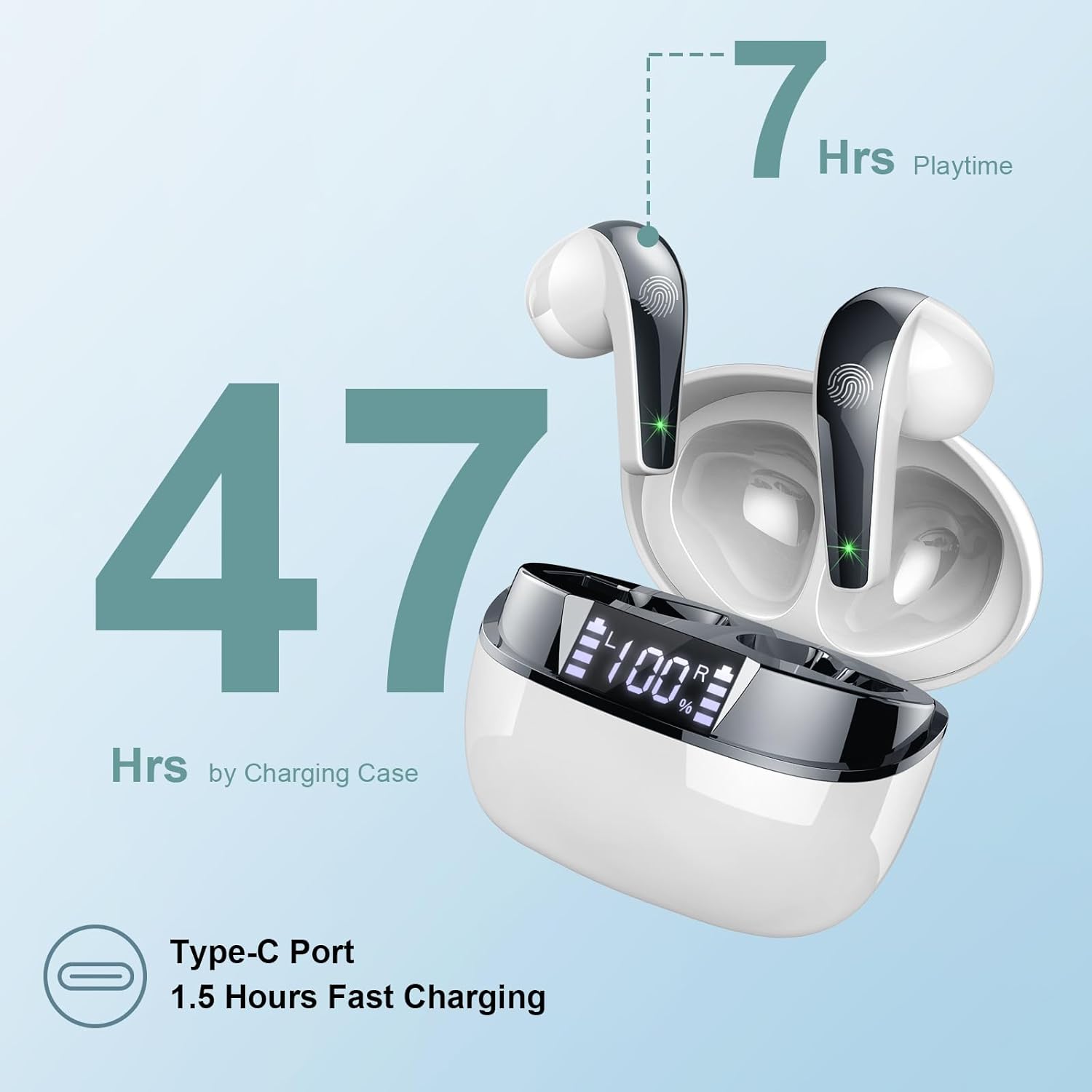
Image: The charging case highlighting 47 hours of total playtime and the Type-C charging port.

Image: A visual representation of the earbuds and charging case, emphasizing 7 hours of music time per charge and 47 hours total with the charging case, along with the dual LED digital display.
2. جفت شدن با یک دستگاه
- مطمئن شوید که هدفون شارژ می شود.
- محفظه شارژ را باز کنید. ایربادها به طور خودکار وارد حالت جفت شدن میشوند.
- در دستگاه خود (گوشی هوشمند، تبلت، کامپیوتر)، به تنظیمات بلوتوث بروید.
- جستجو برای available devices and select "Q13" from the list.
- پس از اتصال، صدای تایید را خواهید شنید و ایربادها آماده استفاده خواهند بود.
The Doubc Q13 earbuds feature one-step pairing and wide compatibility with iOS, Android, and Windows devices.

Image: The earbuds in their charging case next to a smartphone displaying Bluetooth settings, showing "Q13" as a discoverable device, illustrating the one-step pairing process.
دستورالعمل های عملیاتی
کنترل ها را لمس کنید
The Doubc Q13 earbuds feature smart touch controls for easy management of music and calls. The touch sensitive area is located on the outer surface of each earbud.

Image: A user wearing an earbud, with icons indicating various touch control functions such as volume adjustment, call management, music playback, and voice assistant activation.
| اقدام | تابع |
|---|---|
| تک ضربه (چپ/راست) | پخش/توقف موسیقی، پاسخ/قطع تماس |
| دوبار ضربه زدن (راست) | آهنگ بعدی |
| دوبار ضربه زدن (سمت چپ) | آهنگ قبلی |
| سه ضربه بزنید (راست) | افزایش صدا |
| سه ضربه بزنید (چپ) | کاهش حجم |
| فشار طولانی (۲ ثانیه) (چپ/راست) | رد تماس، فعال کردن دستیار صوتی |
روشن/خاموش برق
- روشن کردن: محفظه شارژ را باز کنید تا ایربادها به طور خودکار روشن شوند. روش دیگر این است که قسمت لمسی روی هر دو ایرباد را به مدت ۳ ثانیه فشار دهید.
- خاموش: ایربادها را دوباره داخل محفظه شارژ قرار دهید و درب آن را ببندید. آنها به طور خودکار خاموش شده و شروع به شارژ شدن میکنند. روش دیگر این است که قسمت لمسی روی هر دو ایرباد را به مدت ۵ ثانیه فشار دهید.
تعمیر و نگهداری
تمیز کردن
To ensure optimal performance and charging, regularly clean the charging contacts on both the earbuds and the charging case. Use a cotton swab lightly dampened with alcohol to gently wipe the contacts.

Image: A diagram illustrating the location of charging contacts on the earbuds and inside the charging case, with instructions to clean them if charging issues occur.
مقاومت در برابر آب
The earbuds are IPX7 waterproof, meaning they can withstand immersion in water up to 1 meter for 30 minutes. This makes them suitable for workouts and light rain. However, the charging case is not waterproof. Do not expose the charging case to water.

Image: Two earbuds covered in water droplets, visually representing their IPX7 waterproof capability.
ذخیره سازی
برای محافظت و شارژ نگه داشتن ایربادها، آنها را در مواقع عدم استفاده در جعبه شارژشان نگهداری کنید. از دمای بسیار بالا و نور مستقیم خورشید دوری کنید.
عیب یابی
هدفون شارژ نمی شود
- مطمئن شوید که کابل شارژ به طور محکم به کیس و منبع تغذیه متصل شده است.
- Verify that the charging contacts on both the earbuds and the case are clean and free of debris. Use alcohol to clean them if necessary.
- بررسی کنید که آیا خود کیس شارژ شارژ باتری کافی دارد یا خیر.
Only One Earbud Has Sound
- هر دو ایرباد را دوباره داخل محفظه شارژ قرار دهید و درب آن را ببندید.
- On your phone's Bluetooth settings, manually "forget" or "unpair" the "Q13" device.
- After approximately 10 seconds, open the charging case. The earbuds should automatically re-enter pairing mode.
- Reconnect the earbuds with your phone via Bluetooth.
Image: A diagram illustrating solutions for common issues: cleaning charging contacts for charging problems and re-pairing steps for when only one earbud produces sound.
اتصال نشدن هدفون ها
- اطمینان حاصل کنید که بلوتوث در دستگاه شما فعال است.
- Make sure the earbuds are within the effective range (typically 10 meters) of your device.
- Turn off and then turn on your device's Bluetooth.
- مراحل جفتسازی را همانطور که در بخش «تنظیمات» توضیح داده شده است، تکرار کنید.
مشخصات
| ویژگی | جزئیات |
|---|---|
| شماره مدل | Q13 |
| نسخه بلوتوث | 5.3 |
| درایور صوتی | 13mm Graphene Audio Driver |
| محدوده فرکانس | 20 هرتز - 20,000 هرتز |
| زمان پخش (ایرباد) | تا ۵.۵ ساعت (با یک بار شارژ) |
| کل زمان پخش (با قاب) | تا 47 ساعت |
| پورت شارژ | USB Type-C |
| زمان شارژ | تقریباً ۱.۵ ساعت (در جعبه) |
| رتبه بندی ضد آب | IPX7 (فقط هدفون) |
| میکروفون ها | ۴ میکروفون حذف نویز ENC |
| وزن گوش | تقریباً ۱۲ گرم (هر کدام) |
| وزن کیس شارژ | تقریبا 29 گرم |
| ابعاد محصول | ۲.۰۶ در ۲.۷۶ در ۱.۱۹ اینچ (کیس شارژ) |

تصویر: جزئیات view of the 13mm Graphene Audio Driver, emphasizing HiFi Stereo Sound and built-in microphones with noise reduction for HD calling.

Image: A diagram illustrating the benefits of Advanced Bluetooth 5.3 technology, including faster transfer, lower power consumption, more stable connection, and lower latency.

Image: A visual showing the comfortable and lightweight design of the earbuds and charging case, including their dimensions and individual weights (3g per earbud, 29g for the case).
گارانتی و پشتیبانی
The Doubc Q13 Wireless Bluetooth 5.3 Earbuds come with a 3 سال گارانتیو اطمینان از آرامش خاطر در مورد کیفیت و عملکرد محصول.
For technical support, warranty claims, or any inquiries, please refer to the contact information provided on the product packaging or the official Doubc website. Specific support contact details are not available in this manual.
اطلاعات مهم ایمنی
- محصول را جدا نکنید یا تغییر ندهید.
- دور از دمای شدید و نور مستقیم خورشید نگهداری شود.
- Avoid exposing the charging case to water.
- فقط از کابل شارژ ارائه شده یا معادل معتبر آن استفاده کنید.
- طبق مقررات محلی، مسئولانه محصول را دور بریزید.


