1. مقدمه
Thank you for choosing the Nuwave Bravo Pro Smart 21QT Toaster Oven Air Fryer Combo. This versatile appliance combines the functions of a toaster oven and an air fryer, offering 10 pre-programmed presets and advanced convection technology for efficient and even cooking. This manual provides essential information for safe operation, setup, maintenance, and troubleshooting to ensure optimal performance and longevity of your appliance.

Figure 1.1: Nuwave Bravo Pro Smart 21QT Toaster Oven Air Fryer Combo. This image displays the sleek, brushed stainless steel exterior of the appliance, highlighting its large glass door and digital control panel.
2. اطلاعات ایمنی مهم
Please read all instructions carefully before using the Nuwave Bravo Pro Smart Oven. Failure to follow these instructions may result in electric shock, fire, or serious injury.
- Always place the appliance on a stable, heat-resistant surface, away from walls and other appliances to allow for proper ventilation.
- Do not touch hot surfaces. Use oven mitts or pot holders when handling hot materials.
- Ensure the power cord is not damaged and is plugged into a grounded outlet.
- دستگاه، سیم، یا دوشاخه را در آب یا مایعات دیگر فرو نکنید.
- هنگام استفاده از هر وسیله ای توسط کودکان یا نزدیک آنها، نظارت دقیق ضروری است.
- در صورت عدم استفاده و قبل از تمیز کردن، از پریز برق جدا کنید. قبل از گذاشتن یا درآوردن قطعات، اجازه دهید خنک شوند.
- از هیچ وسیله ای با سیم یا دوشاخه آسیب دیده یا پس از خرابی یا آسیب دیدگی دستگاه استفاده نکنید.
- از پیوست هایی که توسط سازنده دستگاه توصیه نشده است استفاده نکنید.
- هنگام جابجایی دستگاه حاوی روغن داغ یا سایر مایعات داغ باید بسیار احتیاط کرد.
۳. چه چیزهایی شامل میشود
Your Nuwave Bravo Pro Smart Oven package includes the following components:
- 1 x Nuwave Bravo Pro Air Fryer Toaster Oven
- 1 x 12"x9.5" Air Fry Basket
- ۱ عدد تابه لعابی مخصوص پخت
- 1 x Heavy-Duty Cooking Rack
- 1 x Removable Crumb Tray
- 1 عدد کتاب دستور غذا
- 1 x راهنمای شروع سریع
- ۱ عدد دفترچه راهنما (این سند)
4. راه اندازی
۴.۱ باز کردن بستهبندی و جایگذاری اولیه
- تمام قطعات را با دقت از بستهبندی خارج کنید. بستهبندی را برای نگهداری یا حمل و نقل بعدی نگه دارید.
- Place the oven on a flat, stable, heat-resistant surface. Ensure there is at least 6 inches of clearance on all sides and above the oven for proper air circulation.
- فر را در نزدیکی مواد قابل اشتعال یا منابع گرما قرار ندهید.
4.2 قبل از اولین استفاده
- Wash the Air Fry Basket, Enamel Baking Pan, Heavy-Duty Cooking Rack, and Crumb Tray with warm, soapy water. Rinse thoroughly and dry completely.
- داخل و بیرون فر را با آگهی پاک کنیدamp پارچه
- Insert the Crumb Tray into the bottom slot of the oven.
- سیم برق را به یک پریز برق استاندارد 120 ولت AC وصل کنید.

شکل 4.1: داخلی view of the Nuwave Bravo Pro Smart Oven, showcasing the heating elements and the turbo convection fan. This image illustrates the internal design that facilitates faster and more even cooking.
5. دستورالعمل های عملیاتی
5.1 کنترل پنل به پایان رسیدview
The Nuwave Bravo Pro Smart Oven features an intuitive digital display and control dial for easy operation.

Figure 5.1: Close-up of the digital control panel, showing the display, menu options, and control dial. This panel allows for precise temperature and time adjustments, along with selection of cooking functions.
- نمایشگر دیجیتال: دما، زمان و عملکرد انتخاب شده را نشان میدهد.
- دکمه ON/OFF: دستگاه را روشن یا خاموش می کند.
- دکمه MENU: Cycles through the 10 pre-programmed presets.
- دکمه TEMP: Allows adjustment of cooking temperature.
- دکمه TIME: Allows adjustment of cooking time.
- PREHEAT Button: Initiates the preheat function.
- TOP/BTM Button: Adjusts the ratio of top and bottom heating elements.
- دکمه فن: Adjusts the convection fan speed (0 to 3 settings).
- شماره گیری کنترل: Used to increase or decrease values for temperature, time, and other settings. Press to confirm selection.
5.2 Pre-Programmed Presets
The oven comes with 10 convenient presets for common cooking tasks:
- سرخ کردن هوا
- گریل
- پخت
- دوباره گرم کنید
- باگل
- پیتزا
- نان تست
- آبگوشت
- وافل
- کمبود آب بدن
- منجمد
- گرم نگه دارید

Figure 5.2: The oven displaying its 10 presets and adjustable temperature range from 50°F to 450°F. This image highlights the versatility of the appliance for different cooking needs.
۵.۳ مراحل کلی عملیات
- Place food on the appropriate accessory (Air Fry Basket, Baking Pan, or Cooking Rack) and insert into the desired rack position.
- را فشار دهید روشن/خاموش دکمه برای روشن کردن فر.
- را فشار دهید MENU button repeatedly to select a desired cooking function, or manually set temperature and time.
- استفاده کنید TEMP button and Control Dial to adjust temperature (50°F to 450°F in 5°F increments).
- استفاده کنید TIME button and Control Dial to adjust cooking time.
- For functions requiring preheating, press the پیش گرم button. The oven will beep when preheating is complete.
- Press the Control Dial to start cooking.
- To adjust fan speed, press the FAN button and use the Control Dial to select from 0 to 3 speeds.
- To customize heating, press the TOP/BTM button and use the Control Dial to adjust the power ratio between top and bottom heating elements (0-100%).
- When cooking is complete, the oven will beep and turn off automatically.

Figure 5.3: The oven demonstrating the ability to customize top and bottom heating elements for optimal cooking, specifically for pizza. This feature allows for precise control over browning and crisping.
۵.۴ دستورالعملهای ظرفیت
The 21QT capacity of the Bravo Pro Smart Oven is designed to accommodate various meal sizes:
- تا یک پیتزای ۱۲ اینچی
- A 4-lb whole chicken
- A 4-lb roast
- 16 oz of French fries
- 4 slices of toast

Figure 5.4: Visual representation of the oven's capacity, showing it can fit a 12-inch pizza, a whole chicken, French fries, and multiple slices of toast. This illustrates the practical size for medium-sized families.
6. نگهداری و تمیز کردن
Regular cleaning and maintenance will ensure the longevity and optimal performance of your Nuwave Bravo Pro Smart Oven.
6.1 نظافت عمومی
- همیشه قبل از تمیز کردن، فر را از برق بکشید و اجازه دهید کاملاً خنک شود.
- Remove the Crumb Tray and discard any crumbs.
- Wash the Air Fry Basket, Enamel Baking Pan, Heavy-Duty Cooking Rack, and Crumb Tray with warm, soapy water. These accessories are dishwasher-safe.
- برای جلوگیری از باقی ماندن مواد غذایی سرسخت، قبل از تمیز کردن، لوازم جانبی را در آب گرم و صابون خیس کنید.
- دیوارهای داخلی فر را با دستمال پاک کنیدamp پارچه و مواد شوینده ملایم. از پاک کننده های ساینده یا سیم ظرفشویی که می توانند به پوشش نچسب آسیب برسانند، خودداری کنید.
- قسمت بیرونی فر را با یک پارچه نرم و لطیف تمیز کنید.amp پارچه از مواد شیمیایی خشن یا مواد ساینده استفاده نکنید.
- Ensure all parts are thoroughly dry before reassembling and storing the oven.
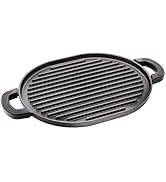
Figure 6.1: An enamel baking pan being placed into a dishwasher, illustrating the ease of cleaning for dishwasher-safe components.
7 عیب یابی
If you encounter issues with your Nuwave Bravo Pro Smart Oven, refer to the following common problems and solutions:
| مشکل | علت احتمالی | راه حل |
|---|---|---|
| فر روشن نمی شود. | به برق وصل نیست؛ مشکل در پریز برق؛ نقص دستگاه | مطمئن شوید که سیم برق به طور ایمن به پریز برق وصل شده است. مدارشکن را بررسی کنید. اگر مشکل همچنان ادامه داشت، با پشتیبانی مشتری تماس بگیرید. |
| غذا به طور یکنواخت نمیپزد. | Improper rack position; overcrowding; fan speed setting. | Refer to recipe for recommended rack position. Avoid overcrowding the basket/pan. Adjust fan speed if necessary. Ensure proper preheating. |
| Smoke coming from oven. | Food residue; excessive oil/grease; fatty foods. | Unplug immediately. Allow to cool and clean thoroughly. Use less oil or trim excess fat from food. Ensure crumb tray is clean. |
| صفحه نمایش دیجیتال کار نمیکند. | قطع برق؛ خطای داخلی | Unplug the oven for 5 minutes, then plug back in. If the issue persists, contact customer support. |
For issues not listed here, please contact Nuwave Customer Support.
8. مشخصات محصول
| ویژگی | جزئیات |
|---|---|
| نام تجاری | نوویو |
| نام مدل | Bravo Pro Toaster Oven |
| ابعاد محصول | 13.5 اینچ × 17.62 اینچ × 9.5 اینچ |
| ظرفیت | 21 QT |
| منبع تغذیه | Electric, 1800W |
| محدوده دما | 50-450 Degrees Fahrenheit (in 5°F increments) |
| نوع کنترل | Touch Control with Dial |
| تعداد توابع | 10 (Air Fry, Grill, Bake, Reheat, Bagel, Pizza, Toast, Broil, Waffle, Dehydrate, Frozen, Keep Warm) |
| سرعت فن | 0 to 3 selectable speeds |
| مواد | Brushed Stainless Steel, Tempered Glass |
| وزن مورد | 14.4 پوند |
| UPC | 652185902022 |
| ASIN | B0D7N8HJRZ |
9. گارانتی و پشتیبانی
9.1 اطلاعات گارانتی
For detailed warranty information, please refer to the warranty card included with your product or visit the official Nuwave webگارانتی معمولاً نقصهای مربوط به مواد و طرز کار را در استفاده عادی خانگی پوشش میدهد.
9.2 پشتیبانی مشتری
If you have any questions, require assistance, or need to report an issue with your Nuwave Bravo Pro Smart Oven, please contact Nuwave Customer Support:
- Webسایت: Visit the official Nuwave webسایتی برای سوالات متداول، ثبت محصول و منابع پشتیبانی.
- تلفن: Refer to your Quick Start Guide or the Nuwave webسایتی برای جدیدترین شماره تلفن خدمات مشتریان.
Nuwave is committed to providing first-class customer experience and support.


