مقدمه
This manual provides essential information for the safe and efficient use of your Samsung Galaxy A35 5G smartphone. Please read this manual thoroughly before operating the device to ensure proper functionality and to prevent damage. Keep this manual for future reference.
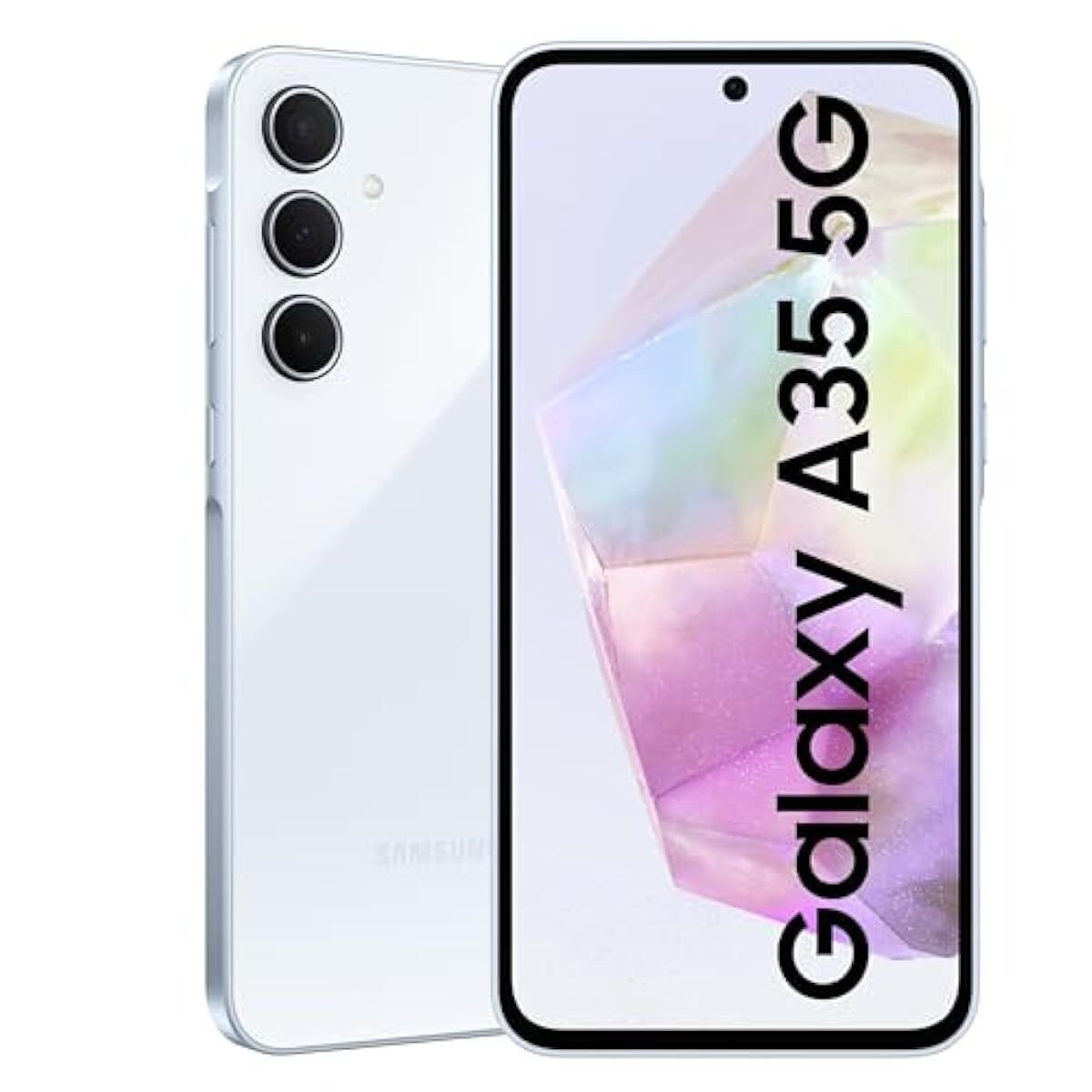
تصویر: جلو view از گوشی هوشمند سامسونگ گلکسی A35 5G، رونمایی شدasinنمایشگر آن.
راه اندازی
1. باز کردن بسته بندی و بازرسی اولیه
Carefully remove all items from the packaging. Verify that all components are present: Samsung Galaxy A35 5G smartphone, USB-C cable, and documentation. Inspect the device for any signs of physical damage.
2. نصب سیم کارت
- سینی سیم کارت را در کنار دستگاه خود پیدا کنید.
- Insert the provided SIM ejection tool into the small hole on the tray to open it.
- Place your Nano-SIM card(s) into the tray with the gold contacts facing down. The Galaxy A35 5G supports Dual SIM (DS).
- سینی را به آرامی به داخل شیار فشار دهید تا در جای خود قرار گیرد.
3. شارژ باتری
Before first use, fully charge the device battery. Connect the USB-C cable to the phone's charging port and the other end to the included 25W wall charger. The charging indicator will appear on the screen. A full charge typically takes approximately 80 minutes with the 25W charger.
4. روشن کردن و پیکربندی اولیه
Press and hold the Power button (located on the right side) until the Samsung logo appears. Follow the on-screen prompts to complete the initial setup, including language selection, Wi-Fi connection, Google account setup, and security settings.
راه اندازی دستگاه شما
1. ناوبری اولیه
The Galaxy A35 5G features a 6.6-inch FHD+ Super AMOLED Infinity-O display with a 120Hz refresh rate for smooth interaction. Use touch gestures such as tap, swipe, pinch-to-zoom, and long-press to navigate the interface.
۷. عملکردهای دوربین
Your device is equipped with a 50MP high-resolution Wide-angle camera. To open the camera, tap the Camera icon on the home screen or lock screen. Key features include:
- شبنگاری: Enhanced sensor and NPU for clear photos in low-light conditions.
- سوپر اچدیآر: Captures rich colors and clear videos in various lighting.
- OIS (Optical Image Stabilization) & VDIS (Video Digital Image Stabilization): Provides smooth and steady videos while moving.
- پیشنهاد ویرایش: Utilize features like Background blur, Remaster, and Erase shadows to enhance your photos.
3. قابلیت اتصال
The Galaxy A35 5G supports 5G and 4G LTE networks for high-speed mobile data. It also includes Wi-Fi, Bluetooth, and NFC for wireless connections. To manage these, go to تنظیمات > اتصالات.
4. خروجی صدا
For wired audio accessories, connect them via the USB-C port. The device does not feature a traditional 3.5mm audio jack.
تعمیر و نگهداری
۵.۲. تمیز کردن دستگاه
To clean the screen and body of your phone, use a soft, lint-free cloth. For stubborn marks, slightly dampen the cloth with distilled water. Avoid using harsh chemicals, abrasive materials, or aerosol sprays, as these can damage the screen coating and finish.
2. به روز رسانی نرم افزار
مرتباً بهروزرسانیهای نرمافزاری را بررسی و نصب کنید تا مطمئن شوید دستگاه شما از جدیدترین ویژگیها، وصلههای امنیتی و بهبودهای عملکرد برخوردار است. به تنظیمات > بهروزرسانی نرمافزار > دانلود و نصب.
3. مراقبت از باتری
To prolong battery life, avoid exposing your device to extreme temperatures. It is recommended to keep the battery charge between 20% and 80% for optimal long-term health. The 5000 mAh battery provides up to 24 hours of talk time.
عیب یابی
۸.۱. روشن نشدن دستگاه
Ensure the battery is sufficiently charged. Connect the device to the charger and wait a few minutes before attempting to power it on again. If the issue persists, perform a forced restart by pressing and holding the Volume Down button and the Power button simultaneously for more than 7 seconds.
۶.۲ مشکلات اتصال شبکه
If you experience problems with calls, messages, or mobile data, check the following:
- تأیید کنید که سیم کارت شما به درستی وارد شده است.
- Ensure Airplane mode is disabled (Settings > Connections > Airplane mode).
- دستگاه خود را مجددا راه اندازی کنید.
- Check with your network provider for service outagدر منطقه شما
۳. عدم پاسخگویی نمایشگر
If the screen is unresponsive, try restarting the device using the forced restart method (Volume Down + Power button for 7+ seconds). If the problem continues, contact Samsung support.
4. Device Performance Issues
If your device is slow or apps are crashing, try clearing the cache of problematic apps (تنظیمات > برنامهها > [نام برنامه] > ذخیرهسازی > پاک کردن حافظه پنهان). Regularly restart your device to clear temporary memory. As a last resort, consider a factory data reset (تنظیمات > مدیریت عمومی > تنظیم مجدد > بازنشانی به تنظیمات کارخانه)، اما توجه داشته باشید که این کار تمام دادههای دستگاه شما را پاک میکند. قبل از ادامه، از دادههای مهم خود نسخه پشتیبان تهیه کنید.
مشخصات
| ویژگی | مشخصات |
|---|---|
| نام مدل | سامسونگ گلکسی A35 |
| شماره مدل | SM-A356E/DS |
| سیستم عامل | اندروید |
| RAM | 8 گیگابایت |
| ذخیره سازی داخلی | 128 گیگابایت |
| اندازه صفحه نمایش | 6.6 اینچ (168.3 میلی متر) |
| وضوح نمایش | 1080 x 2340 پیکسل |
| نرخ تازه سازی | 120 هرتز |
| دوربین اصلی | 50 MP (Triple Camera System) |
| ظرفیت باتری | 5000 میلی آمپر ساعت |
| زمان صحبت | تا 24 ساعت |
| قابلیت اتصال | 5G, 4G LTE, Wi-Fi, Bluetooth, NFC, USB-C |
| ابعاد (بسته) | 7 x 3.7 x 1 اینچ |
| وزن مورد | 11.2 اونس |
گارانتی و پشتیبانی
1. گارانتی محصول
The Samsung Galaxy A35 5G typically comes with a 1-year limited warranty from the date of purchase, covering manufacturing defects. Please refer to the warranty card included in your product packaging or visit the official Samsung webبرای مشاهده شرایط و ضوابط دقیق مختص منطقه خود، به سایت مراجعه کنید.
2. پشتیبانی مشتری
For technical assistance, troubleshooting beyond this manual, or warranty claims, please contact Samsung customer support. You can find contact information (phone numbers, chat support, service center locations) on the official Samsung webسایتی برای کشور یا منطقه شما
منابع آنلاین: بازدید کنید www.samsung.com/support for FAQs, software downloads, and additional user guides.


