مقدمه
Thank you for choosing the TELEFUNKEN TE40750B45I2K Smart TV. This manual provides essential information for setting up, operating, and maintaining your television. Please read these instructions carefully before using your TV and retain them for future reference.
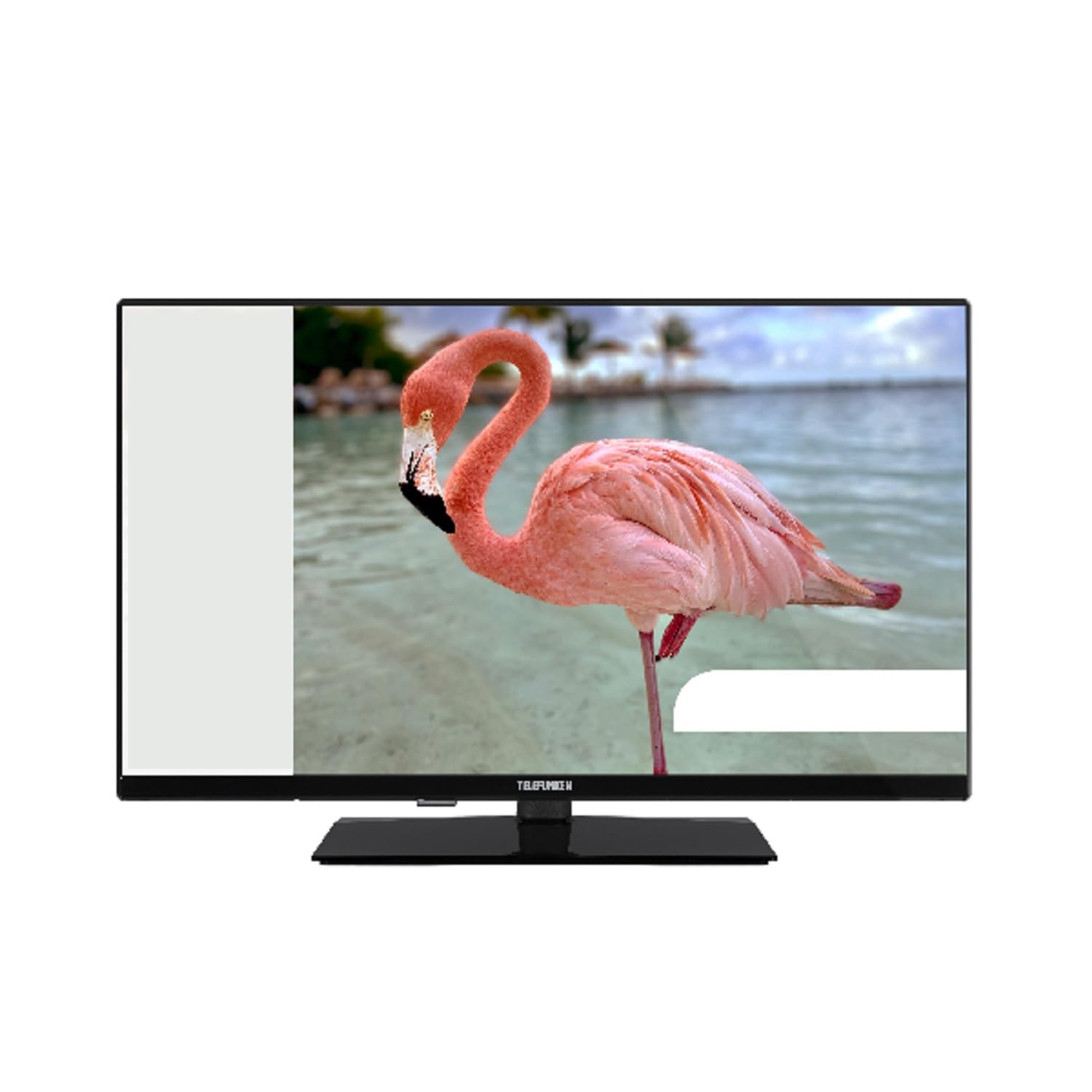
This image shows the TELEFUNKEN TE40750B45I2K Smart TV, a 40-inch model with a sleek black finish and its included stand. The screen displays a vibrant image, highlighting its Full HD LED display capabilities.
راه اندازی
۱. باز کردن بستهبندی و مونتاژ پایه
- تلویزیون را با دقت از بستهبندی آن خارج کنید.
- Attach the included base to the television using the provided screws. Ensure it is securely fastened to prevent the TV from tipping.
2. اتصال برق
- Connect the power cord to the TV's power input, then plug it into a 220-240V AC, 50 Hz electrical outlet.
3. اتصال دستگاه های خارجی
تلویزیون شما پورتهای اتصال مختلفی برای دستگاههای خارجی ارائه میدهد:
- HDMI: برای دستگاههای صوتی و تصویری با کیفیت بالا مانند پخشکنندههای بلو-ری، کنسولهای بازی یا گیرندههای دیجیتال.
- USB: برای اتصال دستگاههای ذخیرهسازی USB برای پخش رسانه files.
- اترنت: برای اتصال به اینترنت سیمی.
- Component Input (YPbPr via VGA): برای اتصال دستگاهها با استفاده از کابلهای ویدیویی کامپوننت.
- Composite Video/Audio Input: برای اتصال دستگاههای قدیمیتر با استفاده از کابلهای کامپوزیت ویدئو و صدای استریو.
- خروجی هدفون: برای اتصال هدفون.
4. راه اندازی اولیه
- Upon first power-on, the On-Screen Display (OSD) will guide you through the initial setup process.
- Perform an جستجوی خودکار to find available digital channels (DVB-T2/C/C S2). The TV supports HEVC (H.265) decoding.
- Connect to your Wi-Fi network or use the Ethernet port for internet access to enable Smart TV features.
دستورالعمل های عملیاتی
توابع اساسی
- قدرت: Use the remote control or the TV's power button to turn the TV on or off.
- انتخاب کانال: Use the channel up/down buttons or enter channel numbers directly.
- کنترل صدا: صدا را با استفاده از دکمه های افزایش/کاهش صدا تنظیم کنید.
Smart TV Features (Android OS)
Your TELEFUNKEN Smart TV runs on Android OS, providing access to a variety of applications and online services.
- Internet Services: مستقیماً از تلویزیون خود به پلتفرمهای پخش محبوب مانند Netflix، Hulu و Amazon Prime Video دسترسی پیدا کنید.
- اتصال به وای فای: Connect to your home network wirelessly for seamless internet access.
پخش رسانه
- پخش کننده رسانه USB: Insert a USB storage device into the USB port to play supported media files. The TV supports MP3, WMA, MPG, MPEG, MP4, MOV, AVI, JPG, PNG, and GIF formats.
ویژگی های پیشرفته
- راهنمای برنامه الکترونیکی (EPG): View program schedules for digital channels.
- Timer Sleep Function: برای خاموش شدن خودکار تلویزیون، تایمر تنظیم کنید.
- Fast Text - TeleText: Access TeleText services on compatible channels.
- قفل والدین: محدودیتهایی را برای کانالها یا برنامهها تعیین کنید.
- Hotel Mode (Passive): A specialized mode for hotel environments.
- حالت زوم: Adjust the screen display to zoom in on content.
- تنظیمات صدا: Customize your audio experience with Dolby Audio support, a 5-band equalizer, and DOLBY DIGITAL PLUS audio mode.
تعمیر و نگهداری
تمیز کردن تلویزیون
- همیشه قبل از تمیز کردن، تلویزیون را از برق بکشید.
- از یک پارچه نرم و خشک برای پاک کردن صفحه نمایش و کابینت استفاده کنید. برای لکههای سرسخت، به آرامی ...ampپارچه را با آب یا یک پاککننده ملایم و غیرساینده که مخصوص لوازم الکترونیکی طراحی شده است، بپوشانید.
- Avoid using alcohol, benzene, thinners, or other volatile substances, as they may damage the TV's surface.
به روز رسانی نرم افزار
- Periodically check for available software updates through the TV's settings menu to ensure optimal performance and access to the latest features.
- Information regarding guaranteed software update periods is not available.
عیب یابی
اگر با تلویزیون خود با مشکلی مواجه شدید، لطفاً قبل از تماس با پشتیبانی، به راهحلهای رایج زیر مراجعه کنید.
- بدون برق: مطمئن شوید که سیم برق به طور محکم به تلویزیون و پریز برق وصل شده است. بررسی کنید که آیا پریز برق کار میکند یا خیر.
- تصویر/صدا ندارد: Verify that the correct input source is selected. Check all cable connections to external devices. For no sound, ensure volume is not muted or too low.
- کیفیت تصویر پایین: Check antenna or cable connections. Adjust picture settings in the TV menu.
- کنترل از راه دور کار نمی کند: باتریها را تعویض کنید. مطمئن شوید که هیچ مانعی بین کنترل از راه دور و حسگر IR تلویزیون وجود ندارد.
- مشکلات اتصال شبکه: For Wi-Fi, ensure the router is on and within range. For Ethernet, check the cable connection. Try restarting your router and TV.
- برنامههای تلویزیون هوشمند کار نمیکنند: Ensure a stable internet connection. Try restarting the app or the TV. Check for app updates.
If the problem persists after trying these steps, please contact TELEFUNKEN customer support.
مشخصات
| نام مدل | TE40750B45I2K |
| نام تجاری | TELEFUNKEN |
| اندازه صفحه نمایش | 40 اینچ (100 سانتی متر) |
| فناوری نمایش | LED |
| نوع پنل | D-LED |
| قطعنامه | 1920 x 1080 (Full HD) |
| تلویزیون هوشمند | Yes (Android Operating System) |
| خدمات اینترنتی پشتیبانی شده | Netflix, Hulu, Amazon Prime Video |
| نسبت کنتراست | 208.33:1 |
| روشنایی | 250 سی دی در متر مربع |
| زمان پاسخگویی | 9.5 میلی ثانیه |
| نوع تیونر | HD DVB-T2/C/C S2 |
| رسیور HEVC (H.265). | بله |
| ظرفیت ذخیره سازی برنامه (S/S2 دیجیتال) | 200 کانال |
| ظرفیت ذخیره سازی برنامه (T/T2/C دیجیتال) | 1000 کانال |
| قابلیت اتصال | HDMI, USB, Ethernet, Wi-Fi, Component (YPbPr via VGA), Composite Video/Audio, Headphone Output |
| مجموع پورت های USB | 1 |
| قدرت خروجی صدا (RMS) | 2x8W RMS (10% THD) |
| صدای دالبی | بله |
| رسیور DTS | خیر |
| اکولایزر | 5 باند |
| حالت صوتی | DOLBY DIGITAL PLUS |
| Media Player Supported Files (USB) | MP3, WMA, MPG, MPEG, MP4, MOV, AVI, JPG, PNG, GIF |
| منبع تغذیه | 220-240V AC 50 هرتز |
| Dimensions (without base, WxDxH) | 90.2 × 5.3 × 8.7 سانتی متر |
| Dimensions (with base, WxDxH) | 90.2 × 23.5 × 57 سانتی متر |
| وزن خالص | 6.65 کیلوگرم |
| ابعاد VESA | M4 100x100 |
گارانتی و پشتیبانی
For warranty information, please refer to the documentation provided with your purchase or contact your retailer. For technical support, please visit the official TELEFUNKEN webسایت یا با خدمات مشتریان آنها تماس بگیرید.
- اطلاعاتی در مورد موجودی قطعات یدکی ارائه نشده است.
- Information regarding guaranteed software update periods is not available.


