1. مقدمه
This manual provides essential information for the safe and efficient operation of your JVC TiVo LT-40VF5355 40-inch Full HD Smart TV. Please read these instructions thoroughly before using the television and retain them for future reference.
The JVC TiVo LT-40VF5355 offers a vibrant Full HD display, HDR10 support for enhanced contrast, and an integrated triple tuner for versatile reception options (DVB-C, DVB-T2, DVB-S2). Powered by the TiVo Smart TV operating system, it provides access to a wide range of streaming services and smart features.
2. اطلاعات ایمنی
برای جلوگیری از برق گرفتگی، آتش سوزی یا آسیب دیدگی، همیشه اقدامات احتیاطی ایمنی زیر را رعایت کنید:
- تلویزیون را در معرض باران یا رطوبت قرار ندهید.
- تلویزیون را باز نکنیدasinز؛ تمام خدمات را به پرسنل واجد شرایط ارجاع دهید.
- از تهویه مناسب اطراف تلویزیون اطمینان حاصل کنید.
- از قرار دادن تلویزیون روی سطوح ناپایدار خودداری کنید.
- در هنگام رعد و برق یا زمانی که برای مدت طولانی از تلویزیون استفاده نمیشود، آن را از برق بکشید.
- قطعات کوچک و باتریها را دور از دسترس کودکان نگه دارید.
3. محتویات بسته
بررسی کنید که همه اقلام در بستهبندی موجود باشند:
- JVC TiVo LT-40VF5355 40-inch Full HD Smart TV
- کنترل از راه دور (شامل ۳ باتری قلمی)
- پایه تلویزیون (پایه)
- راهنمای کاربر (این سند)
4. راه اندازی
۲.۲ تنظیمات فیزیکی
چسباندن پایه: Carefully place the TV face down on a soft, flat surface. Align the stand feet with the screw holes on the bottom of the TV and secure them with the provided screws. Ensure the stand is firmly attached before placing the TV upright.
نصب دیواری (اختیاری): This TV supports VESA wall mounts. Refer to the wall mount manufacturer's instructions for installation. The VESA mounting pattern for this model is M4 100x100.

تصویر: عقب view of the JVC TiVo LT-40VF5355 TV showing dimensions (Width 90.9 cm, Height with stand 57.9 cm, Depth with stand 23.5 cm, 40 inches / 102 cm diagonal) and VESA M4 100x100 mounting points.
4.2 اتصالات
دستگاههای خارجی را با استفاده از پورتهای موجود به تلویزیون خود وصل کنید:
- HDMI (دو عدد): For high-definition audio and video from devices like Blu-ray players, game consoles, or set-top boxes. HDMI 1 supports ARC (Audio Return Channel) for simplified audio connections to soundbars or AV receivers.
- USB (x1): برای اتصال دستگاههای ذخیرهسازی USB برای پخش رسانه files.
- خروجی صوتی دیجیتال: برای اتصال به سیستمهای صوتی خارجی
- آنتن (RF/F): For connecting a terrestrial (DVB-T2) or cable (DVB-C) antenna.
- Satellite (LNB): For connecting a satellite dish (DVB-S2).
- هدفون: برای اتصال هدفون.
- اسلات CI: برای قرار دادن یک ماژول دسترسی مشروط (CAM) و کارت هوشمند برای دسترسی به کانالهای رمزگذاری شده.
- LAN: برای اتصال به اینترنت سیمی.
- وای فای: برای اتصال به اینترنت بیسیم.

تصویر: نمای نزدیک view of the TV's rear panel showing various connection ports including 2x HDMI, 1x USB, Digital Audio Output, Antenna (RF/F), Headphones, Bluetooth, CI Slot, and LAN.
4.3 نصب برای اولین بار
After connecting the power cable and turning on the TV for the first time, follow the on-screen instructions to:
- زبان خود را انتخاب کنید
- به شبکه Wi-Fi خود متصل شوید یا از اتصال LAN سیمی استفاده کنید.
- Scan for available TV channels (DVB-C, DVB-T2, DVB-S2).
- Log in to your TiVo account or create a new one to access Smart TV features.
5. عملیاتی
5.1 کنترل از راه دور
The included remote control allows you to navigate the TV's functions. It features dedicated buttons for popular streaming services like Netflix, YouTube, Prime Video, and Disney+ for quick access.
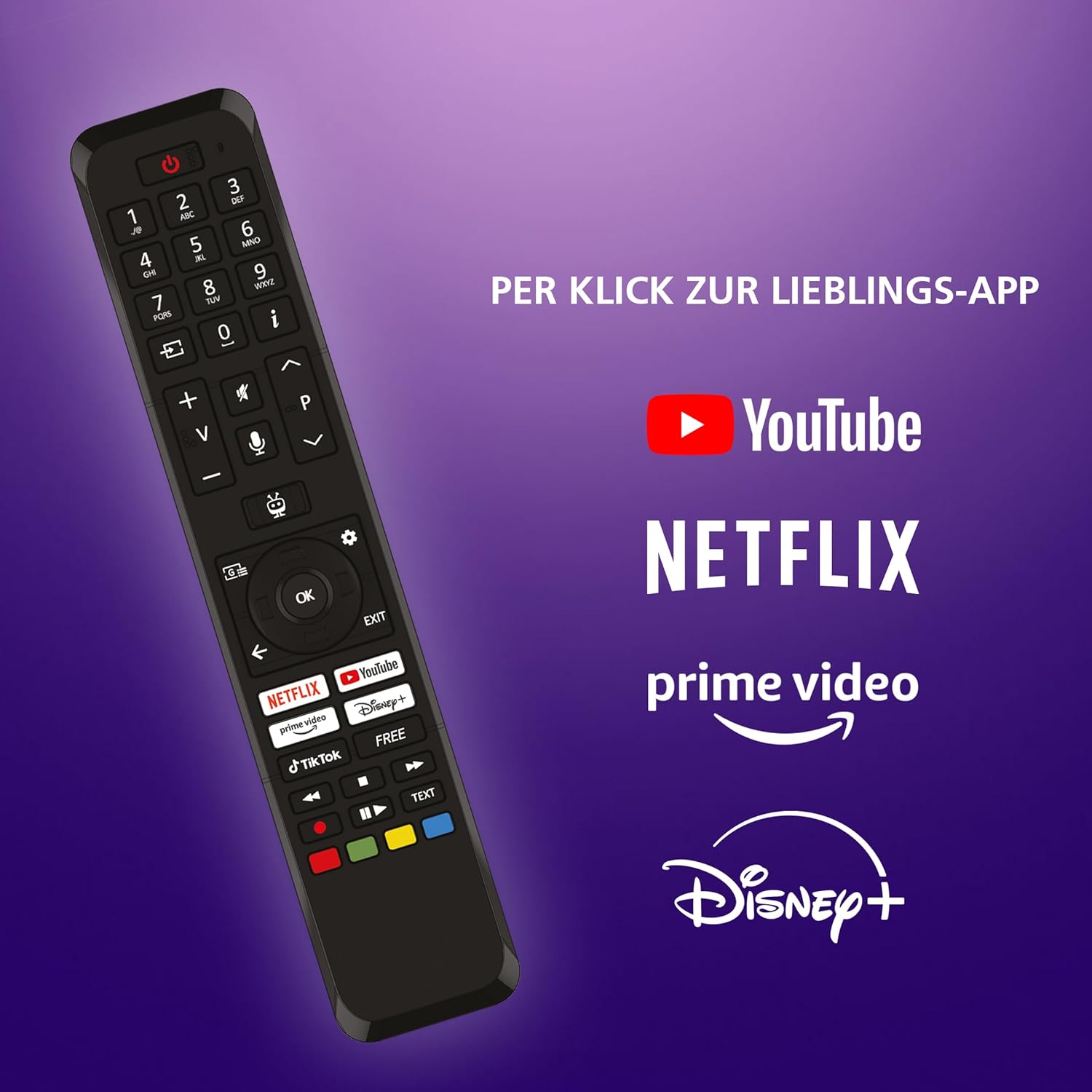
Image: The TV remote control, highlighting dedicated buttons for YouTube, Netflix, Prime Video, and Disney+.
5.2 TiVo Smart TV Features
Your JVC TV is powered by the TiVo Smart TV operating system, offering a personalized and intuitive user experience.
- ناوبری هوشمند: Search across streaming apps and live TV to find content.
- توصیههای شخصیسازیشده: TiVo learns your viewing habits to suggest content you might enjoy.
- کنترل صدا: Use voice commands to change channels, adjust volume, open apps, and more.
- دسترسی به برنامه: Enjoy a wide range of applications including Netflix, Prime Video, Disney+, YouTube, DAZN, and many others.
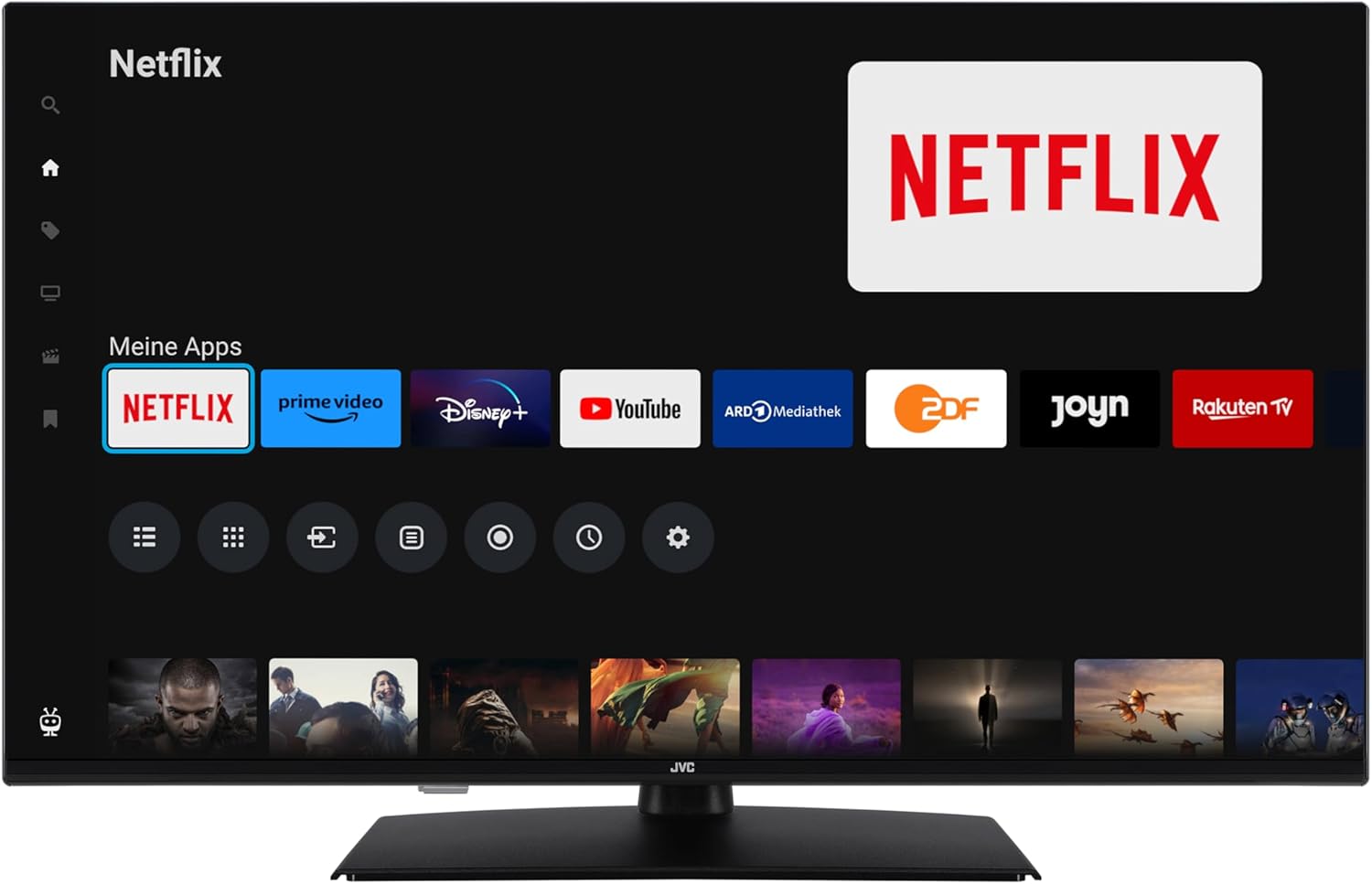
Image: The TiVo Smart TV home screen displaying various applications such as Netflix, Prime Video, Disney+, YouTube, ARD Mediathek, ZDF, Joyn, and Rakuten TV.

Image: Infographic explaining the benefits of TiVo Smart TVs, including intelligent navigation, simple user experience, intelligent recommendations, and continuous improvements.
۴.۳ تنظیمات تصویر و صدا
Your TV supports advanced picture technologies for an optimal viewتجربه کردن:
- HDR10: High Dynamic Range provides greater contrast and a wider range of colors for more realistic images.
- وضوح فوق العاده: وضوح و جزئیات تصویر را افزایش میدهد.
- Micro Dimming: با تجزیه و تحلیل و تنظیم روشنایی در نواحی مختلف صفحه، کنتراست را بهبود میبخشد.
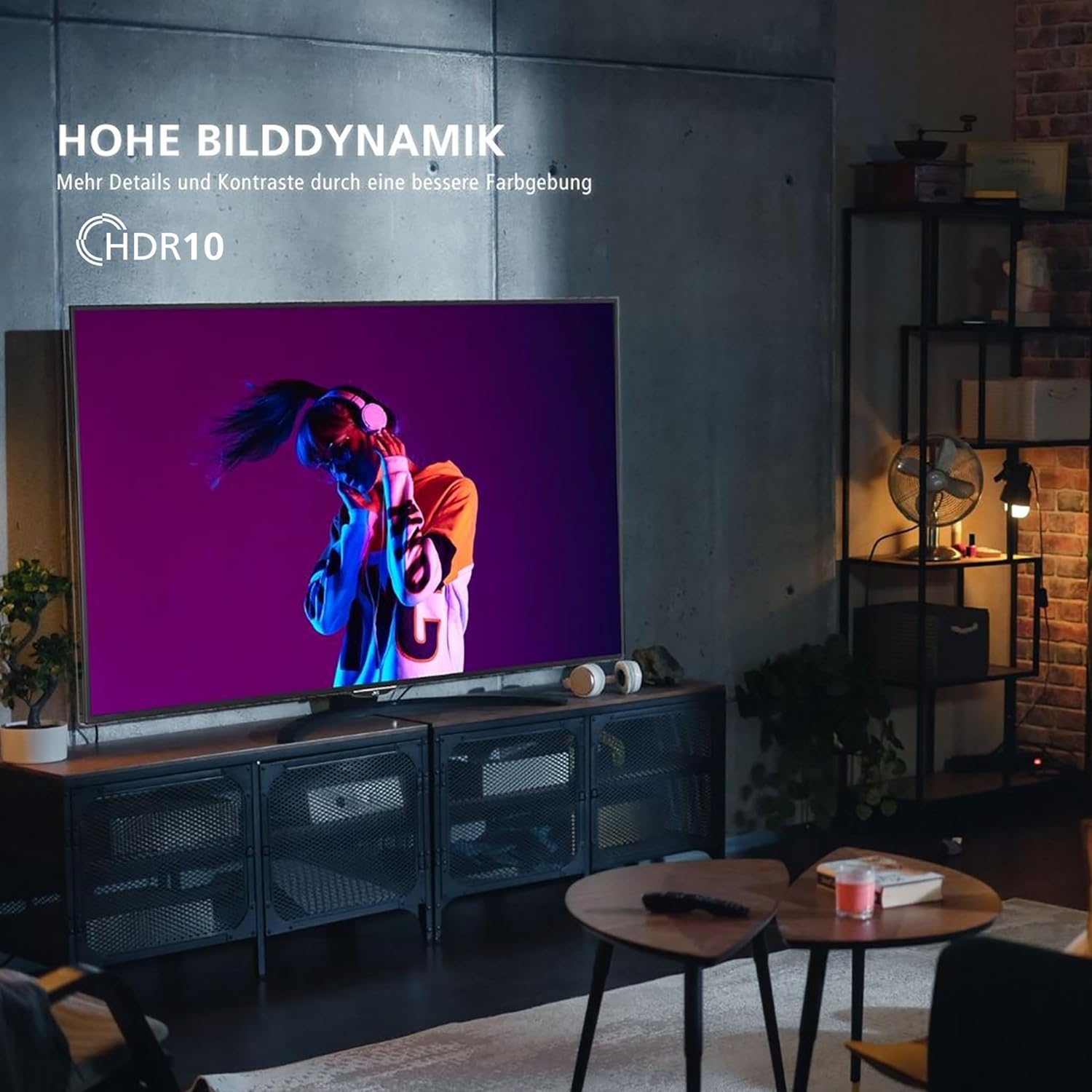
Image: A television screen displaying a vibrant image, illustrating the "High Dynamic Range" (HDR10) feature for more details and contrast.

Image: A television screen displaying a detailed underwater scene, highlighting "Super Resolution" and "Micro Dimming" for breathtaking picture quality.
You can select various picture modes to optimize the display for different content types:
- سینما: Optimized for movies.
- ورزش: Enhanced for fast-paced sports.
- بازی: کاهش تأخیر ورودی برای بازی
- پویا: تصویر زنده و روشن.

Image: A TV screen divided into four sections, each showing a different picture mode: Cinema, Sport, Gaming, and Dynamic.
۴.۴ عملکرد تیونر
The integrated triple tuner allows reception via antenna (DVB-T2), cable (DVB-C), or satellite (DVB-S2) without an additional receiver. Use the TV's menu to perform channel scans and manage your channel list.
The TV also supports the HD+ TV App, which may offer additional HD channels (availability depends on region and subscription).
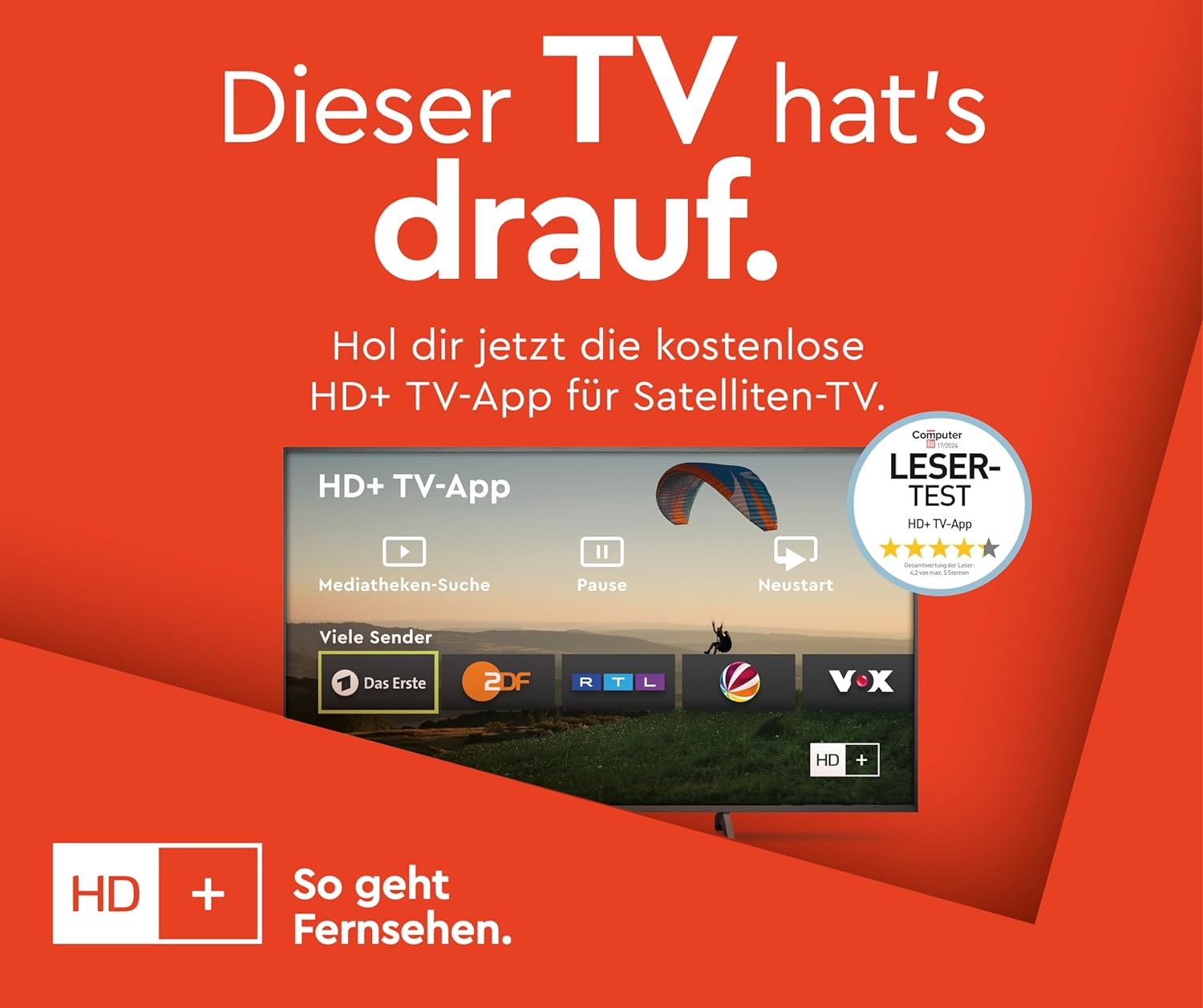
Image: Information about the HD+ TV App, showing features like private HD/UHD channels, restart, media libraries, and a 6-month test period.
۵.۳ پخش رسانه
Connect a USB storage device to the USB port to play compatible media files (photos, music, videos) directly on your TV using the built-in media player.
6. تعمیر و نگهداری
6.1 تمیز کردن
Always unplug the TV before cleaning. Use a soft, dry cloth to wipe the screen and cabinet. Do not use liquid cleaners or aerosol sprays directly on the TV.
6.2 به روز رسانی نرم افزار
The TV may receive regular software updates to improve performance and add new features. Ensure your TV is connected to the internet to receive these updates. You can usually check for updates in the TV's settings menu.
7 عیب یابی
اگر با تلویزیون خود با مشکلاتی مواجه شدید، به راهحلهای رایج زیر مراجعه کنید:
- بدون برق: Ensure the power cable is securely connected and the wall outlet is functioning.
- تصویر/صدا ندارد: تمام اتصالات کابل (HDMI، آنتن) را بررسی کنید. مطمئن شوید که منبع ورودی صحیح انتخاب شده است.
- کنترل از راه دور کار نمی کند: باتریها را تعویض کنید. مطمئن شوید که هیچ مانعی بین کنترل از راه دور و تلویزیون وجود ندارد.
- TV Shuts Down Automatically: Check the power saving settings in the TV menu. Disable any automatic shutdown timers.
- App Issues (e.g., Netflix not loading): Try restarting the TV by unplugging it from the power outlet for a few minutes, then plugging it back in. Ensure your internet connection is stable.
- "Cannot find HD channels" error: This message may appear even after successful channel installation. Ensure your tuner settings are correct and try rescanning channels. If the message persists but channels are available, it might be a minor software notification.
For persistent issues, consult the online support resources or contact customer service.
8. مشخصات
| نام تجاری | JVC |
| شماره مدل | LT-40VF5355 |
| اندازه صفحه نمایش | ۵۰ اینچ (۱۲۷ سانتیمتر قطر) |
| فناوری نمایش | الایدی-السیدی |
| قطعنامه | 1080p (فول اچدی، 1920x1080 پیکسل) |
| نرخ تازه سازی | 120 هرتز |
| سیستم عامل | تلویزیون هوشمند TiVo |
| ویژگی های خاص | HDR10, Micro Dimming, Super Resolution, 6 months HD+ included (via SAT in Germany) |
| قابلیت اتصال | 2x HDMI (CEC + ARC), 1x USB, Wi-Fi, LAN, Digital Audio Output, Headphones, CI Slot |
| ابعاد (با پایه) | ۱۸.۹ عمق × ۷۲.۸ عرض × ۴۷.۸ ارتفاع سانتیمتر |
| کلاس بازده انرژی (SDR) | E |
| کلاس بازده انرژی (HDR) | G |
| مصرف برق (SDR) | 37.0 وات |
| مصرف برق (HDR) | 67.0 وات |
| در دسترس بودن قطعات یدکی | 7 سال |

Image: Table illustrating recommended viewing distances for different TV sizes (24" to 70") and resolutions (4K, Full HD, HD).
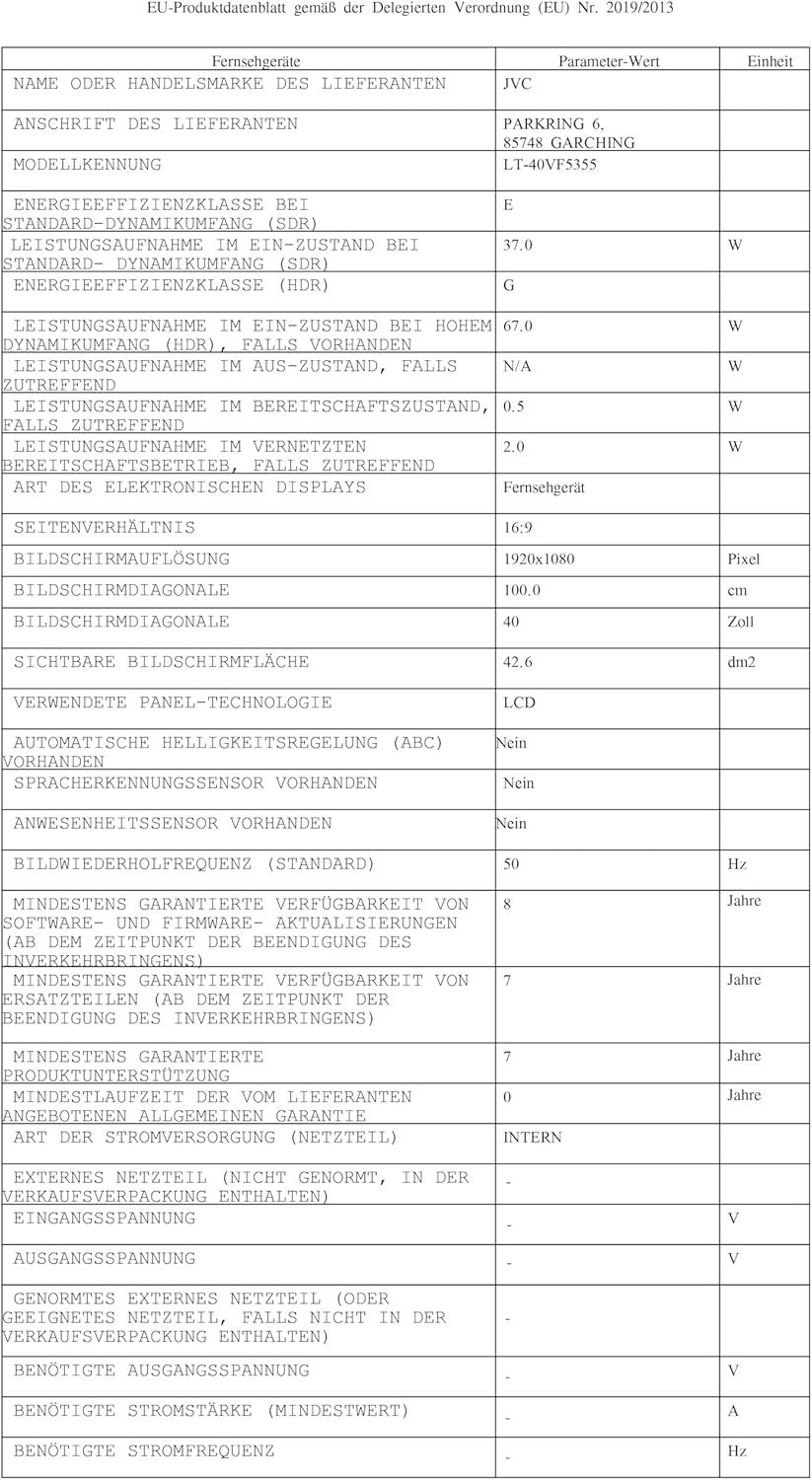
Image: EU Delegated Regulation product data sheet for the JVC LT-40VF5355, detailing technical specifications and energy consumption. For more details, visit eprel.ec.europa.eu/qr/1880376.

Image: EU Energy Label for the JVC LT-40VF5355, showing energy efficiency class E (SDR) and G (HDR), and power consumption values.
9. گارانتی
JVC products are manufactured with high-quality components and are subject to rigorous quality control. For detailed warranty information, please refer to the warranty card included with your product or visit the official JVC website for your region. Spare parts are guaranteed to be available for 7 years from the date of placing the product on the market.
10. پشتیبانی
For further assistance, technical support, or service inquiries, please visit the official JVC support website or contact your local JVC customer service center. Keep your model number (LT-40VF5355) and serial number ready when contacting support.
Online resources may include FAQs, software downloads, and additional troubleshooting guides.


