1. مقدمه
Thank you for choosing the iSinbox A30 Smart Projector. This manual provides essential information for setting up, operating, and maintaining your device. The iSinbox A30 offers a high-brightness 1000 ANSI lumen display, native 1080P resolution with 4K support, and advanced features like auto focus and auto keystone correction. Enjoy seamless streaming with built-in Wi-Fi 6 and versatile connectivity options including Bluetooth 5.3.
۲. چه چیزهایی در جعبه است؟
Upon opening your iSinbox A30 Smart Projector package, please verify that all the following items are included:
- iSinbox A30 Smart Projector
- کنترل از راه دور
- کابل برق
- کابل HDMI
- کابل AV
- راهنمای کاربر
- پیچ پایی قابل تنظیم

شکل 2.1: The iSinbox A30 Smart Projector shown with its included accessories, including the remote control, various cables, and the user manual.
3. راه اندازی اولیه
3.1 اتصال برق
- کابل برق را به پورت ورودی برق پروژکتور وصل کنید.
- سر دیگر کابل برق را به یک پریز برق استاندارد وصل کنید.
- دکمه پاور روی پروژکتور یا کنترل از راه دور را فشار دهید تا دستگاه روشن شود.
۴.۲ جایگذاری و طرحریزی
Position the projector on a stable surface. The iSinbox A30 supports various projection methods:
- طرح ریزی جلو: Place the projector in front of the screen.
- طرح ریزی عقب: پروژکتور را پشت یک صفحه نمایش شفاف قرار دهید.
- طرح سقف: Mount the projector upside down on the ceiling.
- Tabletop Projection: Place the projector on a table.

شکل 3.1: Illustration of different projection setups, including tabletop, stand, and ceiling mounting, demonstrating the projector's versatility.
۳.۳ فوکوس خودکار و تصحیح کیستون
The iSinbox A30 features automatic focus and keystone correction for a clear and rectangular image. After powering on or moving the projector, the system will automatically adjust the image. If manual adjustment is needed, navigate to the 'Focus' or 'Keystone' settings in the menu.

شکل 3.2: Visual representation of the auto-focus and auto-keystone correction features, ensuring a sharp and perfectly shaped image without manual intervention.
4. دستورالعمل های عملیاتی
۴.۲ اتصال به شبکه (وایفای)
To access online streaming services and browser functions, connect your projector to a Wi-Fi network:
- از صفحه اصلی، به مسیر زیر بروید تنظیمات.
- انتخاب کنید ارتباط or شبکه.
- انتخاب کنید وای فای و آن را بچرخانید On.
- شبکه وایفای مورد نظر خود را از لیست انتخاب کنید.
- Enter the password if prompted and confirm.
The iSinbox A30 supports Wi-Fi 6 for a stable and high-speed connection, ideal for streaming and gaming.

شکل 4.1: Depiction of the projector utilizing Wi-Fi 6 for seamless content delivery, highlighting its capability for smooth gaming and video playback.
4.2 Adjusting Focus and Keystone Manually
While the projector offers automatic adjustments, you can fine-tune the focus and keystone manually:
- از صفحه اصلی، به مسیر زیر بروید تنظیمات.
- انتخاب کنید تمرکز کنید to adjust image sharpness. Use the remote control's navigation buttons to achieve optimal clarity.
- انتخاب کنید کیستون for image shape correction. Choose Four-Point Correction for precise adjustments to each corner of the projected image.
4.3 Using Streaming Applications and Browser
The iSinbox A30 comes with pre-installed streaming applications like Netflix, YouTube, and Prime Video. You can also use the built-in browser to access other online content.
- From the home screen, select the icon for the desired application (e.g., Netflix, YouTube).
- برای web browsing, select the مرورگر را باز کنید نماد
4.4 خروجی صدا
The projector features a built-in 10W HiFi speaker with Dolby Audio and DTS-HD Master Audio support for an immersive sound experience. You can also connect external audio devices via Bluetooth 5.3.
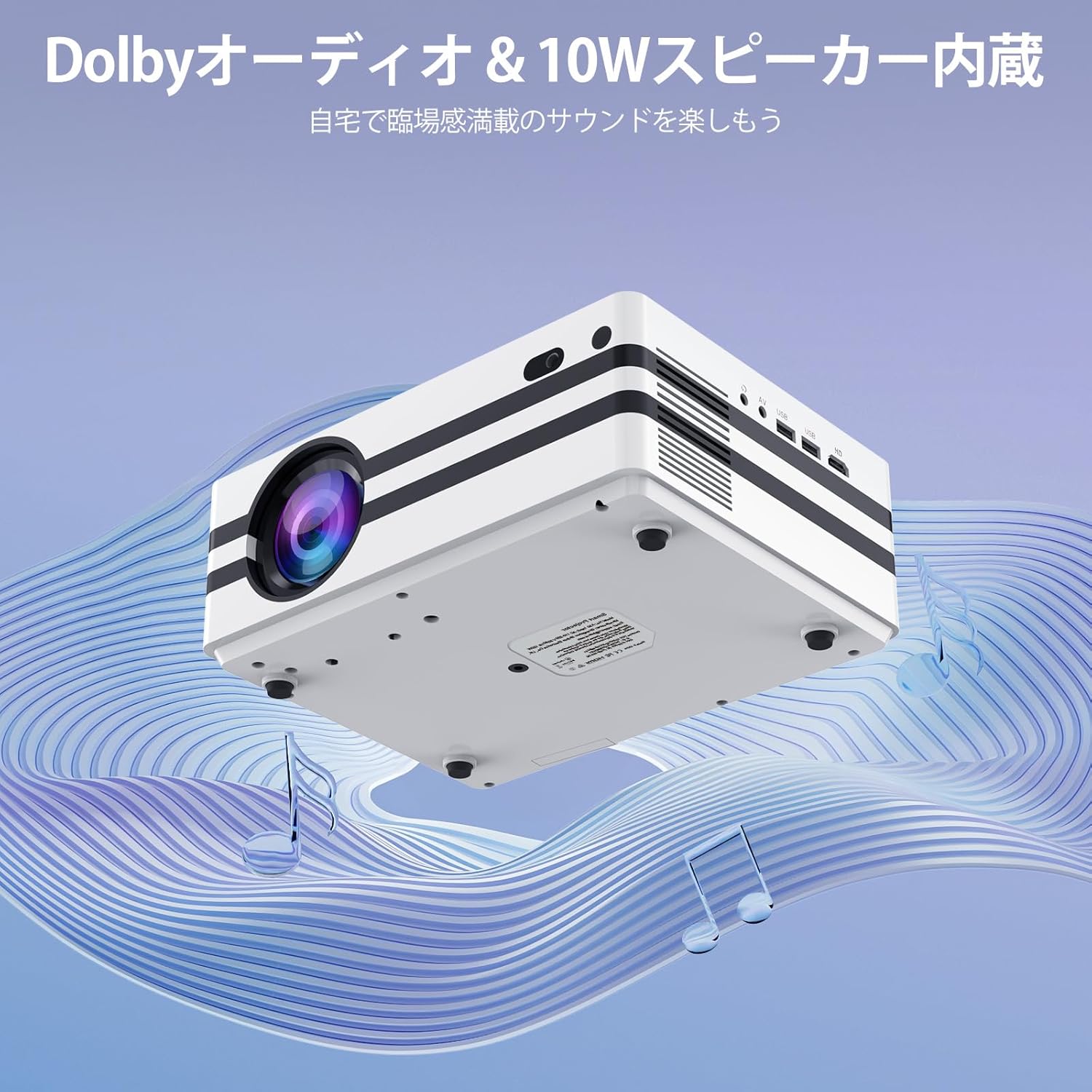
شکل 4.2: The projector's integrated 10W speaker system, featuring Dolby Audio, designed to deliver rich and clear sound directly from the device.
۳.۳ اتصال دستگاه خارجی
The iSinbox A30 offers multiple ports for connecting various external devices:
- HDMI: Connect laptops, gaming consoles (PS3, PS4), TV sticks, and other HDMI-enabled devices.
- USB (x2): درایوهای USB را برای پخش رسانه یا صفحه کلید/موس خارجی وصل کنید.
- از: دستگاههای قدیمیتر را با استفاده از کابل AV ارائه شده متصل کنید.
- Bluetooth 5.3 (Bidirectional): Connect to Bluetooth speakers/headphones (BT-OUT) or use your smartphone/tablet as a source (BT-IN).

شکل 4.3: تمام شدview of the projector's various input and output ports, including HDMI, USB, and AV, illustrating how different devices can be connected.
5. تعمیر و نگهداری
۶.۲ تمیز کردن فیلتر گرد و غبار
To ensure optimal performance and longevity of your projector, it is recommended to regularly clean the internal dust filter. A clean filter helps maintain proper airflow and prevents overheating.
- Locate the dust filter cover on the side or bottom of the projector.
- پوشش را با دقت بردارید.
- Gently remove the dust filter.
- Use a soft, dry cloth or a small brush to remove any accumulated dust. Do not use water or liquid cleaners.
- فیلتر تمیز را دوباره وارد کنید و پوشش را محکم در جای خود قرار دهید.

شکل 5.1: Diagram illustrating the location and recommended method for cleaning the projector's internal dust filter to maintain performance.
6 عیب یابی
This section addresses common issues you might encounter with your iSinbox A30 projector.
| مشکل | علت احتمالی | راه حل |
|---|---|---|
| بدون قدرت | کابل برق وصل نیست؛ مشکل از پریز برق است. | Ensure power cable is securely connected to both projector and outlet. Test outlet with another device. |
| تصویر تار | فوکوس تنظیم نشده است؛ پروژکتور خیلی دور/نزدیک به پرده نمایش است. | Use auto-focus or manually adjust focus via settings. Adjust projection distance. |
| تصویر تحریف شده (ذوزنقهای) | Keystone not corrected; Projector not perpendicular to screen. | Use auto-keystone or manually adjust keystone via settings. Reposition projector. |
| بدون صدا | صدا خیلی کم است؛ بیصدا است؛ دستگاه صوتی خارجی به درستی وصل نشده است. | Increase volume. Check if muted. Ensure external speakers are connected and powered on. |
| بدون اتصال Wi-Fi | Incorrect password; Router issue; Out of range. | Verify Wi-Fi password. Restart router. Move projector closer to router. |
7. مشخصات
Key technical specifications for the iSinbox A30 Smart Projector:
| ویژگی | مشخصات |
|---|---|
| نام تجاری | iSinbox |
| نام مدل | A30 |
| روشنایی | 1000 ANSI لومنس |
| وضوح بومی | 1080P (Supports 4K) |
| فناوری نمایش | مینی ال ای دی |
| اندازه صفحه نمایش | تا 300 اینچ |
| نسبت تصویر | 16:9 |
| قابلیت اتصال | Wi-Fi 6, Bluetooth 5.3 (Bidirectional), HDMI, USB (x2), AV |
| ویژگی های خاص | Auto Focus, Auto Keystone Correction, Short Throw |
| بلندگو | 10W HiFi Built-in Speaker, Dolby Audio & DTS-HD Master Audio compatible |
| سیستم عامل | اندروید |
| Supported Streaming Services | Amazon Prime Video, YouTube, Netflix |
| وزن محصول | 2.52 کیلوگرم |
| ابعاد (بسته) | 29.6 × 26.1 × 17.4 سانتی متر |
8. گارانتی و پشتیبانی
The iSinbox A30 Smart Projector comes with a standard manufacturer's warranty. For detailed warranty information, including coverage period and terms, please refer to the warranty card included in your product packaging or visit the official iSinbox webسایت
If you encounter any issues or require technical assistance, please contact iSinbox customer support through the contact information provided on the official website or your purchase platform. Please have your product model (A30) and purchase details ready when contacting support.


