1. مقدمه
This manual provides essential information for the safe and efficient use of your GOBOULT Y1 Wireless Ear Buds. Please read it thoroughly before using the product and retain it for future reference.
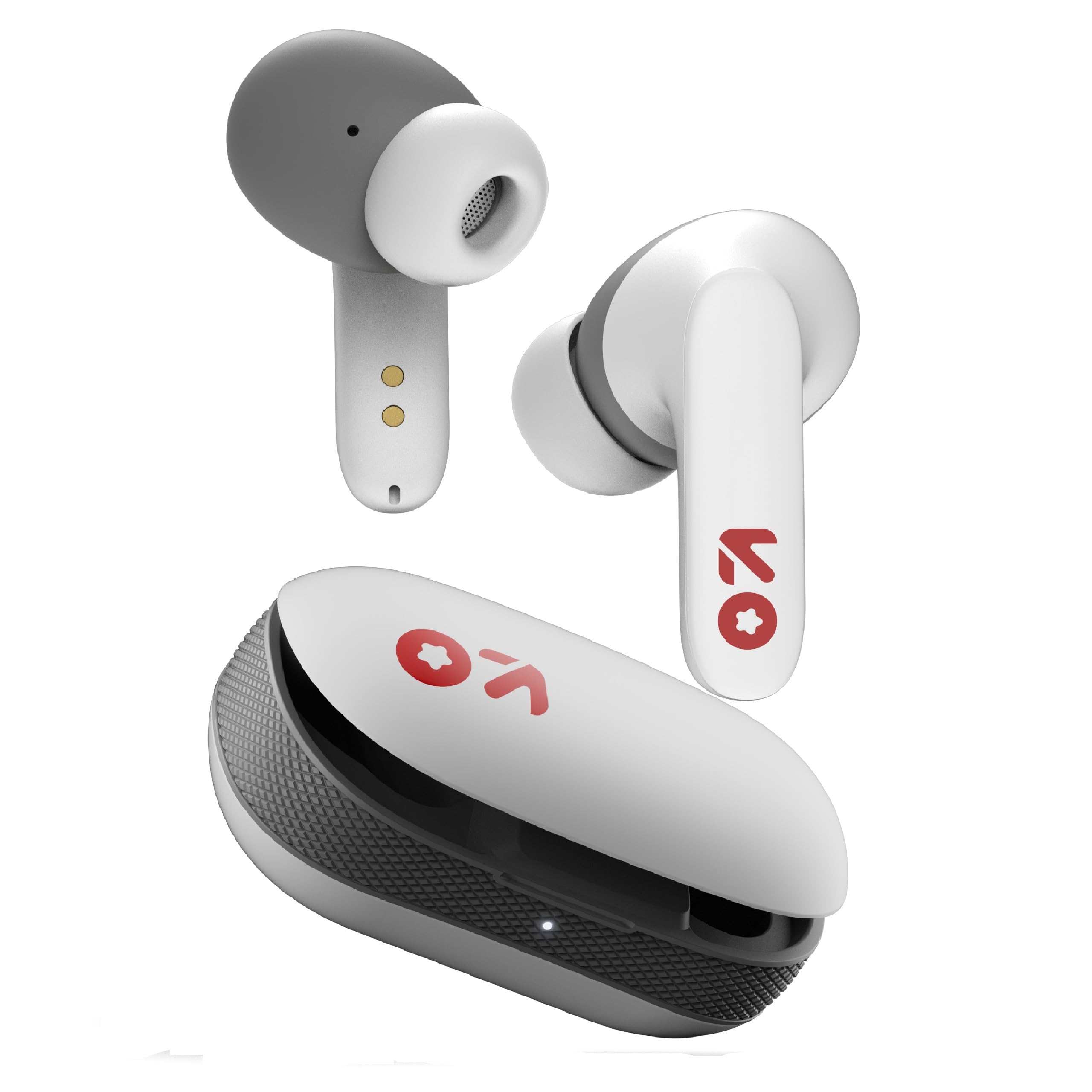
Image: GOBOULT Y1 Wireless Ear Buds and their charging case. The earbuds are white with grey tips and red GOBOULT logos, resting beside the matching white charging case.
۲. چه چیزهایی در جعبه است؟
بررسی کنید که همه اقلام در بستهبندی موجود باشند:
- Y1 Earphones (Left and Right)
- Y1 Charging Case
- کابل شارژ USB نوع C
- Additional Eartips (various sizes)
- راهنمای کاربر (این سند)
3. راه اندازی
3.1 شارژ اولیه
Before first use, fully charge the ear buds and the charging case.
- Place the ear buds into the charging case. Ensure they are correctly seated.
- کابل USB Type-C ارائه شده را به پورت شارژ روی قاب و یک منبع تغذیه USB سازگار (مثلاً آداپتور دیواری، پورت USB کامپیوتر) وصل کنید.
- The indicator light on the charging case will show charging status. A full charge typically takes approximately 90 minutes.
- A 10-minute charge provides approximately 100 minutes of playtime.

Image: GOBOULT Y1 Ear Buds and their charging case, illustrating the Type-C fast charging port and cable connection. Text indicates "10 mins = 100 mins playtime".
3.2 جفت شدن بلوتوث
The GOBOULT Y1 Ear Buds feature Blink & Pair™ Bluetooth 5.3 for fast and stable connection.
- Ensure the ear buds are charged.
- Open the lid of the charging case. The ear buds will automatically enter pairing mode, indicated by flashing LED lights.
- در دستگاه خود (گوشی هوشمند، تبلت، لپتاپ)، بلوتوث را فعال کنید.
- جستجو برای "GOBOULT Y1" in the list of available Bluetooth devices.
- Select "GOBOULT Y1" to connect. Once connected, a voice prompt will confirm successful pairing, and the LED lights on the ear buds will stop flashing.
- For subsequent use, the ear buds will automatically connect to the last paired device when removed from the case.

Image: GOBOULT Y1 Ear Buds and case with a smartphone displaying music, highlighting Bluetooth v5.3, Blink & Pair, Stable Connection, and Power efficient features.
4. دستورالعمل های عملیاتی
4.1 کنترل ها را لمس کنید
The GOBOULT Y1 Ear Buds feature intuitive touch controls on each ear bud. The specific functions are as follows:

Image: A detailed diagram showing the touch control functions for the GOBOULT Y1 Ear Buds. It illustrates single taps, double taps, triple taps, and long presses for various actions like music playback, call management, and voice assistant activation.
- Single Tap (Left/Right Bud): پخش/توقف موسیقی، پاسخگویی به تماس
- Double Tap (Left Bud): آهنگ قبلی
- Double Tap (Right Bud): آهنگ بعدی
- Triple Tap (Left Bud): کاهش حجم
- Triple Tap (Right Bud): افزایش صدا
- Long Press (Left/Right Bud): Activate Voice Assistant (Google Assistant/Siri), Reject Call, End Call
- Four Taps (Left/Right Bud): Activate Combat Mode (Low Latency Gaming)
4.2 دستیار صوتی
Activate your device's voice assistant (Google Assistant or Siri) by long-pressing either ear bud.
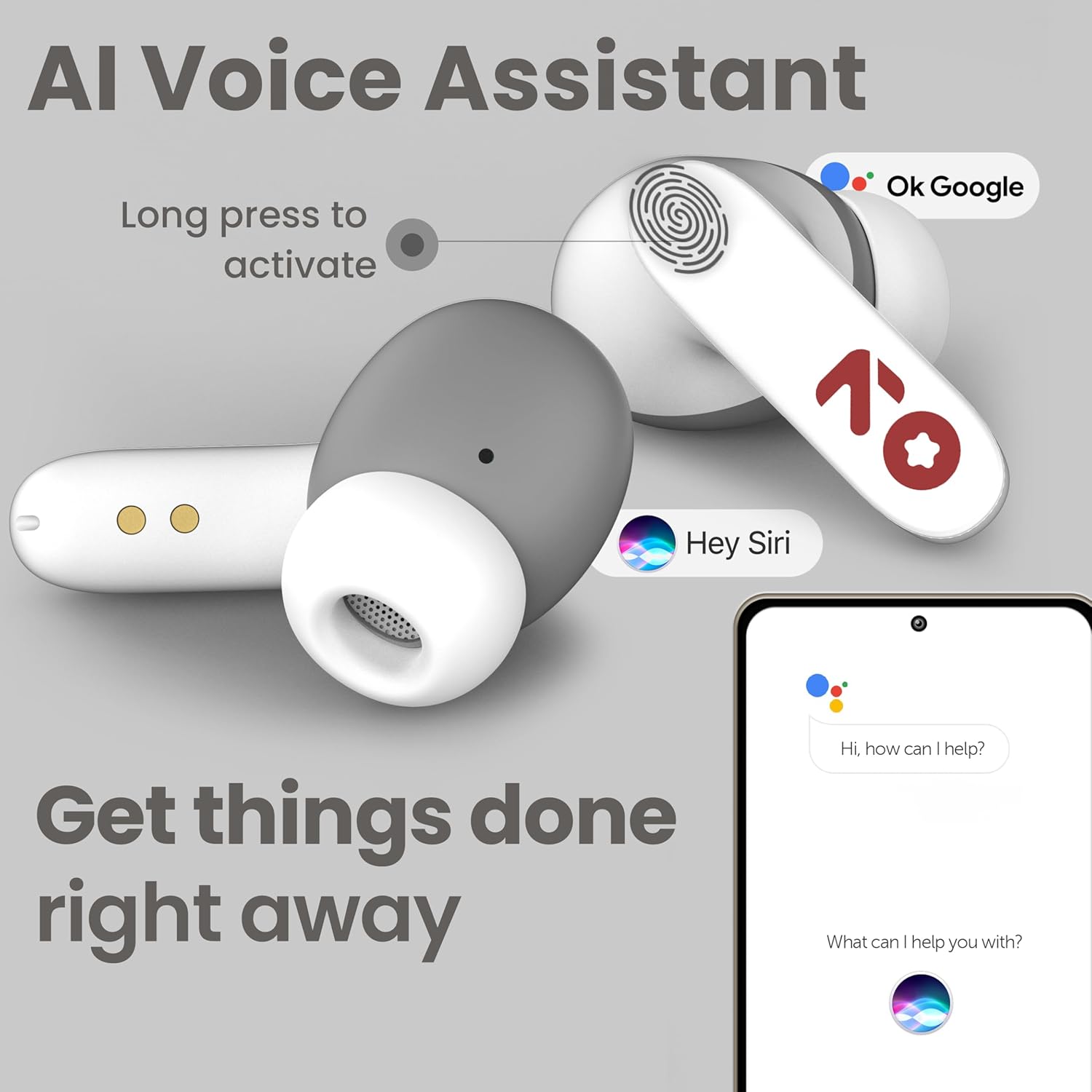
Image: GOBOULT Y1 Ear Buds with an illustration of a long press gesture activating a voice assistant like Google Assistant or Siri on a smartphone.
4.3 Calling with Zen ENC Mic
The GOBOULT Y1 Ear Buds are equipped with a Zen ENC (Environmental Noise Cancellation) microphone for clear call quality.
- پاسخ به تماس: Single tap either ear bud.
- رد تماس: Long press either ear bud.
- پایان تماس: Long press either ear bud during a call.

Image: A diagram illustrating how Environmental Noise Cancellation (ENC) works, showing a user's voice being filtered from environmental noise for clear communication. A detailed view of an earbud highlights the ENC microphone.
۴.۳ حالت بازی با تأخیر کم
Activate Combat Mode for a low-latency gaming experience, ensuring audio sync with minimal delay.
- فعال کردن حالت بازی: Four taps on either ear bud.
- غیرفعال کردن حالت بازی: Four taps on either ear bud again.
5. تعمیر و نگهداری
5.1 تمیز کردن
برای حفظ عملکرد بهینه و بهداشت:
- Gently wipe the ear buds and charging case with a soft, dry, lint-free cloth.
- از پاککنندههای ساینده، حلالها یا اسپریهای آئروسل استفاده نکنید.
- در صورت لزوم، سرگوشیها را جدا کرده و جداگانه با آب و صابون ملایم بشویید و قبل از اتصال مجدد، مطمئن شوید که کاملاً خشک هستند.
- Clean the charging contacts on both the ear buds and the case periodically with a dry cotton swab.
۵.۳ مقاومت در برابر آب (IPX5)
The GOBOULT Y1 Ear Buds are IPX5 water-resistant, meaning they are protected against low-pressure water jets from any direction. This makes them suitable for workouts and light rain.

Image: GOBOULT Y1 Ear Buds shown with water droplets, indicating IPX5 water resistance. Icons for sweatproof, rainproof, and splashproof are also displayed.
مهم:
- Do not submerge the ear buds in water.
- کیس شارژ در برابر آب مقاوم نیست.
- Avoid exposing the ear buds to saltwater, chlorinated water, or other chemicals.
- If the ear buds get wet, dry them thoroughly before placing them back in the charging case.
6 عیب یابی
| مشکل | راه حل ممکن |
|---|---|
| Ear buds not pairing |
|
| بدون صدا یا صدای کم |
|
| Ear buds not charging |
|
| مشکلات کیفیت تماس |
|
7. مشخصات
| ویژگی | جزئیات |
|---|---|
| نام تجاری | گوبولت |
| نام مدل | Y1 (also referred to as Airbass) |
| نسخه بلوتوث | 5.3 |
| محدوده بلوتوث | تا 10 متر (33 فوت) |
| قرار دادن گوش | در گوش |
| نوع درایور صوتی | Dynamic Driver (10mm Bass Drivers) |
| امپدانس | 32 اهم |
| پاسخ فرکانس | 20 هرتز |
| حساسیت | 117 دسی بل |
| کنترل نویز | لغو سر و صدای محیطی (ENC) |
| عمر باتری (کل) | تا ۴۲ ساعت (با جعبه شارژ) |
| زمان شارژ باتری | تقریباً 90 دقیقه |
| پورت شارژ | USB Type-C |
| مقاومت در برابر آب | IPX5 (Ear Buds only) |
| روش کنترل | لمس، صدا |
| دستگاه های سازگار | Android, Cellphones, Desktops, Laptops, Tablets |
| مواد | پلاستیک |
| Weight (Carrying Case) | 65 گرم |
| کشور مبدا | هند |
8. گارانتی و پشتیبانی
8.1 گارانتی سازنده
The GOBOULT Y1 Wireless Ear Buds come with a 1 سال گارانتی سازنده از تاریخ خرید. این گارانتی شامل نقصهای تولیدی میشود. لطفاً فاکتور خرید خود را برای موارد مربوط به گارانتی نگه دارید.
For warranty service or support, please contact the manufacturer or authorized service center.
8.2 اطلاعات تماس
سازنده: Exotic Mile Private Limited
آدرس: B-67 Wazirpur Industrial Area, New Delhi 110052, India
وارد کننده: Exotic Mile Pvt. Ltd.
For further assistance, please refer to the contact details provided on the product packaging or the official GOBOULT webسایت


