1. مقدمه
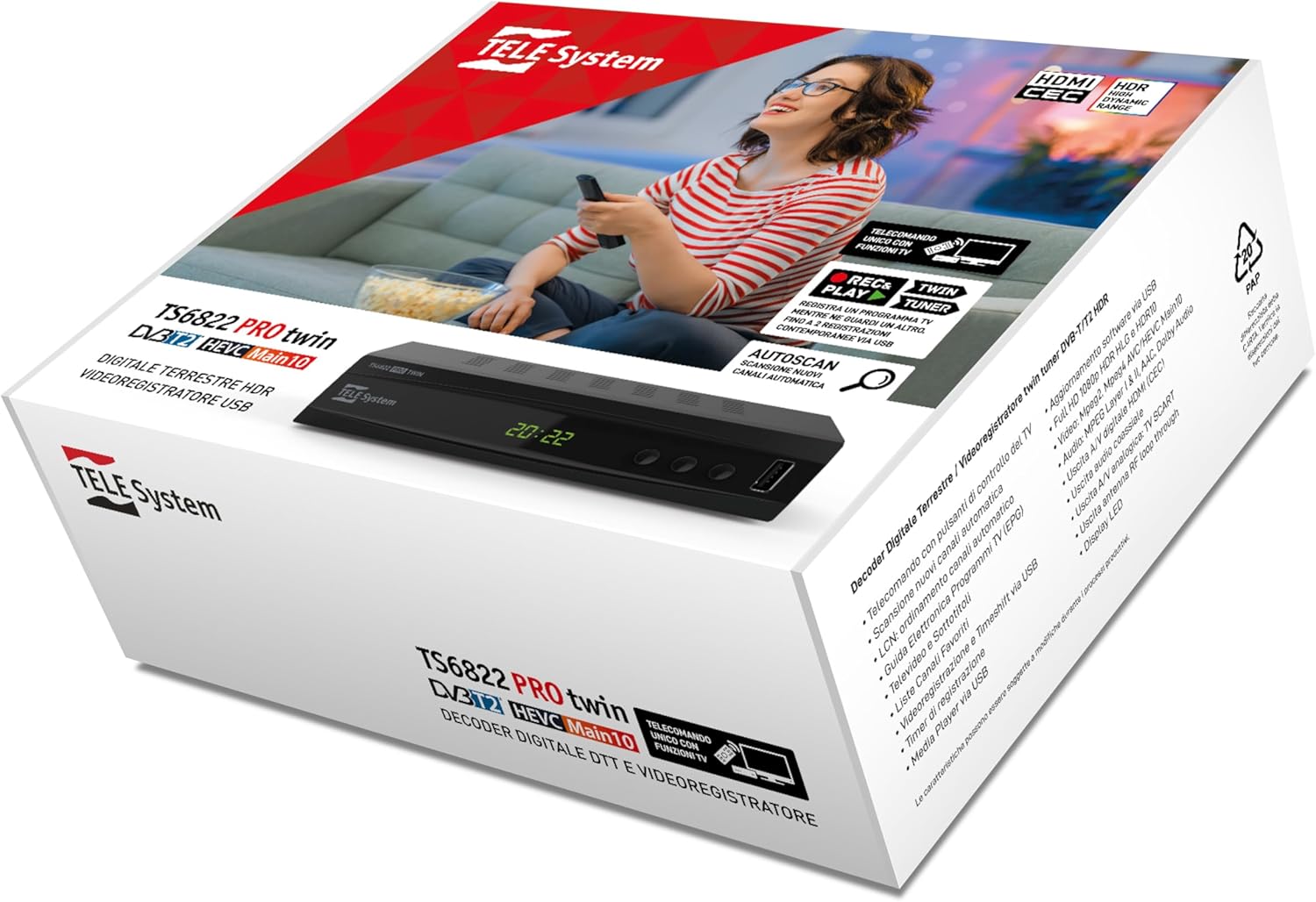
This manual provides detailed instructions for the installation, operation, and maintenance of your TELE System TS6822 PRO DVB-T2 HEVC Digital Terrestrial Decoder. This device is designed to enhance your television viewing experience with advanced features such as twin tuner recording and media playback.
ویژگی های کلیدی عبارتند از:
- Digital terrestrial twin tuner HD decoder and video recorder.
- 10-bit DVB-T2 HEVC Dual Terrestrial tuner for recording one program in High Definition while watching another.
- PAUSE TV function (Time-shift) for pausing live broadcasts (requires USB storage).
- 2-in-1 remote control for operating both the decoder and your TV.
- Media Player function via USB.

2. راه اندازی
2.1 باز کردن جعبه
تمام قطعات را با دقت از بستهبندی خارج کنید. مطمئن شوید که موارد زیر وجود دارند:
- TELE System TS6822 PRO Decoder
- کنترل از راه دور
- منبع تغذیه خارجی
- راهنمای شروع سریع (برای جزئیات کامل به این دفترچه راهنما مراجعه کنید)
2.2 Connecting the Decoder
Follow these steps to connect your decoder to your television and antenna:
- آنتن را وصل کنید: Connect your terrestrial antenna cable to the "RF IN" port on the back of the decoder.
- اتصال به تلویزیون (HDMI): Use an HDMI cable to connect the "HDMI" port on the decoder to an available HDMI input on your television. Note the HDMI input number on your TV for later selection.
- Connect to TV (SCART - Optional): If your TV does not have HDMI, use a SCART cable to connect the "SCART" port on the decoder to the SCART input on your television.
- اتصال برق: Connect the external power supply to the "POWER INPUT DC 12V=1A" port on the decoder, then plug the power adapter into a wall outlet.
- خروجی صدا (اختیاری): For external audio systems, you can use the "COAXIAL" digital audio output.

۴.۱ تنظیمات اولیه و اسکن کانال
After connecting the decoder, power on your television and select the correct HDMI or SCART input. The decoder should power on automatically. Follow the on-screen instructions for the initial setup, which typically includes:
- انتخاب زبان.
- انتخاب کشور
- Automatic channel scan (Autoscan). Allow this process to complete to find all available digital terrestrial channels.
3. دستورالعمل های عملیاتی
3.1 عملکردهای کنترل از راه دور
The included 2-in-1 remote control allows you to operate both the decoder and basic functions of your television. Refer to the remote control diagram for button layout.
- دکمه های کنترل تلویزیون: Use the dedicated buttons (e.g., Power, AV/TV, Vol+/Vol-) to control your television. Programming may be required for some TV models.
- Decoder Control Buttons: All other buttons control the decoder, including channel navigation, menu access, recording, and media playback.
3.2 Recording and Time-shift (PVR Function)
The TS6822 PRO features a PVR (Personal Video Recorder) function, allowing you to record programs and use Time-shift. A USB storage device (not included) is required for these functions.
- اتصال دستگاه USB: Insert a compatible USB flash drive or external hard drive into the USB port on the front of the decoder.
- ضبط فوری: هنگام تماشای برنامه، دکمه ضبط button on the remote control to start recording. Press توقف برای پایان دادن به ضبط
- Scheduled Recording (Timer): Access the EPG (Electronic Program Guide) or Timer menu to schedule recordings. Ensure the recording mode is set to "Record" and deactivate the automatic shutdown function (after 3 hours) from the decoder menu if the recording duration exceeds 3 hours.
- Time-shift (PAUSE TV): را فشار دهید مکث button during live TV to pause the broadcast. Press بازی کنید to resume from where you left off.

توجه: Recorded programs can be accessed via the PVR menu, not the Multimedia menu. The default instant recording duration is two hours; this can be manually adjusted by pressing REC and then modifying the duration.
3.3 Media Player Function
The decoder supports media playback from a USB storage device. Insert your USB device and navigate to the "Multimedia" menu to browse and play compatible audio, video, and image files.
4. تعمیر و نگهداری
- تمیز کردن: Use a soft, dry cloth to clean the exterior of the decoder. Do not use liquid cleaners or abrasive materials.
- تهویه: Ensure the decoder has adequate ventilation. Do not block the ventilation openings.
- به روز رسانی سیستم عامل: Periodically check the TELE System website for firmware updates. Updates can improve performance and add new features. Firmware updates are typically performed via USB.
5 عیب یابی
| مشکل | علت احتمالی | راه حل |
|---|---|---|
| بدون تصویر/صدا | Incorrect TV input selected, loose cables, decoder not powered on. | Check TV input, ensure all cables (HDMI/SCART, antenna, power) are securely connected. Power cycle the decoder. |
| Cannot find channels | Antenna not connected, poor signal, channel scan not performed. | Ensure antenna is connected and properly aligned. Perform a new channel scan. Check antenna signal strength in settings. |
| مشکلات ضبط | No USB device, incompatible USB device, insufficient storage, automatic shutdown enabled. | Connect a compatible USB device with sufficient free space. Ensure automatic shutdown is disabled for long recordings. Check PVR menu for recordings. |
| کنترل از راه دور کار نمی کند | Dead batteries, obstructed sensor, remote not programmed for TV. | Replace batteries. Ensure no obstructions between remote and decoder/TV. Program TV control buttons if necessary. |
6. مشخصات
| ویژگی | جزئیات |
|---|---|
| نام تجاری | سیستم TELE |
| شماره مدل | اتحادیه اروپا 8051511392735 |
| نوع تیونر | DVB-T2 HEVC (10-bit) Twin Terrestrial Tuner |
| رمزگذاری ویدیو | HEVC |
| ویژگی های خاص | HDR High Dynamic Range, PVR (Recording), Time-shift, Media Player |
| دستگاه های سازگار | تلویزیون |
| قابلیت اتصال | HDMI, USB, SCART, Coaxial Audio Output |
| حالت خروجی صدا | استریو |
| پیکربندی صدای فراگیر | 2.0، 5.1، یا 7.1 |
| اجزای شامل | External power supply, remote control, Quick Start Guide |
| ورودی برق | DC 12V=1A |
| مصرف برق | Min < 1W, Max < 12W |
| ابعاد (بسته) | 19.5 × 16 × 7.1 سانتی متر |
| وزن (بستهبندی) | 450 گرم |
| کشور مبدا | ایتالیا |
7. گارانتی و پشتیبانی
For warranty information, please refer to the documentation included with your product or visit the official TELE System website. For technical support or further assistance, please contact TELE System customer service.
You can find additional information and FAQs on the TELE System Brand Store.
سوالات متداول (سؤالات متداول)
- Timeshift Function: To use the PVR and Timeshift functions, an external USB device must be connected to the USB port.
- Finding Recordings: ضبط می تواند باشد viewed via the PVR menu, not the Multimedia menu.
- ضبط تایمر: Yes, timer recording is possible. When setting a timer, ensure to select "Record" mode instead of "Channel" and deactivate the automatic shutdown function (after 3 hours) from the decoder menu if the recording duration exceeds 3 hours. Instant recordings (pressing REC) are set to two hours by default; this can be increased manually after starting the recording.
۸. ویدیوهای مرتبط با محصولات
The following videos provide additional information about related products. Please note these videos may not directly feature the TELE System TS6822 PRO model but offer insights into typical digital receiver functionalities.
Edision PICCOLLO S2+T2/C Combo Receiver Overview
این ویدیو یک over ارائه می دهدview of the Edision PICCOLLO S2+T2/C Combo Receiver, showcasing its design and various ports. While not the exact model, it demonstrates typical features and connectivity of a digital receiver.
Humax HD Nano Digital Satellite Receiver Overview
This video presents the Humax HD Nano digital HD satellite receiver, highlighting its compact size and connectivity options. It offers a visual reference for the form factor and basic interface of a digital receiver.


