مقدمه
Thank you for choosing the La Crosse Technology SW403 Weather Station. This device provides comprehensive weather information, including indoor and outdoor temperature and humidity, a 4-day forecast, and time/date functions, all displayed on a vibrant color screen. Its Wi-Fi connectivity allows for advanced features and data history via the Tuya application. Please read this manual carefully to ensure proper setup and operation.
محتویات بسته
- La Crosse Technology SW403 Weather Station
- Outdoor Temperature/Humidity Sensor (assumed, typical for weather stations)
- آداپتور برق
- راهنمای کاربر (این سند)
راه اندازی
1. Powering On the Weather Station
- Insert the AC power adapter into the power jack on the back of the weather station.
- آداپتور را به یک پریز برق استاندارد وصل کنید. صفحه نمایش روشن خواهد شد.
2. Installing Batteries in the Outdoor Sensor
Open the battery compartment of the outdoor sensor and insert 2 AA batteries (not included), observing the correct polarity. Close the compartment securely. The sensor will automatically attempt to connect to the weather station.
3. Wi-Fi Connection (Mandatory for Full Functionality)
The SW403 requires a Wi-Fi connection for full functionality, including 4-day forecasts and data history. Follow these steps to connect:
- دانلود کنید «تویا اسمارت» or «زندگی هوشمند» برنامه از فروشگاه برنامه تلفن هوشمند شما (iOS یا Android).
- در داخل برنامه ثبت نام کنید یا وارد حساب کاربری خود شوید.
- On the weather station, press and hold the Wi-Fi button (often indicated by a Wi-Fi icon or a specific button on the side/back) for a few seconds until the Wi-Fi indicator on the display starts flashing rapidly. This puts the station into pairing mode.
- In the Tuya app, tap the "+" icon to add a new device. Select "Small Home Appliance" > "Weather Station" or search for "Weather Station".
- Confirm that the Wi-Fi indicator on the station is flashing rapidly.
- رمز عبور شبکه وایفای ۲.۴ گیگاهرتز خود را وارد کنید (شبکههای ۵ گیگاهرتز پشتیبانی نمیشوند).
- Follow the on-screen instructions in the app to complete the connection. Once connected, the Wi-Fi indicator on the station will become solid.
Note: If you experience difficulty connecting, ensure your Wi-Fi network is 2.4GHz and that your phone is connected to the same network during the pairing process. Try moving the station closer to your router.
۴. تنظیمات اولیه (زمان، تاریخ، واحدها)
Once connected to Wi-Fi, the time and date should synchronize automatically. If manual adjustment is needed, refer to the operating instructions for setting time, date, and preferred units (Celsius/Fahrenheit, 12/24 hour format).
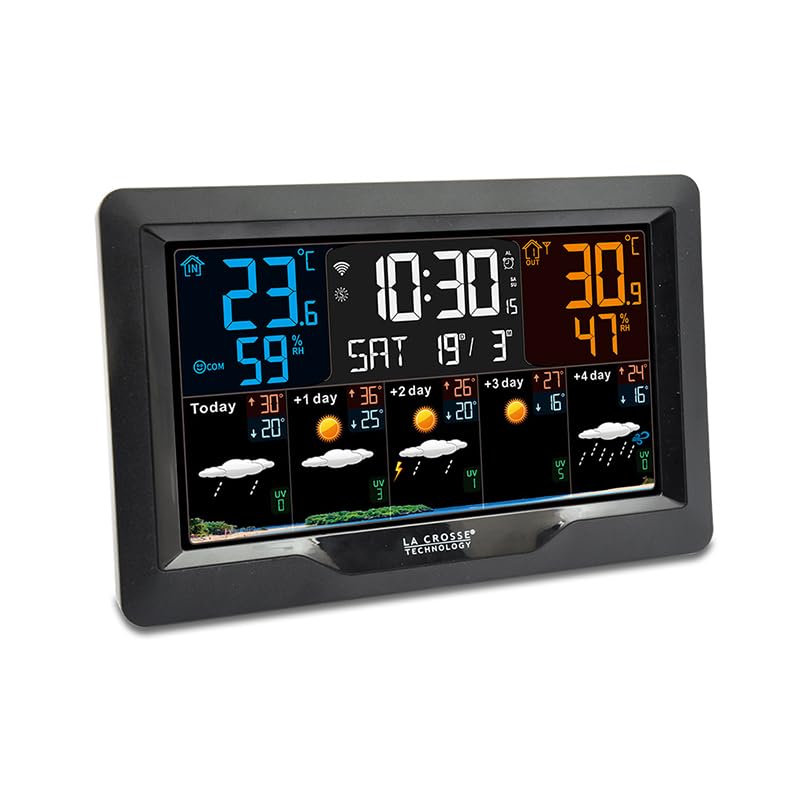
تصویر: جلو view of the La Crosse Technology SW403 Weather Station, displaying time, indoor/outdoor temperature and humidity, and a multi-day weather forecast on its color screen.
دستورالعمل های عملیاتی
1. نمایش بیش ازview
The color LCD screen provides various data points:
- زمان و تاریخ: Displays current time (12 or 24-hour format) and date.
- روز هفته: Clearly shown on the display.
- دما و رطوبت داخلی: Current readings for the station's location.
- دما و رطوبت در فضای باز: Readings from the connected wireless sensor.
- حداقل/حداکثر رکوردها: Historical minimum and maximum temperature/humidity values.
- 4-Day Weather Forecast: Icons and temperature predictions for today and the next four days.
- نشانگر راحتی: An icon or text indicating the current indoor comfort level.
- وضعیت اتصال Wi-Fi: An icon indicating if the station is connected to Wi-Fi.
2. تنظیم هشدارها
The station features 3 alarms with a snooze function.
- Press the "ALARM" button (or similar) to cycle through Alarm 1, Alarm 2, Alarm 3, and Alarm Off.
- When an alarm is selected, press and hold the "ALARM" button to enter setting mode.
- Use the "UP" and "DOWN" arrows to adjust the hour and minute. Press "ALARM" to confirm each setting.
- To activate/deactivate an alarm, press the "ALARM" button briefly when the desired alarm is displayed. An alarm icon will appear/disappear.
- When an alarm sounds, press any button (except "SNOOZE") to stop it for 24 hours, or press "SNOOZE" for a temporary delay.
3. Viewثبت حداقل/حداکثر رکوردها
Press the "MIN/MAX" button (or similar) repeatedly to cycle through the recorded minimum and maximum indoor/outdoor temperature and humidity values. These records typically reset daily or can be manually cleared.
4. Temperature Alerts
Set customizable alerts for indoor and outdoor temperatures. Consult the specific button layout on your device for accessing and setting these alerts. When an alert threshold is met, an audible alarm or visual indicator will activate.
5. پورت شارژ USB
A USB charging port is integrated into the weather station, allowing you to conveniently charge your smartphone or other USB-powered devices.
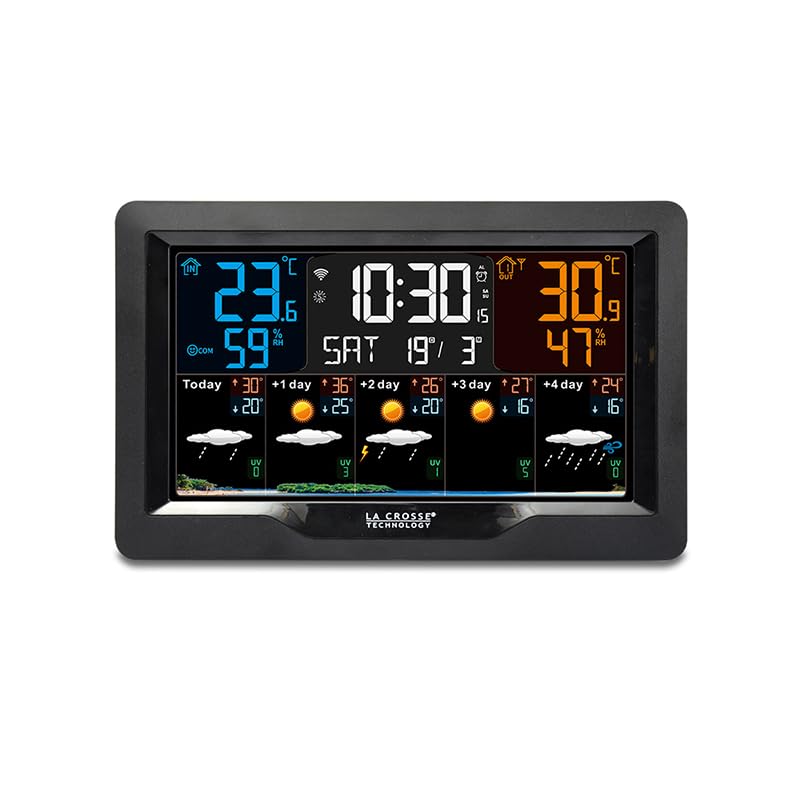
تصویر: زاویه دار view of the La Crosse Technology SW403 Weather Station, showcasing its sleek design and the clear, colorful display from a different perspective.
تعمیر و نگهداری
۷.۱ تمیز کردن دستگاه
Wipe the weather station and outdoor sensor with a soft, damp پارچه. از پاککنندههای ساینده یا حلالها استفاده نکنید، زیرا ممکن است به صفحه نمایش یا ... آسیب برسانند.asinز. مطمئن شوید که هیچ رطوبتی وارد منافذ دستگاه نشود.
2. Battery Replacement (Outdoor Sensor)
When the low battery indicator appears for the outdoor sensor, replace the batteries with new ones (2 AA, alkaline recommended). Ensure correct polarity. After replacement, the sensor should automatically re-establish connection with the main unit.
3. به روز رسانی سیستم عامل
Periodically check the Tuya Smart app for any available firmware updates for your weather station. Updates can improve performance and add new features. Follow the app's instructions for any update procedures.
عیب یابی
| مشکل | علت احتمالی | راه حل |
|---|---|---|
| نداشتن صفحه نمایش روی دستگاه اصلی | آداپتور برق متصل نیست یا معیوب است. | Ensure the AC adapter is securely plugged into the unit and a working power outlet. Try a different outlet. |
| Outdoor sensor not displaying data | Sensor out of range, low batteries, or interference. | Replace sensor batteries. Move sensor closer to the main unit. Avoid large metal objects or electronics between units. Re-sync the sensor if necessary (refer to specific device instructions). |
| Wi-Fi connection fails or disconnects frequently | Incorrect Wi-Fi password, 5GHz network, weak signal, or app issue. | Ensure you are connecting to a 2.4GHz Wi-Fi network. Verify the password. Move the station closer to your Wi-Fi router. Restart your router and the weather station. Re-attempt pairing via the Tuya app. |
| اندازهگیری نادرست دما/رطوبت | حسگر در معرض نور مستقیم خورشید، منابع گرما یا رطوبت قرار دارد. | Relocate the outdoor sensor to a shaded, well-ventilated area, away from direct sunlight, rain, or heat sources. Allow time for readings to stabilize. |
مشخصات
- مدل: SW403-BLA
- سازنده: فناوری لا کراس
- رنگ: مشکی
- مواد: پلاستیک
- نوع نمایشگر: LCD, Color
- فناوری اتصال: وای فای
- منبع تغذیه: Battery Powered (for sensor), AC Adapter (for main unit)
- ویژگی های خاص: Large screen, Wi-Fi connectivity, 4-day forecast, USB charging port, Alarms, Min/Max records, Comfort indicator
- دقت اندازه گیری: +/- 1 درجه سانتیگراد
- ابعاد بسته بندی: 21.8 × 14.4 × 6.8 سانتی متر
- وزن مورد: 500 گرم
- اجزای شامل: آداپتور برق
گارانتی و پشتیبانی
La Crosse Technology products are designed for reliability and performance. For warranty information, please refer to the warranty card included with your product or visit the official La Crosse Technology website. For technical support, troubleshooting assistance, or to inquire about replacement parts, please contact La Crosse Technology customer service through their official webسایت یا اطلاعات تماس ارائه شده در بسته بندی محصول شما.


