1. مقدمه
This manual provides essential information for the safe and efficient use of your Aiwa A65QUHDX3-GTV 65-inch QLED 4K Ultra HD Google Smart TV. Please read these instructions thoroughly before operating the television and retain them for future reference.
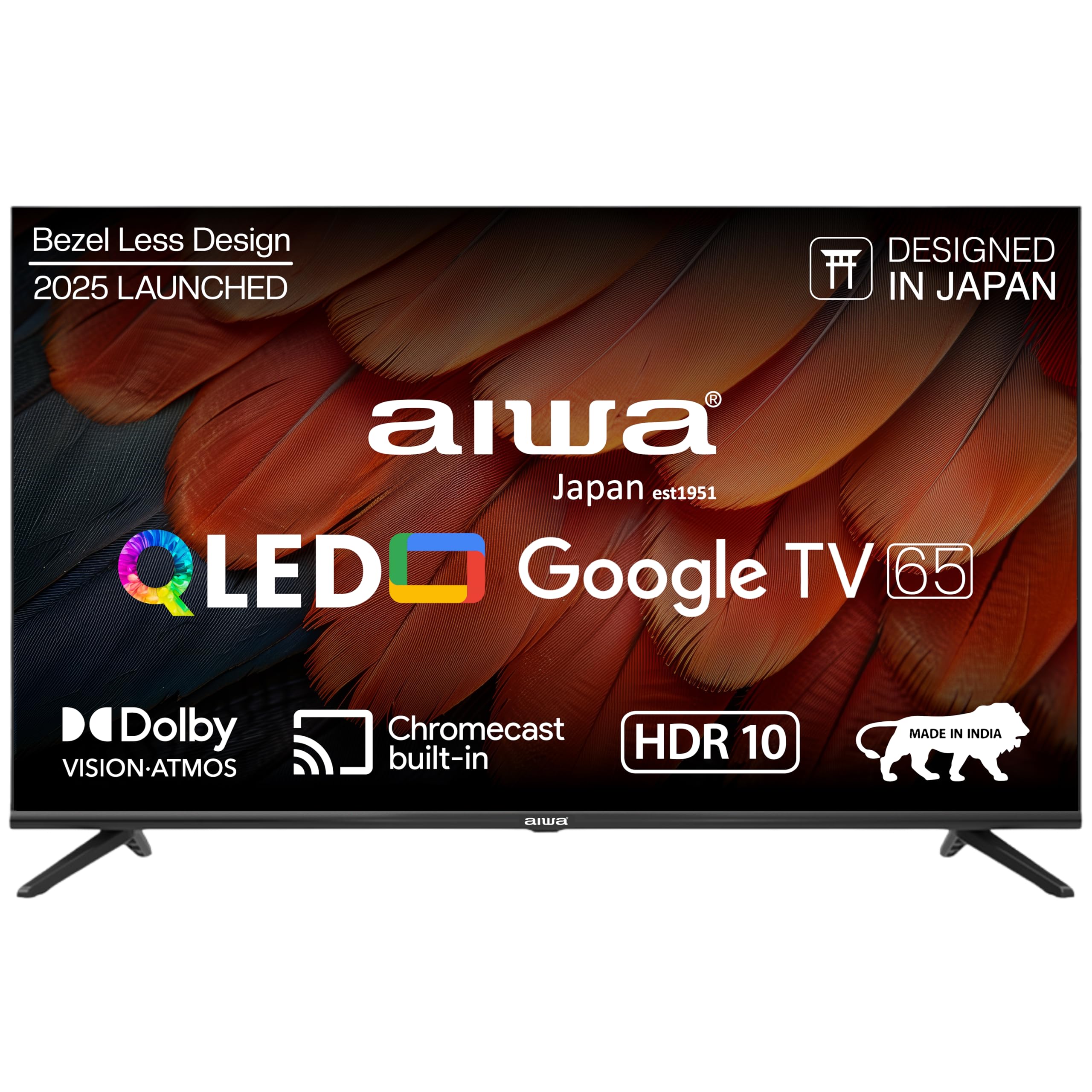
شکل 1.1: جلو view of the Aiwa A65QUHDX3-GTV 65-inch QLED Smart TV.

Figure 1.2: Aiwa A65QUHDX3-GTV showcasing its ultra sleek design.
2. اطلاعات ایمنی
برای جلوگیری از برق گرفتگی، آتش سوزی یا آسیب به تلویزیون، همیشه اقدامات احتیاطی ایمنی زیر را رعایت کنید:
- تلویزیون را در معرض باران یا رطوبت قرار ندهید.
- تلویزیون را باز نکنیدasinز. تمام مراحل سرویس را به پرسنل واجد شرایط ارجاع دهید.
- از تهویه مناسب اطمینان حاصل کنید. منافذ تهویه را مسدود نکنید.
- Avoid placing the television near heat sources or in direct sunlight.
- فقط از سیم برقی که همراه تلویزیون ارائه شده است استفاده کنید.
- باتری ها را دور از دسترس کودکان قرار دهید.
۲. چه چیزهایی در جعبه است؟
هنگام باز کردن جعبه، مطمئن شوید که همه اجزا موجود هستند:
- تلویزیون ال ای دی 1N
- 4N Screws for stand/wall mount
- 1N کنترل از راه دور
- ۲ عدد باتری نیم قلمی (برای ریموت کنترل)
- دفترچه راهنمای کاربر 1N به همراه کارت گارانتی
- پایه رومیزی 1N
- 1N Wallmount bracket
4. راه اندازی
4.1 نصب فیزیکی
Your Aiwa TV supports both table-top and wall-mount installations. Choose the method suitable for your environment.
نصب پایه میز
- برای جلوگیری از آسیب، صفحه تلویزیون را با احتیاط روی یک سطح نرم و صاف قرار دهید.
- Attach the provided table stands to the designated slots at the bottom of the TV using the included screws.
- Ensure the stands are securely fastened.
- تلویزیون را با دقت بلند کنید تا روی یک سطح پایدار به حالت ایستاده قرار گیرد.
نصب پایه دیواری
If using the wall mount, follow the instructions provided with the wall mount kit. Professional installation is recommended for wall mounting.

Figure 4.1: Dimensions of the Aiwa A65QUHDX3-GTV 65-inch QLED Smart TV.
4.2 اتصال لوازم جانبی
The TV features an array of ports for various devices. Refer to the back panel image for port locations.

شکل 4.2: عقب view of the TV displaying connectivity ports.

شکل 4.3: با جزئیات view of the TV's connectivity ports including LAN, HDMI, USB, Antenna In, and AV In.
- پورتهای HDMI (x3): پخشکنندههای بلو-ری، کنسولهای بازی، گیرندههای دیجیتال یا سایر دستگاههای دارای پورت HDMI را به آن متصل کنید.
- پورتهای USB (x2): دستگاههای ذخیرهسازی USB را برای پخش رسانه یا بهروزرسانی نرمافزار متصل کنید.
- پورت LAN: برای اتصال اینترنت سیمی، یک کابل اترنت وصل کنید.
- ورودی آنتن: یک آنتن یا سیگنال تلویزیون کابلی وصل کنید.
- ورودی AV: دستگاههای قدیمیتر را با استفاده از کابلهای کامپوزیت ویدیو و صدای استریو متصل کنید.
- بلوتوث: Pair wireless headphones, soundbars, or other Bluetooth devices.
- وای فای: برای دسترسی به اینترنت، به شبکه بیسیم خانگی خود متصل شوید.
۴.۳ راهنمای روشن کردن اولیه و راهاندازی
- سیم برق را به تلویزیون و سپس به پریز برق وصل کنید.
- دکمه پاور را روی کنترل از راه دور یا روی خود تلویزیون فشار دهید.
- برای تکمیل تنظیمات اولیه، از جمله انتخاب زبان، اتصال به شبکه و ورود به حساب گوگل، دستورالعملهای روی صفحه را دنبال کنید.
5. دستورالعمل های عملیاتی
5.1 کنترل از راه دور
The included smart remote control allows for easy navigation and voice commands.

Figure 5.1: Smart Remote Control with dedicated quick access buttons for streaming services and voice control functionality.
- دکمه پاور: تلویزیون را روشن یا خاموش می کند.
- پد ناوبری: Use the directional buttons to move through menus and the center button to select.
- دکمه برگشت: به صفحه قبلی برمی گردد.
- دکمه خانه: به صفحه اصلی تلویزیون گوگل دسترسی پیدا میکند.
- افزایش/کاهش صدا: میزان صدا را تنظیم می کند.
- دکمه قطع صدا: صدا را قطع یا قطع می کند.
- دکمه دستیار صوتی: دستیار گوگل را برای دستورات صوتی فعال میکند.
- دکمههای دسترسی سریع: Dedicated buttons for Netflix, Prime Video, YouTube, and Disney+Hotstar.
۳.۲ رابط گوگل تیوی
Your Aiwa Smart TV runs on Google TV, offering a personalized content experience.

Figure 5.2: Google TV home screen displaying a wide range of applications and content.

Figure 5.3: Google TV interface with personalized content suggestions.
- توصیه های محتوا: The TV provides personalized suggestions based on your viewتاریخچه و ترجیحات.
- فهرست پیگیری: Add movies and shows to your watchlist for later viewing.
- حرفه ای شخصیfile: حرفه ای فردی ایجاد کنیدfiles for each user to receive tailored content.
- بچه ها حرفه ایfile: Set up a dedicated profile for children with age-appropriate content and parental controls.
- دستیار گوگل: از دستورات صوتی برای جستجوی محتوا، کنترل دستگاههای خانه هوشمند و دریافت اطلاعات استفاده کنید.
- کرومکست داخلی: محتوا را مستقیماً از تلفن هوشمند یا تبلت خود به تلویزیون منتقل کنید.
۴.۳ تنظیمات تصویر و صدا
تنظیمات تصویر و صدا را برای بهینه سازی انجام دهید viewتجربه کردن
حالت های تصویر
Access picture settings through the TV menu to select from various modes:
- واضح: Enhances colors and brightness for a dynamic picture.
- استاندارد: تنظیمات پیشفرض برای اکثر محتوا مناسب است.
- ورزش: Optimizes motion and color for sports broadcasts.
- فیلم: Provides a cinematic experience with accurate colors.
- کاربر: Allows custom adjustment of brightness, contrast, color, and sharpness.
- صرفه جویی در انرژی: Reduces power consumption by adjusting brightness.
The QLED display supports Dolby Vision and HDR10 for enhanced contrast and color depth.

Figure 5.4: Explanation of Quantum Dot nanocrystals technology for vibrant picture quality.

Figure 5.5: Crysta Tech Vision for enhanced detail and Black Reflect anti-glare technology.
حالت های صدا
Select sound modes to match your content:
- استاندارد: General audio setting.
- ورزش: Enhances dialogue and crowd noise for sports.
- فیلم: Provides a rich, immersive audio experience.
- موسیقی: صدا را برای پخش موسیقی بهینه میکند.
The TV features Aiwa Signature Sound and Dolby Atmos for high-fidelity audio.

Figure 5.6: Aiwa Signature Sound, crafted to perfection in Japan, for high fidelity audio.
6. تعمیر و نگهداری
۴.۱ تمیز کردن تلویزیون
- همیشه قبل از تمیز کردن، تلویزیون را از برق بکشید.
- برای پاک کردن صفحه نمایش و کابینت از یک پارچه نرم و خشک استفاده کنید.
- برای لکههای سرسخت، به آرامی dampپارچه را با آب یا یک پاککننده ملایم و غیرساینده صفحه نمایش، تمیز کنید.
- از الکل، بنزین، تینر یا سایر مواد فرار استفاده نکنید.
6.2 به روز رسانی نرم افزار
ممکن است تلویزیون گوگل شما بهروزرسانیهای نرمافزاری خودکار را دریافت کند. برای دریافت آخرین ویژگیها و وصلههای امنیتی، مطمئن شوید که تلویزیون شما به اینترنت متصل است. همچنین میتوانید بهروزرسانیها را به صورت دستی در منوی تنظیمات تلویزیون بررسی کنید.
7 عیب یابی
اگر با تلویزیون خود با مشکلاتی مواجه شدید، به راهحلهای رایج زیر مراجعه کنید:
| مشکل | راه حل ممکن |
|---|---|
| برق قطع است / تلویزیون روشن نمیشود | Ensure the power cord is securely connected to both the TV and the power outlet. Check if the power outlet is working. Try pressing the power button on the TV itself. |
| تصویر ندارد / کیفیت تصویر پایین است | Check cable connections (HDMI, Antenna). Ensure the correct input source is selected. Adjust picture settings (brightness, contrast, mode). For antenna, rescan channels. |
| بدون صدا / صدای کم | Check volume level and ensure TV is not muted. Verify audio cable connections if using external speakers. Check sound settings and sound mode. |
| کنترل از راه دور کار نمی کند | Replace batteries in the remote control. Ensure there are no obstructions between the remote and the TV's IR sensor. Re-pair the Bluetooth remote if applicable. |
| Smart TV features not working / Slow performance | Check internet connection (Wi-Fi or LAN). Restart the TV by unplugging it for a few minutes. Clear app cache or reinstall problematic apps. Ensure software is up to date. |
| Casting issues (Chromecast) | Ensure your casting device and TV are on the same Wi-Fi network. Restart both the TV and the casting device. |
8. مشخصات
Detailed technical specifications for the Aiwa A65QUHDX3-GTV:
| ویژگی | جزئیات |
|---|---|
| نام تجاری | آویوا |
| مدل | A65QUHDX3 |
| اندازه صفحه نمایش | 65 اینچ |
| فناوری نمایش | QLED |
| قطعنامه | 4K اولترا اچدی (3840 در 2160 پیکسل) |
| نرخ تازه سازی | 60 هرتز |
| Viewing angle | 178 درجه |
| سیستم عامل | Google TV |
| حافظه رم | 2 گیگابایت |
| ظرفیت ذخیره سازی | 16 گیگابایت |
| پردازنده کمکی گرافیکی | پردازنده گرافیکی Mali-450 |
| قابلیت اتصال | Wi-Fi (Dual band), Bluetooth (2-way), HDMI 2.0 (x3), USB 2.0 (x2), LAN (x1) |
| قدرت خروجی صدا | 24 وات |
| ویژگی های صوتی | Aiwa Signature Sound, Dolby Atmos, Stereo Audio |
| ویژگی های خاص | 4K Ultra HD, Built-in Apps, Voice Control, HDR10, Google OS, Flat Screen, Miracast, Smart Features, Dolby Vision, Crysta Tech Vision, Black Reflect |
| ابعاد محصول (با پایه) | 10 x 9.8 x 83 cm (approx. 145.2 cm width, 89.6 cm height) |
| وزن مورد | 18.6 کیلوگرم |
| منبع تغذیه | ۱۱۰ ولت متناوب |
| واتtage | 150 وات |
9. گارانتی و پشتیبانی
9.1 اطلاعات گارانتی
Your Aiwa A65QUHDX3-GTV television comes with a manufacturer's warranty. Please refer to the included Warranty Card for detailed terms, conditions, and duration of the warranty period.
9.2 پشتیبانی مشتری
For technical assistance, installation services, or any product-related inquiries, please contact Aiwa customer support:
- خط راهنمایی خدمات مشتری: 1800-120-5619
- Service is available across 19000+ pincodes in India.

Figure 9.1: Aiwa provides installation and service support across India.


