مقدمه
This manual provides essential information for the setup, operation, and maintenance of your Sharp Roku TV 55" Class (54.5" Diag.) OLED 4K Ultra HD with HDR10. Please read this manual thoroughly before using your television to ensure proper and safe operation.
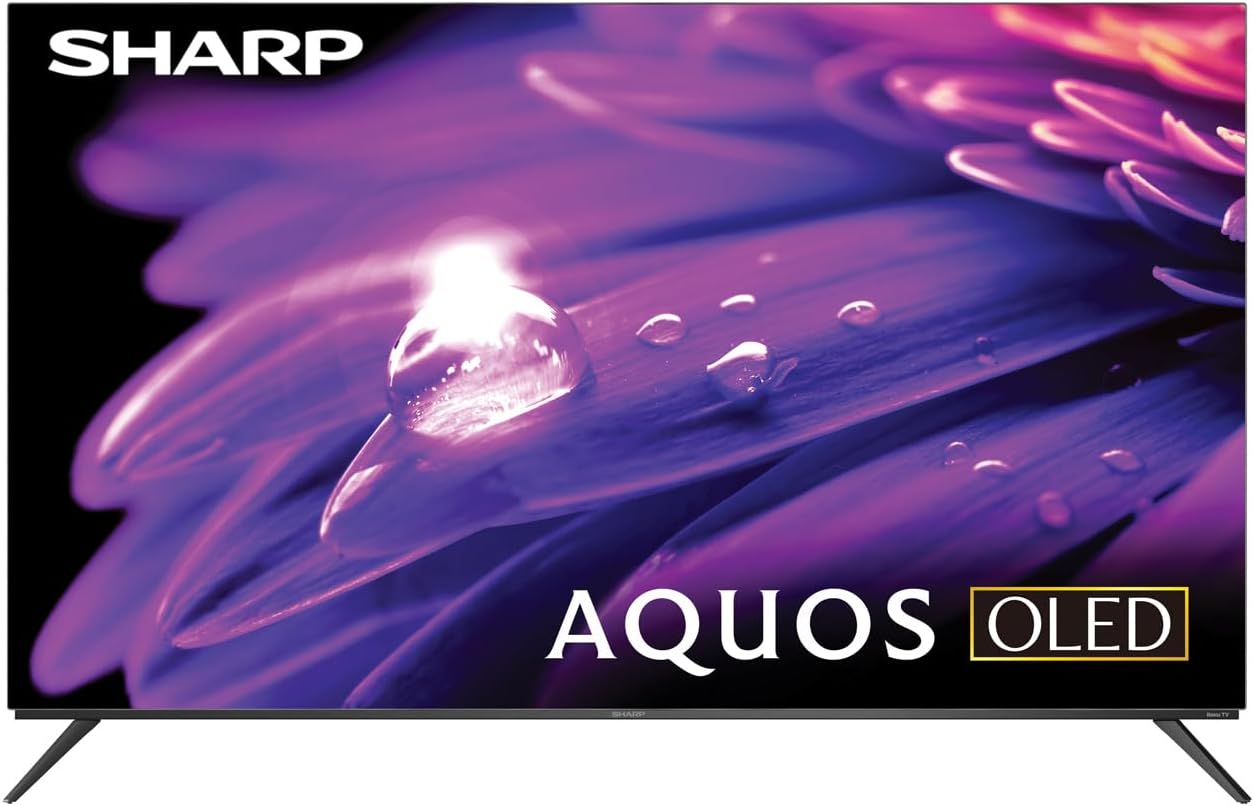
شکل 1: جلو view of the Sharp AQUOS OLED TV, showcasinطراحی شیک و صفحه نمایش پر جنب و جوش آن.
راه اندازی
1. جعبه گشایی و بازرسی
تلویزیون و تمام لوازم جانبی را با دقت از بستهبندی خارج کنید. آن را از نظر هرگونه آسیبدیدگی بررسی کنید. بستهبندی را برای حمل و نقل یا خدمات بعدی نگه دارید.
۲. نصب روی پایه یا نصب روی دیوار
نصب پایه: Place the TV screen-down on a soft, flat surface. Attach the included stands to the designated slots on the bottom of the TV using the provided screws. Ensure they are securely fastened.
نصب دیواری: This television supports VESA 200x300 mounting. Use a compatible wall mount kit (sold separately) and follow the instructions provided with the wall mount. Ensure the wall can support the weight of the television (approximately 38.5 pounds / 17.5 kg) and the mount.

شکل ۴.۳: طرفدار جانبیfile of the television, demonstrating its slim design suitable for wall mounting.
3. اتصال دستگاه ها
Connect your external devices to the appropriate ports on the back of the television. The Sharp Roku TV features multiple connectivity options:
- پورتهای HDMI (4): For connecting Blu-ray players, game consoles, cable/satellite boxes, etc. One HDMI port supports eARC for enhanced audio return channel functionality.
- پورت USB (2): برای اتصال دستگاههای ذخیرهسازی USB.
- ورودی آنتن/کابل: برای اتصال آنتن برای پخشهای هوایی یا اتصال تلویزیون کابلی.
- ورودی AV: برای اتصال دستگاههای قدیمیتر با استفاده از کابلهای کامپوزیت ویدئو و صدای استریو.
- اترنت (LAN): برای اتصال به اینترنت سیمی.
- خروجی صدا دیجیتال: برای اتصال به سیستمهای صوتی خارجی

Figure 3: Rear panel of the television, illustrating the arrangement of HDMI, USB, Antenna, AV, and Ethernet ports.
۵. روشن کردن اولیه و راهاندازی روکو
Plug the power cord into an electrical outlet. The TV will power on and guide you through the initial Roku setup process. This includes connecting to your Wi-Fi network (or using Ethernet), signing in to or creating a Roku account, and scanning for channels if an antenna is connected. Follow the on-screen prompts for a quick guided setup.
دستورالعمل های عملیاتی
۲. ناوبری رابط تلویزیون روکو
The Sharp Roku TV features a simple home screen that centralizes your streaming favorites, inputs, and free live TV. Use the Roku remote to navigate through menus and select options. The directional pad and 'OK' button are used for selection, while the 'Home' button returns you to the main screen.

Figure 4: The Roku TV home screen, showing easy access to streaming channels and input selections.
2. Streaming and Content Access
Access a wide selection of streaming services and free live TV channels through The Roku Channel. You can add or remove channels from the Roku Channel Store. Organize and sort your home screen for a personalized experience.
3. Picture and Audio Enhancements
- Dolby Vision IQ & HDR10/HLG: The TV supports Dolby Vision IQ, HDR10, and HLG for enhanced picture performance with compatible content. Dolby Vision IQ intelligently adjusts picture settings based on ambient light conditions.
- Dolby Atmos: The integrated 30W (15W+15W) speaker system with Dolby Atmos delivers immersive sound with clarity and depth.
- نرخ تجدید متغیر (VRR): For optimized gaming, the TV features Variable Refresh Rate (VRR) with low latency, providing smoother gameplay.
۴. سازگاری با دستیار صوتی
The Sharp Roku TV works with popular voice assistants, allowing you to control your TV using voice commands through compatible devices (sold separately).
تعمیر و نگهداری
۵.۱ تمیز کردن تلویزیون
برای تمیز کردن صفحه نمایش، آن را به آرامی با یک پارچه نرم و بدون پرز پاک کنید. برای لکههای سرسخت، کمی ...ampen the cloth with water or a screen-specific cleaning solution. Do not spray liquid directly onto the screen. For the TV casinاز یک پارچه نرم و خشک استفاده کنید. از پاککنندهها یا حلالهای ساینده خودداری کنید.
2. به روز رسانی نرم افزار
The Roku TV automatically receives software updates, ensuring you always have the newest channels and latest features. Ensure your TV is connected to the internet for these updates to download and install.
عیب یابی
If you encounter issues with your Sharp Roku TV, refer to the following common troubleshooting steps:
- بدون برق: مطمئن شوید که سیم برق به طور محکم به تلویزیون و یک پریز برق سالم وصل شده است. پریز برق دیگری را امتحان کنید.
- تصویر/صدا ندارد: Verify that the correct input source is selected. Check all cable connections to external devices. For no sound, check TV volume and external audio system volume.
- مشکلات اتصال شبکه: Restart your router and modem. On the TV, go to تنظیمات > شبکه > بررسی اتصال to diagnose. Try connecting via Ethernet if using Wi-Fi.
- ریموت پاسخ نمی دهد: باتریهای کنترل از راه دور را تعویض کنید. مطمئن شوید که هیچ مانعی بین کنترل از راه دور و حسگر مادون قرمز تلویزیون وجود ندارد.
- مشکلات کیفیت تصویر: تنظیمات تصویر (روشنایی، کنتراست، رنگ) را در منوی تلویزیون تنظیم کنید. مطمئن شوید که ... viewپخش محتوای 4K برای وضوح بهینه.
For more detailed troubleshooting or persistent issues, visit the official Sharp support webسایت یا صفحه پشتیبانی Roku.
مشخصات
| ویژگی | توضیحات |
|---|---|
| شماره مدل | 4TC55FS1UR |
| اندازه صفحه نمایش (مورب) | 55" Class (54.5" Diag.) |
| فناوری نمایش | OLED |
| قطعنامه | 4K Ultra HD (3840 x 2160p) |
| نرخ تازه سازی | 120Hz (Native), 60Hz (Roku TV interface) |
| پشتیبانی از HDR | Dolby Vision IQ, HDR10, HLG |
| خروجی صدا | 30W (15W+15W) Speaker System, Dolby Atmos, Dolby Digital Audio |
| قابلیت اتصال | 4 HDMI (1 eARC), 2 USB, Wi-Fi, Ethernet, AV In, Antenna In |
| ویژگی های خاص | Roku Streaming Built-In, Variable Refresh Rate (VRR), Low Latency, Voice Assistant Compatible |
| ابعاد محصول (عرض D ارتفاع H ارتفاع) | ۵.۱ اینچ در ۶۶.۱ اینچ در ۳۸ اینچ (با پایه) |
| وزن مورد | 38.5 پوند (17.5 کیلوگرم) |
| استاندارد نصب VESA | 200x300 |

Figure 5: Dimensional diagram of the television, including width and height measurements.
گارانتی و پشتیبانی
For warranty information and detailed support, please refer to the documentation included with your purchase or visit the official Sharp website. You can also find additional resources and FAQs on the Roku support webسایت


