مقدمه
The Cisco Headset 721 is a wireless on-ear Bluetooth headset designed for professional use, offering comfort and advanced features for communication and collaboration. This manual provides comprehensive instructions for its setup, operation, and maintenance.
آنچه در جعبه است
بررسی کنید که آیا همه اقلام در بسته موجود است یا خیر:
- Cisco Headset 721 (Single On-Ear Headset)
- USB-A HD Bluetooth Adapter
- پایه شارژ
- کابل شارژ USB-A
- Soft Protective Case
- Ear Cushions (pre-installed or spare)
- هدبند (یکپارچه)

Image: The Cisco Headset 721 shown alongside its soft protective case, highlighting its portability.
راه اندازی
1. شارژ هدست
Before initial use, fully charge the headset. The headset has a battery life of approximately 23 hours of talk time.
- کابل شارژ USB-A را به پایه شارژ وصل کنید.
- Connect the other end of the USB-A charging cable to a powered USB port (e.g., computer, wall adapter).
- Place the headset onto the charging stand, ensuring proper alignment. The LED indicator on the headset will show charging status.
2. اتصال از طریق بلوتوث
The headset can connect wirelessly to two devices simultaneously via Bluetooth.
- روشن کردن: Press and hold the Power button on the headset until the LED indicator flashes.
- حالت جفت شدن: With the headset powered on, press and hold the Bluetooth button until the LED indicator flashes blue and red alternately. This indicates pairing mode.
- جفت شدن دستگاه: On your device (e.g., smartphone, laptop), go to Bluetooth settings and select "Cisco Headset 721" from the list of available devices.
- تایید: The headset LED will turn solid blue when successfully paired.
3. Connecting with USB-A HD Bluetooth Adapter
For optimal performance and integration with Cisco applications, use the provided USB-A HD Bluetooth Adapter.
- Plug the USB-A HD Bluetooth Adapter into an available USB-A port on your computer.
- The adapter will automatically attempt to pair with your Cisco Headset 721. The LED on the adapter will indicate connection status.
- Ensure your headset is in pairing mode if it does not connect automatically.
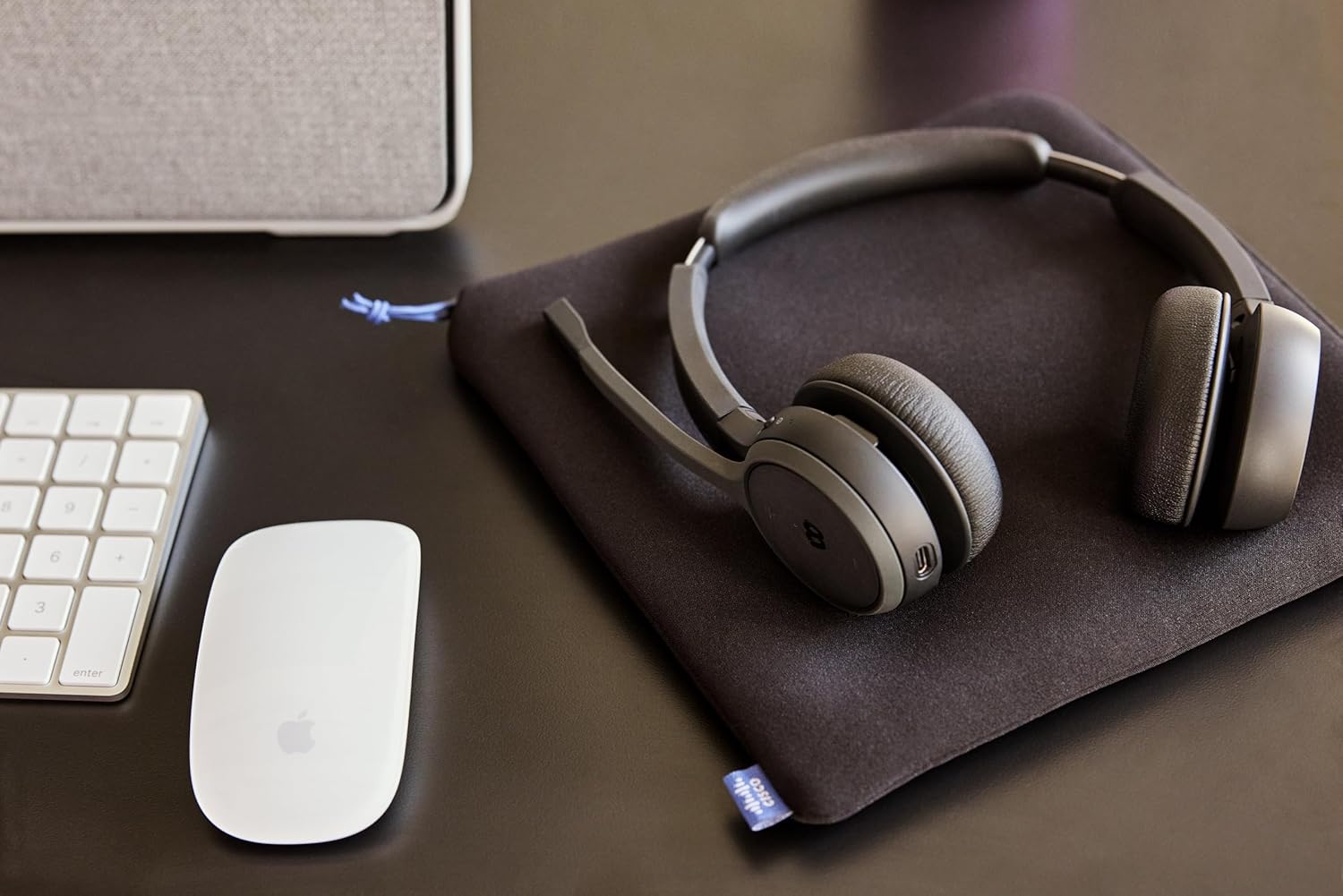
Image: The Cisco Headset 721, USB-A adapter, and charging stand arranged on a desk, illustrating a typical setup.
4. Adjusting the Microphone Boom Arm
The microphone boom arm rotates 276 degrees for optimal placement and features a flip-to-mute function.
- Position the microphone approximately two finger-widths from the corner of your mouth for clear audio.
- To mute the microphone, flip the boom arm upwards. Flip it down to unmute.
دستورالعمل های عملیاتی
کنترل های روی گوش
The headset features intuitive on-ear controls for managing calls and media.
- افزایش/کاهش صدا: Use the dedicated volume buttons to adjust audio levels.
- پاسخ/پایان تماس: Press the Call button once to answer an incoming call or end an active call.
- نادیده/باصدا کردن: In addition to the flip-to-mute boom arm, a dedicated mute button may be present for quick toggling.
- پخش/مکث رسانه: Press the Call button once to play or pause media playback.
- آهنگ بعدی / قبلی: Use specific media control buttons if available, or double-press/triple-press the Call button (refer to specific model documentation for exact functionality).
Webex Button Integration
اختصاص داده شده Webex button provides seamless integration with Cisco Webex applications.
- بپیوندید Webجلسه سابق: را فشار دهید Webex button to quickly join an active or scheduled Webجلسه قبلی
- Webex Control: The button may also provide quick access to other Webex-specific functions depending on the application version.
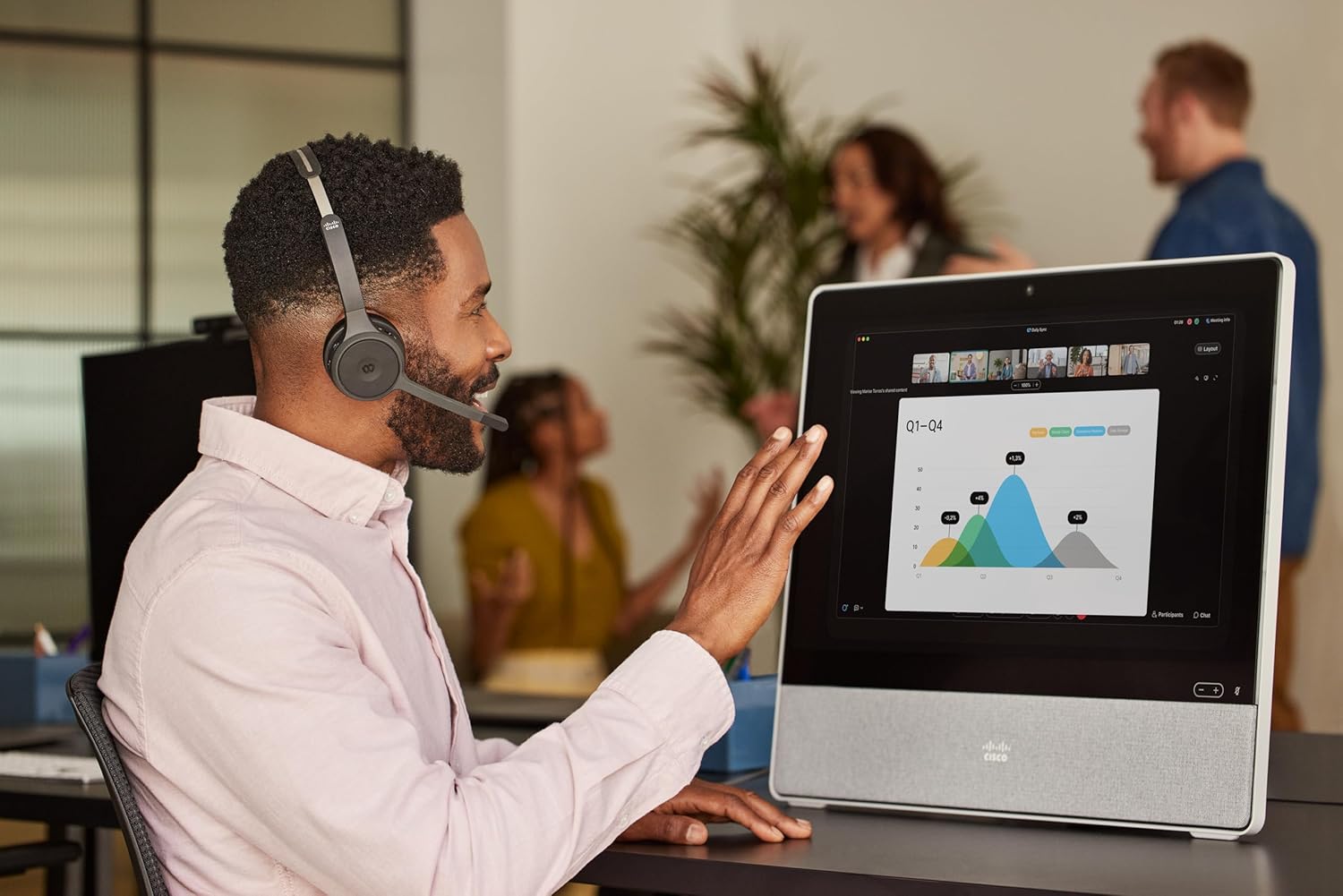
Image: A person wearing the Cisco Headset 721 while engaged in a video conference on a large display, demonstrating its use in a professional setting.
AI Voice-Activated Microphones
The headset features AI voice-activated microphones designed to minimize background noise, ensuring clear communication.
- These microphones automatically focus on your voice and suppress ambient sounds.
- No specific user action is required for this feature; it operates automatically.
جفت شدن چند نقطه
The headset supports multipoint pairing, allowing it to be connected to two Bluetooth devices simultaneously.
- Once paired with two devices, the headset can seamlessly switch between them for calls or media.
- برای مثالample, you can be connected to your laptop for a video conference and your smartphone for incoming calls.
تعمیر و نگهداری
تمیز کردن هدست
Regular cleaning helps maintain the headset's hygiene and performance.
- Use a soft, dry, lint-free cloth to wipe the surfaces of the headset.
- برای بالشتکهای گوش، به آرامی با کمی فشار پاک کنیدamp cloth (water only) and allow to air dry completely before use.
- از استفاده از مواد شیمیایی قوی، حلالها یا مواد ساینده خودداری کنید.
ذخیره سازی
When not in use, store the headset properly to protect it from damage.
- Use the provided soft protective case for storage and transport.
- در جای خشک و خنک و دور از نور مستقیم خورشید و دمای شدید نگهداری شود.
عیب یابی
مسائل و راه حل های رایج
| موضوع | راه حل |
|---|---|
| هدست روشن نمیشود. | Ensure the headset is fully charged. Connect it to the charging stand and check the LED indicator. |
| نمیتوان با دستگاهی جفتسازی کرد. | Ensure the headset is in pairing mode (LED flashing blue/red). Check your device's Bluetooth settings. Try restarting both the headset and the device. |
| صدا ندارد یا کیفیت صدا پایین است. | Check the volume levels on both the headset and the connected device. Ensure the headset is selected as the audio output device. Move closer to the connected device to avoid interference. |
| میکروفون کار نمی کند | Ensure the microphone boom arm is flipped down (unmuted). Check microphone settings on your connected device/application (e.g., Webسابق). |
| Webex button not responding. | Ensure the headset is properly connected to a device running the Webex application. Verify that the Webex application is up to date. |
مشخصات
| ویژگی | جزئیات |
|---|---|
| شماره مدل | HS-WL-721-BUNAS-C |
| فناوری اتصال | بی سیم (بلوتوث) |
| نسخه بلوتوث | 4.0 |
| محدوده بلوتوث | 10 متر |
| قرار دادن گوش | در گوش |
| فاکتور فرم | در گوش |
| کنترل نویز | Passive Noise Cancellation, Sound Isolation |
| عمر باتری | ۸ ساعت (زمان مکالمه) |
| نوع کنترل | Call Control, Button, App |
| ویژگی های خاص | Adjustable Headband, Fast Charging, Lightweight, Multipoint Pairing, Noise Isolation |
| دستگاه های سازگار | تلفنهای همراه، کامپیوترهای رومیزی، لپتاپها، تبلتها |
| وزن مورد | 0.12 کیلوگرم (4.2 اونس) |
| مواد | Aluminum, Stainless Steel, Leather or Faux Leather, Memory Foam |
| اجزای شامل | Cable, Charging Station, Ear Cushions, Headband, Protective Case |
گارانتی و پشتیبانی
The Cisco Headset 721 comes with a Two-Year Limited Liability Warrantyو اطمینان از آرامش خاطر در مورد نقصهای تولید و مشکلات عملکردی.
For technical support, warranty claims, or further assistance, please visit the official Cisco support website or contact your Cisco product provider. Ensure you have your product model number (HS-WL-721-BUNAS-C) and proof of purchase available.
طرحهای حفاظتی اختیاری
Additional protection plans may be available for extended coverage:
- طرح حمایتی ۲ ساله: Extends coverage for 24 months.
- طرح حمایتی ۲ ساله: Extends coverage for 36 months.
- محافظت کامل: یک طرح ماهانه که خریدهای واجد شرایط گذشته و آینده را پوشش میدهد.
Please refer to the terms and conditions of these plans for full details.


