1. مقدمه
ممنون از خریدتونasing the ZEBRONICS Juke BAR 9102 PRO 240W Dolby Soundbar. This manual provides essential information for the proper setup, operation, and maintenance of your soundbar system. Please read this manual thoroughly before use to ensure optimal performance and safety.
2. دستورالعمل های ایمنی
- منبع تغذیه: فقط از آداپتور برق مشخص شده استفاده کنید. از میزان ولتاژ مطمئن شویدtage با منبع تغذیه محلی شما سازگار است.
- تهویه: هیچ یک از منافذ تهویه را مسدود نکنید. فضای کافی در اطراف دستگاه برای جریان هوای مناسب حفظ کنید.
- آب و رطوبت: Do not expose the soundbar or subwoofer to water, rain, or moisture. Avoid placing objects filled with liquids, such as vases, on or near the unit.
- منابع حرارتی: دستگاه را از منابع گرما مانند رادیاتور، شوفاژ، اجاق گاز یا سایر وسایل گرمازا دور نگه دارید.
- تمیز کردن: قبل از تمیز کردن، برق را قطع کنید. از یک پارچه نرم و خشک استفاده کنید. از پاک کننده های مایع یا پاک کننده های آئروسل استفاده نکنید.
- سرویس دهی: سعی نکنید خودتان این محصول را سرویس دهید. کلیه خدمات را به پرسنل خدمات واجد شرایط ارجاع دهید.
- قرار دادن: Place the soundbar on a stable, flat surface or mount it securely on a wall as instructed.
3. محتویات بسته
مطمئن شوید که تمام موارد ذکر شده در زیر در بسته شما موجود است:
- Soundbar - 1 Unit
- ساب ووفر - ۱ واحد
- کنترل از راه دور - ۱ واحد
- QR Code User Manual - 1 Unit (Digital access)
- Wall Mount Bracket and Fasteners
4. محصول تمام شدview
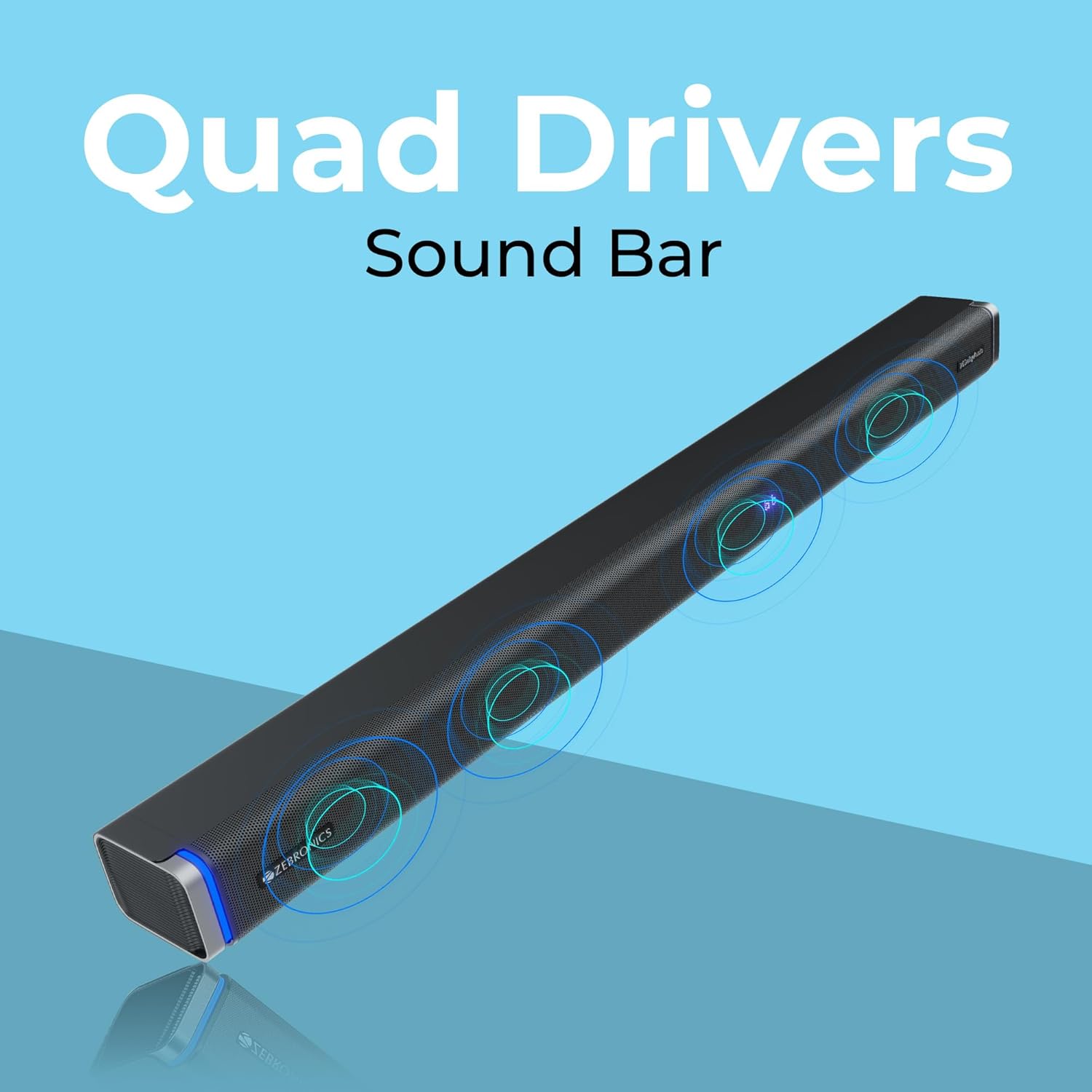
The ZEBRONICS Juke BAR 9102 PRO is a 240W output Dolby soundbar system designed to enhance your audio experience. It features a soundbar with quad drivers and a powerful 6.5-inch wired subwoofer.



5. راه اندازی
۲.۱ جایگذاری اولیه
- ساندبار را در مرکز و زیر تلویزیون خود قرار دهید.
- Position the subwoofer on the floor near the soundbar for optimal bass response.
5.2 اتصال برق
- کابل برق را به ورودی برق ساندبار وصل کنید.
- Connect the power cable to the subwoofer's power input.
- Plug both power cables into a suitable wall outlet.
۵.۴ اتصال ساب ووفر
The subwoofer connects to the soundbar via a wired connection. Ensure the subwoofer cable is securely connected to both units.
6. دستورالعمل های عملیاتی
6.1 روشن/خاموش
Press the power button on the soundbar or the remote control to turn the unit on or off. The LED display will indicate the power status.
6.2 کنترل صدا
Use the volume up (+) and volume down (-) buttons on the soundbar or remote control to adjust the audio level.
6.3 انتخاب حالت
Press the 'Mode' button on the soundbar or remote control to cycle through available input modes (Bluetooth, HDMI ARC, Optical, AUX, USB). The LED display will show the current mode (e.g., 'BT' for Bluetooth, 'ARC' for HDMI ARC).
۶.۷ حالتهای اکولایزر (EQ)
The soundbar features 3D EQ alternatives. Use the EQ button on the remote to switch between modes. The LED display will show 'E1', 'E2', 'E3' for different sound profiles, and '3D' for the virtual 5.1 effect. Common EQ modes include:
- E1: حالت موسیقی
- E2: حالت فیلم
- E3: News/Voice mode
- سه بعدی: Virtual Surround Sound mode
6.5 چراغ LED RGB
The soundbar includes RGB LED lights. These can be controlled and changed using the remote control to suit your preference.
7. گزینه های اتصال
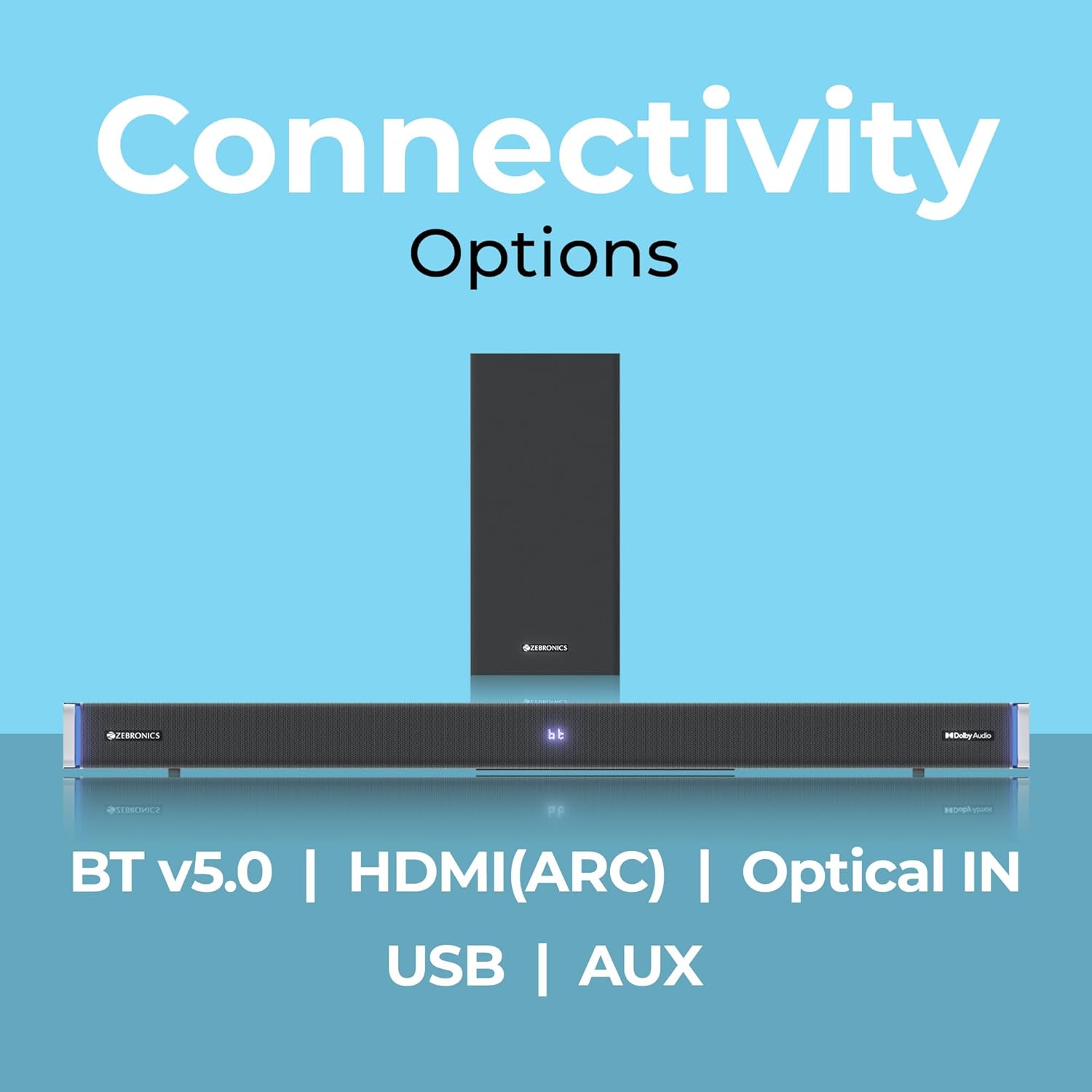
The ZEBRONICS Juke BAR 9102 PRO offers multiple connectivity options for versatile use.
7.1 بلوتوث نسخه 5.0
- Press the 'Mode' button until 'BT' appears on the LED display.
- On your mobile device or computer, search for Bluetooth devices and select 'ZEB-JUKE BAR 9102 PRO'.
- Once paired, audio will stream wirelessly to the soundbar.
7.2 HDMI (ARC)
- Connect an HDMI cable (ARC compatible) from the HDMI ARC port on your television to the HDMI ARC port on the soundbar.
- Select 'ARC' mode on the soundbar.
- Ensure your TV's audio output is set to HDMI ARC.
7.3 Optical IN
- Connect an optical cable from your audio source (e.g., TV, DVD player) to the 'Optical IN' port on the soundbar.
- Select 'OPT' mode on the soundbar.
7.4 کابل AUX 3.5 میلی متری
- Connect a 3.5mm AUX cable from your audio source to the 'AUX' port on the soundbar.
- Select 'AUX' mode on the soundbar.
پخش ۱۴ فایل از طریق USB
- Insert a USB pen drive (up to 32GB, supporting MP3 audio format) into the USB port on the soundbar.
- Select 'USB' mode on the soundbar. The soundbar will automatically begin playing compatible audio files.
8. نصب دیوار
The soundbar can be wall-mounted to save space. A wall mount bracket and fasteners are included in the package.
- Determine the desired mounting location on the wall, ensuring it is structurally sound and can support the weight of the soundbar.
- Mark the positions for drilling holes using the wall mount bracket as a template.
- سوراخهای راهنما را دریل کنید و در صورت لزوم، لنگرهای دیواری مناسب را وارد کنید.
- Secure the wall mount bracket to the wall using the provided fasteners.
- Carefully attach the soundbar to the mounted bracket. Ensure it is securely fastened before releasing.
توجه: Professional installation is recommended for wall mounting to prevent damage or injury.
9. تعمیر و نگهداری
9.1 تمیز کردن
Wipe the surfaces of the soundbar and subwoofer with a soft, dry, lint-free cloth. Do not use abrasive cleaners, waxes, or solvents as they may damage the finish.
9.2 ذخیره سازی
اگر دستگاه را برای مدت طولانی نگهداری میکنید، آن را از برق جدا کرده و در جای خشک و خنک، دور از نور مستقیم خورشید و دمای شدید نگهداری کنید.
10 عیب یابی
| مشکل | علت احتمالی | راه حل |
|---|---|---|
| بدون قدرت | کابل برق وصل نیست؛ پریز برق فعال نیست | مطمئن شوید که کابلهای برق به طور ایمن وصل شدهاند و پریز برق کار میکند. |
| صدا نداره | حالت ورودی نادرست؛ صدا خیلی کم است؛ کابلها به درستی وصل نشدهاند | Select the correct input mode. Increase volume. Check all audio cables for secure connection. |
| مشکلات جفت شدن بلوتوث | ساندبار در حالت جفتسازی نیست؛ دستگاه خیلی دور است؛ تداخل | Ensure soundbar is in 'BT' mode. Move device closer. Restart both devices. |
| کنترل از راه دور کار نمی کند | باتریها خالی شدهاند؛ مانعی بین ریموت و ساندبار وجود دارد | باتریهای کنترل از راه دور را تعویض کنید. هرگونه مانع را برطرف کنید. |
| صدای مخدوش | Volume too high; Poor audio source quality; Incorrect EQ setting | صدا را کم کنید. منبع صوتی دیگری را امتحان کنید. تنظیمات EQ را تنظیم کنید. |
11. مشخصات
| ویژگی | جزئیات |
|---|---|
| نام مدل | ZEB-JUKE BAR 9102 PRO |
| توان خروجی | 240 وات (RMS) |
| قطر ساب ووفر | 6.5 اینچ |
| اندازه درایور صوتی | 5.5 cm (Quad Drivers) |
| قابلیت اتصال | Bluetooth v5.0, HDMI (ARC), Optical IN, 3.5mm AUX, USB |
| پیکربندی صدای فراگیر | مجازی 5.1 |
| پاسخ فرکانس | ۲۰ هرتز - ۲۰ کیلوهرتز |
| نسبت سیگنال به نویز | 65 دسی بل |
| امپدانس | 15 اهم |
| روش کنترل | کنترل از راه دور |
| ابعاد محصول (ساندبار) | تقریباً ۵۰ عرض × ۷.۴ عمق × ۷.۴ ارتفاع سانتیمتر |
| وزن مورد | 5.8 کیلوگرم |
| منبع تغذیه | سیم برقی |
| ویژگی های خاص | Dolby Audio, LED Display, RGB LED Lights, Wall Mountable |
12. گارانتی و پشتیبانی
12.1 اطلاعات گارانتی
This ZEBRONICS product comes with a 1 سال گارانتی from the date of purchase. The warranty covers manufacturing defects under normal use. Please retain your purchase receipt for warranty claims.
12.2 پشتیبانی مشتری
For technical assistance, troubleshooting, or warranty inquiries, please contact ZEBRONICS customer support. Refer to the official ZEBRONICS website or the QR Code User Manual for contact details.


