مقدمه
Thank you for choosing the ZEBRONICS Zeb-Rainbow 400 Multimedia Speaker. This manual provides essential information for the proper setup, operation, and maintenance of your speaker system. Please read it carefully before use and retain it for future reference.
دستورالعمل های ایمنی
- برای جلوگیری از آتشسوزی یا برقگرفتگی، دستگاه را در معرض باران یا رطوبت قرار ندهید.
- Do not open the speaker cabinet. Refer all servicing to qualified personnel.
- از تهویه مناسب در اطراف دستگاه اطمینان حاصل کنید. هیچ یک از منافذ تهویه را مسدود نکنید.
- سیم برق را از راه رفتن یا نیشگون گرفتن محافظت کنید.
- در هنگام طوفان های رعد و برق یا زمانی که برای مدت طولانی از آن استفاده نمی کنید، دستگاه را از برق بکشید.
- Keep the product away from direct sunlight, heat sources, and strong magnetic fields.
محتویات بسته
لطفا موارد زیر را در کادر مربوطه تیک بزنید:
- Subwoofer Unit
- بلندگوهای ماهوارهای (۴ واحد)
- کنترل از راه دور
- Audio Input Cable (3.5mm to RCA)
- راهنمای کاربر
محصول تمام شده استview
The ZEBRONICS Zeb-Rainbow 400 is a 4.1 channel multimedia speaker system designed for versatile audio playback. It features multiple connectivity options including Bluetooth, AUX, USB, and FM radio. The system includes a powerful subwoofer and four satellite speakers for an immersive audio experience, complemented by integrated RGB lighting.
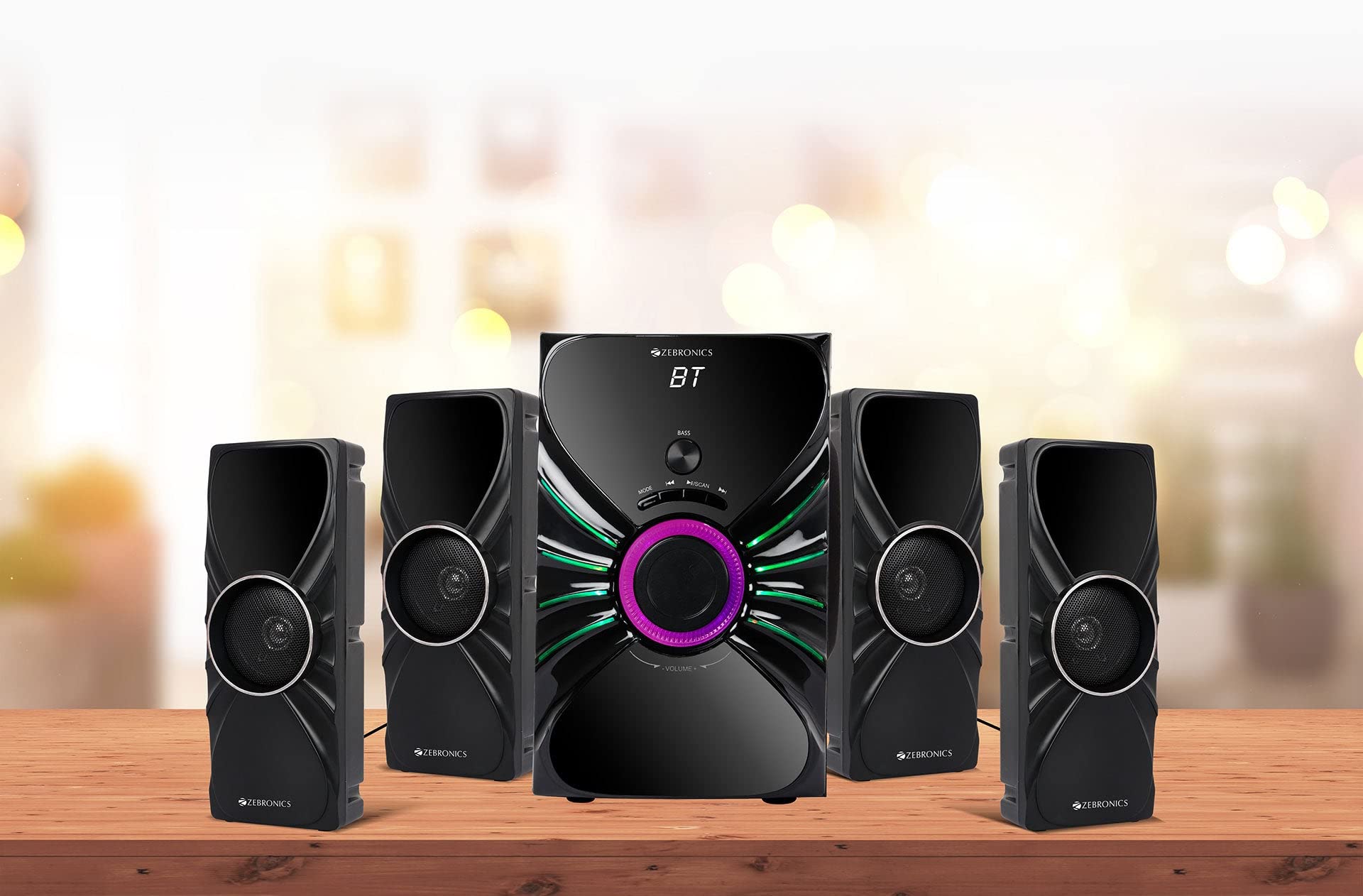
Image: The complete ZEBRONICS Zeb-Rainbow 400 multimedia speaker system, showing the subwoofer, four satellite speakers, and remote control.
راه اندازی
1. باز کردن بسته بندی
تمام قطعات را با دقت از بستهبندی خارج کنید. مواد بستهبندی را برای حمل و نقل یا نگهداری در آینده نگه دارید.
2. قرار دادن بلندگو
Place the subwoofer on a stable, flat surface, preferably on the floor for optimal bass response. Position the four satellite speakers around your listening area for a balanced sound field. Ensure adequate space for ventilation.

Image: A visual representation of the 4.1 speaker setup, illustrating the subwoofer and four satellite speakers.
3. Connecting Satellite Speakers
Connect each of the four satellite speakers to the corresponding output ports on the rear panel of the subwoofer unit. Ensure the connections are secure.
4. اتصال منابع صوتی
- ورودی AUX: Use the provided 3.5mm to RCA cable to connect your audio device (e.g., smartphone, tablet, PC) to the AUX input ports on the subwoofer.
- ورودی USB: یک فلش مموری USB حاوی فایل صوتی MP3 وارد کنید fileبه پورت USB روی ساب ووفر وصل کنید.
5. اتصال برق
کابل برق را به دستگاه ساب ووفر وصل کنید و سپس آن را به یک پریز برق AC استاندارد وصل کنید.
دستورالعمل های عملیاتی
1. روشن/خاموش
Press the Power button on the front panel of the subwoofer or on the remote control to turn the speaker system on or off.
2. انتخاب حالت
Press the 'MODE' button on the front panel or remote control to cycle through the available input modes: Bluetooth (BT), AUX, USB, and FM Radio.

Image: Close-up of the subwoofer's front panel, showing the control buttons (Mode, Play/Pause, Next/Previous, Bass, Volume) and the integrated RGB lighting.
3. کنترل صدا
Rotate the 'VOLUME' knob on the front panel of the subwoofer or use the Volume Up/Down buttons on the remote control to adjust the overall sound level. The 'BASS' knob can be used to adjust the bass intensity.
4. حالت بلوتوث
- Switch the speaker to Bluetooth mode using the 'MODE' button. The display will show 'BT'.
- بلوتوث را در دستگاه تلفن همراه یا رایانه خود فعال کنید.
- جستجو برای available devices and select "Zeb-Rainbow 400" to pair.
- Once paired, you can play audio from your device through the speakers.
5. حالت AUX
Connect your audio source using the 3.5mm to RCA cable. Switch the speaker to AUX mode. Audio from your connected device will play automatically.
6. حالت USB
Insert a USB flash drive into the USB port. The speaker will automatically switch to USB mode and begin playing MP3 files from the drive. Use the Play/Pause, Next, and Previous buttons to control playback.
7. حالت رادیو FM
- بلندگو را به حالت FM تغییر دهید.
- Press and hold the 'SCAN' button (often combined with Play/Pause) to automatically scan and save available FM stations.
- Use the Next/Previous buttons to navigate through the saved stations.
8. کنترل از راه دور
The included remote control provides full functionality for power, mode selection, volume, track control, and FM station tuning. Ensure the remote has working batteries and is pointed towards the subwoofer's sensor.

Image: The ZEBRONICS Zeb-Rainbow 400 subwoofer unit shown with its remote control, highlighting the main controls.
9. چراغ های RGB
The subwoofer features integrated RGB lights. These lights typically cycle through various colors and patterns automatically. Refer to the remote control for any specific buttons to change light modes, if available.
تعمیر و نگهداری
1. تمیز کردن
سطوح بلندگو را با یک پارچه نرم و خشک پاک کنید. از پاک کننده های ساینده، واکس یا حلال استفاده نکنید زیرا ممکن است به روکش آن آسیب برسانند. از اسپری کردن مستقیم مایعات روی بلندگوها خودداری کنید.
2. ذخیره سازی
If storing the speakers for an extended period, unplug them from the power outlet and store them in a cool, dry place, away from direct sunlight and extreme temperatures.
عیب یابی
| مشکل | علت احتمالی | راه حل |
|---|---|---|
| بدون قدرت | Power cable not connected; Power outlet faulty; Unit switched off | Ensure power cable is securely connected. Check power outlet with another device. Press the Power button. |
| صدا نداره | Volume too low; Incorrect input mode; Audio cable loose/faulty; Device volume low | Increase volume. Select correct input mode. Check audio cable connections. Increase volume on connected device. |
| بلوتوث وصل نمی شود | Speaker not in BT mode; Device not in pairing mode; Interference | Switch speaker to BT mode. Ensure device Bluetooth is on and searching. Move devices closer. Restart both devices. |
| کنترل از راه دور کار نمی کند | باتریها خالی شدهاند؛ مانعی وجود دارد؛ کنترل از راه دور به سمت حسگر نشانه نرفته است | Replace batteries. Remove any obstructions. Point remote directly at the subwoofer's IR sensor. |
| دریافت ضعیف FM | سیگنال ضعیف؛ موقعیت آنتن | Adjust the position of the FM antenna. Rescan for stations. |
مشخصات
| ویژگی | مشخصات |
|---|---|
| نام تجاری | زبرونیک |
| شماره مدل | Zeb Rainbow 400 |
| ابعاد محصول (LxWxH) | 21 x 39 x 32 سانتی متر |
| وزن مورد | 9 کیلوگرم 350 گرم |
| فناوری اتصال | Auxiliary, Bluetooth, USB, Wireless |
| منبع تغذیه | AC |
| دستگاه های سازگار | گوشی هوشمند، تبلت |
| اندازه درایو ساب ووفر | 16.51 سانتی متر |

Image: A visual highlighting the 16.51 cm subwoofer drive of the ZEBRONICS Zeb-Rainbow 400.
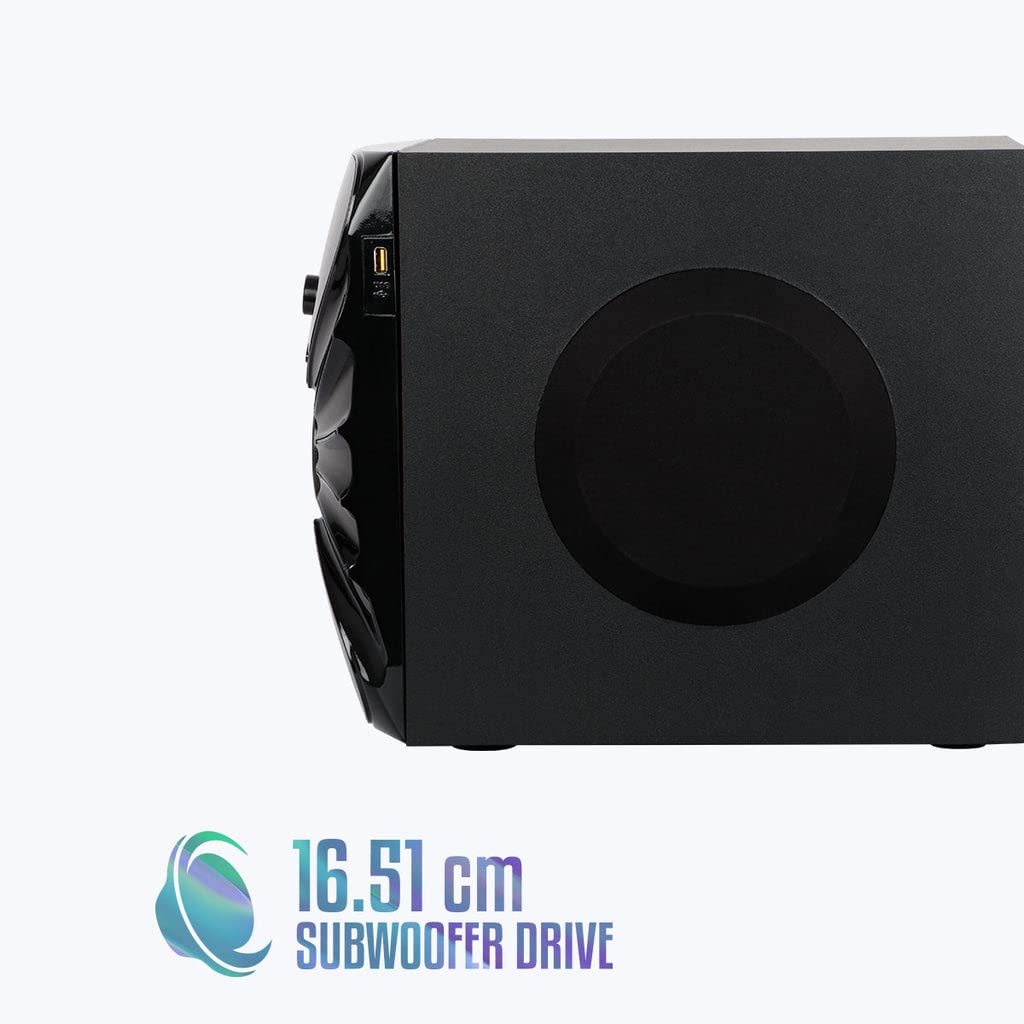
تصویر: کنار view of the ZEBRONICS Zeb-Rainbow 400 subwoofer, showing the USB port and overall dimensions.
گارانتی و پشتیبانی
This product comes with a minimum six-month seller warranty. For any issues or support, please contact your seller or refer to the official ZEBRONICS support channels. Keep your purchase receipt for warranty claims.


