1. مقدمه
The SOAR ShockBox XL Wireless Bluetooth Speaker is designed to provide a high-quality audio experience for various occasions, including sports events and gatherings. This manual provides detailed instructions for the setup, operation, and maintenance of your speaker.

Figure 1: SOAR NFL XL ShockBox Wireless Bluetooth Speaker (Tennessee Titans edition).
2. محتویات بسته
لطفا از موجود بودن تمام اقلام در بسته اطمینان حاصل کنید:
- SOAR NFL XL ShockBox Wireless Bluetooth Speaker
- کابل شارژ Micro-USB
- راهنمای کاربر (این سند)
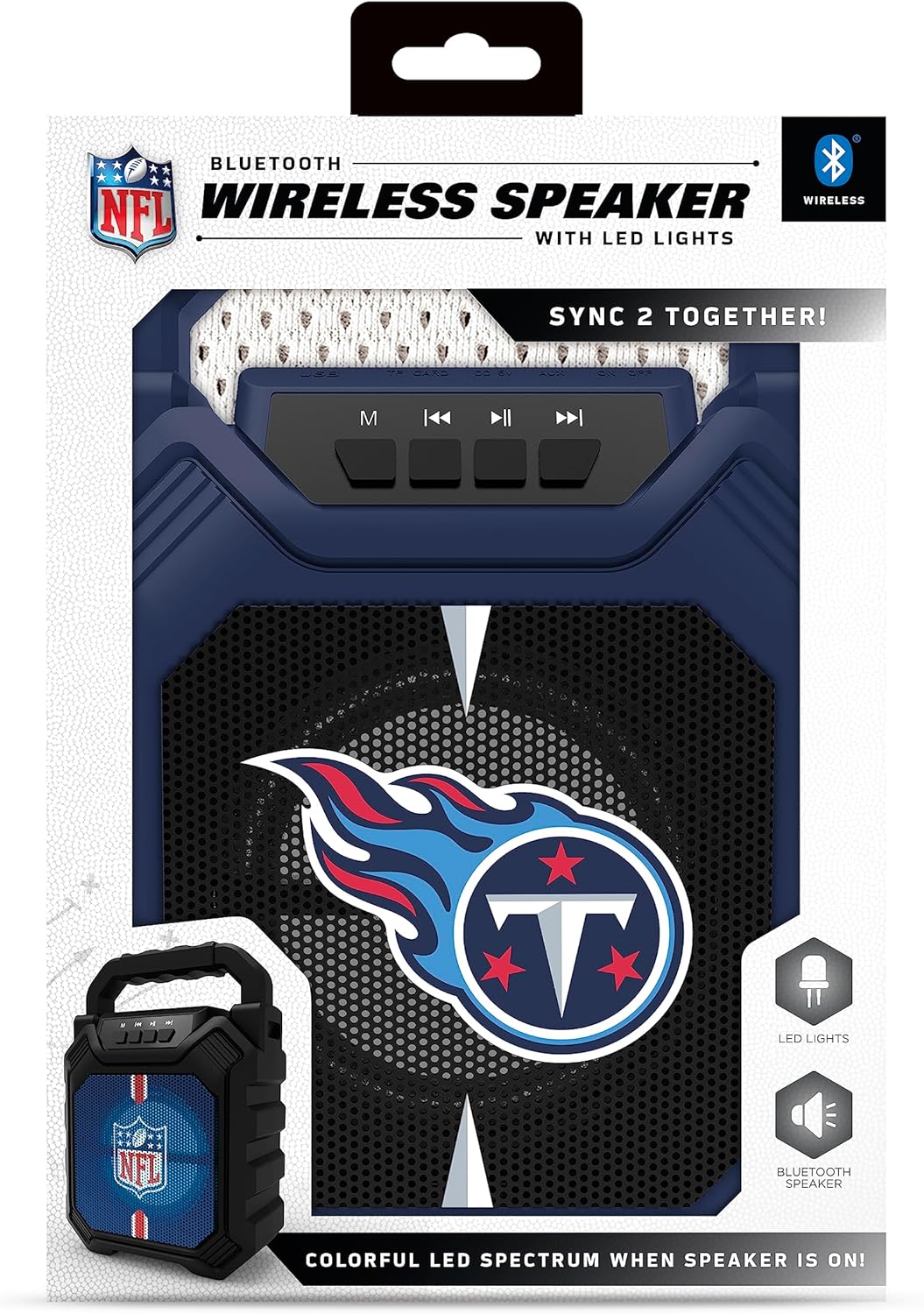
Figure 2: Speaker in its retail packaging, showing the product and its key features.
3. ویژگی های محصول
- اتصال بلوتوث 5.0: Enables wireless audio streaming from compatible devices.
- ورودی های صوتی متعدد: Includes AM/FM radio, USB port, and Aux input for versatile playback options.
- طراحی قابل حمل: Features a convenient top handle for easy transport and a shockproof construction for durability.
- زمان پخش تمدید شده: Provides over 5 hours of continuous audio playback on a single charge.
- نورپردازی LED پویا: Multicolor LED lights synchronize with the music, enhancing the visual experience.
- Stereo Sound Pairing: Supports "Sync 2 Together" functionality, allowing two speakers to be paired for enhanced stereo audio.
- کیفیت صدا: Delivers deep bass and crystal clear sound.
- درخواست های صوتی: Features voice-over speaker prompts for operational guidance.
- راننده بلندگو: Equipped with a 25W speaker driver for powerful sound output.
۴.۱ کنترلها و پورتها
Familiarize yourself with the control panel and input ports located on the speaker:
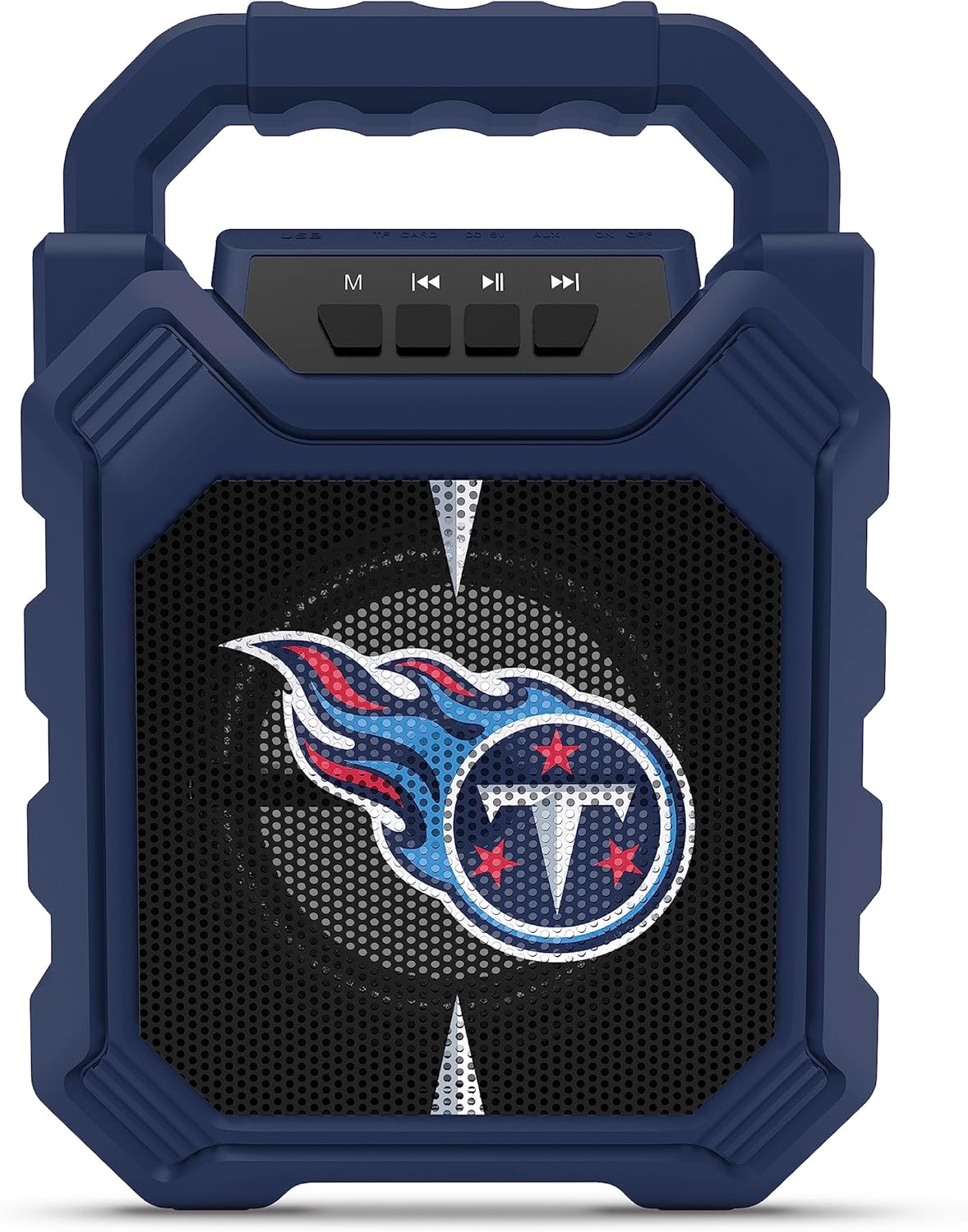
Figure 3: Top panel of the speaker with control buttons and input ports.
| دکمه/پورت | تابع |
|---|---|
| دکمه M (حالت) | Switches between Bluetooth, FM Radio, USB, and Aux input modes. |
| آهنگ قبلی / کاهش حجم | Short press for previous track (Bluetooth/USB), long press to decrease volume. |
| دکمه پخش/مکث | پخش صدا را پخش یا متوقف میکند. |
| آهنگ بعدی / افزایش صدا | Short press for next track (Bluetooth/USB), long press to increase volume. |
| پورت USB | برای پخش صدا از فلش مموری USB |
| شکاف کارت TF | For playing audio from TF (MicroSD) cards. |
| ورودی AUX | 3.5mm jack for connecting external audio devices via an auxiliary cable. |
| پورت شارژ میکرو USB | برای شارژ باتری داخلی اسپیکر. |
5. راه اندازی
۴.۱ شارژ کردن بلندگو
- Connect the supplied micro-USB cable to the speaker's micro-USB charging port.
- سر دیگر کابل را به آداپتور برق USB (که همراه دستگاه نیست) یا پورت USB کامپیوتر وصل کنید.
- نشانگر LED در حین شارژ روشن میشود و پس از شارژ کامل خاموش میشود.
- A full charge provides over 5 hours of playtime.
5.2 روشن/خاموش کردن
- To power on, locate the power switch (usually on the back or side) and slide it to the "ON" position.
- برای خاموش کردن، کلید پاور را در موقعیت "OFF" قرار دهید.
6. دستورالعمل های عملیاتی
6.1 جفت شدن بلوتوث
- Ensure the speaker is powered on and in Bluetooth mode (press the 'M' button until you hear a Bluetooth prompt).
- در دستگاه تلفن همراه خود، بلوتوث را فعال کنید و دستگاه های موجود را جستجو کنید.
- Select "SOAR ShockBox XL" from the list of devices.
- پس از جفت شدن، بلندگو اتصال موفقیتآمیز را نشان میدهد و میتوانید پخش صدا را شروع کنید.
عملکرد رادیو FM 6.2
- برای رفتن به حالت رادیو FM، دکمه «M» را فشار دهید.
- دکمه پخش/مکث را فشار داده و نگه دارید تا ایستگاههای FM موجود به طور خودکار اسکن و ذخیره شوند.
- برای حرکت بین ایستگاههای ذخیره شده، از دکمههای آهنگ قبلی/بعدی استفاده کنید.
6.3 USB and AUX Input Usage
- ورودی USB: یک درایو فلش USB حاوی صدا را وارد کنید fileرا به پورت USB وصل کنید. بلندگو به طور خودکار به حالت USB تغییر حالت داده و پخش را شروع میکند.
- ورودی AUX: Connect one end of a 3.5mm audio cable (not included) to the speaker's AUX input and the other end to your external audio device. Press the 'M' button to switch to AUX mode.
6.4 Dynamic LED Lights
The speaker features multicolor LED lights that pulse to the rhythm of the music. These lights are automatically activated when the speaker is in use. There is no separate control for the LED lights mentioned in the product features.

شکل 4: مثالample of SOAR ShockBox XL speakers with dynamic LED lighting.
6.5 Sync 2 Together (True Wireless Stereo)
To pair two SOAR ShockBox XL speakers for true wireless stereo sound:
- مطمئن شوید که هر دو بلندگو روشن و در حالت بلوتوث هستند، اما هنوز به هیچ دستگاهی متصل نیستند.
- On one speaker (this will be the primary speaker), press and hold the 'M' button until you hear a pairing tone.
- دو بلندگو به طور خودکار به یکدیگر متصل میشوند. پس از اتصال، صدای تأیید را خواهید شنید.
- اکنون، دستگاه همراه خود را از طریق بلوتوث همانطور که در بخش ۶.۱ توضیح داده شده است به بلندگوی اصلی متصل کنید. صدا از طریق هر دو بلندگو به صورت استریو پخش خواهد شد.
7. تعمیر و نگهداری
- تمیز کردن: برای تمیز کردن قسمت بیرونی بلندگو از یک پارچه نرم و خشک استفاده کنید. از پاک کننده ها یا حلال های ساینده استفاده نکنید.
- ذخیره سازی: بلندگو را در جای خشک و خنک و دور از نور مستقیم خورشید و دمای بسیار بالا نگهداری کنید.
- مراقبت از باتری: برای افزایش عمر باتری، قبل از عدم استفاده طولانی مدت، بلندگو را به طور کامل شارژ کنید. از تخلیه کامل باتری به طور مکرر خودداری کنید.
- مقاومت در برابر آب: While the speaker has a shockproof design, specific water resistance ratings are not provided. Avoid exposing the speaker to water or excessive moisture.
8 عیب یابی
| مشکل | راه حل ممکن |
|---|---|
| بلندگو روشن نمیشود. | Ensure the battery is charged. Connect the speaker to a power source using the micro-USB cable. |
| جفتسازی از طریق بلوتوث امکانپذیر نیست. |
|
| صدا نداره یا صداش کمه. |
|
| دریافت رادیو FM ضعیف است. | Adjust the speaker's position. Ensure no strong interference sources are nearby. |
| "Sync 2 Together" pairing fails. |
|
9. مشخصات
| ویژگی | جزئیات |
|---|---|
| شماره مدل | NFL-BTH6-DLPH |
| نسخه بلوتوث | 5.0 |
| ورودی های صوتی | Bluetooth, FM Radio, USB, Aux |
| زمان پخش | Over 5 hours per charge |
| پورت شارژ | میکرو یو اس بی |
| درایور بلندگو | 25 وات |
| سازنده | گروه پرایم برندز |
| اولین تاریخ در دسترس | 6 سپتامبر 2023 |
10. گارانتی و پشتیبانی
For information regarding warranty coverage and customer support, please refer to the contact details provided by Prime Brands Group Inc., the manufacturer. Protection plans are available for purchase separately through the retailer.
For further assistance, please visit the official SOAR webسایت یا با خدمات مشتریان آنها تماس بگیرید.


