دفترچه راهنمای هدفون بیسیم Zebronics ZEB-PARADISE
Model: ZEB-PARADISE
1. محصول تمام شدview
The Zebronics ZEB-PARADISE is a versatile wireless headphone designed for an immersive audio experience. It features Bluetooth connectivity, an AUX input, Micro SD card support, and an FM radio function, providing multiple ways to enjoy your music and manage calls.

Image 1: Zebronics ZEB-PARADISE Wireless Headphone. This image displays the over-ear design of the headphone, highlighting its sleek appearance and comfortable earcups.
2. محتویات بسته
لطفا موارد زیر را در کادر مربوطه تیک بزنید:
- 1 Unit Headphone
- 1 Unit Charging Cable
- 1 Unit Aux Cable
- 1 Unit User Manual
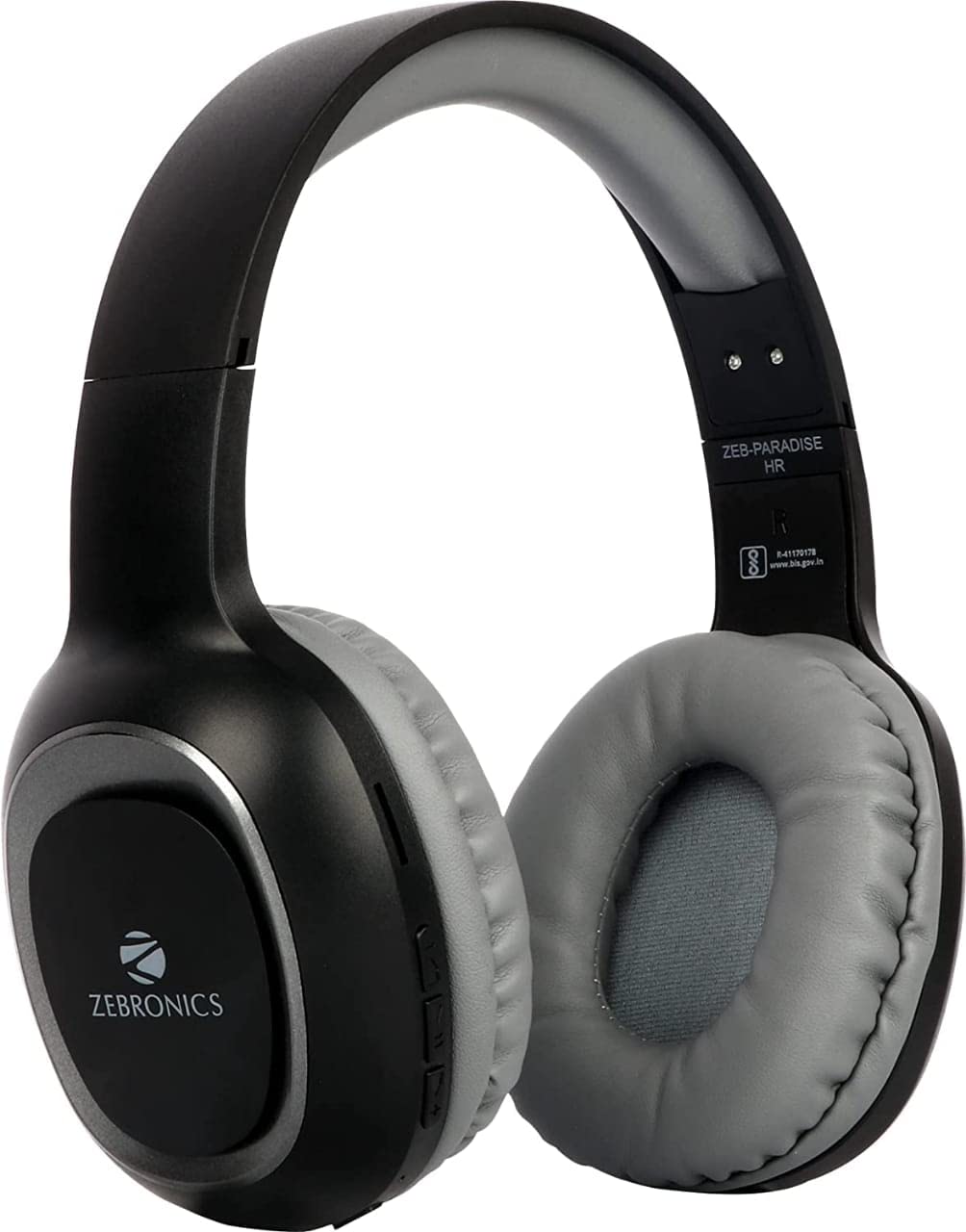
Image 2: Packaging of the Zebronics ZEB-PARADISE Wireless Headphone. This image shows the product box, detailing the package contents and key features printed on the packaging.
3. اطلاعات ایمنی
احتیاط:
Please be aware of your surroundings while using the headphone. Constant exposure to high volume may damage your hearing. Please use the headphone at moderate volume to protect your ears.
4. ویژگی های کلیدی
- Bluetooth v4.2 Connectivity
- AUX Input for Wired Connection
- Micro SD Card Support for MP3 Playback
- عملکرد رادیو FM
- Call Function with Built-in Microphone
- Media Volume Control
- Dual Pairing Capability
- درایورهای صوتی ۵۰ میلیمتری
- باتری قابل شارژ داخلی
- پشتیبانی از شارژ سریع
5. راه اندازی
۵.۱ شارژ کردن هدفون
- Connect the provided USB charging cable to the charging port on the headphone.
- سر دیگر کابل USB را به آداپتور برق USB (که همراه دستگاه نیست) یا پورت USB کامپیوتر وصل کنید.
- The LED indicator will illuminate to show charging status. It will typically turn off or change color once fully charged.
5.2 جفت شدن بلوتوث
- مطمئن شوید که هدفون کاملاً شارژ شده است.
- Press and hold the Power button on the headphone until the LED indicator flashes blue and red, indicating pairing mode.
- On your smartphone or Bluetooth-enabled device, go to the Bluetooth settings and search for available devices.
- Select "ZEB-PARADISE" from the list of found devices.
- پس از جفت شدن، نشانگر LED به آرامی آبی چشمک میزند یا آبی ثابت میماند.
۶.۱ استفاده از کابل AUX
- Connect one end of the provided 3.5mm AUX cable to the AUX input port on the headphone.
- Connect the other end of the AUX cable to the 3.5mm audio output jack of your audio device.
- هدفون به طور خودکار به حالت AUX تغییر خواهد کرد.
6. دستورالعمل های عملیاتی
6.1 کنترل های اساسی
- روشن/خاموش برق: دکمه پاور را فشار داده و نگه دارید.
- پخش/مکث: دکمه پخش/مکث را یک بار فشار دهید.
- افزایش صدا/آهنگ بعدی: Press the Volume Up (+) button to increase volume. Press and hold to skip to the next track.
- کاهش صدا/آهنگ قبلی: Press the Volume Down (-) button to decrease volume. Press and hold to go to the previous track.
- تغییر حالت: Press the 'M' button to switch between Bluetooth, FM Radio, and Micro SD modes.
6.2 تابع تماس
- پاسخ به تماس: وقتی تماسی دریافت میکنید، دکمه پخش/مکث را یک بار فشار دهید.
- پایان تماس: در حین مکالمه، دکمه پخش/مکث را یک بار فشار دهید.
- رد تماس: هنگام دریافت تماس، دکمه پخش/مکث را به مدت ۲ ثانیه فشار داده و نگه دارید.
- شماره گیری مجدد آخرین شماره: دکمه Play/Pause را دوبار فشار دهید.
6.3 حالت رادیو FM
- با استفاده از دکمه «M» به حالت رادیو FM بروید.
- Press the Play/Pause button once to auto-scan and save available FM channels.
- Use the Volume Up (+) and Volume Down (-) buttons to navigate between saved channels.
۵.۳ پخش از طریق کارت حافظه میکرو SD
- Insert a Micro SD card (with MP3 files) into the designated slot on the headphone.
- Switch to Micro SD mode using the 'M' button.
- Music playback will start automatically. Use the control buttons for play/pause, next/previous track, and volume adjustment.
7. تعمیر و نگهداری
- هدفون را با یک پارچه نرم و خشک تمیز کنید. از مواد شیمیایی قوی یا مواد ساینده استفاده نکنید.
- از قرار دادن هدفون در معرض دمای شدید، رطوبت یا نور مستقیم خورشید خودداری کنید.
- Store the headphone in a cool, dry place when not in use.
- Do not attempt to disassemble or repair the headphone yourself, as this will void the warranty.
8 عیب یابی
- بدون برق: Ensure the headphone is fully charged. Connect it to a power source using the charging cable.
- جفتسازی از طریق بلوتوث امکانپذیر نیست: Make sure the headphone is in pairing mode (flashing blue and red LED). Ensure Bluetooth is enabled on your device and it is within range. Try restarting both devices.
- بدون صدا: Check the volume level on both the headphone and your connected device. Ensure the correct mode (Bluetooth, AUX, SD) is selected. If using AUX, ensure the cable is fully inserted.
- رادیو FM کار نمی کند: Ensure you are in an area with good FM signal. Perform an auto-scan to save channels.
- Micro SD Card Not Playing: Ensure the Micro SD card is inserted correctly and contains compatible audio fileها (مثلاً MP3).
9. مشخصات فنی
| ویژگی | مشخصات |
|---|---|
| مدل | ZEB-PARADISE |
| قابلیت اتصال | بیسیم (بلوتوث نسخه ۶.۰) |
| اجزای شامل | Headphone, Charging Cable, Aux Cable, User Manual |
| رانندگان | 40 میلی متر |
| باتری | داخلی قابل شارژ |
| ویژگی های خاص | FM Radio, Micro SD Card Support, Call Function, Media Volume Control, Dual Pairing, Fast Charging |
| جک هدفون | جک 3.5 میلی متری |
| فاکتور فرم | بالای گوش |
| رنگ | مشکی |
| سازنده | شرکت خصوصی زبرونیکس هند |
10. گارانتی و پشتیبانی
10.1 اطلاعات گارانتی
This product comes with a standard manufacturer's warranty. Please refer to the warranty card included in your package or contact customer support for detailed warranty terms and conditions.
10.2 پشتیبانی مشتری
For any complaints, feedback, or support inquiries, please contact:
Consumer Care Executive
آدرس: ZEBRONICS INDIA PRIVATE LIMITED, NO. 118, POONAMALLEE HIGH ROAD, CHENNAI-600084.
تلفن: 044-4000 0004
ایمیل: ENQUIRY@ZEBRONICS.COM
شما همچنین می توانید به رسمی مراجعه کنید webسایت: www.zebronics.com


