مقدمه
This manual provides important information for the safe and efficient use of your Hama Battery Charger, Model 00223553. Please read these instructions carefully before first use and keep them for future reference.
دستورالعمل های ایمنی
- Use the charger only for rechargeable NiMH AA and AAA batteries. Do not attempt to charge non-rechargeable batteries or other battery types.
- شارژر را در معرض رطوبت، باران یا دمای بسیار بالا قرار ندهید.
- Do not open or modify the charger. Repairs should only be performed by qualified personnel.
- Ensure proper polarity when inserting batteries. Incorrect insertion can damage the charger and batteries.
- وقتی از شارژر استفاده نمیکنید یا قبل از تمیز کردن، آن را از پریز برق جدا کنید.
- این دستگاه را دور از دسترس کودکان قرار دهید.
محتویات بسته
لطفاً بررسی کنید که همه اقلام موجود و در شرایط خوبی باشند:
- 1x Hama Battery Charger (Model 00223553)
- 1x کتابچه راهنمای دستورالعمل
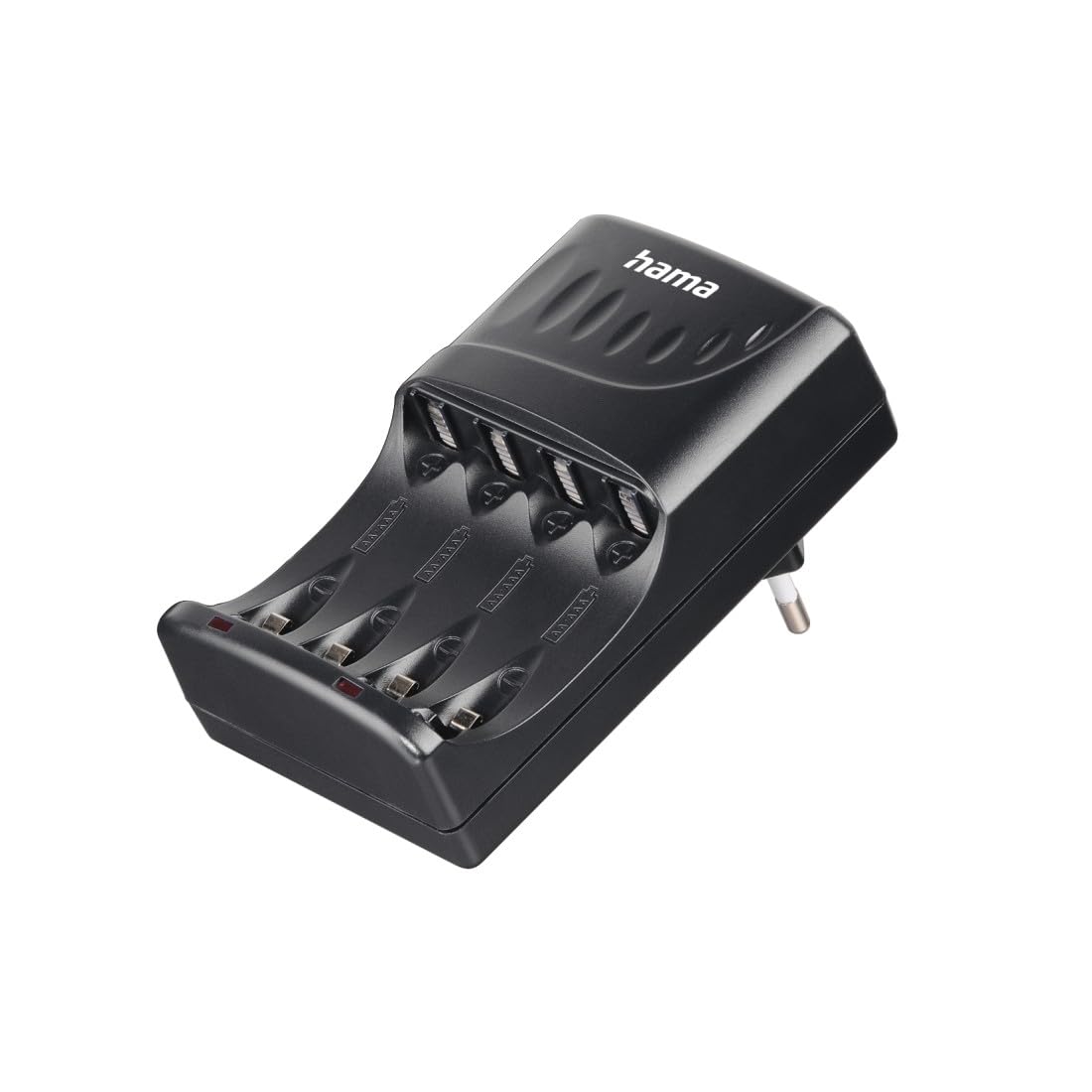
Image: The Hama Battery Charger, Model 00223553, shown with example AA and AAA batteries inserted into its four charging slots. The charger is black and compact.
راه اندازی
- شارژر را از بسته بندی خارج کنید: Carefully remove the battery charger from its packaging.
- باتری ها را آماده کنید: Ensure the batteries you intend to charge are rechargeable NiMH AA or AAA types.
- قرار دادن باتری ها: Insert 2 or 4 batteries into the charging slots. Pay close attention to the polarity markings (+ and -) inside the charger and on the batteries. Incorrect insertion can prevent charging or damage the batteries/charger.
- اتصال به برق: Plug the charger directly into a standard wall power outlet (Schuko plug Type F).
عملیات
The Hama Battery Charger is designed for straightforward operation:
- شارژ اولیه: Once the charger is plugged into a power outlet with batteries correctly inserted, the charging process begins automatically.
- نشانگرهای LED: The charger features 2 LED control indicators. These LEDs illuminate to show that the charging process is active.
- خاموش کردن خودکار: The charger has a built-in timer that automatically stops the charging process after a preset time. This feature protects the batteries from overcharging and helps prolong their lifespan.
- برداشتن باتری ها: After the charging process is complete (indicated by the timer shut-off), unplug the charger from the wall outlet and then remove the charged batteries.
توجه: The charger supports simultaneous charging of 2 or 4 AA or AAA batteries. It does not support charging of a single battery or an odd number of batteries (e.g., 1 or 3).
تعمیر و نگهداری
- تمیز کردن: Disconnect the charger from the power supply before cleaning. Use a dry, soft cloth to clean the exterior of the charger. Do not use abrasive cleaners or solvents.
- ذخیره سازی: شارژر را در جای خشک و خنک و دور از نور مستقیم خورشید و رطوبت نگهداری کنید.
- بازرسی: Periodically inspect the charger and its power plug for any signs of damage. Do not use a damaged charger.
عیب یابی
| مشکل | علت احتمالی | راه حل |
|---|---|---|
| Charger LEDs do not light up. |
|
|
| Batteries do not charge fully. |
|
|
مشخصات
| نام تجاری | حما |
| شماره مدل | 00223553 |
| انواع باتری های سازگار | NiMH AA، NiMH AAA |
| تعداد اسلاتهای شارژ | 4 |
| جریان شارژ AA | 190 میلی آمپر |
| جریان شارژ AAA | 90 میلی آمپر |
| نوع اتصال برق | Schuko plug (Type F) |
| ابعاد محصول (L x W x H) | 7.1 × 6.5 × 10.5 سانتی متر |
| وزن محصول | 171.21 گرم |
| رنگ | مشکی |


