1. مقدمه
This manual provides instructions for the safe and efficient operation of your Hama 8-inch LED Ring Light with Tripod and Mobile Phone Holder. This device is designed to provide adjustable illumination for photography, video conferencing, streaming, and other applications requiring enhanced lighting.
Please read these instructions thoroughly before first use and keep them for future reference. Always observe all safety warnings and instructions.
2. دستورالعمل های ایمنی
- اگر دستگاه به طور مشهود آسیب دیده است، از آن استفاده نکنید.
- محصول را از آلودگی، رطوبت و گرمای بیش از حد محافظت کنید.
- محصول را نیندازید و در معرض ضربههای شدید قرار ندهید.
- به هیچ وجه محصول را تغییر ندهید. انجام این کار گارانتی را باطل می کند.
- این محصول را مانند تمام محصولات الکتریکی دور از دسترس کودکان نگهداری کنید.
- از محصول فقط برای هدف مورد نظر خود استفاده کنید.
- Only use the product in moderate climatic conditions.
- Do not use the product in the immediate vicinity of heaters or other heat sources.
- در هنگام رعد و برق، محصول را از منبع تغذیه جدا کنید.
3. محتویات بسته
تأیید کنید که تمام موارد ذکر شده در زیر موجود و در وضعیت خوبی هستند:
- 1x LED Ring Light "SpotLight Smart 80 II" with cable remote control
- 1x Gooseneck with smartphone holder
- 1x Cold shoe to 1/4" adapter
- 1x Table tripod with head adapter
- 1x دفترچه راهنمای کاربر

شکل 3.1: تمام اجزای موجود در بسته.
4. راه اندازی
- سه پایه را جمع کنید: Extend the legs of the table tripod to a stable position. The tripod height can be adjusted from 13.5 cm to 17.5 cm.
- چراغ حلقه را وصل کنید: Screw the LED ring light onto the head adapter of the table tripod. Ensure it is securely fastened. The ring light can be rotated and tilted on the tripod ball head.
- Install the Gooseneck and Phone Holder: Attach the gooseneck with the smartphone holder to one of the available 1/4" connections on the ring light. The gooseneck allows for flexible positioning of your smartphone.
- گوشی هوشمند را وارد کنید: به آرامی در را باز کنیدamp spring holder and insert your smartphone. The holder accommodates phones from 6.0 cm to 8.0 cm wide. Rubber inserts protect your phone from scratches.
- اتصال برق: Plug the USB-A cable from the ring light into a compatible USB power source (e.g., laptop, power bank, USB wall adapter). The cable length is 1.9 meters.
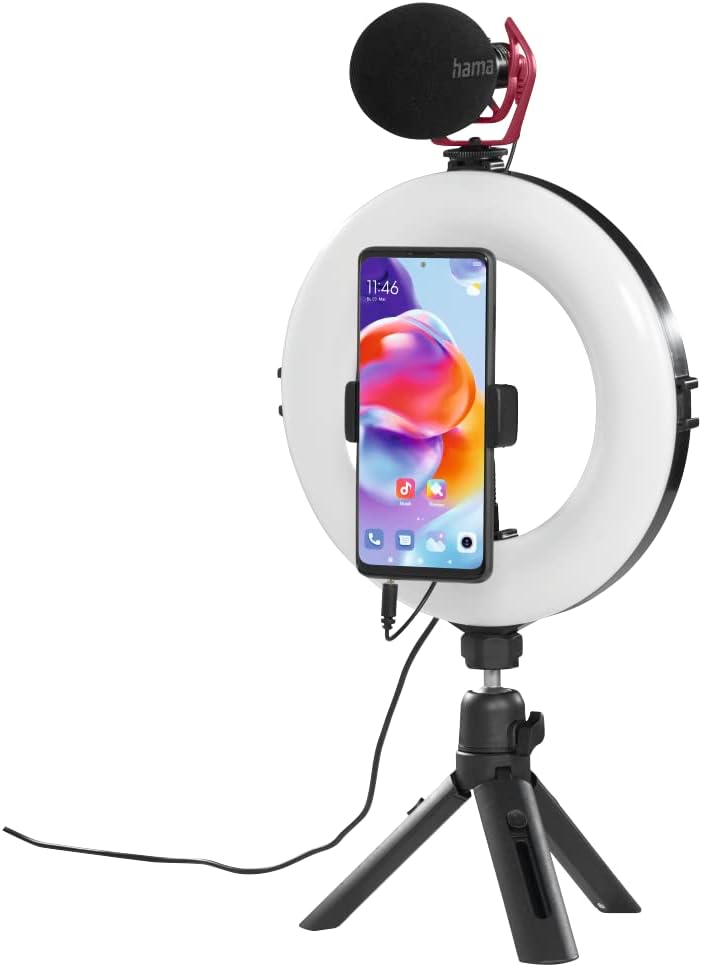
شکل 4.1: Assembled ring light with smartphone and optional microphone.
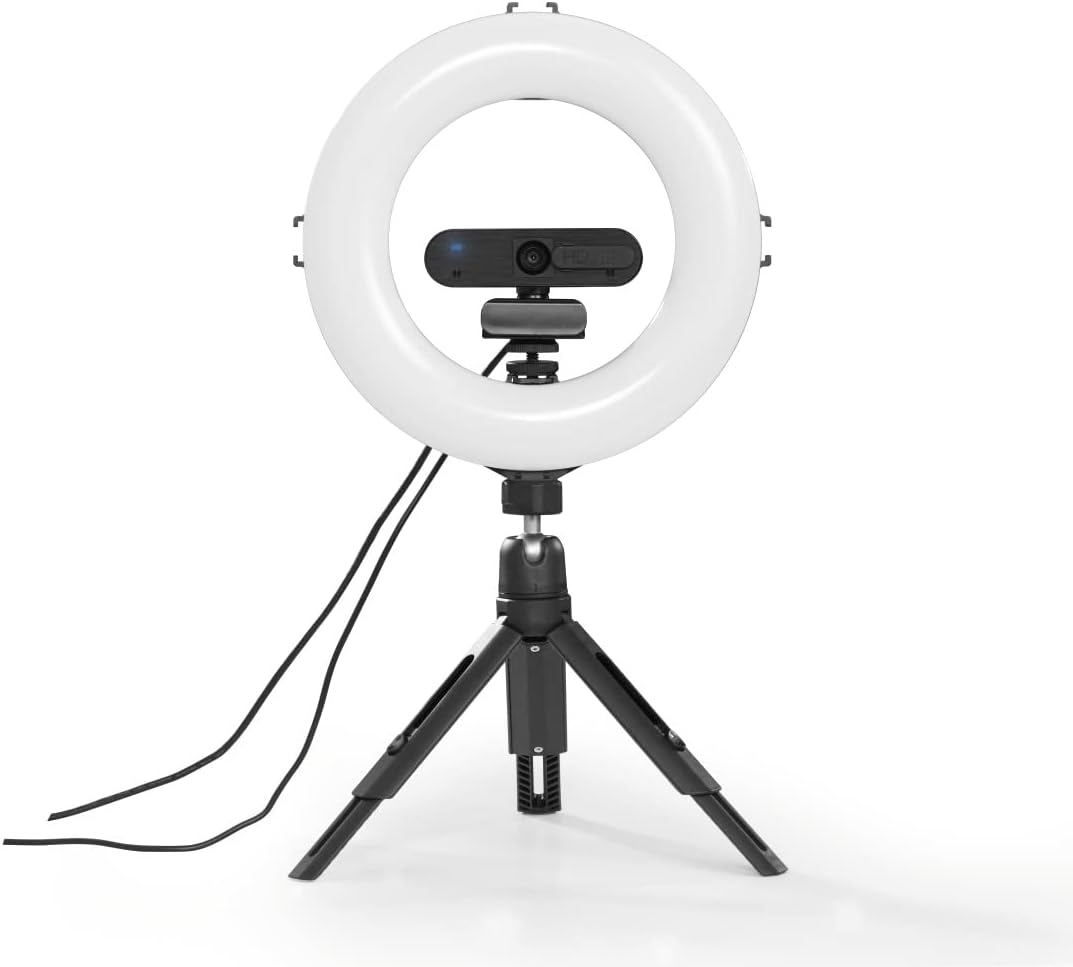
شکل 4.2: Ring light with a webcam, demonstrating accessory mounting options.
5. دستورالعمل های عملیاتی
The ring light is controlled via the integrated cable remote control.

شکل 5.1: In-line remote control for the ring light.
- روشن/خاموش برق: را فشار دهید روشن/خاموش button to turn the ring light on or off.
- تنظیم روشنایی: استفاده کنید + و - buttons to increase or decrease the light intensity. There are 10 dimmable levels.
- تغییر دمای رنگ: را فشار دهید حالت button (usually indicated by a circular arrow or color temperature icon) to cycle through the three available color temperature settings: warm white, neutral white, and daylight bright (2100K/3000K/5500K).
- موقعیت یابی: Adjust the gooseneck and ball head to achieve the desired angle and orientation for your smartphone or camera, whether portrait or landscape.

شکل 5.2: Example of the ring light in use for personal grooming or content creation.
6. تعمیر و نگهداری
- این محصول را فقط با d کمی تمیز کنیدampپارچه بدون پرز و از مواد شوینده تهاجمی استفاده نکنید.
- Ensure no water enters the product.
- در صورت عدم استفاده، محصول را در جای خشک و تمیز و دور از نور مستقیم خورشید نگهداری کنید.
7 عیب یابی
| مشکل | علت احتمالی | راه حل |
|---|---|---|
| چراغ حلقه روشن نمیشود. | بدون منبع تغذیه یا اتصال شل. | Ensure the USB cable is securely connected to a working USB power source. Try a different USB port or power adapter. |
| Light intensity or color temperature cannot be adjusted. | Remote control malfunction or incorrect button press. | Ensure the remote control buttons are pressed firmly. If the issue persists, contact customer support. |
| گوشی هوشمند در نگهدارنده ثابت نیست. | Smartphone width exceeds holder capacity or not properly secured. | Ensure your smartphone's width is between 6.0 cm and 8.0 cm. Re-insert the phone, ensuring it is firmly gripped by the clamp. |
8. مشخصات
| ویژگی | جزئیات |
|---|---|
| شماره مدل | 00004657 |
| Ring Light Diameter (Outer) | 21 سانتی متر (8 اینچ) |
| مقدار LED | 96 |
| عملکرد کم نور | 10 سطح |
| دمای رنگ | 2100K (warm white), 3000K (neutral white), 5500K (daylight bright) |
| حداکثر لومن | 950 lm |
| ارتفاع سهپایه (قابل تنظیم) | 13.5 سانتی متر تا 17.5 سانتی متر |
| طول گردن غاز | 9.5 سانتی متر |
| عرض نگهدارنده گوشی هوشمند | ۱۱۵ سانتیمتر - ۲۹۰ سانتیمتر |
| فناوری اتصال | USB |
| طول کابل | 190 سانتی متر (1.9 متر) |
| منبع تغذیه خارجی | USB 5V/1.8A |
| ابعاد محصول | 10.24 x 9.84 x 1.97 اینچ (26 x 25 x 5 سانتیمتر) |
| وزن مورد | ۳.۷۴ پوند (تقریباً ۱.۷ کیلوگرم) |
9. گارانتی و پشتیبانی
Hama GmbH & Co KG هیچ گونه مسئولیتی را بر عهده نمی گیرد و هیچگونه ضمانتی برای آسیب های ناشی از نصب/نصب نادرست ، استفاده نادرست از محصول یا عدم رعایت دستورالعمل های عملکرد و/یا نکات ایمنی ارائه نمی دهد.
For technical support or warranty claims, please contact your local Hama customer service or visit the official Hama webسایت برای اطلاعات بیشتر


