مقدمه
This manual provides comprehensive instructions for the MAUL M112 calculator. It covers setup, basic operations, advanced functions, maintenance, and troubleshooting to ensure optimal performance and longevity of your device. Please read this manual thoroughly before using the calculator.
محصول تمام شده استview

تصویر 1: جلو view of the MAUL M112 calculator, showcasing its 12-digit display and key layout. The calculator features a silver front panel and black keys with colored function buttons.
The MAUL M112 is a compact, 12-digit display calculator designed for office, home, and school use. It features both solar and battery power for reliable operation in various lighting conditions. Key functions include percentage and tax calculations, memory functions, and an automatic shutdown feature to conserve energy.

تصویر 2: The MAUL M112 calculator held in a hand, illustrating its compact size (approximately 11.9 cm x 7.0 cm x 1.0 cm). This image highlights its portability and ergonomic design.
راه اندازی
منبع تغذیه
The MAUL M112 calculator operates on a dual power system: solar and battery. This ensures continuous functionality even in low-light environments.
- انرژی خورشیدی: The calculator primarily uses solar energy when sufficient light is available. Ensure the solar panel, located above the display, is exposed to light for optimal performance.
- قدرت باتری: For use in dark conditions or when solar power is insufficient, the calculator automatically switches to battery power. One LR1130 battery is included with the device.
استفاده اولیه
Upon first use, the calculator should be ready for operation. If the display does not activate, ensure it is exposed to light or check the battery compartment.

تصویر 3: عقب view of the MAUL M112 calculator, displaying the battery compartment cover. This is where the LR1130 battery is housed and can be accessed for replacement.
دستورالعمل های عملیاتی
عملیات پایه
- روشن/پاک کردن: را فشار دهید ON C·CE to turn on the calculator or clear the current entry.
- همه چیز پاک است: را فشار دهید AC to clear all calculations and memory.
- ورودی شماره: Use the number keys (0-9) and the decimal point (.) to enter values.
- عملیات حسابی: استفاده کنید + (علاوه بر این)، - (تفریق)، x (ضرب) و ÷ (division) for calculations.
- برابر: را فشار دهید = برای نمایش نتیجه محاسبه
- Double Zero: را 00 button allows for quick entry of two zeros.
- Delete Last Digit: را فشار دهید → (backspace) button to delete the last entered digit.
توابع حافظه
The calculator includes a 3-button memory function:
- M+: مقدار نمایش داده شده را به حافظه اضافه میکند.
- M-: مقدار نمایش داده شده را از حافظه کم میکند.
- MRC: محتوای حافظه را فراخوانی میکند (فشار اول) یا حافظه را پاک میکند (فشار دوم).
توابع ویژه
- % (درصدtagه): درصد را محاسبه می کندtages
- Example (Add Percentagه): Enter value, press +, enter percentage، فشار دهید %.
- Example (Discount): Enter value, press -, enter percentage، فشار دهید %.
- TAX+ / TAX- (Tax Calculation): These buttons are used for calculations involving tax rates.
- تعیین نرخ مالیات: را فشار دهید تنظیم کنید, then enter the tax rate (e.g., 5 for 5%), then press مالیات +. The tax rate is now stored.
- Add Tax: Enter original price, press مالیات +.
- Subtract Tax: Enter price including tax, press مالیات-.
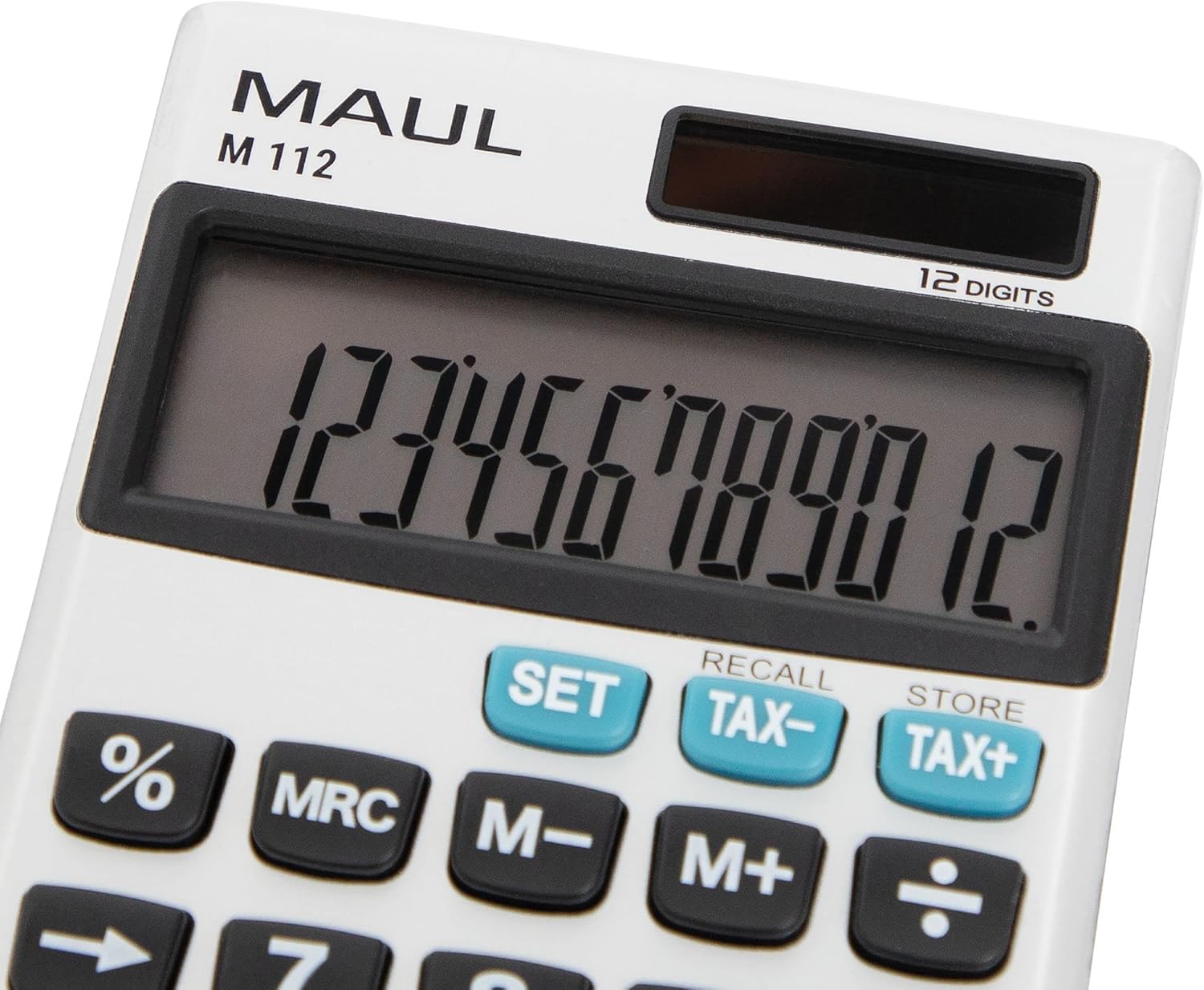
تصویر 4: مفصل view of the MAUL M112 calculator's 12-digit LCD display and the function keys, including SET, TAX-, TAX+, %, MRC, M-, M+, and the arithmetic operators. This image highlights the clear labeling and distinct coloring of important keys.
تعمیر و نگهداری
تمیز کردن
برای حفظ ظاهر و عملکرد ماشین حساب:
- ماشین حساب را با یک پارچه نرم و خشک پاک کنید.
- برای کثیفیهای سرسخت، کمی dampپارچه را با آب بشویید. از استفاده از مواد شیمیایی قوی یا پاککنندههای ساینده خودداری کنید.
- مطمئن شوید که هیچ مایعی وارد اجزای داخلی ماشین حساب نشود.
تعویض باتری
When the display becomes dim or unresponsive in low light, the LR1130 battery may need replacement.
- ماشین حساب را برعکس کنید.
- Locate the battery compartment cover (refer to Image 3).
- با استفاده از یک پیچ گوشتی کوچک یا سکه، پوشش را با دقت باز کنید.
- Remove the old LR1130 battery.
- Insert a new LR1130 battery, ensuring correct polarity (+/-).
- درپوش محفظه باتری را به طور ایمن تعویض کنید.
توجه: باتری های مستعمل را طبق مقررات محلی دور بیندازید.
عیب یابی
- صفحه نمایش خالی است:
- مطمئن شوید که ماشین حساب در معرض نور کافی برای استفاده از انرژی خورشیدی قرار دارد.
- Check if the battery needs replacement (refer to Battery Replacement section).
- را فشار دهید ON C·CE برای روشن کردن دستگاه
- محاسبات نادرست:
- را فشار دهید AC to clear all previous entries and memory.
- Double-check your input values and the sequence of operations.
- کلیدها پاسخگو نیستند:
- Ensure the keys are clean and free from debris.
- اگر مشکل همچنان ادامه داشت، تعویض باتری را امتحان کنید.
مشخصات
| نام مدل | M112 |
| نمایش | 12-digit LCD, 1-line display |
| منبع تغذیه | Solar powered and battery operated (LR1130) |
| ابعاد (L x W x H) | 11.9 × 7.0 × 1.0 سانتی متر |
| مواد | Plastic (front made of aluminium) |
| توابع حافظه | 3-button memory (M+, M-, MRC) |
| توابع ویژه | پرسنtage (%), Tax Calculation (TAX+, TAX-), Double Zero (00), Delete Last Digit (→) |
| خاموش شدن خودکار | بله |
| سازنده | شرکت یاکوب ماول |
گارانتی
The MAUL M112 calculator comes with a 5 سال گارانتی from the date of purchase. This warranty covers manufacturing defects under normal use. Please retain your proof of purchase for warranty claims. For detailed warranty terms and conditions, please refer to the official MAUL webسایت یا با پشتیبانی مشتری تماس بگیرید.
پشتیبانی کنید
For further assistance, technical support, or inquiries regarding your MAUL M112 calculator, please visit the official MAUL webبه سایت مراجعه کنید یا با بخش خدمات مشتریان آنها تماس بگیرید. اطلاعات تماس معمولاً روی بستهبندی محصول یا روی بروشور سازنده موجود است. webسایت
سازنده: شرکت یاکوب ماول


