1. مقدمه
1.1 محصول به پایان رسیده استview
The lightmaXX Vega BAT LED is a versatile, battery-powered uplight designed for various lighting applications. It features four 12-watt RGBAWUV (Red, Green, Blue, Amber, White, UV) LEDs, providing a broad spectrum of color mixing capabilities. With an 80W power output, this fixture supports both 6 and 10 DMX channels for precise control in professional setups. Operating modes include automatic programs, sound-activated effects, master/slave configurations, and convenient control via an infrared (IR) remote.
1.2 اطلاعات ایمنی
- همیشه دستگاه را به پریز برق متصل کنید.
- محفظه را باز نکنید؛ هیچ قطعهای که توسط کاربر قابل تعمیر باشد در داخل آن وجود ندارد. تمام مراحل سرویس را به پرسنل متخصص بسپارید.
- از قرار گرفتن مستقیم چشم در معرض منبع نور خودداری کنید.
- برای جلوگیری از گرمای بیش از حد، تهویه مناسب را در اطراف دستگاه فراهم کنید.
- دستگاه را از رطوبت و دمای شدید دور نگه دارید.
- این دستگاه باید ارت باشد.
2. محتویات بسته
Please check that all items listed below are present and in good condition upon unpacking:
- lightmaXX Vega BAT LED 4x12 W RGBAWUV unit
- کنترل از راه دور IR
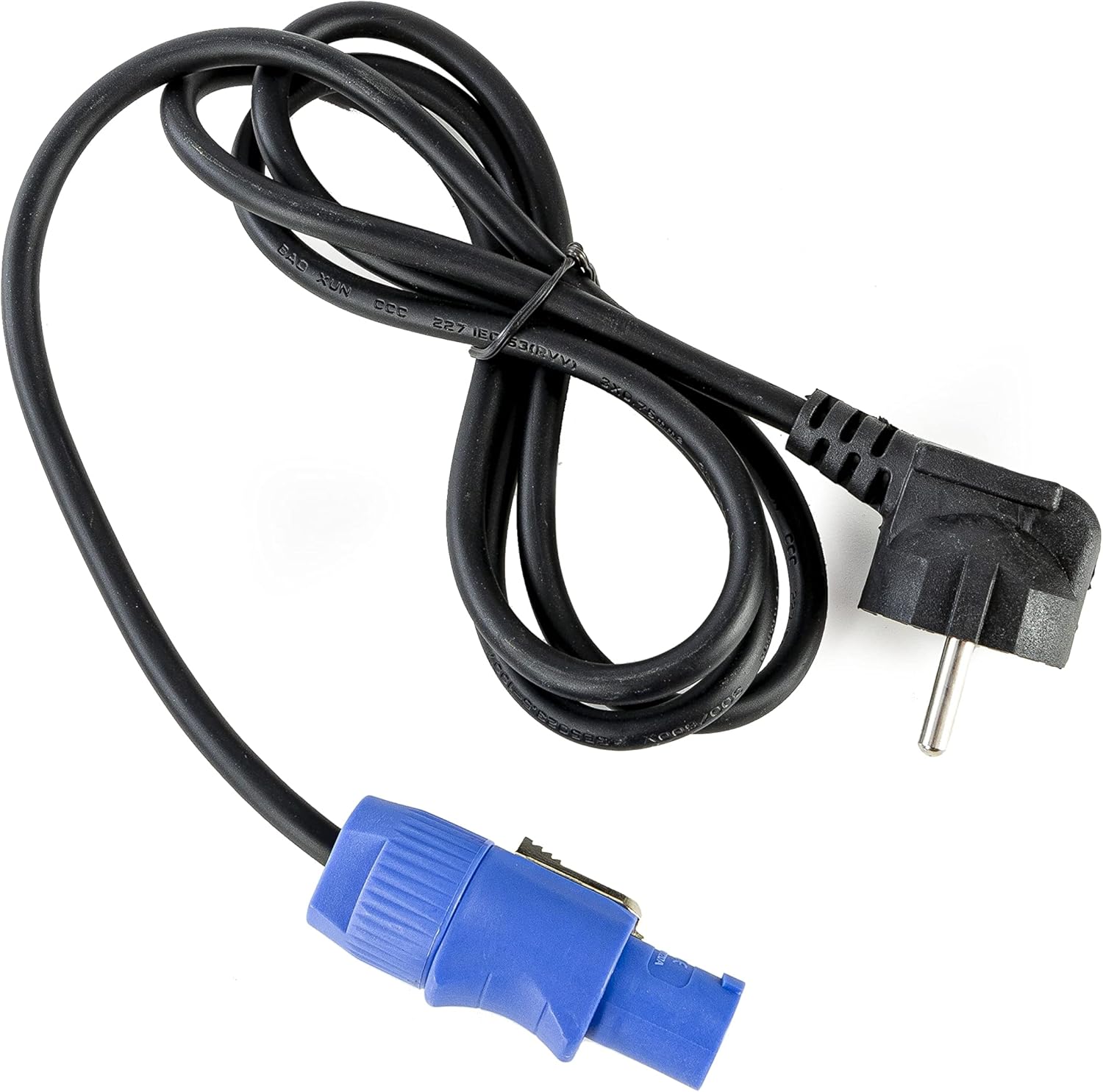
- کابل برق
- راهنمای دستورالعمل (این سند)

تصویر 2.1: Power cable with a standard European plug and a blue locking connector for the light fixture.
تصویر 2.2: Infrared remote control with various color, mode, and numerical buttons for operating the LED spot.
3. راه اندازی
3.1 شارژ اولیه
Before first use, fully charge the internal battery. Connect the provided power cable to the unit's power input and then to a suitable 240V AC power outlet. The charging indicator (if available on the display) will show the charging status. A full charge typically takes several hours.
3.2 قرار دادن
Position the Vega BAT LED on a stable, flat surface or mount it using appropriate clamps and safety cables (not included) to a truss or stand. Ensure the unit is placed in a location with good air circulation and away from direct heat sources or flammable materials.
3.3 اتصالات
For standalone operation, simply power on the unit after charging. For DMX control, connect a DMX cable from your DMX controller to the DMX IN port of the Vega BAT LED. If linking multiple units, connect the DMX OUT of the first unit to the DMX IN of the next, and so on.

تصویر 3.1: پایین view of the light fixture showing the power input, DMX ports, and regulatory labels.
4. عملیات
4.1 کنترل پنل
The unit features an onboard control panel with a display and four buttons: MENU, DOWN, UP, and ENTER. This panel allows for direct access to settings and operating modes.

تصویر 4.1: جلو view of the control panel with display and navigation buttons.

تصویر 4.2: بالا view of the control panel, showing the display and button layout.
- منو: بین گزینههای منوی اصلی جابهجا میشود.
- پایین: مقادیر را کاهش میدهد یا در گزینههای منو به پایین حرکت میکند.
- بالا: مقادیر را افزایش میدهد یا در گزینههای منو به بالا حرکت میکند.
- وارد: انتخابها را تأیید میکند یا وارد زیرمنوها میشود.
4.2 کنترل از راه دور IR
The included IR remote control provides convenient wireless operation for various functions, including color selection, mode changes, and power on/off.
- روشن/خاموش: دستگاه را روشن یا خاموش می کند.
- R, G, B, A, W, UV: Direct access to Red, Green, Blue, Amber, White, and Ultraviolet colors.
- 0-9: Numerical buttons for selecting specific programs or DMX addresses.
- خودکار: Activates automatic program mode.
- سکته مغزی: Activates strobe effect.
- محو شدن: حالت محو شدن رنگ را فعال می کند.
- صدا: حالت فعالشده با صدا را فعال میکند.
4.3 حالت عملیاتی
The Vega BAT LED offers several operating modes:
- حالت خودکار: The unit cycles through pre-programmed color changes and effects. Selectable via the control panel or IR remote.
- حالت صدا: The light reacts to ambient sound, creating dynamic effects. Sensitivity can often be adjusted via the control panel.
- حالت Master/Slave: Link multiple units where one acts as the master, controlling all connected slave units. Connect DMX cables in a daisy chain.
- حالت DMX: For professional control using a DMX controller. The unit supports 6 or 10 DMX channels, allowing for granular control over color mixing, dimming, strobe, and internal programs. Set the DMX address via the control panel.

تصویر 4.3: The light fixture emitting ultraviolet (UV) light.

تصویر 4.4: The light fixture emitting amber-colored light.
5. تعمیر و نگهداری
5.1 تمیز کردن
Regularly clean the lens and exterior housing with a soft, lint-free cloth. For stubborn dirt, a slightly damp cloth can be used. Do not use abrasive cleaners or solvents, as they may damage the finish or optical components.
5.2 مراقبت از باتری
To prolong battery life, avoid fully discharging the unit frequently. If storing the unit for an extended period, ensure the battery is charged to approximately 50-70% and recharge it every 3-6 months. Store in a cool, dry place.
5.3 ذخیره سازی
When not in use, store the Vega BAT LED in its original packaging or a suitable protective case to prevent damage from dust, moisture, and impacts.
6 عیب یابی
- دستگاه روشن نمیشود: Ensure the battery is charged or the power cable is securely connected to a live outlet. Check the power switch.
- No light output: Verify the unit is powered on and not in standby mode. Check selected operating mode and brightness settings.
- IR remote not working: Ensure there are no obstructions between the remote and the unit's IR receiver. Check the remote's battery.
- DMX control issues: Verify DMX cable connections, DMX address settings on the unit, and DMX channel mode. Ensure your DMX controller is functioning correctly.
- عمر باتری کوتاه است: The battery may require a full charge cycle. Over time, battery capacity can decrease; consider battery replacement if performance significantly degrades.
7. مشخصات
| ویژگی | مشخصات |
|---|---|
| نام تجاری | lightmaXX |
| مدل | Vega BAT LED 4x12 W RGBAWUV |
| منبع نور | 4 x 12W RGBAWUV LEDs |
| کل واتtage | 80 وات |
| کانال های DMX | 6 یا 10 کانال |
| حالت های عملیاتی | Automatic, Sound, Master/Slave, DMX |
| کنترل کنید | Onboard display/buttons, IR Remote |
| جلدtage | 240 ولت |
| ابعاد محصول | 24.2 × 21 × 19.6 سانتی متر |
| مرجع سازنده | LIG0016385-000 |
| کشور مبدا | آلمان |
| اولین بار در دسترس است | 16 آگوست 2021 |
8. گارانتی و پشتیبانی
For warranty information and technical support, please refer to the documentation provided at the time of purchase or contact your authorized lightmaXX dealer. Keep your proof of purchase for warranty claims.


