مقدمه
Thank you for choosing the JBL Cinema SB190 Soundbar. This manual provides essential information for setting up, operating, and maintaining your soundbar system. Please read it thoroughly to ensure proper use and optimal performance.
اطلاعات مهم ایمنی
هنگام استفاده از سیستم ساندبار خود، همیشه این اقدامات احتیاطی ایمنی اولیه را رعایت کنید:
- این دستورالعمل ها را با دقت بخوانید.
- این دستورالعمل ها را برای مراجعات بعدی نگه دارید.
- به همه هشدارها توجه کنید
- تمام دستورالعمل ها را دنبال کنید.
- از این دستگاه در نزدیکی آب استفاده نکنید.
- فقط با یک پارچه خشک تمیز کنید.
- هیچ یک از منافذ تهویه را مسدود نکنید. مطابق دستورالعمل سازنده نصب کنید.
- در نزدیکی هیچ منبع حرارتی مانند رادیاتور، رجیستر حرارت، اجاق گاز، یا سایر دستگاه ها (از جمله ampزنده کننده ها) که گرما تولید می کنند.
- سیم برق را از راه رفتن یا نیشگون گرفتن، به ویژه در دوشاخه ها، پریزهای راحتی و نقطه ای که از دستگاه خارج می شوند، محافظت کنید.
- فقط از پیوست ها/لوازم جانبی مشخص شده توسط سازنده استفاده کنید.
- در هنگام طوفان های رعد و برق یا زمانی که برای مدت طولانی از آن استفاده نمی کنید، این دستگاه را از برق بکشید.
- تمام خدمات را به پرسنل خدمات واجد شرایط ارجاع دهید. هنگامی که دستگاه به هر نحوی آسیب دیده باشد، مانند آسیب به سیم برق یا دوشاخه، ریختن مایعات یا افتادن اشیاء در دستگاه، در معرض باران یا رطوبت بودن دستگاه، به طور عادی کار نمی کند، سرویس مورد نیاز است. ، یا حذف شده است.
آنچه در جعبه است
Your JBL Cinema SB190 package includes the following components:
- نوار صدا
- ساب ووفر بی سیم
- کنترل از راه دور با باتری
- Power cords (region specific)
- کابل HDMI
- کیت براکت دیواری با پیچ
- راهنمای شروع سریع
- کارت گارانتی
- برگه ایمنی

Image: Included accessories for the JBL Cinema SB190, featuring the remote control, HDMI cable, power cords, and wall-mount hardware.
محصول تمام شده استview
Soundbar Front and Top Panel

تصویر: جلو view of the JBL Cinema SB190 Soundbar, showcasinطراحی شیک آن.
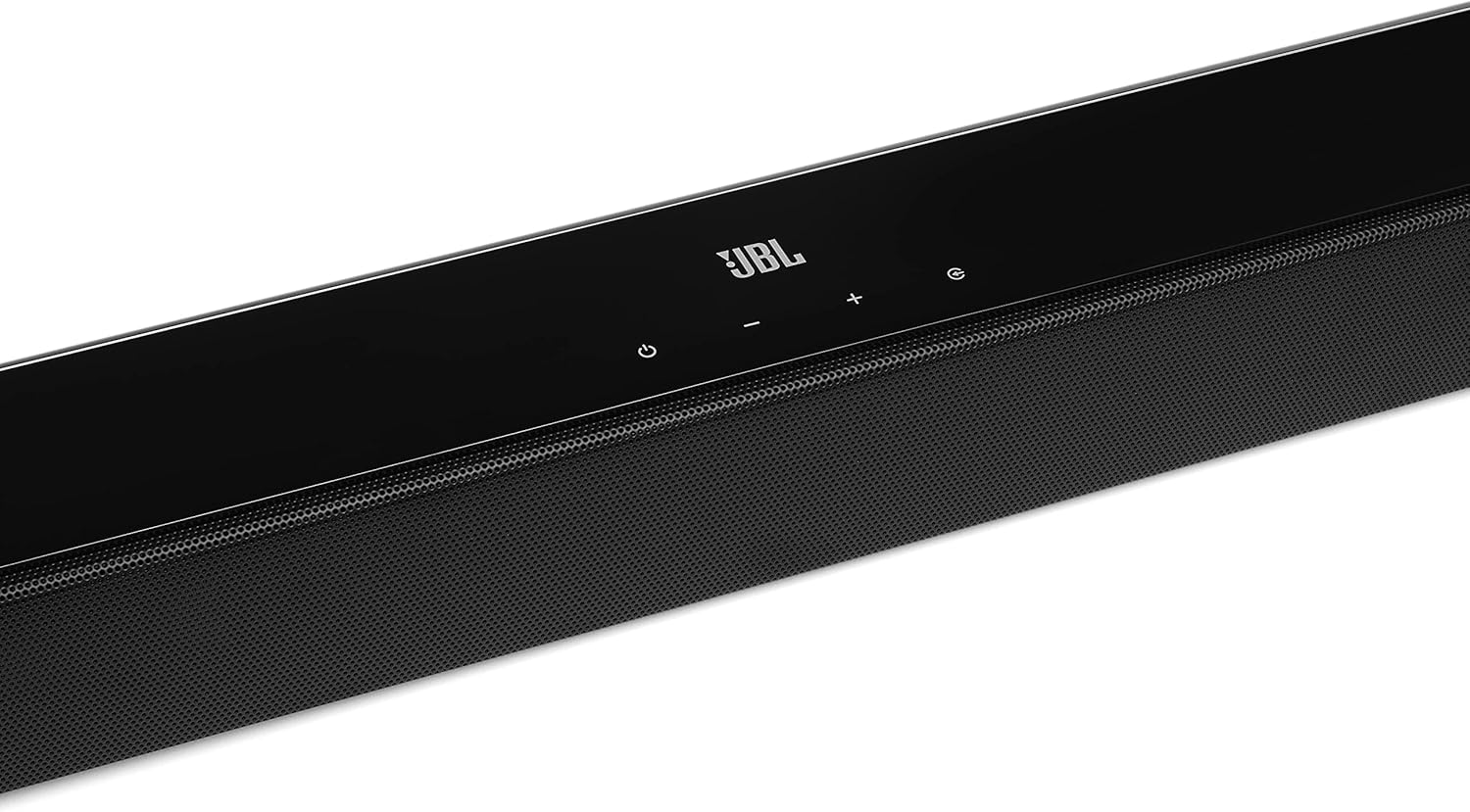
Image: Close-up of the top panel controls on the JBL Cinema SB190 Soundbar, including power, volume, and source selection buttons.
The soundbar features a minimalist design with essential controls located on the top panel for easy access. These include power, volume up/down, and input selection.
اتصالات پنل پشتی ساندبار

Image: Rear panel of the JBL Cinema SB190 Soundbar, showing the power input, HDMI eARC, HDMI In, and Optical In ports.
The rear panel provides various connection options for your audio sources and TV, including HDMI eARC, HDMI In, and Optical In. A power input is also located here.
ساب ووفر بی سیم

تصویر: جلو view of the JBL Cinema SB190 Wireless Subwoofer, featuring the JBL logo at the bottom.

تصویر: عقب view of the JBL Cinema SB190 Wireless Subwoofer, showing the power input and pairing button.
The wireless subwoofer provides deep bass and connects automatically to the soundbar. Its rear panel includes the power input and a pairing button if manual pairing is required.
کنترل از راه دور
The included remote control allows full command over your soundbar system, including power, volume, input selection, sound modes (Music, Movie, News), Voice enhancement, and Bass level adjustment.
راه اندازی
1. تعیین سطح
نوار صدا: Place the soundbar on a flat surface directly in front of your TV, centered. Ensure no objects obstruct the front of the soundbar. Alternatively, you can wall-mount the soundbar using the provided bracket kit.
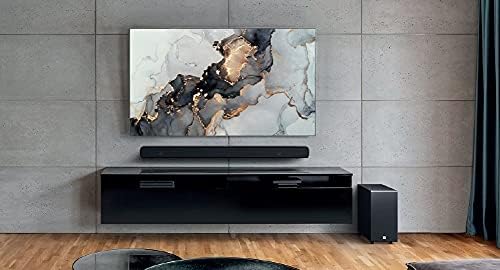
Image: The JBL Cinema SB190 Soundbar positioned below a television, with the wireless subwoofer to the side.
ساب ووفر: The wireless subwoofer can be placed anywhere in the room, ideally within 50 feet (15 meters) of the soundbar, for optimal bass distribution. Avoid placing it in a corner directly, as this can sometimes lead to boomy bass.
2. اتصالات
Choose one of the following connection methods to connect your soundbar to your TV:
- HDMI eARC (توصیه شده): For the highest quality audio, connect an HDMI cable (included) from the HDMI eARC port on your soundbar to the HDMI eARC port on your TV. This connection supports Virtual Dolby Atmos and allows for TV remote control of the soundbar volume.

Image: HDMI icon, representing the HDMI eARC connection.
- نوری در: If your TV does not have an HDMI eARC port, connect an optical cable (not included) from the OPTICAL IN port on your soundbar to the optical output on your TV.

Image: TV icon, indicating connection to a television.
- HDMI در: You can also connect an external device (e.g., Blu-ray player, game console) directly to the HDMI IN port on the soundbar. The video signal will pass through to your TV via the HDMI eARC/ARC connection.
3. اتصال برق
- Connect the power cords to the soundbar and subwoofer.
- Plug the power cords into an AC outlet.
- The soundbar and subwoofer will automatically power on and attempt to pair. The subwoofer's LED indicator will turn solid white once successfully paired.
کار با ساندبار
روشن/خاموش برق
را فشار دهید قدرت button on the soundbar or remote control to turn the system on or off.
کنترل صدا
استفاده کنید حجم + or جلد - دکمههای روی ساندبار یا ریموت کنترل برای تنظیم میزان صدا.
انتخاب ورودی
را فشار دهید منبع button on the soundbar or the dedicated input buttons (HDMI IN, HDMI ARC, OPT, BT) on the remote control to switch between audio sources.
حالت های صدا
The remote control features dedicated buttons for optimizing audio for different content types:
- موسیقی: صدا را برای پخش موسیقی تقویت میکند.
- فیلم سینما: Optimizes sound for cinematic experiences, including Virtual Dolby Atmos effects.
- اخبار: Enhances vocal clarity for news and dialogue-heavy content.
Voice and Bass Adjustment
The remote control allows for fine-tuning of voice clarity and bass levels:
- صدا: Press the VOICE button repeatedly to cycle through different levels of voice enhancement. This helps make dialogue clearer.
- باس: Press the BASS button repeatedly to adjust the subwoofer's bass output level.
جفت شدن بلوتوث
برای پخش بیسیم صدا از دستگاه تلفن همراه خود:
- را فشار دهید BT button on the remote control or soundbar. The soundbar's indicator will flash, indicating pairing mode.
- On your mobile device, enable Bluetooth and select "JBL Cinema SB190" from the list of available devices.
- Once connected, the indicator on the soundbar will turn solid. You can now stream audio from your device.

Image: Bluetooth icon, representing wireless audio streaming.
تعمیر و نگهداری
To ensure the longevity and optimal performance of your JBL Cinema SB190 Soundbar:
- تمیز کردن: Use a soft, dry cloth to clean the surfaces of the soundbar and subwoofer. Do not use liquid cleaners or abrasive materials, as they may damage the finish.
- تهویه: مطمئن شوید که منافذ تهویه روی ساندبار و ساب ووفر مسدود نشده باشند تا از گرم شدن بیش از حد جلوگیری شود.
- ذخیره سازی: اگر دستگاه را برای مدت طولانی نگهداری میکنید، آن را از پریز برق جدا کرده و در جای خشک و خنک نگهداری کنید.
عیب یابی
اگر با ساندبار خود با مشکل مواجه شدید، به مشکلات و راهحلهای رایج زیر مراجعه کنید:
No Sound from Soundbar
- مطمئن شوید که ساندبار روشن است و صدا روی بیصدا یا خیلی کم تنظیم نشده است.
- Verify that the correct input source is selected on the soundbar (e.g., HDMI ARC, Optical, Bluetooth).
- Check all cable connections (HDMI, Optical) between the soundbar and your TV/source device. Ensure they are securely plugged in.
- If using HDMI ARC/eARC, ensure your TV's HDMI ARC/eARC feature is enabled in its settings.
- Try restarting both the soundbar and your TV.
عدم پخش صدا از ساب ووفر
- Ensure the subwoofer is plugged into a power outlet and powered on.
- Check the LED indicator on the subwoofer. If it's not solid white, it may not be paired with the soundbar.
- To manually pair the subwoofer:
- Press and hold the pairing button on the back of the subwoofer until the LED flashes rapidly.
- On the soundbar, press and hold the قدرت button for 5 seconds. The soundbar will enter pairing mode.
- Once paired, the LED on the subwoofer will turn solid white.
Audio/Video Sync Issues
- If using HDMI eARC, this feature is designed to minimize sync issues. Ensure your TV's firmware is up to date.
- Some TVs have an audio delay setting (lip-sync) that can be adjusted. Consult your TV's manual.
- If connecting via Optical, audio lag can sometimes occur. Try connecting via HDMI eARC if available.
مشکلات اتصال بلوتوث
- Ensure Bluetooth is enabled on your mobile device and the soundbar is in pairing mode.
- دستگاه خود را به ساندبار نزدیکتر کنید.
- لیست جفتسازی بلوتوث را در دستگاه خود پاک کنید و دوباره جفتسازی را امتحان کنید.
- مطمئن شوید که هیچ دستگاه بلوتوث دیگری تداخل ایجاد نمیکند.
مشخصات
| ویژگی | جزئیات |
|---|---|
| نام مدل | سینما SB190 |
| نوع بلندگو | نوار صدا |
| پیکربندی کانال صدای فراگیر | 2.1 |
| Total Speaker Power Output | 380 وات |
| قطر ساب ووفر | 6.5 اینچ |
| ویژگی های خاص | Bluetooth 5.1 streaming, Dedicated sound mode to enhance voice clarity, HDMI In and Optical In connection, HDMI eARC capable, Virtual Dolby Atmos technology |
| فناوری اتصال | Bluetooth, Wired (HDMI, Optical) |
| روش کنترل | از راه دور |
| ابعاد محصول (ساندبار) | 89.9W x 6.2D x 6.6H Centimetres |
| وزن مورد | 7.5 Kilograms (Total system) |
| مواد | پلاستیک |
| رنگ | مشکی |
| اجزای شامل | Soundbar, Wireless subwoofer, Remote control with batteries, Power cords, HDMI cable, Wall-mount bracket kit with screws, Quick start guide, Warranty card, Safety sheet |
گارانتی و پشتیبانی
For detailed warranty information, please refer to the warranty card included in your product package. For technical support, product registration, or further assistance, please visit the official JBL support webسایت یا با خدمات مشتریان آنها تماس بگیرید.
میتوانید اطلاعات بیشتر و منابع پشتیبانی را در اینجا بیابید فروشگاه JBL در آمازون.


