1. مقدمه
This manual provides essential information for setting up, operating, and maintaining your TCL 20 Pro 5G smartphone. Please read this guide thoroughly before using your device to ensure optimal performance and safety.
The TCL 20 Pro 5G is an unlocked smartphone designed for high-speed connectivity and advanced multimedia experiences. It features a stunning AMOLED display, a versatile quad-camera system, and robust performance powered by a Qualcomm Snapdragon 5G processor.

شکل 1: جلو view of the TCL 20 Pro 5G smartphone.
۲. چه چیزهایی در جعبه است؟
Your TCL 20 Pro 5G package includes the following items:
- 1 x TCL 20 Pro 5G Mobile Phone
- 1 x TCL 20 Pro 5G Mobile Phone Case
- 1 x SIM Card PIN
- 1 عدد کابل Type-C
- 1 x 9V2A Charger
- 1 x راهنمای سریع
توجه: هدفون، سیمکارت و کارت حافظه شامل نمیشوند و باید جداگانه خریداری شوند.
3. دستگاه تمام شده استview
Familiarize yourself with the physical components of your TCL 20 Pro 5G smartphone.
3.1 نمایشگر
The device features a 6.67-inch FHD+ NXTVISION AMOLED Dotch Display, offering vivid and true-to-life visuals. AI visual enhancement intelligently adjusts brightness, color, clarity, and contrast based on your environment.
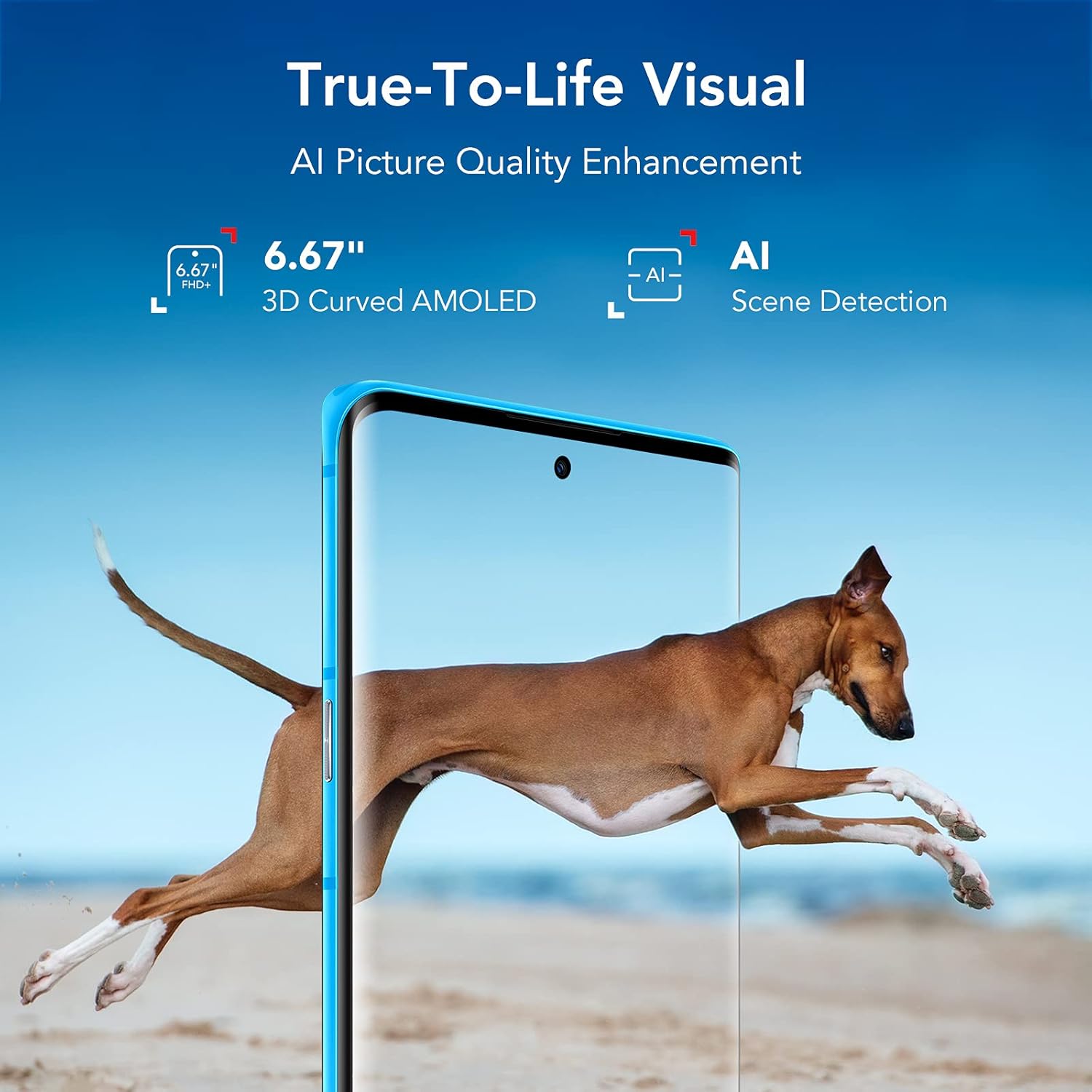
Figure 2: TCL 20 Pro 5G AMOLED Display with NXTVISION technology.
3.2 سیستم دوربین
The rear of the phone houses a powerful quad-camera setup, while the front features a high-resolution selfie camera.
- دوربین عقب: 48MP Optical Image Stabilization (OIS) Main Camera, 16MP Ultra Wide Camera, 5MP Macro Camera, 2MP Depth Camera.
- دوربین جلو: 32MP with dedicated RGB sensor for accurate skin tone.

شکل 3: با جزئیات view of the Quad Camera System.
۳.۲ پورتها و دکمهها
The device includes a USB Type-C 2.0 port for charging and data transfer. Physical buttons control power, volume, and other functions. An in-display optical fingerprint sensor and Face Key provide secure access.

Figure 4: USB Type-C charging port on the TCL 20 Pro 5G.
4. راه اندازی
۲.۲ قرار دادن سیم کارت و کارت حافظه microSD
- سینی سیم کارت را در کنار گوشی خود پیدا کنید.
- Insert the provided SIM card PIN into the small hole on the tray to eject it.
- Place your Nano SIM card into the designated slot. If using a MicroSD card for expanded storage (up to 1TB, sold separately), insert it into the MicroSD slot.
- سینی را با دقت به داخل گوشی فشار دهید تا در جای خود قرار گیرد.
۴.۲ روشن شدن اولیه و سازگاری شبکه
Press and hold the Power button until the TCL logo appears. Follow the on-screen instructions to complete the initial setup.
Your TCL 20 Pro 5G is compatible with Verizon 5G/LTE, T-Mobile 5G/LTE, and AT&T LTE networks. توجه: It is not compatible with AT&T 5G or CDMA networks such as Spectrum or Xfinity.
If you experience network issues with Verizon, restart your phone. If problems persist, your Verizon account may need to be provisioned to support “CDMA-less” devices. Contact Verizon’s technical support for assistance.
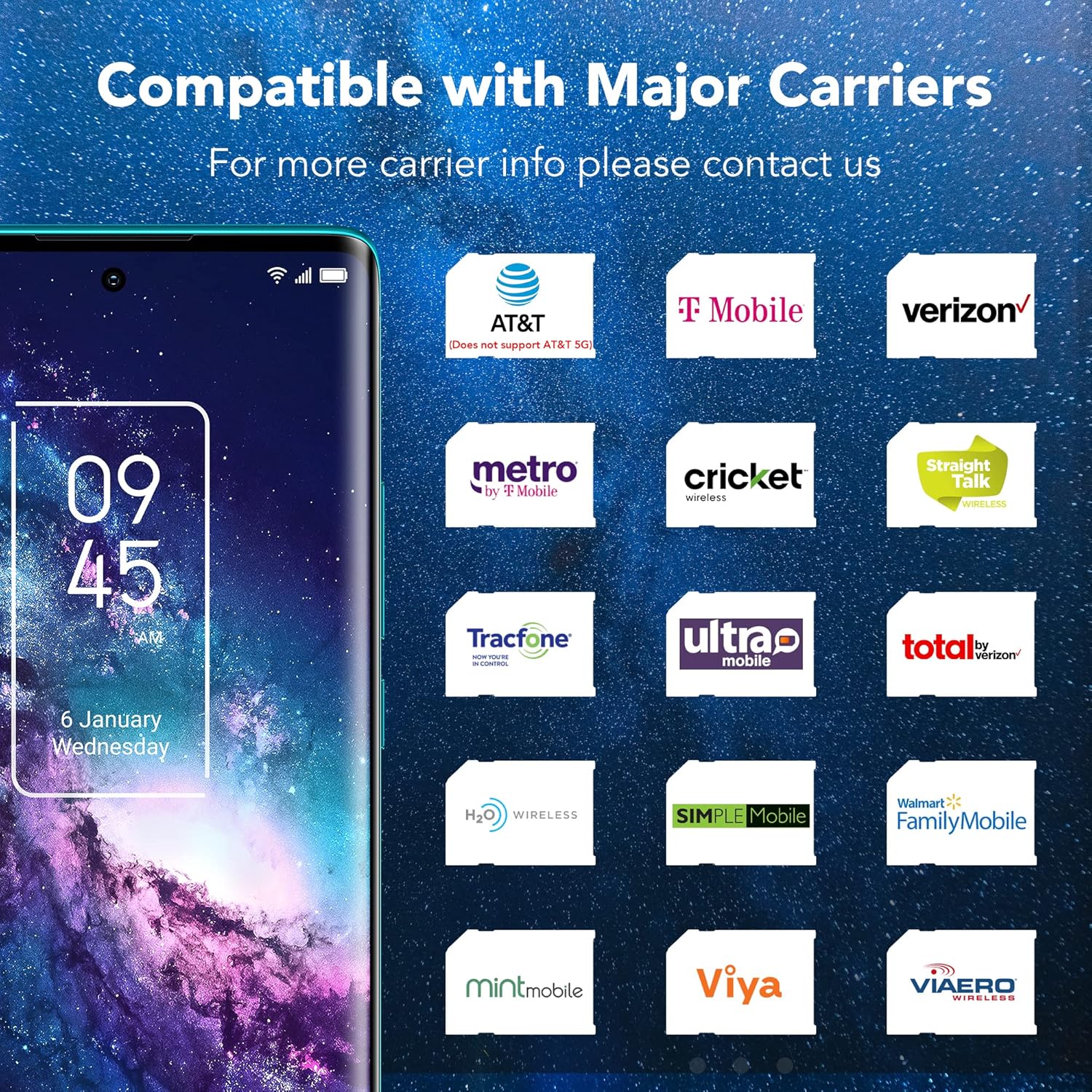
Figure 5: Network compatibility information for the TCL 20 Pro 5G.
5. عملیات پایه
5.1 روشن/خاموش
- روشن کردن: Press and hold the Power button until the device vibrates and the TCL logo appears.
- برای خاموش کردن: Press and hold the Power button until the power menu appears, then select "Power off."
- شروع دوباره: Press and hold the Power button until the power menu appears, then select "Restart."
5.2 ویژگی های امنیتی
- In-display Optical Fingerprint Sensor: Register your fingerprints in the device settings for quick and secure unlocking.
- کلید چهره: برای باز کردن قفل راحت، تشخیص چهره را تنظیم کنید.
۲. ویژگیهای دوربین
The TCL 20 Pro 5G offers a versatile camera experience for capturing high-quality photos and videos.
6.1 Rear Camera Modes
- دوربین اصلی ۱۰۰ مگاپیکسلی با لرزشگیر اپتیکال تصویر: For sharp, detailed photos, especially in challenging lighting conditions due to Optical Image Stabilization.
- دوربین فوق عریض ۱۲ مگاپیکسلی: Capture expansive landscapes and group shots with a wider field of view.
- دوربین ماکرو ۵ مگاپیکسلی: Focus on small details and close-up subjects.
- دوربین عمقسنج ۲ مگاپیکسلی: Enhances portrait mode with professional-looking bokeh effects.
دوربین جلو 6.2
The 32MP front camera with a dedicated RGB sensor ensures accurate skin tones and natural lighting for high-quality selfies and video calls.
7. قابلیت اتصال
Your device supports a wide range of connectivity options:
- شبکه 5G: Experience revolutionary speeds for faster streaming and downloads.
- وای فای: Supports 802.11 a/b/g/n/ac for both 2.4GHz and 5GHz bands, Wi-Fi Direct, and Wi-Fi casting.
- بلوتوث 5.1: برای اتصال لوازم جانبی بیسیم مانند هدفون و بلندگو.
- NFC: برای پرداختهای بدون تماس و جفتسازی سریع با دستگاههای سازگار.
- هات اسپات موبایل: Share your 5G/4G data connection with other devices.
- VoLTE/VoWiFi: Voice over LTE and Voice over Wi-Fi (optional, carrier dependent).
8. باتری و شارژ
The TCL 20 Pro 5G is equipped with a 4500mAh Lithium Polymer battery. Use the provided 9V2A charger and Type-C cable for optimal charging. The typical charging time is approximately 2 hours.
9. مشخصات
| ویژگی | مشخصات |
|---|---|
| نام مدل | 20 پرو 5G |
| شماره مدل مورد | T810S |
| نام تجاری | TCL |
| سیستم عامل | اندروید 11.0 |
| مدل CPU | اسنپدراگون 750G |
| سرعت CPU | 2.4 گیگاهرتز |
| اندازه صفحه نمایش ایستاده | 6.67 اینچ |
| قطعنامه | 1080p |
| نرخ تازه سازی | 60 هرتز |
| اندازه حافظه رم نصب شده | 6 گیگابایت |
| ظرفیت ذخیره سازی حافظه | 256 GB (expandable up to 1TB with microSDXC) |
| ظرفیت باتری | 4500 میلیونamp ساعت |
| زمان شارژ | 2 ساعت |
| وزن مورد | 0.42 lb (0.176 ounces in some data, using 0.42lb from description) |
| ابعاد بسته بندی | 7.48 x 3.66 x 2.44 اینچ |
| قابلیت اتصال | 5G, 4G LTE, 3G, 2G, Wi-Fi (802.11 a/b/g/n/ac), Bluetooth 5.1, NFC, USB Type-C 2.0 |
| امنیت | In-display optical fingerprint sensor, Face Key |
10 عیب یابی
If you encounter issues with your TCL 20 Pro 5G, try the following common solutions:
- دستگاه پاسخ نمی دهد: برای ریستارت اجباری، دکمه پاور را حدود ۱۰ ثانیه فشار داده و نگه دارید.
- مشکلات اتصال به شبکه: Ensure your SIM card is correctly inserted. Check your network settings. If on Verizon, contact your carrier to confirm account provisioning for “CDMA-less” devices.
- تخلیه سریع باتری: روشنایی صفحه نمایش را کاهش دهید، برنامههای بلااستفاده را ببندید، فرآیندهای پسزمینه غیرضروری را غیرفعال کنید و بهروزرسانیهای برنامهها را بررسی کنید.
- از کار افتادن برنامهها: حافظه پنهان و دادههای برنامه مشکلساز را در تنظیمات > برنامهها پاک کنید. اگر مشکل همچنان ادامه داشت، برنامه را دوباره نصب کنید.
- Fingerprint Sensor/Face Unlock Not Working: Ensure your fingers are clean and dry for the fingerprint sensor. For Face Key, ensure adequate lighting and that your face is clearly visible. Re-register your biometrics if necessary.
For more complex issues, refer to the full user manual available on the TCL support webسایت یا با پشتیبانی مشتری تماس بگیرید.
11. اطلاعات ایمنی
To prevent injury, damage to your device, or damage to other property, observe the following safety precautions:
- سعی نکنید دستگاه را جدا کنید، تعمیر یا تغییر دهید.
- فقط از شارژرها و لوازم جانبی مورد تایید TCL استفاده کنید.
- از قرار دادن دستگاه در معرض دمای شدید، نور مستقیم خورشید یا رطوبت بیش از حد خودداری کنید.
- دستگاه را از دستگاههای پزشکی دور نگه دارید، زیرا ممکن است در عملکرد آنها اختلال ایجاد کند.
- دستگاه و باتری آن را طبق مقررات محلی، مسئولانه دور بیندازید.
12. گارانتی و پشتیبانی
Your TCL 20 Pro 5G smartphone comes with a one-year US warranty. For warranty claims, technical support, or further assistance, please visit the official TCL support webبه سایت مراجعه کنید یا با خدمات مشتریان آنها تماس بگیرید. رسید خرید خود را برای اعتبارسنجی گارانتی نگه دارید.
پشتیبانی TCL Webسایت: www.tcl.com/us/en/support


