مقدمه
Thank you for choosing the Camiysn Typewriter Style Mechanical Gaming Keyboard. This manual provides detailed instructions for setting up, operating, and maintaining your new keyboard. Please read this manual thoroughly before use to ensure optimal performance and longevity of your device.
This keyboard combines a retro aesthetic with modern gaming features, offering a unique typing and gaming experience with its distinctive round keycaps and tactile blue switches.
ویژگی های محصول
- Typewriter Style Design: Unique retro aesthetic with round keycaps.
- کلیدهای مکانیکی آبی: Provides medium resistance, an audible click sound, and tactile feedback for a satisfying typing experience.
- نور پس زمینه آبی: Multiple adjustable blue lighting modes.
- طرحبندی ۶۱ کلیدی: Full-size keyboard with a numeric keypad.
- ضد شبح: Features 26 anti-ghosting keys for accurate input during intense gaming sessions.
- پایههای عقب قابل تنظیم: Allows for customization of the keyboard's typing angle.
- ساخت و ساز بادوام: Keycaps made with a two-color injection molding process for enhanced durability.
- وصل و پخش USB: Simple connection to your computer without the need for additional drivers.
- سازگاری گسترده: Compatible with Windows 2000/7/8/10/XP, Vista, Linux, and Mac operating systems.
- کلیدهای چند رسانه ای: Dedicated function keys for media control.
- تکیهگاه مچ مغناطیسی قابل جدا شدن: Provides ergonomic support for comfortable typing.

Figure 1: Camiysn Typewriter Style Mechanical Gaming Keyboard, showcasing its full layout and blue backlighting.
راهنمای راه اندازی
- باز کردن بسته بندی: Carefully remove the keyboard from its packaging. Ensure all components, including the keyboard and any accessories (like the wrist rest), are present.
- اتصال: Locate an available USB port on your computer. Insert the keyboard's USB cable firmly into the USB port. The keyboard is plug-and-play, so no additional driver installation is typically required.
- قرار دادن: Position the keyboard comfortably on your desk. You may adjust the rear feet to achieve your preferred typing angle.
- Wrist Rest (Optional): If included, attach the detachable magnetic wrist rest to the front edge of the keyboard for added ergonomic support.
- آزمایش اولیه: یک ویرایشگر متن باز کنید یا web browser and type a few characters to confirm the keyboard is functioning correctly.
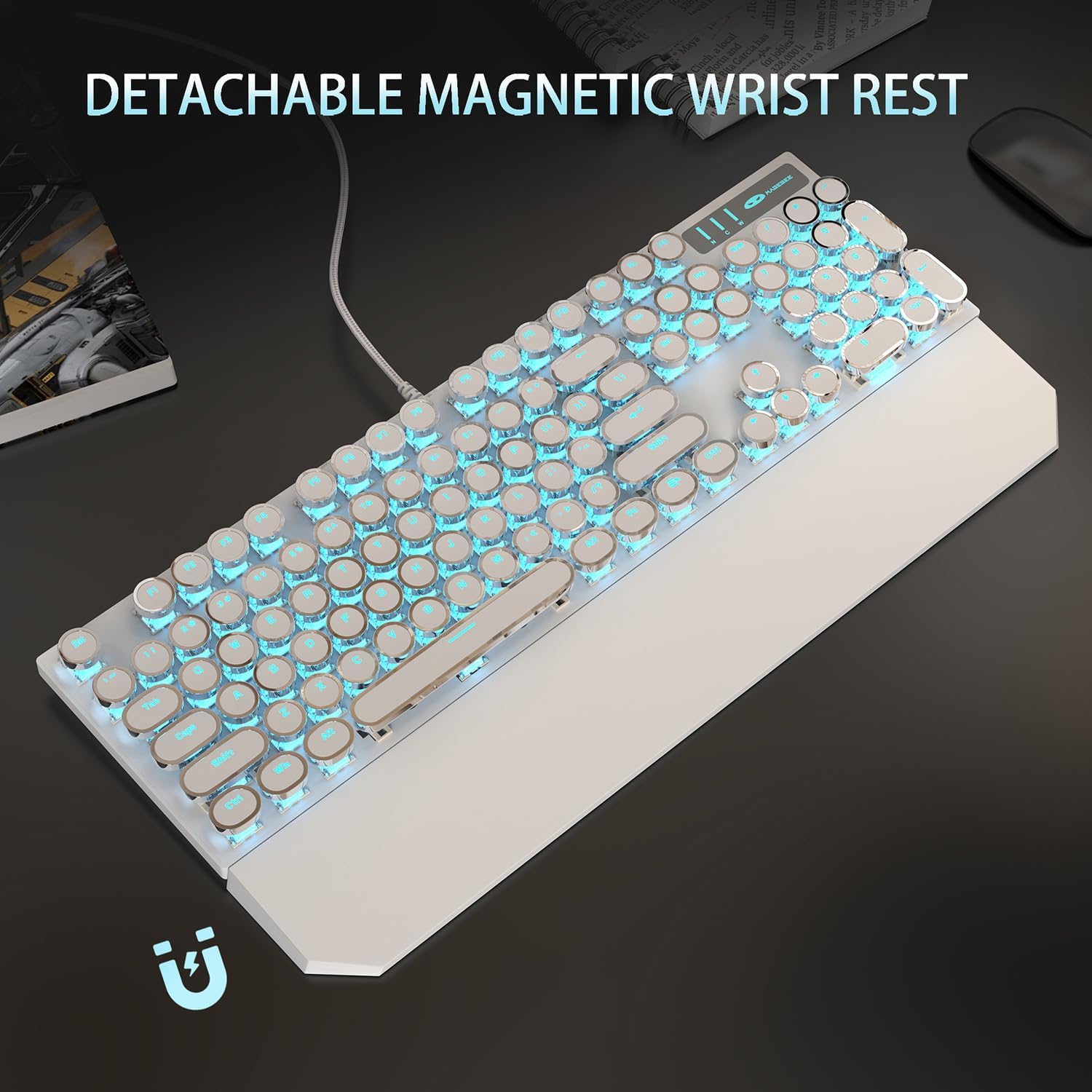
Figure 2: The keyboard with its detachable magnetic wrist rest, designed for ergonomic comfort during extended use.
دستورالعمل های عملیاتی
کنترل نور پس زمینه
The Camiysn Mechanical Gaming Keyboard features multiple blue backlight modes. Use the following key combinations to control the lighting:
- تغییر حالت نورپردازی: را فشار دهید Fn + Ins to cycle through available lighting effects.
- تنظیم روشنایی: را فشار دهید Fn + ↑ (فلش بالا) برای افزایش روشنایی.
- را فشار دهید Fn + ↓ (فلش رو به پایین) برای کاهش روشنایی.
- تغییر سرعت: را فشار دهید Fn + ← (Left Arrow) to decrease lighting effect speed.
- را فشار دهید Fn + → (Right Arrow) to increase lighting effect speed.
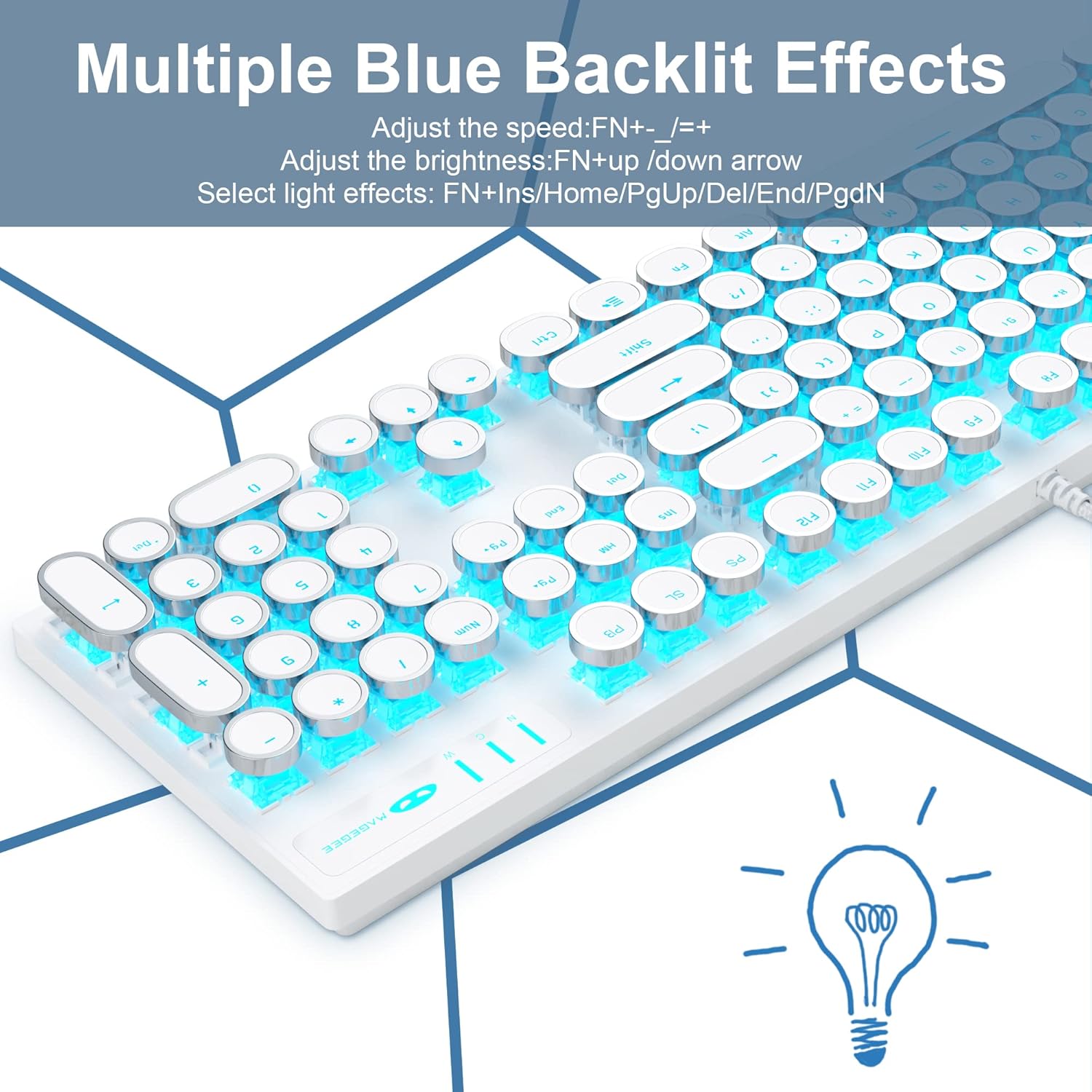
Figure 3: Illustration of the keyboard's multiple blue backlit effects and the corresponding function key combinations for adjustment.
کلیدهای چندرسانه ای
The keyboard includes dedicated multimedia function keys accessible by pressing the Fn key in combination with the F1-F12 keys:
| ترکیب کلید | تابع |
|---|---|
| Fn + F1 | مدیا پلیر |
| Fn + F2 | کاهش حجم |
| Fn + F3 | افزایش حجم |
| Fn + F4 | بی صدا |
| Fn + F5 | توقف |
| Fn + F6 | آخرین آهنگ |
| Fn + F7 | Play/Suspend |
| Fn + F8 | آهنگ بعدی |
| Fn + F9 | ایمیل |
| Fn + F10 | صفحه اصلی |
| Fn + F11 | کامپیوتر من |
| Fn + F12 | ماشین حساب |

Figure 4: A visual guide to the multimedia functions available via the Fn key combinations on the keyboard.
N-Key Rollover and WASD Exchange
The keyboard supports N-Key Rollover, ensuring that multiple simultaneous key presses are registered accurately, which is crucial for gaming. Additionally, it offers a function to exchange the WASD keys with the arrow keys for specific gaming preferences.
- WASD Exchange: را فشار دهید Fn + W to toggle the functionality of WASD keys with the arrow keys. Repeat the combination to revert to default.

Figure 5: Demonstrates the N-Key Rollover capability and the Fn+W key combination for WASD and arrow key exchange.
تعمیر و نگهداری
Proper maintenance ensures the longevity and optimal performance of your Camiysn keyboard.
- تمیز کردن:
- قبل از تمیز کردن، کیبورد را از کامپیوتر جدا کنید.
- کمی d از یک پارچه نرم و بدون پرز استفاده کنیدampبا آب یا یک محلول تمیزکننده ملایم، سطح صفحه کلید و کلیدهای آن را پاک کنید.
- برای گرد و غبار و خرده ریزهای بین کلیدها، از هوای فشرده استفاده کنید.
- از استفاده از مواد شیمیایی قوی، پاککنندههای ساینده یا رطوبت بیش از حد خودداری کنید، زیرا این موارد میتوانند به صفحه کلید آسیب برسانند.
- ذخیره سازی: وقتی برای مدت طولانی از صفحه کلید استفاده نمیکنید، آن را در محیطی تمیز و خشک و دور از نور مستقیم خورشید و دمای شدید نگهداری کنید.
- رسیدگی: Avoid dropping the keyboard or exposing it to strong impacts. Do not pull on the USB cable excessively.
عیب یابی
اگر با صفحه کلید خود با مشکل مواجه شدید، به مشکلات و راهحلهای رایج زیر مراجعه کنید:
| مشکل | راه حل ممکن |
|---|---|
| صفحه کلید پاسخ نمیدهد. |
|
| نور پس زمینه کار نمیکند یا کم نور است. |
|
| کلیدها به درستی ثبت نمیشوند (شبیهسازی). |
|
| Keycaps feel loose or wobbly. |
|
مشخصات
| ویژگی | جزئیات |
|---|---|
| نام تجاری | Camiysn |
| شماره مدل | CPKJXFBWHITE602 |
| رنگ | سفید |
| نوع کلید | مکانیکی (سوئیچهای آبی) |
| سبک کلید | Round, Typewriter Style |
| تعداد کلیدها | 104 |
| نور پس زمینه | Blue, Single Color, Multiple Modes |
| قابلیت اتصال | Wired USB (Plug and Play) |
| ضد شبح | 26 کلید |
| سازگاری | Win 2000/7/8/10/XP, Vista, Linux, Mac, Game Console |
| ابعاد | Approximately 17.1 inches (Length) x 4.95 inches (Width) |
| استفاده توصیه شده | بازی، آفیس |

Figure 6: The full-size layout of the keyboard with its approximate dimensions.

شکل ۲.۵: نمای نزدیک view of the clicky blue mechanical switches used in the keyboard, highlighting their design and tactile nature.

Figure 8: Details of the adjustable rear feet for ergonomic positioning and the unique round float keycaps.
گارانتی و پشتیبانی
Information regarding specific warranty terms and conditions for the Camiysn Mechanical Gaming Keyboard is typically provided with your purchase documentation or on the product's official website. Please refer to those resources for detailed warranty coverage.
For technical support, product inquiries, or assistance with troubleshooting beyond the scope of this manual, please contact Camiysn customer service through the contact information provided on the product packaging or the official Camiysn webسایت


