1. مقدمه
This manual provides essential information for setting up, operating, maintaining, and troubleshooting your ASUS TUF Gaming A15 FA506II-AS53 laptop. Please read this manual thoroughly to ensure proper usage and to maximize the performance and lifespan of your device.
2. محصول تمام شدview
The ASUS TUF Gaming A15 FA506II-AS53 is a robust gaming laptop designed for performance and durability. It features a 15.6-inch 144Hz Full HD IPS-Type display, powered by an AMD Ryzen 5 4600H processor and NVIDIA GeForce GTX 1650 Ti graphics. The laptop includes 8GB DDR4 RAM and a 512GB PCIe SSD for fast loading and multitasking. Its design incorporates a durable MIL-STD-810H military standard construction and an Anti-Dust Cooling (ADC) system for extended longevity. The RGB backlit keyboard offers a 20-million keystroke durability.
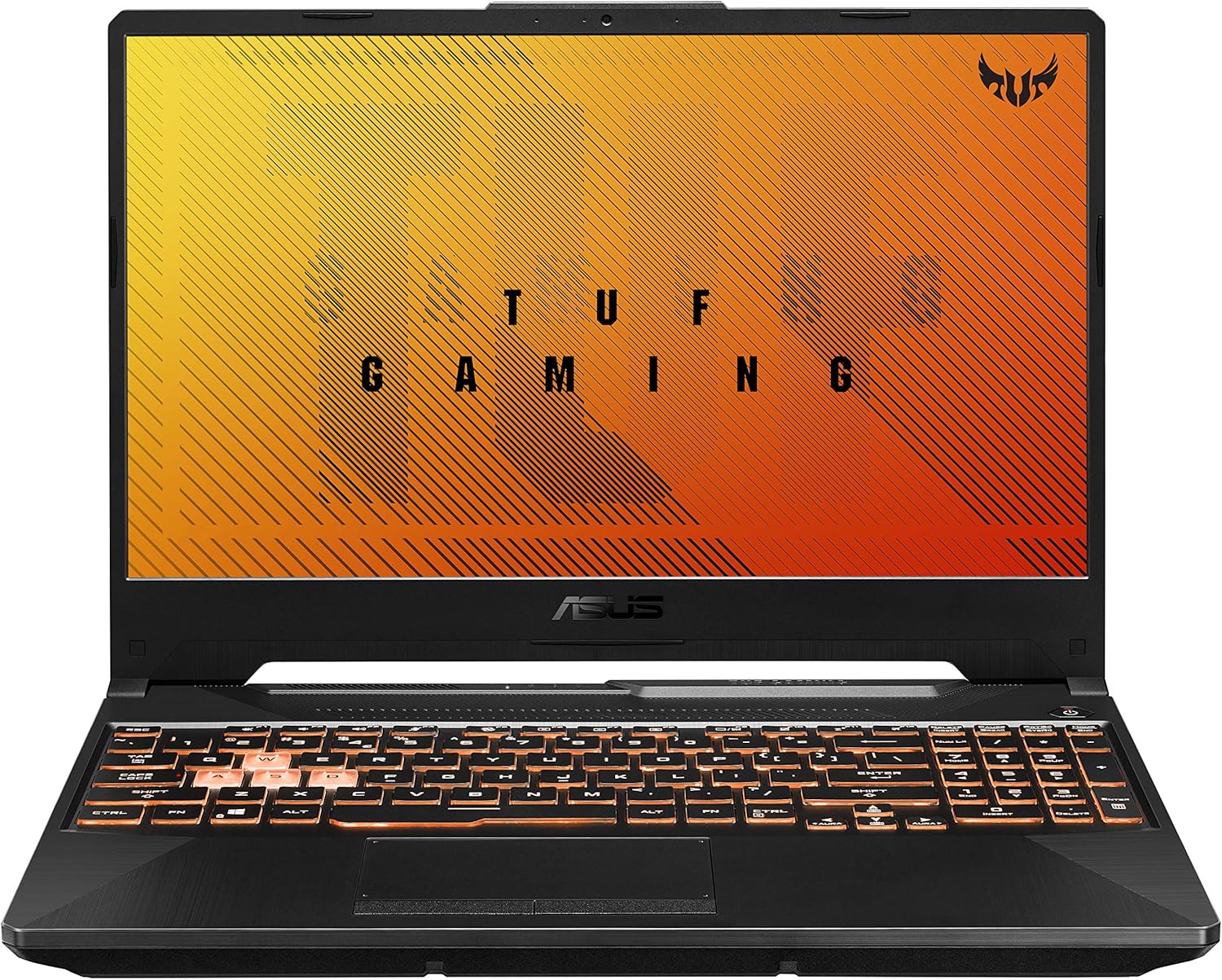
شکل ۲: زاویهدار view of the ASUS TUF Gaming A15 laptop with its display open.
ویژگی های کلیدی:
- پردازنده: AMD Ryzen 5 4600H
- گرافیک: NVIDIA GeForce GTX 1650 Ti 4GB GDDR6
- نمایش: 15.6-inch 144Hz FHD (1920x1080) IPS-Type
- ذخیره سازی: ۲۵۶ گیگابایت حافظه SSD از نوع PCIe NVMe M.2
- حافظه: رم ۲ گیگابایتی DDR4 با فرکانس ۱۳۳۳ مگاهرتز
- سیستم عامل: ویندوز ۱۰ نسخه خانگی (ارتقاء رایگان به ویندوز ۱۱ در دسترس است)
- ماندگاری: MIL-STD-810H military standard construction
- خنک کننده: Dual fans with self-cleaning anti-dust technology
- صفحه کلید: RGB Backlit, 20-million keystroke durability
- قابلیت اتصال: Gigabit Wave 2 Wi-Fi 5 (802.11ac)
3. راه اندازی اولیه
3.1 Unboxing and Connecting Power
- لپتاپ و تمام لوازم جانبی را با دقت از بستهبندی خارج کنید.
- آداپتور برق متناوب (AC) را به پورت ورودی برق لپ تاپ وصل کنید و سپس آن را به پریز برق وصل کنید.
- درب لپتاپ را باز کنید و دکمه پاور را فشار دهید تا دستگاه روشن شود.

Figure 3.1: The ASUS TUF Gaming A15 laptop with its display open, ready for initial setup.
۳.۲ راهاندازی سیستم عامل (ویندوز ۱۱ نسخه خانگی)
Upon first boot, the laptop will guide you through the Windows 10 Home setup wizard. Follow the on-screen prompts to configure your region, language, network settings, and user account. It is recommended to connect to the internet during this process to ensure all necessary updates are downloaded.
During the setup, you will be asked to customize your device usage. Selecting 'Gaming' will optimize Windows 10 for gaming performance and suggest relevant tools and services.

شکل ۱: بالا به پایین view of the ASUS TUF Gaming A15 keyboard, highlighting the WASD keys and RGB backlighting.
4. پورت ها و اتصال
The ASUS TUF Gaming A15 offers a variety of ports for connecting peripherals and external displays.
4.1 Available Ports:
- USB 3.2 نسل اول نوع A: Multiple ports for high-speed data transfer.
- یواسبی ۳.۲ نسل ۱ نوع C: Supports DisplayPort 1.4 for external monitors.
- HDMI 2.0b: برای اتصال به نمایشگرهای خارجی یا تلویزیونها.
- پورت شبکه RJ45: برای اتصال به اینترنت سیمی.
- جک صوتی ترکیبی 3.5 میلیمتری: For headphones with microphone.
- ورودی برق: برای اتصال آداپتور برق متناوب (AC).

Figure 4.1: Left side of the ASUS TUF Gaming A15 laptop, displaying the power input, RJ45, HDMI, USB-A, and USB-C ports.
4.2 Wireless Connectivity:
- وایفای ۵ (۸۰۲.۱۱ac): Provides fast wireless internet access.
- بلوتوث 5.0: For connecting wireless peripherals like headsets and mice.
۲. صفحه کلید و صفحه لمسی
The ASUS TUF Gaming A15 features a full-sized RGB backlit keyboard and a responsive touchpad.
5.1 RGB Backlit Keyboard:
- The keyboard offers customizable RGB backlighting, allowing you to personalize the lighting effects.
- The WASD keys are highlighted for gaming.
- Keys are rated for 20-million keystroke durability.
صفحه لمسی 5.2:
The touchpad supports multi-touch gestures for intuitive navigation within Windows. It is designed for quick and accurate response.
6. عملکرد
The ASUS TUF Gaming A15 is built for gaming and demanding tasks. Its AMD Ryzen 5 4600H processor and NVIDIA GeForce GTX 1650 Ti graphics card provide solid performance for 1080p gaming and everyday computing.
6.1 Gaming Performance:
The GTX 1650 Ti is capable of running many modern games at 1080p resolution with playable frame rates. For optimal performance, ensure your laptop is plugged in and set to a high-performance power profile.
6.2 Cooling System:
The laptop incorporates dual fans with self-cleaning anti-dust technology to maintain optimal temperatures during intensive use, preventing thermal throttling and extending component lifespan. While fans may become audible under heavy load, this is normal for gaming laptops.

Figure 6.1: Diagram illustrating the 'Lasting Cool' anti-dust cooling system of the ASUS TUF Gaming A15.
7. تعمیر و نگهداری
Regular maintenance helps ensure the longevity and optimal performance of your ASUS TUF Gaming A15 laptop.
7.1 تمیز کردن:
- برای تمیز کردن صفحه نمایش و قسمت بیرونی آن از یک پارچه نرم و بدون پرز استفاده کنید.
- برای لکههای سرسخت، به آرامیampپارچه را با آب یا پاککننده صفحه نمایش بپوشانید.
- مرتباً صفحه کلید و تاچ پد را تمیز کنید تا گرد و غبار و آلودگیها از بین بروند.
- Ensure cooling vents are clear of obstructions to maintain airflow.
7.2 به روز رسانی نرم افزار:
Keep your operating system and drivers updated. Windows Update will handle OS updates, and the MyASUS application can assist with driver and firmware updates specific to your ASUS hardware.
۴.۱ مراقبت از باتری:
- از خالی شدن کامل باتری به طور مکرر خودداری کنید.
- For prolonged storage, charge the battery to about 50-60% and store the laptop in a cool, dry place.
- If primarily using the laptop while plugged in, consider using battery health management features in MyASUS to extend battery lifespan.
8 عیب یابی
در این بخش به مشکلات رایجی که ممکن است با لپتاپ خود مواجه شوید، پرداخته شده است.
۵.۱ مشکلات و راهحلهای رایج:
- روشن نشدن لپ تاپ: مطمئن شوید که آداپتور برق متناوب (AC) محکم وصل شده و پریز برق کار میکند. برای انجام تنظیم مجدد سخت، دکمه پاور را به مدت ۱۰ تا ۱۵ ثانیه نگه دارید.
- صفحه خالی است: Connect an external monitor to check if the display output is working. If it is, the laptop screen may require service. Try pressing Fn + F6 (or the appropriate function key for display toggle) to switch display modes.
- عملکرد کند: Check for background applications consuming resources. Ensure Windows and drivers are up to date. Consider upgrading RAM if frequently running demanding applications.
- مشکلات اتصال به وای فای: Restart your router and modem. Ensure Wi-Fi drivers are updated. Check network settings in Windows.
- صفحه کلید یا صفحه لمسی پاسخ نمی دهد: لپتاپ را مجدداً راهاندازی کنید. در Device Manager، بهروزرسانیهای درایور را بررسی کنید.
8.2 MyASUS Application for Diagnostics and Support:
The MyASUS application provides tools for system diagnostics, updates, and direct contact with ASUS support. It can help identify and resolve many software and hardware issues.
Video 8.1: MyASUS Product Video. This video demonstrates the features and benefits of the MyASUS application, including system updates, diagnostics, and customer support options, helping users maintain and troubleshoot their ASUS devices.
9. مشخصات
| ویژگی | مشخصات |
|---|---|
| نام تجاری | ایسوس |
| نام مدل | ASUS TUF A16 Gaming Laptop (FA506II-AS53) |
| اندازه صفحه نمایش | 15.6 اینچ |
| وضوح صفحه نمایش | 1920 x 1080 pixels (FHD IPS-Type) |
| پردازنده | ایامدی رایزن ۷ ۸۷۴۵اچ (۳.۸ گیگاهرتز) |
| RAM | ۱۶ گیگابایت رم DDR4 با فرکانس ۲۹۳۳ مگاهرتز |
| هارد دیسک | ۵۱۲ گیگابایت حافظه SSD از نوع PCIe NVMe M.2 |
| پردازنده کمکی گرافیکی | NVIDIA GeForce GTX 1650 Ti (4 GB GDDR6) |
| سیستم عامل | ویندوز 10 صفحه اصلی |
| نوع بی سیم | 802.11ac (وایفای 5) |
| تعداد پورت USB 3.0 | 4 (includes USB 3.2 Gen 1 Type-A and USB 3.2 Gen 2 Type-C) |
| وزن مورد | 5.07 پوند (2.3 کیلوگرم) |
| ابعاد محصول | 13.97 x 0.87 x 9.92 اینچ |
| رنگ | آتش سیاه |
| باتری ها | 1 باتری لیتیوم یون مورد نیاز (شامل) |
10. گارانتی و پشتیبانی
Your ASUS TUF Gaming A15 laptop comes with a manufacturer's warranty. For specific warranty terms and conditions, please refer to the documentation included with your product or visit the official ASUS support website. Registering your product with ASUS can facilitate support and warranty claims.
10.1 Contacting ASUS Support:
For technical assistance, troubleshooting, or warranty service, you can contact ASUS customer support through their official website or the MyASUS application. Having your product's serial number (located on the bottom of the laptop or in the MyASUS app) ready will expedite the support process.
10.2 MyASUS Application:
The MyASUS application is pre-installed on your laptop and serves as a central hub for system information, diagnostics, software updates, and direct access to ASUS customer service. It is recommended to utilize this tool for managing your device and seeking support.


