1. مقدمه
ممنون از خریدتونasing the Salora SBO680 Soundbar. This manual provides essential information for the safe and efficient operation of your new audio system. Please read it thoroughly before use and retain it for future reference.
The Salora SBO680 is a sophisticated audio solution designed to enhance your home entertainment experience. Featuring 2.1 audio output channels, it delivers immersive sound with a 60W RMS rated power, ensuring crystal-clear audio reproduction. The soundbar speaker has an RMS power of 40W and a 6.35 cm (2.5 inch) tweeter diameter, providing crisp highs and detailed mid-range frequencies. Its active subwoofer, with an RMS power of 20W, adds rich, deep bass to your audio, improving the overall listening experience. The product is available in an elegant black color, complementing any interior decor, and is ideal for home use. Volume control is conveniently managed via buttons, offering ease of use. With wired and wireless connectivity technology, the Salora SBO680 offers versatile options for seamless integration into your entertainment setup.

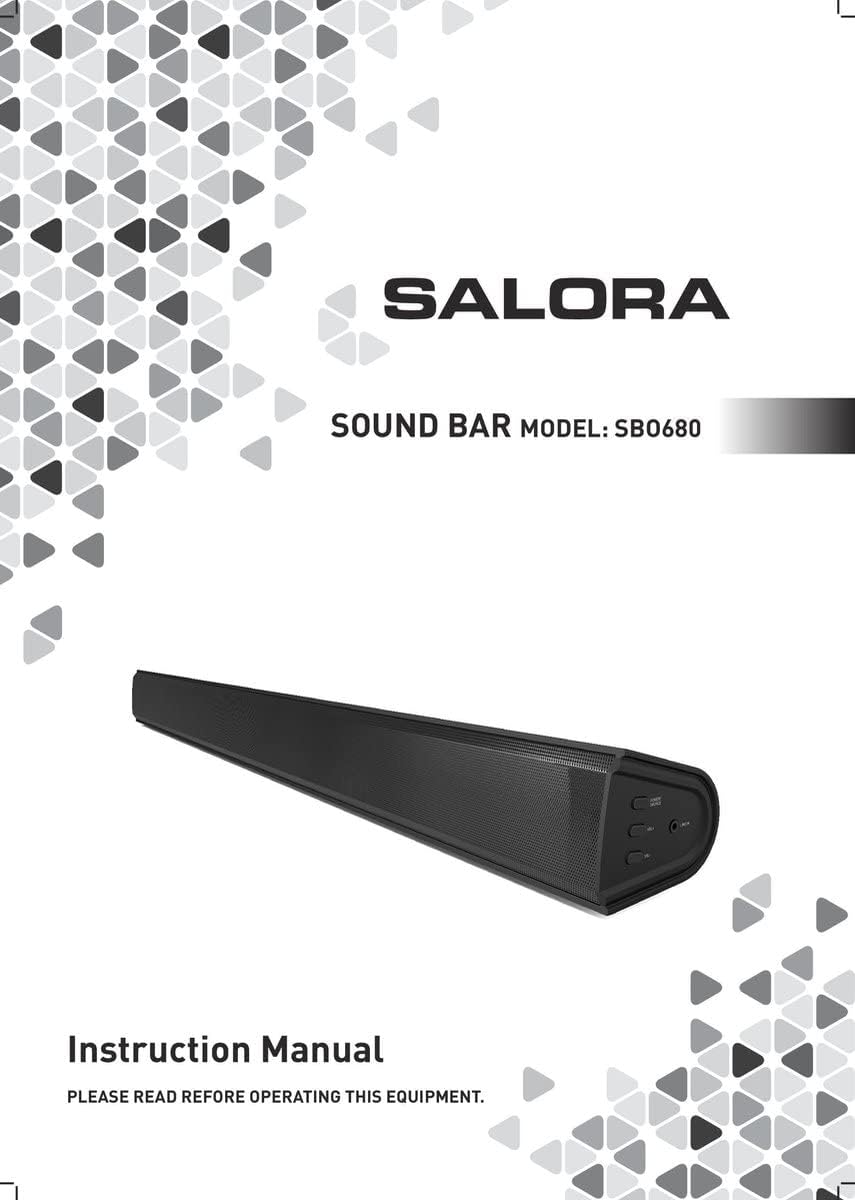
Image: Front cover of the Salora SBO680 Soundbar instruction manual.
2. اطلاعات ایمنی مهم
- دستورالعمل ها را بخوانید: Read all safety and operating instructions before using the product.
- حفظ دستورالعمل ها: دستورالعمل های ایمنی و عملکرد را برای مراجعات بعدی نگه دارید.
- به هشدارها توجه کنید: به تمام هشدارهای روی محصول و دستورالعمل های عملیاتی پایبند باشید.
- دستورالعمل ها را دنبال کنید: تمام دستورالعمل های عملکرد و استفاده را دنبال کنید.
- تمیز کردن: قبل از تمیز کردن این محصول را از پریز جدا کنید. از پاک کننده های مایع یا پاک کننده های آئروسل استفاده نکنید. از تبلیغ استفاده کنیدamp پارچه برای تمیز کردن
- پیوست ها: از ضمیمه هایی که توسط سازنده محصول توصیه نمی شود استفاده نکنید زیرا ممکن است خطراتی ایجاد کنند.
- آب و رطوبت: از این محصول در نزدیکی آب استفاده نکنید - به عنوان مثالampدر نزدیکی وان حمام، کاسه دستشویی، سینک آشپزخانه، وان لباسشویی، در زیرزمین مرطوب یا نزدیک استخر شنا.
- تهویه: Slots and openings in the cabinet are provided for ventilation to ensure reliable operation of the product and to protect it from overheating. These openings must not be blocked or covered.
- منابع برق: Operate this product only from the type of power source indicated on the marking label. If you are not sure of the type of power supply to your home, consult your product dealer or local power company.
- محافظت از سیم برق: Power-supply cords should be routed so that they are not likely to be walked on or pinched by items placed upon or against them.
- رعد و برق: برای محافظت بیشتر از این محصول در هنگام طوفان رعد و برق یا زمانی که برای مدت طولانی بدون مراقبت و بدون استفاده رها می شود، آن را از پریز برق جدا کنید.
- سرویس دهی: سعی نکنید خودتان این محصول را سرویس کنید زیرا باز کردن یا برداشتن درپوش ها ممکن است شما را در معرض حجم خطرناکی قرار دهدtage یا سایر خطرات. تمام خدمات را به پرسنل خدمات واجد شرایط ارجاع دهید.
3. محتویات بسته
Please check that all items are present and in good condition.
- Salora SBO680 Soundbar
- Remote Control (requires 2 AAA batteries, not always included)
- راهنمای کاربر (این سند)
- کابل برق
4. محصول تمام شدview
۴.۱ جلو و کنار View
تصویر: جلو view of the Salora SBO680 Soundbar, showing the speaker grille.

Image: Close-up of the side panel controls, including Power/Source, Volume Up, Volume Down, and Line In port.
- دکمه روشن/خاموش/منبع: Press to turn on/off or switch input modes.
- افزایش صدا (+): افزایش حجم.
- کاهش حجم (-): کاهش حجم
- LINE IN Port: ورودی صوتی 3.5 میلیمتری برای دستگاههای خارجی
4.2 عقب View و اتصالات

تصویر: عقب view of the Salora SBO680 Soundbar, showing various input ports and mounting points.

Image: Close-up of the rear connection panel, featuring USB, HDMI ARC, Optical, and DC 20V power input.
- پورت USB: برای پخش صدا files از درایو USB.
- پورت HDMI ARC: Connect to a TV's HDMI ARC port for audio and control.
- OPTICAL Port: Digital audio input from devices like TVs or game consoles.
- پورت 20 ولت DC: ورودی برق برای ساندبار.
4.3 کنترل از راه دور

Image: The included remote control for the Salora SBO680 Soundbar, showing various buttons for power, volume, input, and sound modes.
The remote control allows you to manage volume, bass/treble, and input selection. It requires 2 AAA batteries (not always included).
- دکمه پاور: نوار صوتی را روشن یا خاموش می کند.
- دکمه ورودی: بین منابع ورودی (HDMI ARC، اپتیکال، AUX، بلوتوث، USB) جابهجا میشود.
- دوره +/-: میزان صدای اصلی را تنظیم میکند.
- لیسانس/-: سطوح بیس را تنظیم می کند.
- TR+/-: سطوح سهگانه را تنظیم میکند.
- Music/TV/Movie: Pre-set equalizer modes for different audio content.
- جفت: حالت جفتسازی بلوتوث را آغاز میکند.
- پیش فرض: Resets sound settings to factory defaults.
5. راه اندازی و اتصالات
Before connecting, ensure the soundbar and all devices are powered off.
5.1 اتصال برق
- Connect the power cable to the DC 20V port on the back of the soundbar.
- سر دیگر کابل برق را به پریز برق وصل کنید.
5.2 Connecting to a TV (Recommended)
The Salora SBO680 offers multiple ways to connect to your TV. HDMI ARC is recommended for the best audio quality and ease of control.
اتصال HDMI ARC 5.2.1
HDMI ARC (Audio Return Channel) allows you to send audio from your TV to the soundbar using a single HDMI cable and control the soundbar with your TV remote.
- Connect one end of an HDMI cable (not included) to the HDMI ARC port on the soundbar.
- Connect the other end of the HDMI cable to the HDMI ARC port on your TV. (Look for a port labeled "HDMI ARC" or "HDMI IN (ARC)").
- Turn on the soundbar and select the HDMI ARC input using the remote or the Power/Source button.
- Ensure your TV's audio output settings are configured for HDMI ARC or external speakers.
۵.۳.۱ اتصال نوری
Use an optical cable for high-quality digital audio if your TV does not support HDMI ARC.
- Connect one end of an optical cable (not included) to the OPTICAL port on the soundbar.
- Connect the other end of the optical cable to the optical digital output port on your TV or other audio source.
- Turn on the soundbar and select the OPTICAL input.
- مطمئن شوید که تنظیمات خروجی صدای تلویزیون شما برای خروجی اپتیکال تنظیم شده است.
5.3 اتصال بلوتوث
Stream audio wirelessly from your smartphone, tablet, or other Bluetooth-enabled devices. The soundbar remembers up to 8 devices.
- Turn on the soundbar and select the BLUETOOTH input using the remote or the Power/Source button. The indicator light will flash, indicating pairing mode.
- در دستگاه بلوتوث خود، بلوتوث را فعال کنید و دستگاه های موجود را جستجو کنید.
- Select "Salora SBO680" from the list of devices.
- Once paired, the indicator light on the soundbar will stop flashing and remain solid.
- اکنون میتوانید صدای دستگاه خود را از طریق ساندبار پخش کنید.
- To disconnect, disable Bluetooth on your device or select a different input on the soundbar.
5.4 AUX (Line In) Connection
Connect older devices or devices without digital audio outputs using a 3.5mm audio cable.
- Connect one end of a 3.5mm audio cable (not included) to the LINE IN port on the side of the soundbar.
- سر دیگر را به جک هدفون یا خروجی صدای دستگاه خارجی خود وصل کنید.
- Turn on the soundbar and select the AUX input.
- صدا را از دستگاه خود پخش کنید.
پخش ۱۴ فایل از طریق USB
پخش صدا fileمستقیماً از درایو فلش USB.
- Insert a USB flash drive (containing compatible audio files) into the USB port on the back of the soundbar.
- Turn on the soundbar and select the USB input.
- ساندبار به طور خودکار شروع به پخش صدا خواهد کرد. files from the USB drive. Use the remote control to navigate tracks.
6. دستورالعمل های عملیاتی
6.1 عملیات اساسی
- روشن/خاموش برق: Press the Power button on the remote or the Power/Source button on the soundbar.
- تنظیم صدا: Use the Volume +/- buttons on the remote or the soundbar.
- انتخاب ورودی: Press the Input button on the remote or the Power/Source button on the soundbar to cycle through available inputs (HDMI ARC, Optical, AUX, Bluetooth, USB).
- بی صدا: Press the Mute button on the remote to temporarily silence the audio. Press again to unmute.
۵.۲ حالتهای صدا و اکولایزر
The Salora SBO680 offers pre-set equalizer modes and manual bass/treble adjustments to optimize your listening experience.
- حالت های از پیش تعیین شده: Use the MUSIC, TV, or MOVIE buttons on the remote to select an optimized sound profile برای محتوای شما
- تنظیم بیس: Use the BA+/- buttons on the remote to increase or decrease bass levels.
- تنظیم سه گانه: Use the TR+/- buttons on the remote to increase or decrease treble levels.
- تنظیمات پیش فرض: Press the DEFAULT button on the remote to reset all sound settings to their factory defaults.

Image: Illustration showing the soundbar and remote control, with sound waves emanating from the soundbar, symbolizing immersive audio.
7. تعمیر و نگهداری
7.1 تمیز کردن
- همیشه قبل از تمیز کردن، ساندبار را از پریز برق جدا کنید.
- برای پاک کردن سطوح خارجی از یک پارچه نرم و خشک استفاده کنید.
- Do not use liquid cleaners, abrasive cleaners, or chemical solvents, as these may damage the finish.
- For the speaker grille, use a soft brush or a vacuum cleaner with a brush attachment to gently remove dust.
7.2 ذخیره سازی
- If storing the soundbar for an extended period, unplug it from the power source.
- آن را در جای خشک و خنک، دور از نور مستقیم خورشید و دمای شدید نگهداری کنید.
- توصیه میشود بستهبندی اصلی را برای نگهداری و حمل و نقل نگه دارید.
8 عیب یابی
If you encounter issues with your Salora SBO680 Soundbar, refer to the following common problems and solutions.
| مشکل | علت احتمالی | راه حل |
|---|---|---|
| بدون قدرت | کابل برق وصل نیست یا پریز برق فعال نیست. | مطمئن شوید که کابل برق به طور محکم به ساندبار و یک پریز برق سالم وصل شده است. |
| صدا نداره | Incorrect input selected, volume too low, or incorrect TV audio settings. |
|
| جفت شدن بلوتوث ناموفق است | ساندبار در حالت جفتسازی نیست، دستگاه خیلی دور است، یا تداخل وجود دارد. |
|
| کنترل از راه دور کار نمی کند | Batteries depleted or remote not aimed correctly. |
|
| صدای مخدوش | Volume too high, poor audio source, or incorrect equalizer settings. |
|
9. مشخصات
| نام مدل | Salora SBO680 |
| نام تجاری | سالورا |
| توان خروجی (RMS) | 60W (Soundbar: 40W, Subwoofer: 20W) |
| نوع بلندگو | Soundbar with Built-in Subwoofer |
| حالت خروجی صدا | استریو (۲.۰ کانال) |
| فناوری اتصال | Bluetooth, HDMI ARC, Optical, USB, AUX (3.5mm Line In) |
| ارتباط بی سیم | بلوتوث |
| دستگاه های سازگار | گوشی هوشمند، تبلت، تلویزیون |
| روش کنترل | کنترل از راه دور، دکمههای روی دستگاه |
| ابعاد محصول (L x W x H) | 81 x 9 x 7.85 سانتیمتر (31.9 x 3.5 x 3.1 اینچ) |
| وزن مورد | 2.6 کیلوگرم (5.73 پوند) |
| رنگ | مشکی |
| مواد | پلاستیک |
| منبع تغذیه | Electric Cable (DC 20V) |
| باتری های از راه دور | 2 x AAA (not always included) |
| حداکثر برد (بلوتوث) | 12 متر |
| ویژگی های خاص | پشتیبانی صوتی با وضوح بالا |
10. گارانتی و پشتیبانی
For warranty information, please refer to the warranty card included with your product or contact your local retailer.
If you require technical support or have questions not covered in this manual, please visit the official SALORA webسایت یا با بخش خدمات مشتریان آنها تماس بگیرید.


