1. مقدمه
از اینکه O را انتخاب کردید متشکریمurlife Kids Camera OU-630. This digital camera is designed for children, offering 1080p Full HD video recording, 12MP photo resolution, and a unique 60x macro magnification function for exploring the micro-world. It features a 3.5-inch large screen, various creative filters, games, and music playback. Please read this manual carefully to ensure proper use and maintenance of your camera.
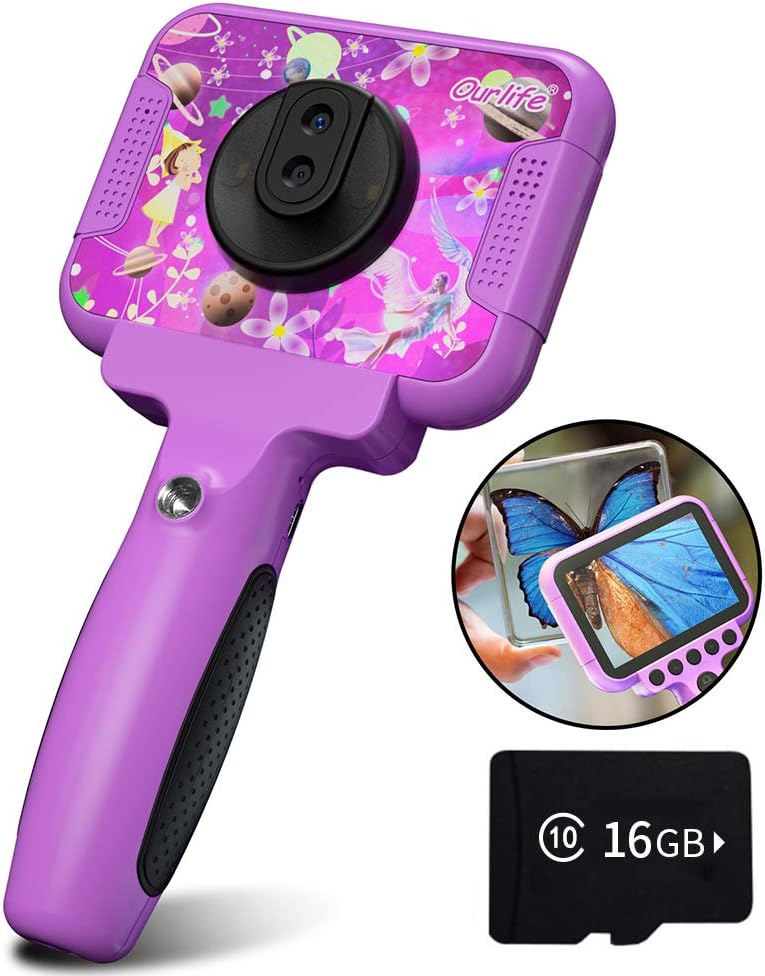
Image 1.1: The Ourlife Kids Camera OU-630, highlighting its design and macro capability.
2. محتویات بسته
لطفاً بسته را بررسی کنید تا از وجود همه موارد اطمینان حاصل شود:
- Kids Camera x 1
- کارت حافظه ۶۴ گیگابایتی ۱ عدد
- Base Bracket x 1
- کابل شارژ USB x 1
- راهنمای کاربر x 1
- Neck Lanyard x 1
- بند دستی x 1

Image 2.1: Contents of the Ourlife Kids Camera OU-630 package.
3. محصول تمام شدview
با اجزا و کنترلهای دوربین آشنا شوید:
- صفحه نمایش: 3.5-inch color screen for viewing photos, videos, and navigating menus.
- لنز اصلی: For standard photography and video.
- لنز ماکرو: Dedicated lens for 60x magnification.
- دکمه های کنترل: M (Menu), Up, OK, Down, Power, Shutter/LED.
- دسته: Ergonomically designed for child-friendly grip.
- پورت USB: برای شارژ و انتقال اطلاعات
- اسلات کارت TF: برای قرار دادن کارت حافظه.

Image 3.1: Key features and specifications of the Ourlife Kids Camera OU-630.
جدول عملکرد دکمه
| دکمه | حالت دوربین | حالت ضبط | حالت موسیقی | حالت بازی | حالت پخش |
|---|---|---|---|---|---|
| M | بازگشت به فهرست | ||||
| ▲ | Change filters/Frames Long press: Zoom in | Change filters/Frames | آهنگ قبلی | به سمت چپ حرکت کنید | Previous photo |
| OK | Long press: Open/Close LED light | OK | Choose music/story | OK | پخش / مکث |
| ▼ | Change filters/Frames Long press: Zoom out | Change filters/Frames | آهنگ بعدی | به سمت راست حرکت کنید | عکس بعدی |
| ⏻ | Switch to Splicing mode | بازگشت به فهرست | NULL | NULL | حذف کنید |
| ◎ | عکس بگیرید | بازگشت به فهرست | NULL | NULL | NULL |
Image 3.2: Detailed functions of each button across different modes.
4. راه اندازی
4.1. شارژ دوربین
Before first use, fully charge the camera. Connect the included USB charging cable to the camera's USB port and to a compatible USB power source (e.g., computer, wall adapter). The charging indicator light will show the charging status. A full charge provides approximately 3 hours of use.
4.2. قرار دادن کارت TF
The camera requires a TF (MicroSD) card to store photos and videos. A 16GB TF card is included. Locate the TF card slot on the side of the camera. Gently insert the TF card with the metal contacts facing down until it clicks into place. To remove, push the card in again until it springs out.
5. دستورالعمل های عملیاتی
5.1. روشن/خاموش
- برای روشن شدن ، کلید را فشار داده و نگه دارید Power button (⏻) تا صفحه روشن شود.
- برای خاموش کردن ، دکمه را فشار دهید و نگه دارید Power button (⏻) تا زمانی که صفحه نمایش خاموش شود.
5.2. پیمایش منو
استفاده کنید بالا (▲) و پایین (▼) buttons to navigate through menu options. Press the دکمه OK to confirm a selection. Press the دکمه M (منو). to return to the previous menu or the main menu.
5.3. گرفتن عکس
- از منوی اصلی، را انتخاب کنید نماد دوربین و فشار دهید OK.
- با استفاده از صفحه نمایش، عکس خود را کادربندی کنید.
- را فشار دهید Shutter button (◎) برای گرفتن عکس
- استفاده کنید بالا (▲) و پایین (▼) buttons to change filters or frames. Long press بالا (▲) برای بزرگنمایی، فشار طولانی پایین (▼) برای بزرگنمایی
5.4. ضبط فیلم ها
- از منوی اصلی، را انتخاب کنید نماد ویدیو و فشار دهید OK.
- را فشار دهید Shutter button (◎) برای شروع ضبط
- را فشار دهید Shutter button (◎) دوباره برای توقف ضبط
- استفاده کنید بالا (▲) و پایین (▼) buttons to change filters or frames during recording.
۶.۳.۲. تابع ماکرو
The camera features a dedicated macro lens for 60x magnification, ideal for observing small objects. The optimal focal length for macro photography is 20-40mm.
- To switch between the main lens and macro lens, long press the Shutter button (◎).
- When in macro mode, position the camera close to the subject (20-40mm distance).
- Use the included base bracket for stability during macro shots to prevent hand shake.
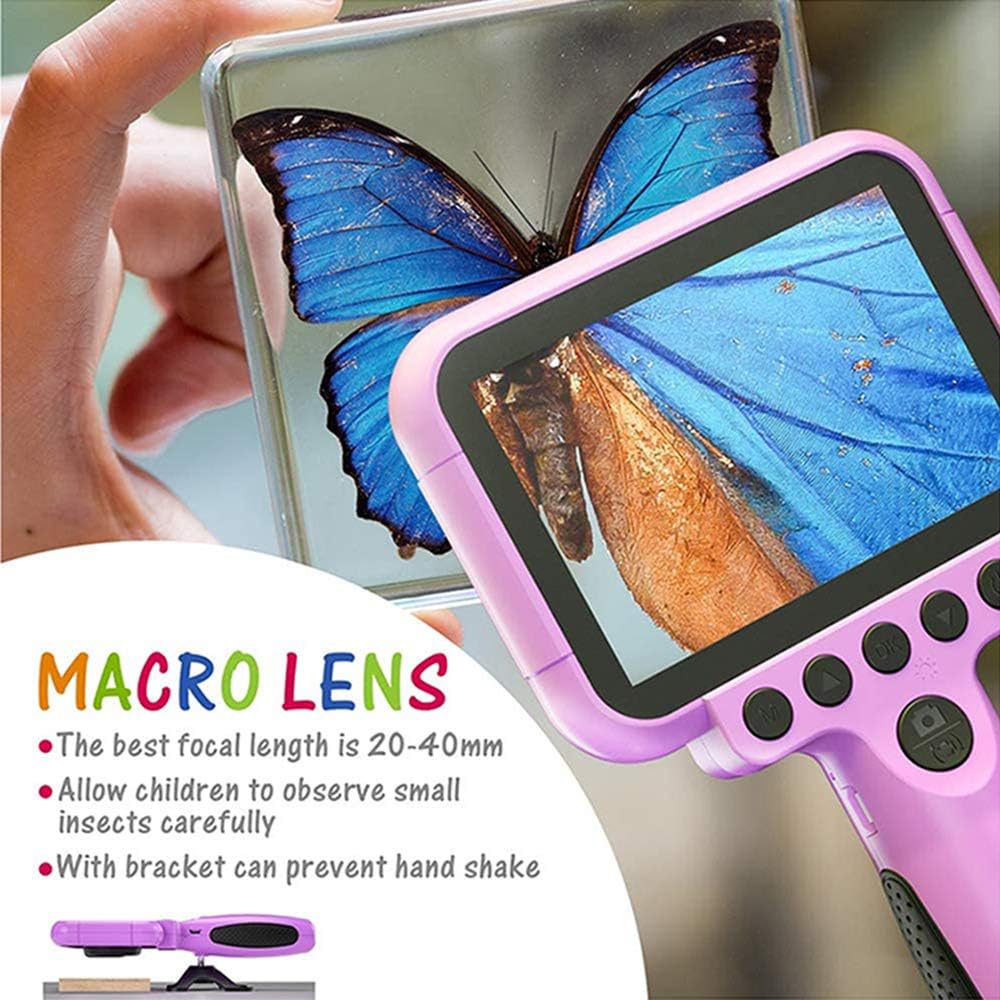
Image 5.1: Demonstrating the macro lens function for detailed observation.

Image 5.2: Switching between HD and Macro lenses.
5.6. Patchwork Mode (Splicing Mode)
This mode allows you to combine two separate photos into one. It includes various border patterns.
- In Camera Mode, press the Power button (⏻) to switch to Splicing (Patchwork) mode.
- Follow the on-screen prompts to take two photos that will be merged.
- Select from 9 available border patterns.

Image 5.3: Using the Patchwork Mode to combine images.
5.7. حالت موسیقی
The camera supports MP3 music playback. Store your favorite music files on the TF card. From the main menu, select the نماد موسیقی و فشار دهید OK. استفاده کنید بالا (▲) و پایین (▼) buttons to select songs, and OK برای پخش/مکث
5.8. بازی
The camera includes pre-installed games for entertainment. From the main menu, select the Game icon و فشار دهید OK. Use the navigation buttons to play.
5.9. حالت پخش
به view your captured photos and videos, select the Photos/Video Playback icon از منوی اصلی و فشار دهید OK. استفاده کنید بالا (▲) و پایین (▼) buttons to browse, and OK to play videos or view photos. To delete a fileرا فشار دهید Power button (⏻) در حالی که viewدر حال انجام آن
5.10. تنظیمات
Access camera settings by selecting the نماد تنظیمات from the main menu. Here you can adjust various parameters such as date/time, language, resolution, and more.
6. تعمیر و نگهداری
- دوربین را با یک پارچه نرم و خشک تمیز نگه دارید.
- Avoid exposing the camera to extreme temperatures, direct sunlight, or moisture.
- سعی نکنید خودتان دوربین را جدا کنید یا تعمیر کنید.
- Ensure the TF card is inserted correctly to prevent data loss.
- برای حفظ سلامت باتری، دوربین را مرتباً شارژ کنید.
7 عیب یابی
- روشن نشدن دوربین: مطمئن شوید که باتری شارژ شده است. آن را به منبع تغذیه وصل کنید و دوباره امتحان کنید.
- نمیتوان عکس/فیلم گرفت: Check if a TF card is inserted and if it has sufficient storage space.
- کیفیت تصویر ضعیف: Ensure the lens is clean. Check lighting conditions. For macro shots, ensure correct focal distance (20-40mm).
- دوربین هنگ میکند: Press and hold the Power button to force a restart.
- TF card error: Reinsert the TF card. If the issue persists, try formatting the card (this will erase all data) or use a different TF card.
8. مشخصات
| ویژگی | جزئیات |
|---|---|
| شماره مدل | OU-630 |
| وضوح هنوز موثر | 12 مگاپیکسل |
| وضوح تصویر | 1080p |
| اندازه صفحه نمایش | 3.5 اینچ |
| تثبیت تصویر | دیجیتال |
| نوع لنز | Macro (60x zoom) |
| نوع باتری | 1 لیتیوم پلیمر (شامل) |
| فناوری اتصال | USB |
| نوع رسانه پشتیبانی شده | کارت SD |
| حالت های تیراندازی | Loop recording, Continuous shooting, Timed photo, Macro photography, Filter photos |
| ابعاد مورد (D x W x H) | 3.94 اینچ × 7.28 اینچ × 0.79 اینچ |
9. ضمانت و پشتیبانی
این Ourlife Kids Camera OU-630 comes with a گارانتی 12 ماهه from the date of purchase. This warranty covers manufacturing defects and workmanship. It does not cover damage caused by misuse, accidents, unauthorized repairs, or normal wear and tear.
For technical support, warranty claims, or any questions regarding your product, please contact Ourlife customer service. Refer to the contact information provided on the product packaging or the official Ourlاگر webسایت


