مقدمه
The Logitech C505e HD Business Webcam is designed to provide clear, smooth, and colorful widescreen HD 720p video for your desktop or laptop. It features a long-range omnidirectional microphone with noise-reduction technology, ensuring clear audio capture up to 3 meters away. This manual provides essential information for setting up, operating, maintaining, and troubleshooting your webطب مکمل و جایگزین.
راه اندازی
1. جعبه گشایی
با دقت حذف کنید webcam and its USB-A cable from the packaging.

The Logitech C505e HD Business Webcam and its USB-A cable.
۵.۱ نصب Webبادامک
The C505e webcam features a versatile universal clip that allows for secure placement on various surfaces. You can position it on top of your laptop screen, an external monitor, or even on a shelf or fixture up to 7 feet (2 meters) away from your computer, thanks to its extra-long USB-A cable.

را webcam features a universal clip for secure placement on a laptop or external monitor.

The versatile clip allows for mounting on various surfaces, such as a stack of books, up to 7 feet away from your computer.
۵. اتصال به کامپیوتر
Connect the USB-A cable from the webcam to an available USB-A port on your computer. The C505e is a plug-and-play device, meaning it should be automatically recognized by your operating system without the need for additional driver installation. Follow any on-screen prompts that may appear.
This video demonstrates the simple plug-and-play setup of the Logitech C505e webcam, showing how to connect it to a computer via USB-A.
بهره برداری از Webبادامک
کیفیت ویدیو
The C505e delivers crisp video quality with widescreen HD 720p resolution at 30 frames per second (fps). It features a 60° diagonal field of view, fixed focus, and automatic light correction that adjusts to the illumination of most personal meeting spaces, ensuring you look clear even in varying light conditions.
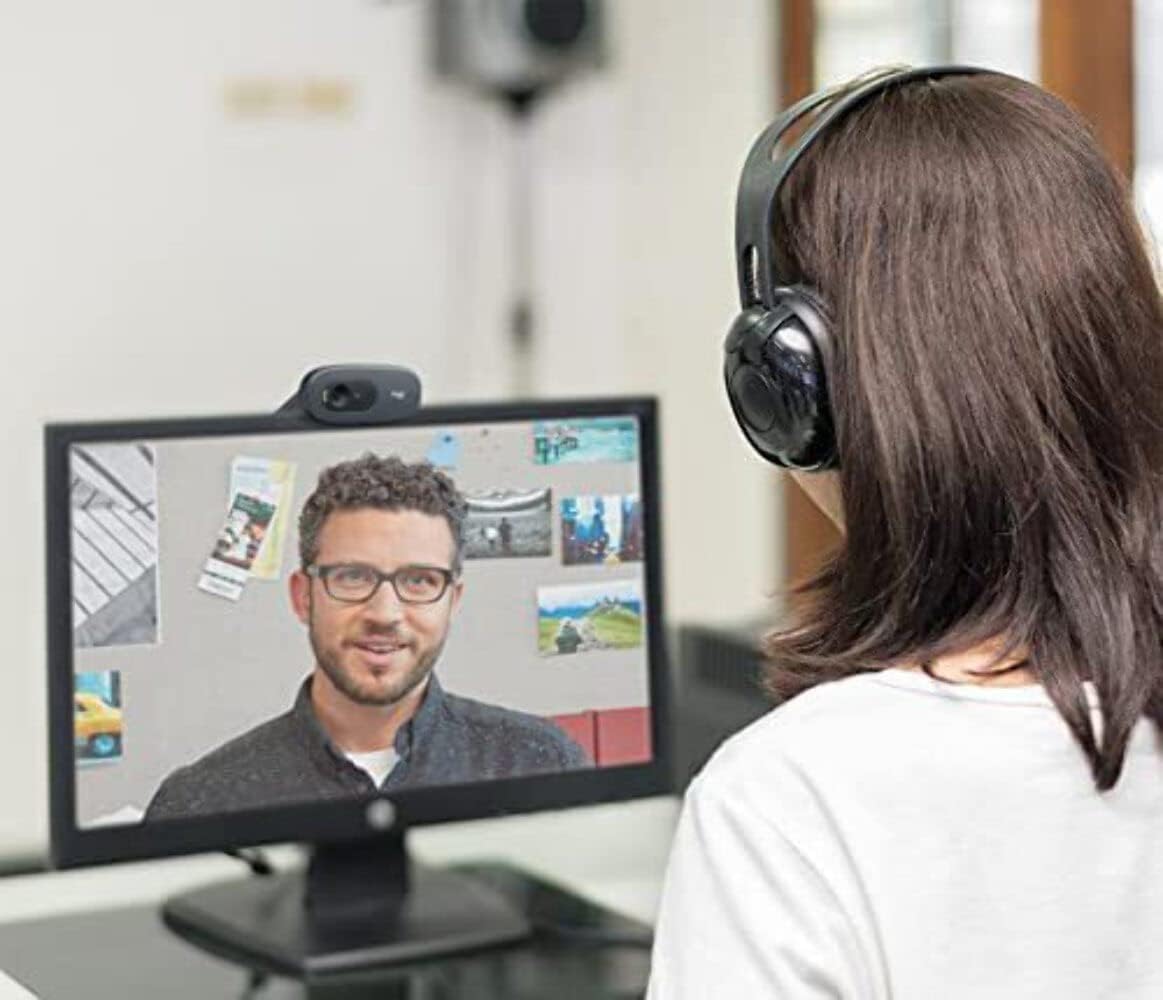
A user engaged in a video call, demonstrating the clear 720p HD video quality of the Logitech C505e webطب مکمل و جایگزین.
کیفیت صدا
را webcam is equipped with a single omnidirectional microphone that features noise-reduction technology. This design allows for clear and natural conversation, capturing your voice effectively from up to 3 meters (7 feet) away, even in environments with some background noise like open workspaces or classrooms.
سازگاری
The Logitech C505e is compatible with all popular video calling applications, ensuring seamless integration into your workflow. This includes platforms such as Microsoft® Teams, Skype™ for Business, Google Voice and Meet, and Zoom™.
تعمیر و نگهداری
برای اطمینان از عملکرد بهینه و طول عمر Logitech C505e خود webدوربین، این دستورالعملهای سادهی نگهداری را دنبال کنید:
- تمیز کردن لنز: به آرامی پاک کنید webلنز دوربین را با یک پارچه نرم و بدون پرز تمیز کنید. برای لکههای سرسخت، کمیampen the cloth with a lens cleaning solution designed for optics. Avoid using abrasive materials or harsh chemicals.
- پاکسازی بدن: از یک پارچه نرم و خشک برای تمیز کردن قسمت بیرونی آن استفاده کنید webدوربین را در آب فرو نبرید webcam in water or any cleaning liquids.
- ذخیره سازی: وقتی برای مدت طولانی استفاده نمیشود، آن را در جای امنی نگهداری کنید webدوربین را در مکانی تمیز و خشک و دور از دمای شدید و نور مستقیم خورشید قرار دهید.
عیب یابی
If you encounter issues with your Logitech C505e webcam, refer to the following troubleshooting tips:
No Video or Audio
- اتصال USB را بررسی کنید: Ensure the USB-A cable is securely plugged into both the webcam and a functioning USB-A port on your computer. Try a different USB port.
- راه اندازی مجدد کامپیوتر: یک راه اندازی مجدد ساده اغلب می تواند مشکلات اتصال را حل کند.
- تأیید شناسایی دستگاه: In your computer's device manager (Windows) or System Information (Mac), check if the webcam is listed under 'Imaging devices' or 'Cameras'.
- تنظیمات برنامه: Confirm that the correct webcam and microphone are selected within the settings of your video conferencing application.
کیفیت ویدیو ضعیف
- شرایط روشنایی: از نور کافی در محیط خود اطمینان حاصل کنید. webcam's auto-light correction works best with sufficient ambient light. Avoid strong backlighting.
- لنز تمیز: Refer to the Maintenance section for instructions on cleaning the webلنز دوربین.
- وضوح برنامه: Check the video resolution settings within your video conferencing application. While the webcam supports 720p, some applications might default to lower resolutions.
- Internet Bandwidth: Poor internet connection can affect video quality. Ensure you have stable and sufficient bandwidth.
کیفیت صوتی ضعیف
- انتخاب میکروفون: Confirm that the Logitech C505e microphone is selected as the input device in your computer's sound settings and your video conferencing application.
- کاهش نویز پس زمینه: While the microphone has noise reduction, excessive background noise can still impact clarity. Try to use the webcam in a quieter environment.
- محل قرارگیری میکروفون: اطمینان حاصل کنید webcam is positioned within the optimal 3-meter range for clear audio capture.
مشخصات
| ویژگی | جزئیات |
|---|---|
| ابعاد محصول | 0.95 x 2.87 x 1.26 اینچ |
| وزن مورد | 2.65 اونس |
| شماره مدل مورد | 960-001385 |
| سازنده | لاجیتک |
| فناوری حسگر عکس | CCD |
| وضوح تصویربرداری | 720p |
| حداکثر فاصله کانونی | 0.1 |
| حداکثر دیافراگم | 720 میلیمتر |
| نوع حافظه فلش | میکرو اس دی |
| فرمت فیلمبرداری | MP4 |
| فرمت صوتی پشتیبانی شده | AAC |
| اندازه صفحه نمایش | 2 اینچ |
| فناوری اتصال | USB-A |
آنچه در جعبه است
- لاجیتک C505e HD تجاری Webcam (with integrated USB-A cable)
گارانتی و پشتیبانی
This Logitech product is covered by a manufacturer's limited hardware warranty. For specific warranty terms and conditions, please refer to the warranty information included with your product packaging or visit the official Logitech support website. For technical assistance, driver downloads, or further troubleshooting, please visit the Logitech support portal.


