1. مقدمه
Thank you for choosing the Audeze LCD-1 Audiophile Open-Back Headphones. These headphones are engineered for exceptional audio fidelity, offering a wide soundstage and precise imaging for critical listening, mixing, and mastering. Designed for comfort and portability, the LCD-1 delivers the renowned Audeze planar magnetic sound in a compact form factor.
2. اطلاعات ایمنی
- حفاظت شنوایی: برای جلوگیری از آسیب شنوایی از گوش دادن با صدای بلند برای مدت طولانی خودداری کنید.
- آگاهی زیست محیطی: Due to their open-back design, these headphones do not provide noise isolation. Be aware of your surroundings when using them, especially in environments where attention is required (e.g., near traffic).
- تمیز کردن: برای تمیز کردن از یک پارچه نرم و خشک استفاده کنید. از استفاده از مواد شیمیایی قوی یا مواد ساینده خودداری کنید.
- ذخیره سازی: برای جلوگیری از آسیب دیدن هدفون، در مواقع عدم استفاده، آن را در جعبه محافظ خود نگهداری کنید.
- رطوبت: Keep the headphones away from water and excessive moisture. They are not water resistant.
3. محتویات بسته
لطفا موارد زیر را در کادر مربوطه تیک بزنید:
- Audeze LCD-1 Audiophile Open-Back Headphones
- 3.5mm to dual 3.5mm audio cable
- 1/4-inch adapter
- کیف مسافرتی محافظ
- راهنمای کاربر (این سند)
4. محصول تمام شدview
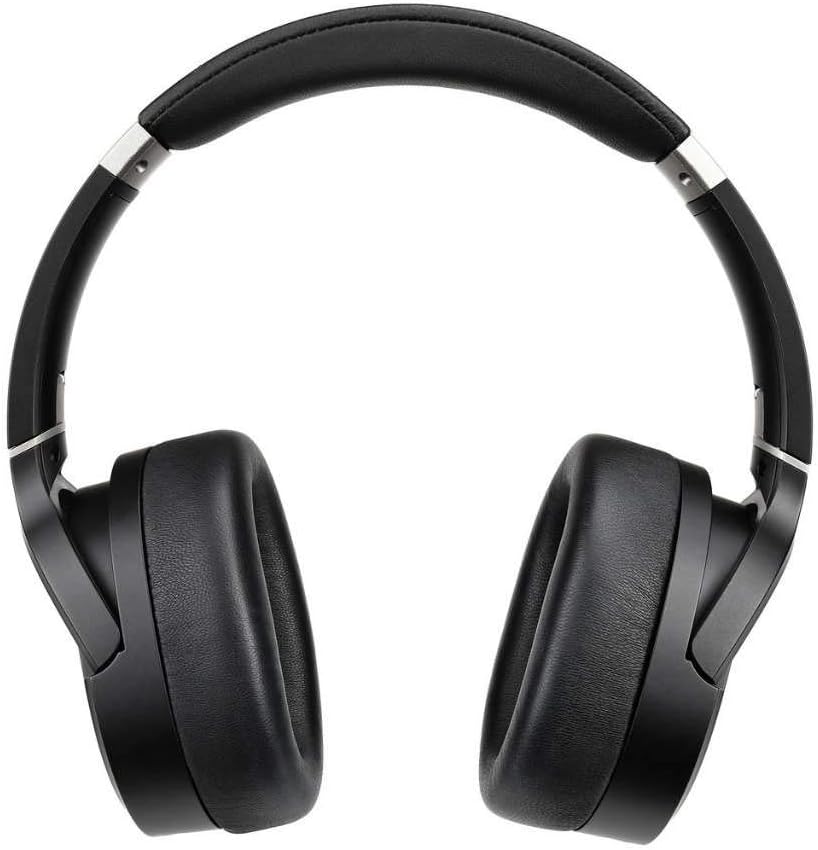
The Audeze LCD-1 headphones feature a lightweight, foldable design with comfortable memory foam ear pads and headband. The open-back earcups house the planar magnetic drivers, delivering exceptional sound clarity.

شکل 4.1: جلو view of the Audeze LCD-1 headphones, showcasinطراحی پشت باز و گوشیهای راحت.
شکل 4.2: بالا view of the Audeze LCD-1 headphones, highlighting the adjustable headband and earcups.
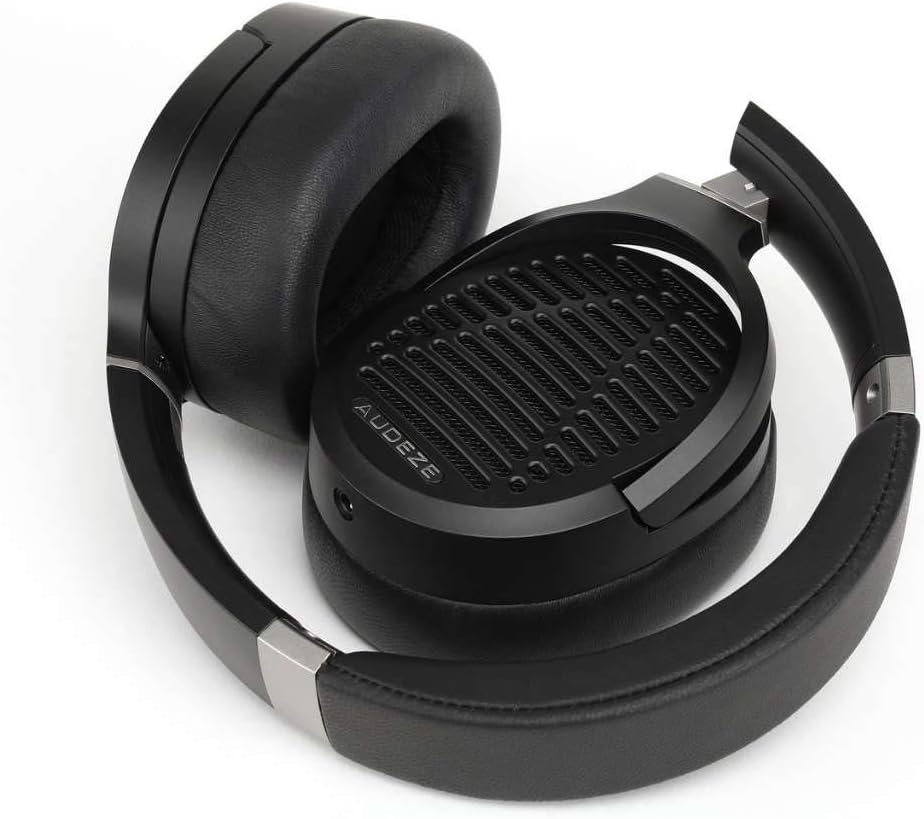
Figure 4.3: The Audeze LCD-1 headphones folded, demonstrating their compact design for easy portability and storage.
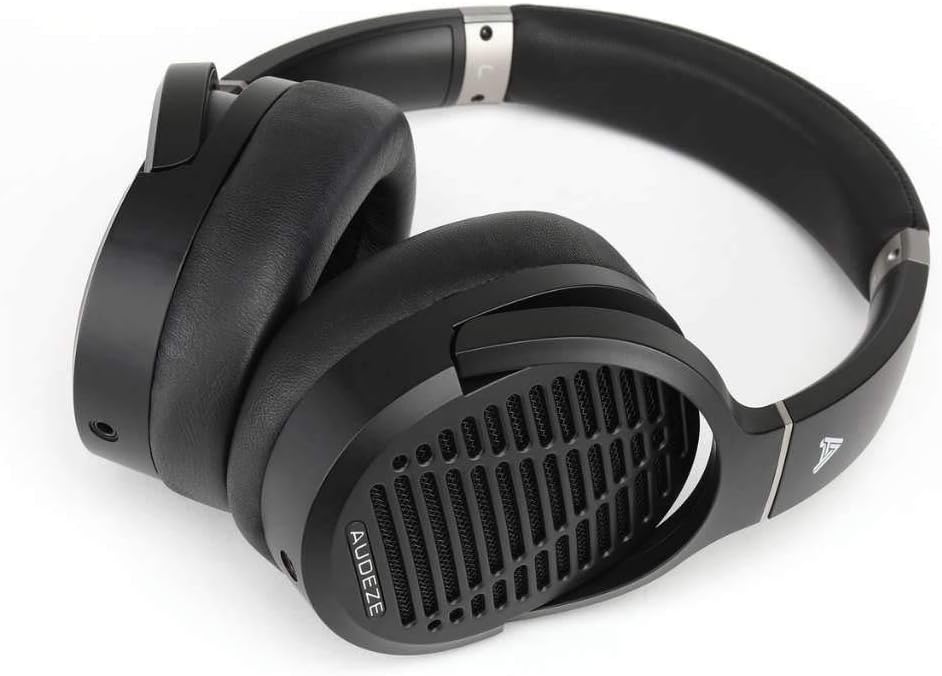
شکل ۲: زاویهدار view of the Audeze LCD-1 headphones in their folded state, ready to be placed in the protective case.
5. راه اندازی
5.1 اتصال کابل
- Locate the dual 3.5mm connectors on one end of the included audio cable.
- Insert each 3.5mm connector into the corresponding jack on the bottom of each earcup. Ensure they are fully seated.
- Connect the single 3.5mm end of the cable to your audio source (e.g., smartphone, computer, audio interface).
- If your audio source requires a 1/4-inch connection, attach the included 1/4-inch adapter to the single 3.5mm end of the cable before connecting to the source.
۳.۱ استفاده از هدفون
- Gently unfold the headphones.
- Place the earcups over your ears, ensuring the memory foam pads fully encompass your ears for optimal comfort and sound.
- Adjust the headband by sliding the earcups up or down until the headphones fit comfortably and securely on your head. The headband should rest gently on the top of your head.

Figure 5.1: A user wearing the Audeze LCD-1 headphones, demonstrating proper fit and use with a laptop.
6. عملیاتی
6.1 پخش صدا
Once connected to your audio source, begin playback from your device. Adjust the volume on your audio source to a comfortable listening level. The LCD-1 headphones are designed to be easily driven by most portable devices and audio interfaces without the need for a dedicated amplifier, though a high-quality source will enhance the listening experience.
6.2 Optimal Listening Experience
- For the best sound quality, use high-resolution audio files یا خدمات استریم
- Ensure the audio cable is securely connected to both earcups and your audio source.
- The open-back design means sound will leak out and ambient noise will enter. For critical listening, use in a quiet environment.
7. تعمیر و نگهداری
7.1 تمیز کردن
- Ear Pads and Headband: Wipe gently with a soft, dry, lint-free cloth. Do not use liquid cleaners or solvents.
- وسایل نقلیه: Use a soft, dry brush to remove any dust from the grilles.
- کابل: Wipe the cable with a dry cloth if it becomes dirty.
7.2 ذخیره سازی
When not in use, fold the headphones and store them in the provided protective travel case. This will protect them from dust, scratches, and accidental damage.
8 عیب یابی
| مشکل | علت احتمالی | راه حل |
|---|---|---|
| صدا نداره | Cable not connected properly; Audio source volume too low; Incorrect audio output selected on device. | Ensure all cable connections are secure; Increase volume on audio source; Verify correct audio output is selected on your device. |
| صدا مخدوش یا نامشخص است | Cable damage; Audio source issue; Volume too high causing clipping. | Try a different audio cable if available; Test with another audio source; Reduce volume. |
| هدفونها راحت نیستند | تناسب نامناسب. | Adjust the headband and earcup position until a comfortable fit is achieved. Ensure ear pads fully surround your ears. |
9. مشخصات
| ویژگی | جزئیات |
|---|---|
| نام مدل | LCD-1 |
| فناوری اتصال | سیمی (جک 3.5 میلیمتری) |
| نوع درایور صوتی | درایور مغناطیسی مسطح |
| قرار دادن گوش | بالای گوش |
| فاکتور فرم | بالای گوش |
| مواد | Memory Foam (ear pads), Leather (carrying case) |
| وزن مورد | 250 گرم (8.8 اونس) |
| ابعاد محصول | 12.28 x 10.31 x 6.77 اینچ |
| اجزای شامل | کیس محافظ |
| UPC | 819343013093 |
| سازنده | Audeze |
10. گارانتی و پشتیبانی
10.1 اطلاعات گارانتی
Audeze products typically come with a limited warranty covering manufacturing defects. For specific warranty terms and conditions, including duration and coverage, please refer to the warranty card included with your product or visit the official Audeze webسایت. فاکتور خرید خود را برای موارد گارانتی نگه دارید.
10.2 پشتیبانی مشتری
For technical assistance, troubleshooting beyond this manual, or warranty service, please contact Audeze customer support. You can find contact information on the official Audeze webسایت:
Webسایت: www.audeze.com/support
Please have your product model number (LCD-1, Model: 210-L1-1200-00) and proof of purchase ready when contacting support.


