1. محصول تمام شدview
The myCharge HubMax HBLC10V is a portable power bank designed to charge various mobile devices. It features an internal 10050mAh battery, built-in Lightning and USB-C cables, and an integrated foldable wall plug for convenient recharging.

Image 1.1: The myCharge HubMax HBLC10V portable charger, showcasing its compact design with integrated Lightning and USB-C cables, and a foldable wall plug.
2. محتویات بسته
- myCharge HubMax HBLC10V Portable Charger
- کابل لایتنینگ یکپارچه
- کابل USB-C یکپارچه
- Integrated Wall Plug
۲. راهاندازی و شارژ اولیه
Before first use, it is recommended to fully charge your myCharge HubMax HBLC10V.
- Locate the Wall Plug: Extend the foldable wall prongs located on the side of the device.
- اتصال به برق: Plug the device directly into a standard AC wall outlet.
- شارژ مانیتور: The LED indicator lights on the device will illuminate to show the charging status. A full charge typically takes approximately 4.6 hours. All indicator lights will be solid when fully charged.
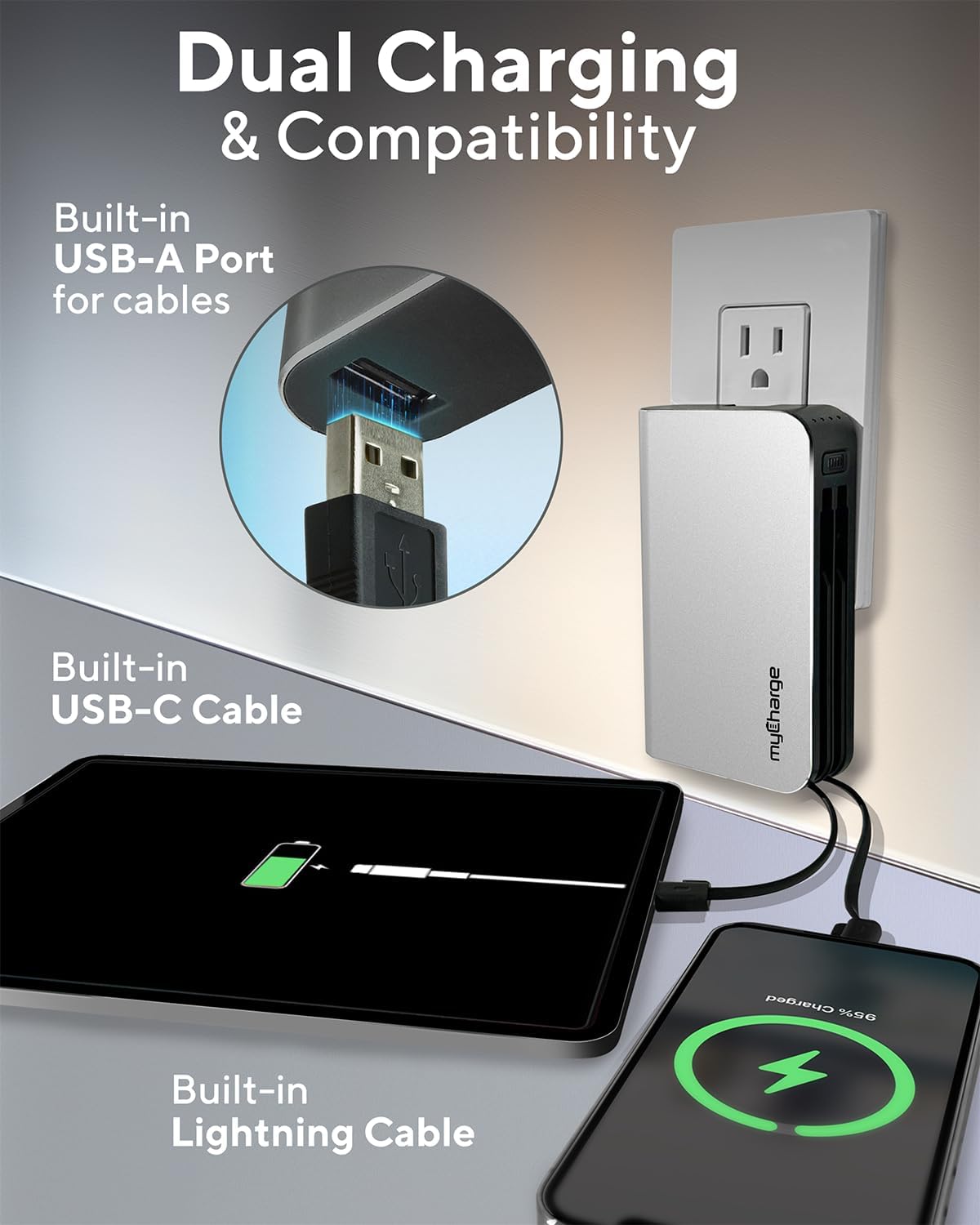
Image 3.1: The myCharge HubMax HBLC10V connected to a wall outlet for recharging, illustrating its integrated wall plug and multiple charging outputs.
4. دستورالعمل های عملیاتی
The myCharge HubMax HBLC10V allows you to charge up to three devices simultaneously.
4.1 Charging Devices with Built-in Cables
- Identify Cable: Select the appropriate built-in cable for your device (Lightning for Apple devices, USB-C for compatible Android and other devices).
- اتصال دستگاه: Plug the selected cable directly into your mobile device's charging port.
- شروع شارژ: The myCharge HubMax will automatically begin charging your device. The LED indicator lights will show the remaining battery level of the power bank.
4.2 Charging a Third Device via USB-A Port
For devices requiring a standard USB-A connection, use the integrated USB-A port.
- Connect Your Cable: Plug your device's USB-A charging cable (not included) into the USB-A port on the myCharge HubMax.
- اتصال دستگاه: Plug the other end of your cable into your mobile device.
- شروع شارژ: شارژ به صورت خودکار آغاز می شود.

تصویر ۲.۱: جزئیات view of the myCharge HubMax HBLC10V, emphasizing its all-in-one design with built-in wall prongs, Lightning and USB-C cables, and an additional USB-A port for charging up to three devices.
۵.۱ قابلیتهای شارژ سریع
The HubMax supports Power Delivery and Quick Charge 3.0 via its USB-C cable, enabling faster charging for compatible devices. This can charge devices up to 2.4 times faster than standard chargers.
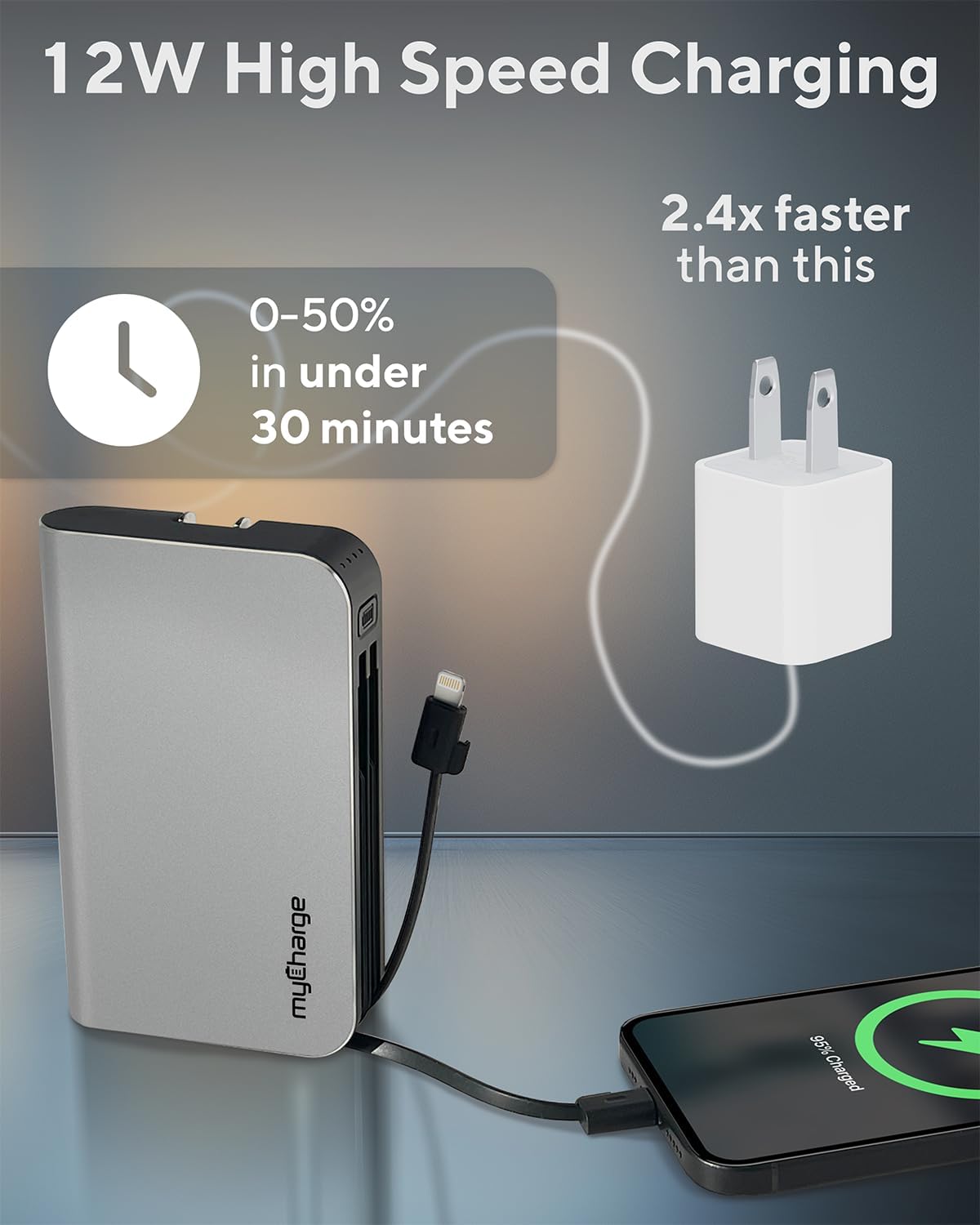
Image 4.2: The myCharge HubMax HBLC10V demonstrating its 12W high-speed charging capability, capable of charging a device from 0% to 50% in under 30 minutes.
5. نگهداری و مراقبت
- ذخیره سازی: پاوربانک را در جای خشک و خنک و دور از نور مستقیم خورشید و دمای شدید نگهداری کنید.
- تمیز کردن: از یک پارچه نرم و خشک برای تمیز کردن قسمت بیرونی دستگاه استفاده کنید. از استفاده از مواد شیمیایی خشن یا مواد ساینده خودداری کنید.
- رسیدگی: Handle the device with care. Avoid dropping it or subjecting it to strong impacts, as this can damage internal components and shorten its lifespan.
- عمر باتری: برای سلامت بهینه باتری، از تخلیه کامل شارژ پاوربانک به طور مکرر خودداری کنید. وقتی سطح باتری کم شد، آن را دوباره شارژ کنید.
6 عیب یابی
If you encounter issues with your myCharge HubMax HBLC10V, refer to the following common solutions:
- شارژ نشدن دستگاه:
- Ensure the myCharge HubMax itself is sufficiently charged. Check the LED indicators.
- Verify that the built-in cable or your external USB-A cable is securely connected to both the power bank and your device.
- Try a different device or cable to rule out issues with the connected device or cable.
- شارژ آهسته:
- Ensure your device supports fast charging protocols (Power Delivery, Quick Charge 3.0) to benefit from the HubMax's fast charging capabilities.
- شارژ همزمان چندین دستگاه ممکن است سرعت شارژ را برای دستگاههای مختلف کاهش دهد.
- بررسی کنید که آیا کابل شارژ آسیب دیده است یا خیر.
- پاور بانک شارژ نمیشود:
- Ensure the wall plug is fully extended and securely inserted into a working AC wall outlet.
- یک پریز برق دیواری دیگر را امتحان کنید.
If problems persist, please contact myCharge customer support for further assistance.
7. مشخصات
| ویژگی | جزئیات |
|---|---|
| شماره مدل | HBLC10V |
| ظرفیت باتری | 10050 میلی آمپر ساعت (یون لیتیوم) |
| ابعاد محصول | 2.8 x 0.9 x 4.6 اینچ |
| وزن مورد | 10.2 اونس |
| کابل های داخلی | Lightning، USB-C |
| Additional Port | USB-A |
| زمان شارژ | Approx. 4.6 hours (via integrated wall plug) |
| ویژگی های خاص | Integrated Wall Plug, Fast Charging (PD, QC 3.0) |
| سازنده | myCharge |
8. گارانتی و پشتیبانی
myCharge products are typically covered by a manufacturer's warranty. For specific warranty details, registration, or to initiate a warranty claim, please refer to the official myCharge webسایت یا مستقیماً با پشتیبانی مشتری آنها تماس بگیرید.
For technical assistance, troubleshooting not covered in this manual, or general inquiries, please visit the myCharge support page or contact their customer service department.
Note: Warranty terms and support availability may vary. Always refer to the latest information provided by the manufacturer.


