1. مقدمه
Welcome to the user manual for your AmazonBasics TV Trolley, Model TC40. This mobile TV stand is designed to securely hold flat panel televisions ranging from 32 to 70 inches, offering flexibility with its swivel feature and convenient mobility. This manual provides essential information for safe assembly, operation, and maintenance of your TV trolley. Please read all instructions carefully before assembly and use.
2. اطلاعات ایمنی مهم
برای اطمینان از عملکرد ایمن و جلوگیری از آسیب یا جراحت، لطفاً دستورالعملهای ایمنی زیر را رعایت کنید:
- قبل از مونتاژ و استفاده، تمام دستورالعمل ها را به دقت بخوانید.
- Do not exceed the maximum weight capacity of the trolley. Refer to the 'Specifications' section for details.
- Ensure all screws and bolts are securely tightened before placing a TV on the trolley and before moving it.
- Do not allow children to climb on or play with the TV trolley.
- Always move the trolley slowly and carefully, especially on uneven surfaces.
- Lock the wheels when the trolley is in a stationary position to prevent accidental movement.
- Only use the provided hardware or manufacturer-approved replacements.
- اگر قطعاتی از دست رفته یا آسیب دیده اند، فوراً با پشتیبانی مشتری تماس بگیرید.
3. محتویات بسته
Before beginning assembly, verify that all components listed below are present and undamaged. If any parts are missing or damaged, do not proceed with assembly and contact customer support.

شکل 3.1: تمام شدview of the AmazonBasics TV Trolley. This image displays the complete TV trolley assembly, featuring the vertical support posts, the adjustable TV mounting bracket, the central equipment shelf, and the wheeled base for mobility.
Included Hardware and Components
- Main TV Trolley Frame (Vertical Posts, Base Legs)
- براکت نصب تلویزیون
- قفسه قابل تنظیم
- Wheels (with locking mechanism)
- Hardware Kit (various screws, washers, nuts, Allen keys, spanners)
- راهنمای کاربر (این سند)

شکل 3.2: Close-up of the TV mounting bracket and the top sections of the vertical posts, illustrating the attachment points for the television and the height adjustment mechanism.
4. دستورالعمل مونتاژ
Follow these step-by-step instructions carefully. It is recommended to have a second person assist with mounting the TV for safety and ease.
ابزار مورد نیاز
- پیچ گوشتی سر فیلیپس (شامل نمی شود)
- کلید آلن (شامل)
- Spanners (included)
- Step 1: Assemble the Base. Attach the base legs to the central base connector. Secure with the provided bolts and tighten using the included spanner. Ensure all connections are firm.
- مرحله 2: چرخها را وصل کنید Insert and secure the wheels into the base legs. Ensure that the two locking wheels are placed on the front legs as indicated in the diagram (if applicable) to prevent accidental movement.
- Step 3: Install Vertical Posts. Connect the vertical support posts to the assembled base. Secure them firmly with the appropriate bolts and Allen key.
- Step 4: Attach the Shelf. Position the adjustable shelf at the desired height on the vertical posts and secure it using the provided hardware. Ensure it is level and stable.
- Step 5: Mount the TV Bracket. Attach the TV mounting bracket to the top section of the vertical posts. Ensure it is centered and securely fastened.
- Step 6: Prepare TV for Mounting. Attach the TV mounting arms to the back of your television using the appropriate VESA screws from the hardware kit. Select screws that fit your TV's VESA pattern and do not overtighten. Ensure the arms are level and securely fastened to the TV.
- Step 7: Mount the TV. With assistance, carefully lift the television and hook the mounting arms onto the TV bracket on the trolley. Secure the TV to the bracket using the safety screws or locking mechanisms provided. Double-check all connections for security.

شکل 4.1: Illustration of the base assembly, showing the four legs connected to the central hub, ready for wheel attachment.

شکل 4.2: View of the vertical support posts being inserted into the base, highlighting the connection points for stability.
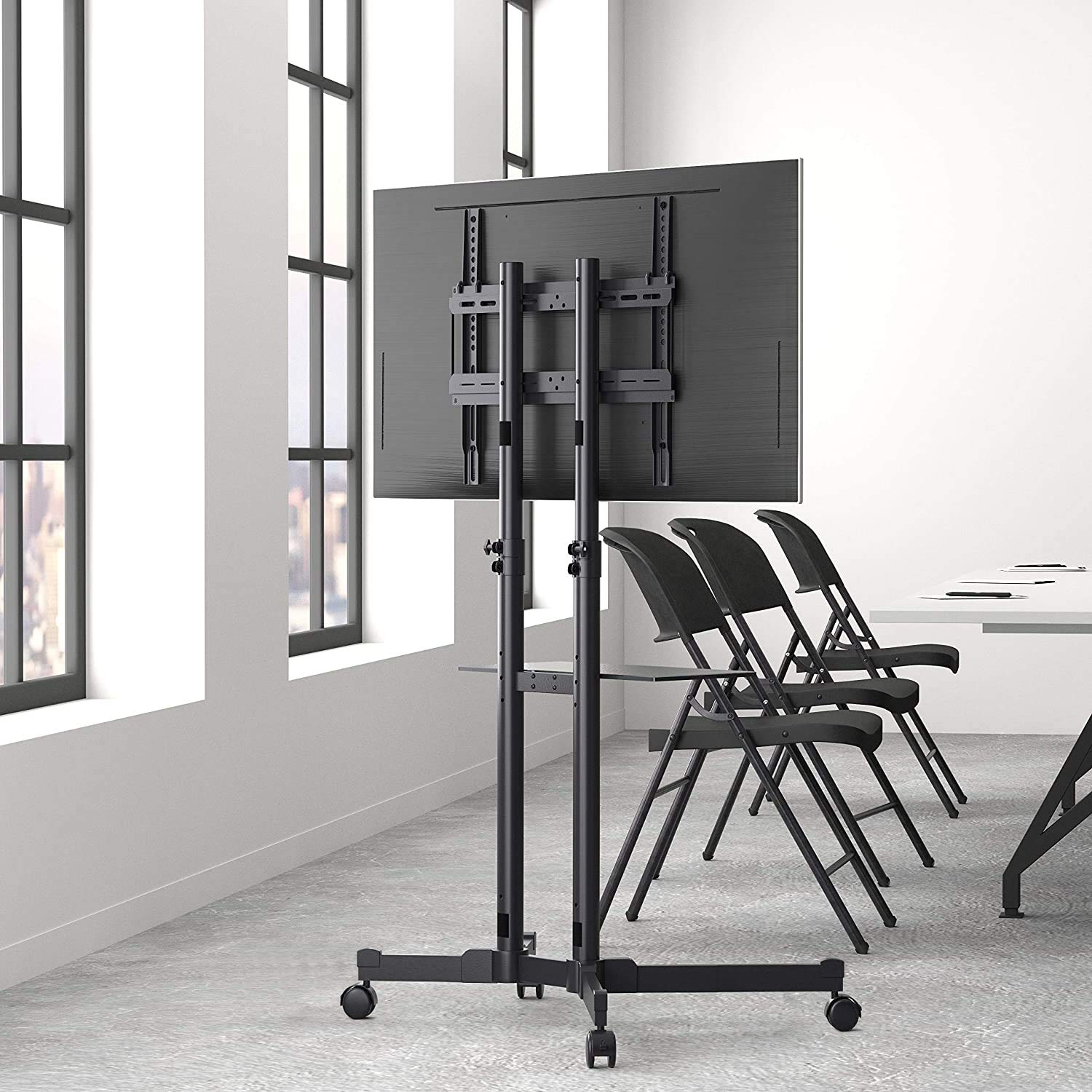
شکل 4.3: Rear perspective of the TV trolley with a television securely mounted, illustrating the VESA bracket attachment and cable management options.
5. دستورالعمل های عملیاتی
Moving the TV Trolley
- Unlock all wheels by disengaging their locking mechanisms before attempting to move the trolley.
- Push the trolley gently from the base or the lower part of the vertical posts. Avoid pushing directly on the TV screen.
- Lock the wheels once the trolley is in its desired stationary position to prevent accidental movement.
تنظیم ارتفاع تلویزیون
The TV height can be adjusted by loosening the securing bolts on the vertical posts, carefully raising or lowering the TV to the desired level, and then re-tightening the bolts firmly. Always ensure the TV is level and secure after adjustment.
Using the Swivel Feature
The TV mounting bracket allows for horizontal swivel movement. Gently rotate the TV to achieve the desired viewing angle. Avoid excessive force or sudden movements.

شکل 5.1: The AmazonBasics TV Trolley positioned in a modern office environment, showcasing its mobility and suitability for various settings.
6. تعمیر و نگهداری
تمیز کردن
- سطوح را با نرم، دamp پارچه
- Avoid abrasive cleaners, harsh chemicals, or solvents, as these may damage the finish.
بازرسی
- Periodically check all screws and bolts for tightness. Re-tighten if necessary to maintain stability.
- Inspect the wheels for smooth operation and ensure the locking mechanisms function correctly.
- Check the TV mounting bracket and all structural components for any signs of wear, damage, or deformation.
7 عیب یابی
برای مشکلات رایج و راهحلهای بالقوه آنها، به جدول زیر مراجعه کنید.
| موضوع | علت احتمالی | راه حل |
|---|---|---|
| تلویزیون لق یا ناپایدار است. | Loose connections; TV weight exceeds capacity. | Check and re-tighten all bolts and screws. Ensure the TV's weight is within the specified limits. |
| Trolley is difficult to move. | Wheels are locked; Obstruction preventing movement. | Unlock all wheels. Clear any obstructions around the wheels or base. |
| تلویزیون پس از نصب تراز نیست. | TV mounting arms are unevenly attached to the TV back. | Remove the TV, re-adjust the mounting arms on the TV back to ensure they are level, then re-mount the TV. |
8. مشخصات
Technical details for the AmazonBasics TV Trolley, Model TC40:
| ویژگی | جزئیات |
|---|---|
| نام تجاری | AmazonBasics |
| مدل | TC40 |
| اندازه های تلویزیون سازگار | ۳۲ تا ۵۵ اینچ (۸۱.۳ سانتیمتر - ۱۳۹.۷ سانتیمتر) |
| نوع حرکت | چرخشی |
| ابعاد محصول (LxWxH) | 84 x 66.3 x 136.7 سانتی متر |
| وزن مورد | 12.93 کیلوگرم |
| نوع نصب | سازگار با VESA |
| رنگ | مشکی |
9. گارانتی و پشتیبانی
For warranty information and customer support regarding your AmazonBasics TV Trolley, please refer to the AmazonBasics official website or contact Amazon customer service directly. It is advisable to keep your purchase receipt as proof of purchase for any warranty claims.


