1. مقدمه
This manual provides essential information for the safe and efficient operation, installation, and maintenance of your Eaton 9SX 3000VA 2700W 120V Online Double-Conversion Uninterruptible Power Supply (UPS). The 9SX series is designed to deliver high-quality, continuous power protection for critical IT applications, medical equipment, light industrial systems, and automation.
The Eaton 9SX UPS ensures perfect output by converting AC input to DC, then reconverting UPS output to fully regulated sine wave AC. This double-conversion technology provides superior protection against power disturbances, including surges, sags, and outages, with zero transfer time to battery mode.
2. اطلاعات ایمنی
WARNING: Before installing or operating the UPS, read and understand all instructions in this manual. Failure to follow these instructions may result in electric shock, fire, or serious injury.
- Ensure the UPS is connected to a properly grounded electrical outlet.
- Do not open the UPS enclosure. There are no user-serviceable parts inside. Refer all servicing to qualified service personnel.
- Avoid installing the UPS in areas with excessive dust, humidity, or extreme temperatures.
- Do not block ventilation openings. Adequate airflow is essential for proper cooling.
- Disconnect the UPS from the AC power source before performing any maintenance or moving the unit.
3. محصول تمام شدview
The Eaton 9SX 3000VA UPS is a robust power protection solution featuring advanced online double-conversion technology. It provides continuous, clean sine wave power to connected equipment, safeguarding against a wide range of power quality issues.
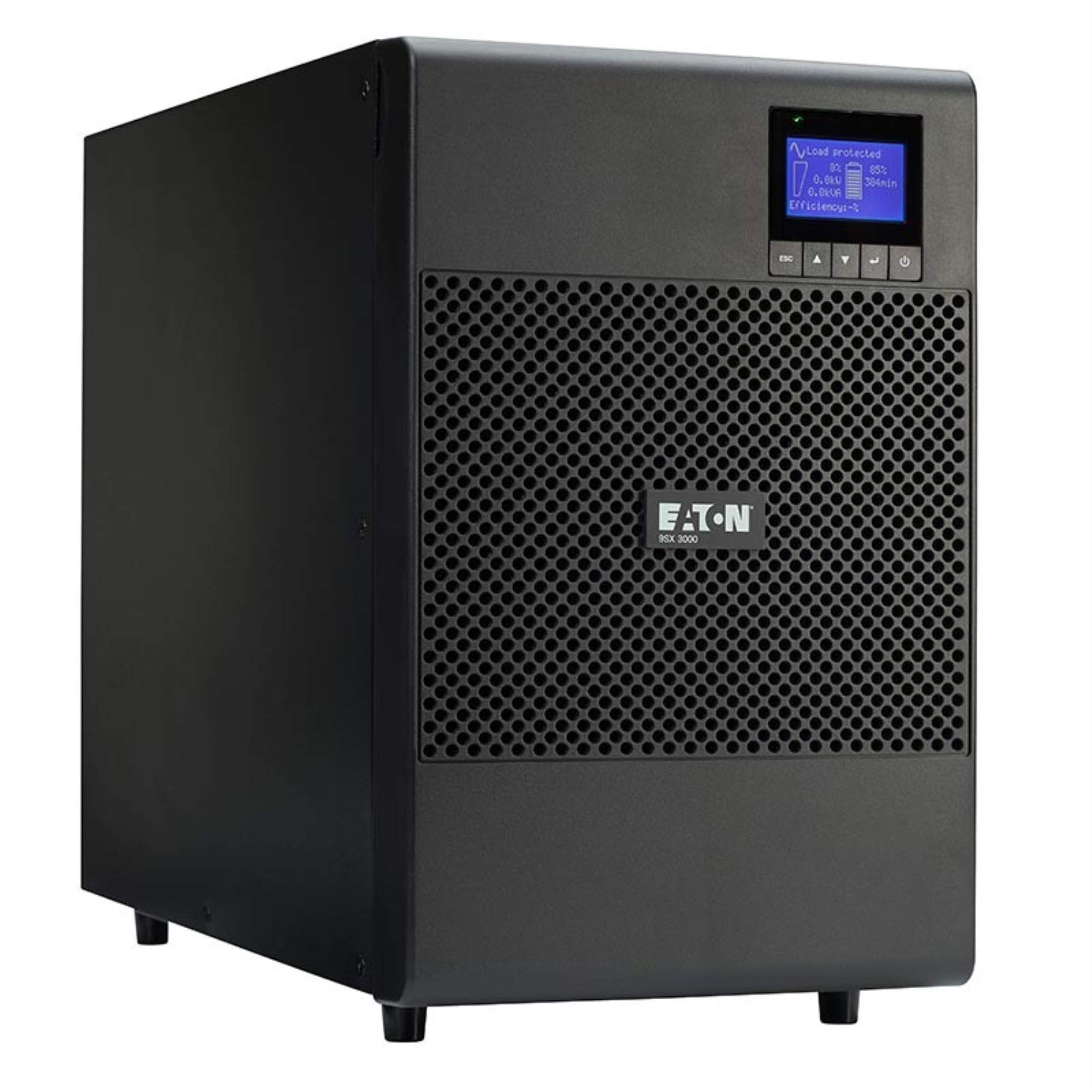
شکل 1: جلو view of the Eaton 9SX 3000VA UPS, showing the display panel and ventilation grille.
ویژگی های کلیدی:
- Online Double-Conversion: Provides the highest level of power protection by continuously converting AC to DC and back to AC, isolating connected equipment from raw utility power.
- خروجی موج سینوسی خالص: Ensures compatibility with all types of sensitive electronic equipment.
- Zero Transfer Time: Seamless transition to battery power during outages, preventing interruptions.
- Advanced Battery Management (ABM) Technology: Extends battery service life by 50% and provides advanced warning for battery replacement.
- Expandable Runtime: Supports connection of up to four external battery modules (9SXEBM96, sold separately) for extended backup duration.
- Cybersecure Network Card Option: The optional NETWORK-M2 card (sold separately) enables remote monitoring, configuration, and management, meeting UL 2900-1 and IEC 62443-4-2 cybersecurity standards.
- Flexible Output Connections: Includes 4 NEMA 5-20R outlets and 1 NEMA L5-30R outlet.
4. راه اندازی
4.1 باز کردن و بازرسی
- Carefully unpack the UPS and its accessories.
- Inspect the unit for any shipping damage. If damage is found, do not install and contact your dealer.
- بستهبندی را برای حمل و نقل یا نگهداری در آینده نگه دارید.
4.2 قرار دادن
- Place the UPS in a clean, dry, and well-ventilated area.
- Ensure ambient temperature is within the specified operating range (typically 0°C to 40°C / 32°F to 104°F).
- Maintain adequate clearance around the UPS for proper airflow, especially around the front and rear ventilation grilles.
4.3 اتصال به برق
- Connect the UPS input power cord (NEMA L5-30P) to a dedicated, grounded electrical outlet.
- از حجم ورودی اطمینان حاصل کنیدtage matches the UPS specifications (120V AC).
4.4 تجهیزات اتصال
- Connect your critical equipment to the UPS output receptacles. The UPS provides 4 NEMA 5-20R outlets and 1 NEMA L5-30R outlet.
- Distribute the load evenly across the outlets if possible.
- For optional remote management, install the NETWORK-M2 card (sold separately) into the expansion port and connect it to your network.
5. دستورالعمل های عملیاتی
5.1 شروع اولیه
- After connecting the input power and equipment, press and hold the power button on the front panel for a few seconds until the UPS powers on.
- The LCD display will illuminate and show system status, including input/output voltage, load level, and battery charge.
- Allow the UPS to charge its internal batteries for at least 24 hours before relying on it for full runtime.
5.2 درک صفحه نمایش
The front panel LCD provides real-time operational data. Use the navigation buttons (Up/Down arrows, Enter, Esc) to cycle through various screens and access settings.
- حجم ورودی/خروجیtage: Displays the current AC voltage.
- سطح بارگذاری: درصد را نشان می دهدtage از ظرفیت UPS که توسط تجهیزات متصل استفاده میشود.
- شارژ باتری: میزان شارژ فعلی باتریهای داخلی را نشان میدهد.
- Estimated Runtime: Provides an approximation of how long the UPS can power connected equipment during an outage.
- گزارش رویداد: Records system events and alarms.
5.3 برقtage عملیات
در طول یک قدرت outage, the UPS will automatically switch to battery power with zero transfer time. The LCD will indicate battery operation, and an audible alarm may sound (configurable).
- Monitor the estimated runtime on the LCD.
- اگر شماtage is prolonged, safely shut down connected equipment before the UPS batteries are depleted.
- The UPS will automatically restart when utility power is restored (if configured to do so).
6. تعمیر و نگهداری
6.1 تعمیر و نگهداری و تعویض باتری
The Eaton 9SX UPS features field-replaceable, hot-swappable internal battery modules. This allows for battery replacement without powering down connected equipment.
- عمر باتری: With ABM technology, batteries typically last longer, but regular checks are recommended. The UPS will provide advanced notice when batteries need replacing.
- روش تعویض: Refer to the detailed battery replacement guide available on the Eaton support website or contact qualified service personnel. Always use genuine Eaton replacement battery modules.
- دفع: باتریهای قدیمی را طبق مقررات محلی دور بیندازید.
6.2 نظافت عمومی
- Keep the UPS exterior clean and free of dust. Use a soft, dry cloth.
- اطمینان حاصل کنید که منافذ تهویه خالی از موانع هستند.
7 عیب یابی
This section provides solutions to common issues. For more complex problems, contact Eaton technical support.
| مشکل | علت احتمالی | راه حل |
|---|---|---|
| یو پی اس روشن نمیشود | No input power; Battery deeply discharged | Check AC power connection; Allow UPS to charge for several hours. |
| یو پی اس مدام بوق میزند | On battery mode; Overload condition | Normal during power outage; Reduce connected load. |
| Battery warning on display | باتری به پایان عمر نزدیک می شود | Plan for battery replacement. |
8. مشخصات
| ویژگی | جزئیات |
|---|---|
| شماره مدل | 9SX3000 |
| ظرفیت | 3000 ولت / 2700 وات |
| حجم ورودیtage | 120 ولت AC |
| خروجی جلدtage | 100 ولت (اسمی) |
| کانکتور ورودی | NEMA L5-30P |
| ظروف خروجی | 4 x NEMA 5-20R, 1 x NEMA L5-30R |
| نوع باتری | Lead Acid (Field-replaceable, hot-swappable modules) |
| زمان معمول پشتیبانگیری | 5.70 minutes (at half load) |
| ابعاد (H x W x D) | 19.69 x 19.69 x 11.02 inches (Product Dimensions) / 22.5"D x 12.5"W x 19"H (Alternative Dimensions) |
| وزن | 83.5 پوند |
| رنگ | مشکی |
| سازنده | شرکت ایتون |
9. گارانتی و پشتیبانی
Eaton provides comprehensive warranty coverage for its UPS products. For specific warranty terms and conditions, please refer to the warranty card included with your product or visit the official Eaton webسایت
For technical assistance, troubleshooting, or service requests, please contact Eaton customer support. Have your model number (9SX3000) and serial number ready when contacting support.
Online resources, including FAQs, detailed manuals, and software downloads, are available on the Eaton webسایت


