مقدمه
This manual provides essential instructions for setting up, operating, maintaining, and troubleshooting your Huawei Watch GT Fashion smartwatch. Please read this manual thoroughly to ensure proper use and to maximize the device's features.

Image: Huawei Watch GT Fashion Smartwatch with a brown leather strap, displaying a digital watch face with time and step count.
راه اندازی
۱. شارژ اولیه
Before first use, fully charge your Huawei Watch GT Fashion. Connect the charging cradle to a power adapter and place the watch onto the cradle, ensuring the charging contacts align. The watch will display a charging indicator.
۳.۲. جفت شدن با تلفن هوشمند شما
- Download the Huawei Health App از فروشگاه برنامه تلفن هوشمندتان (فروشگاه گوگل پلی برای اندروید، فروشگاه برنامه اپل برای iOS).
- مطمئن شوید که بلوتوث گوشی هوشمند شما فعال است.
- Open the Huawei Health App, navigate to Devices, and select "Add device". Choose your Huawei Watch GT Fashion from the list.
- Follow the on-screen prompts on both your watch and smartphone to complete the pairing process. Confirm the pairing code if prompted.
System Requirements: Android 4.4 or later; iOS 9.0 or later.
3. به روز رسانی نرم افزار
After pairing, the Huawei Health App may prompt you to update the watch's software. It is recommended to perform these updates to ensure optimal performance and access to the latest features. Ensure your watch is sufficiently charged before starting an update.
دستورالعمل های عملیاتی
ناوبری اولیه
- صفحه لمسی: برای پیمایش در منوها و اعلانها، انگشت خود را به بالا، پایین، چپ یا راست بکشید. برای انتخاب موارد، ضربه بزنید.
- دکمه بالایی: برای دسترسی به لیست برنامهها یا بازگشت به صفحه اصلی، فشار دهید.
- دکمه پایین: Customizable for quick access to a specific function, such as workout modes.

Image: The Huawei Watch GT Fashion highlighting its 1.39" AMOLED touchscreen and ultra-slim 10.6 mm profile.
پایش سلامت
- Heart Rate Monitoring (TruSeen 3.0): The watch continuously monitors your heart rate using innovative sensors, providing real-time data. Access heart rate graphs via the Huawei Health App.
- Sleep Tracking (TruSleep 2.0): In collaboration with Harvard Medical School CDB Center, the watch identifies common sleep issues and offers over 200 suggestions to improve sleep quality.
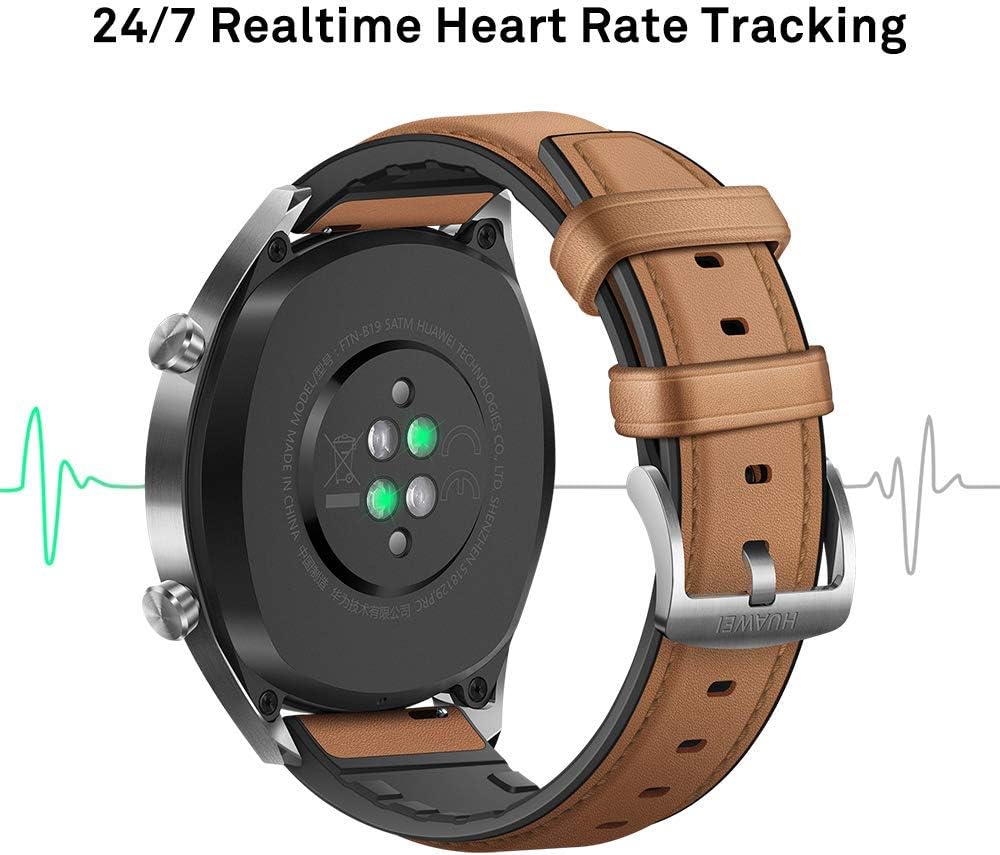
تصویر: عقب view of the Huawei Watch GT Fashion, illustrating the optical heart rate sensors for 24/7 real-time tracking.
ردیابی فعالیت و GPS
- حالت های چند ورزشی: The watch supports various indoor and outdoor sports modes, including running, cycling, swimming, and more. Select your activity from the watch's menu to start tracking.
- موقعیت یابی GPS: Equipped with 3 global satellite positioning systems (GPS, GLONASS, GALILEO), the watch offers fast and precise positioning for outdoor activities.
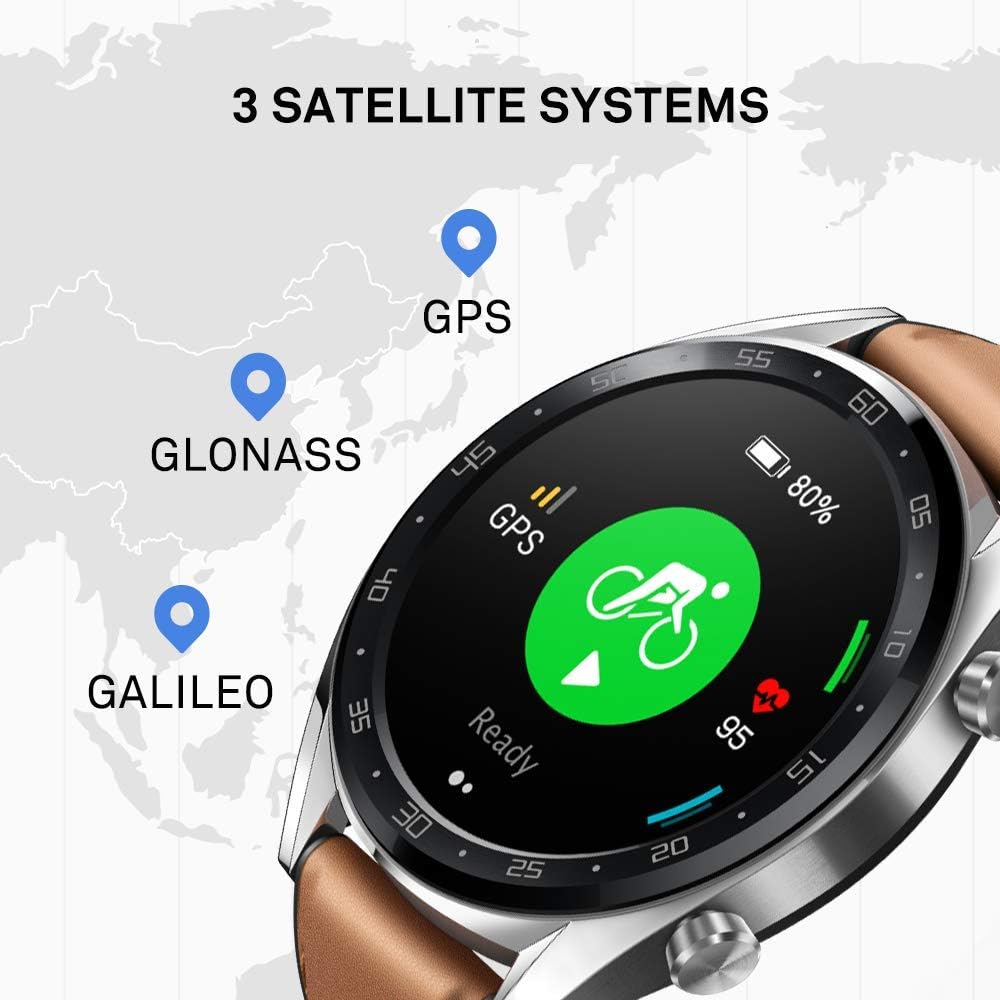
Image: The Huawei Watch GT Fashion screen showing icons for GPS, GLONASS, and GALILEO satellite systems, indicating global positioning capabilities.
Notifications and Other Features
- اعلام های هوشمند: Receive call, message, and app notifications directly on your wrist when connected to your smartphone.
- مقاومت در برابر آب: The watch is water-resistant up to 50 meters, suitable for swimming and shallow water activities. Avoid hot water or steam.
- عمر باتری: The watch offers up to two weeks of battery life under typical usage conditions (heart rate monitor on, 90 mins exercise/week). Battery life varies with usage.

Image: An infographic detailing battery life scenarios for the Huawei Watch GT Fashion: 2 weeks with heart rate and exercise, 30 days with notifications only, and 22 hours with all activity modes and GPS on.
تعمیر و نگهداری
تمیز کردن ساعت مچی
- مرتباً ساعت را تمیز کنیدasing و بند را با نرم، damp پارچه
- برای جلوگیری از مشکلات شارژ، مطمئن شوید که اتصالات شارژ در پشت ساعت تمیز و خشک هستند.
- از استفاده از مواد شیمیایی قوی یا مواد ساینده خودداری کنید، زیرا این مواد میتوانند به روکش ساعت آسیب بزنند.
تعویض بند
The Huawei Watch GT Fashion uses standard 22mm interchangeable straps. To replace the strap, locate the quick-release pins on the underside of the strap and slide them to detach. Attach a new strap by reversing the process.
مراقبت از باتری
- Charge the watch using only the provided charging cradle and a compatible power adapter.
- Avoid exposing the watch to extreme temperatures, which can affect battery life and performance.
- اگر ساعت را برای مدت طولانی نگهداری میکنید، برای حفظ سلامت باتری، آن را تقریباً تا ۵۰٪ شارژ کنید.
عیب یابی
ساعت روشن یا شارژ نمیشود
- Ensure the charging contacts on both the watch and cradle are clean and free of debris.
- بررسی کنید که کابل شارژ و آداپتور برق به درستی کار میکنند.
- منبع تغذیه دیگری را امتحان کنید.
مسائل مربوط به جفت شدن
- مطمئن شوید که بلوتوث گوشی هوشمند شما فعال است و ساعت در محدودهی پوشش بلوتوث قرار دارد.
- هم گوشی هوشمند و هم ساعت را ریستارت کنید.
- Unpair the watch from your smartphone's Bluetooth settings and attempt to pair again through the Huawei Health App.
- مطمئن شوید که برنامه Huawei Health به آخرین نسخه بهروزرسانی شده است.
Inaccurate Heart Rate or GPS Data
- For heart rate, ensure the watch is worn snugly on your wrist, not too tight or too loose.
- برای GPS، مطمئن شوید که در یک فضای باز و باز با نور کافی هستید. view از آسمان
- Sync your watch with the Huawei Health App regularly to ensure updated satellite data.
بازنشانی تماشا کنید
If issues persist, you may need to reset your watch to factory settings. This will erase all data on the watch. Navigate to تنظیمات > سیستم > تنظیم مجدد on your watch. Confirm the action when prompted.
مشخصات
| نام مدل | Watch GT Fashion |
| شماره مدل | 55023253 |
| نمایش | صفحه نمایش ۵ اینچی AMOLED با وضوح ۱۲۸۰ در ۷۲۰ پیکسل |
| ابعاد | 1.06 x 4.65 x 4.65 سانتیمتر (0.42 x 1.83 x 1.83 اینچ) |
| وزن | 46 گرم (بدون بند) |
| عمر باتری | تا ۱۰ روز (استفاده معمولی) |
| حسگرها | Accelerometer, Gyroscope, Magnetometer, Optical Heart Rate, Ambient Light, Barometer |
| قابلیت اتصال | Bluetooth BT4.2, BLE, GPS (GPS, GLONASS, GALILEO) |
| مقاومت در برابر آب | ۳ دستگاه خودپرداز (۳۰ متر) |
| سیستم مورد نیاز | اندروید ۹.۰ یا بالاتر؛ iOS ۱۳.۰ یا بالاتر |
اطلاعات گارانتی
Your Huawei Watch GT Fashion is covered by a limited warranty. For detailed warranty terms and conditions, please refer to the warranty card included with your product or visit the official Huawei webسایت مربوط به منطقه شما. مدرک خرید خود را برای موارد گارانتی نگه دارید.
پشتیبانی کنید
برای کمک بیشتر، پشتیبانی فنی، یا به view frequently asked questions, please visit the official Huawei support webسایت:
consumer.huawei.com/en/support/
You can also contact Huawei customer service through the contact information provided on their support page.


