1. اطلاعات ایمنی مهم
Read all instructions carefully before assembling, installing, operating, or maintaining this fan. Failure to follow these instructions may result in electric shock, fire, or serious personal injury.
- ایمنی برق: Ensure the fan is connected to a properly grounded 120 Volt AC outlet. Do not operate the fan with a damaged cord or plug. Do not run the power cord under carpeting or cover it with throw rugs, runners, or similar coverings. Arrange the cord away from traffic areas where it will not be tripped over.
- عملیات عمومی: Always place the fan on a stable, level surface to prevent tipping. Keep hands, hair, clothing, and other objects away from the fan blades during operation. Do not insert fingers or foreign objects into the grille.
- محیط زیست: This fan is designed for indoor use. Do not use outdoors or in wet locations. Keep the fan away from water and excessive humidity.
- تعمیر و نگهداری: قبل از تمیز کردن یا انجام هرگونه تعمیر و نگهداری، همیشه فن را از پریز برق جدا کنید.
- اخطار پیشنهاد 65: این محصول ممکن است حاوی مواد شیمیایی باشد که در ایالت کالیفرنیا شناخته شده و باعث ایجاد سرطان و نقایص مادرزادی یا سایر آسیب های باروری می شود.
۴. ویژگیهای محصول و موارد دیگرview
The Master 24-Inch Oscillating Industrial High Velocity Pedestal Fan is designed for powerful air circulation in various indoor environments such as shops, garages, and warehouses. It features durable all-metal construction and OSHA-compliant safety guards.
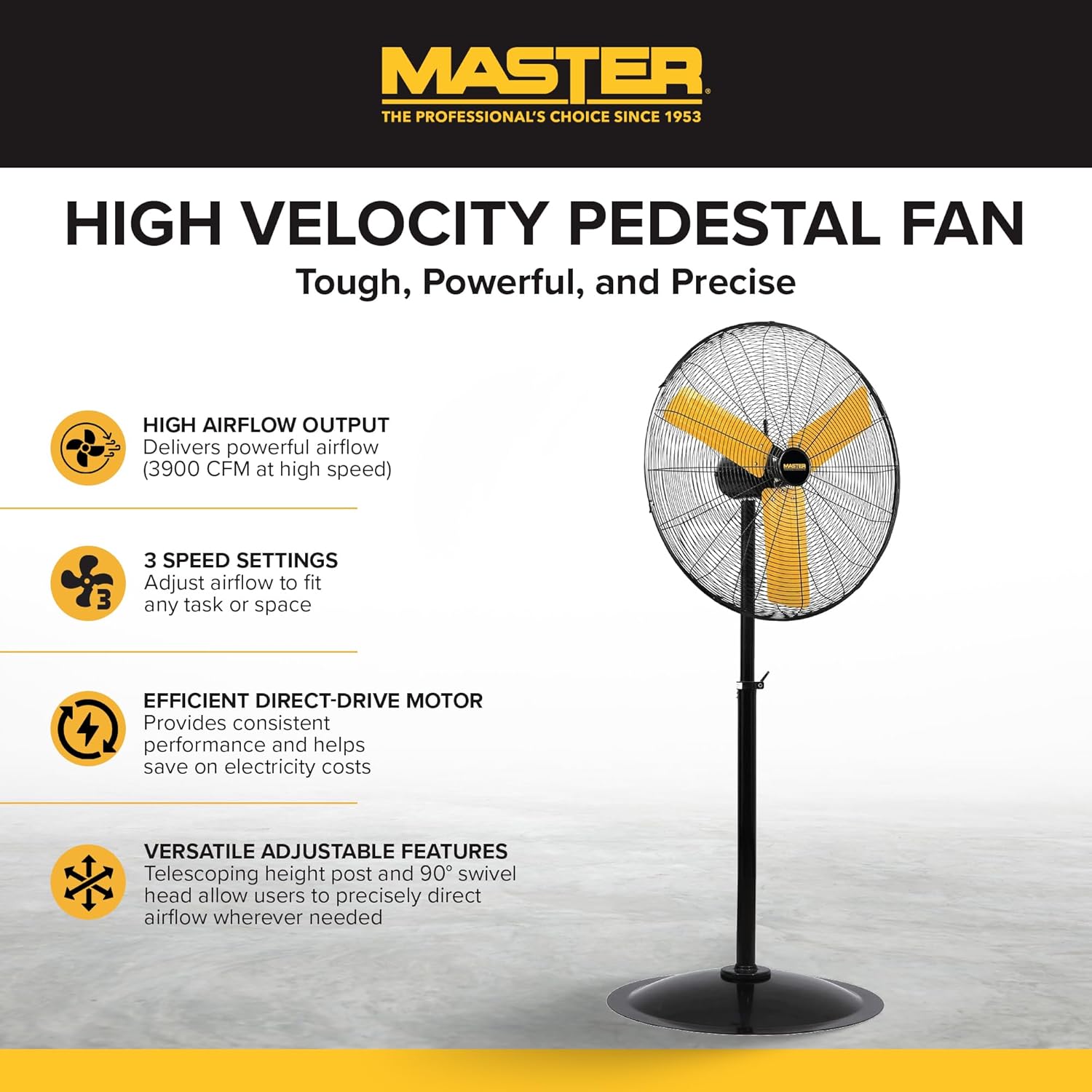
یک پر view of the Master 24-Inch Oscillating Pedestal Fan, showcasing its black metal construction and yellow fan blades.

یک طرف view of the Master 24-Inch Oscillating Pedestal Fan, showing its adjustable height post and stable base.
ویژگی های کلیدی:
- High Airflow Output: Delivers powerful airflow up to 3900 CFM.
- ۴ تنظیم سرعت: Allows adjustment of airflow to suit various needs.
- Efficient Direct-Drive Motor: Provides consistent performance and helps conserve electricity.
- کاملا قابل تنظیم: Features a telescoping adjustable height post for customized positioning.
- نوسان: The fan head oscillates to cool a wide area.
- پایه محکم: A wide, heavy-duty pedestal base prevents the fan from tipping over.
- ساخت تمام فلزی: دوام و طول عمر را تضمین میکند.
3. راه اندازی و مونتاژ
Assembly is required for this fan. Follow these steps to ensure proper setup:
- باز کردن قطعات: تمام قطعات را با دقت از بستهبندی خارج کنید. بررسی کنید که تمام اجزای ذکر شده در لیست بستهبندی موجود باشند.
- پایه مونتاژ: Attach the main support pole to the sturdy pedestal base. Ensure it is securely fastened.
- Attach Motor Assembly: Secure the fan motor assembly to the top of the support pole. This typically involves attaching the motor to a bolt that connects to the pole via a bracket. Ensure all screws and fasteners are tightened.
- Install Grilles and Blades: Mount the fan blades onto the motor shaft, followed by the front and rear safety grilles. Ensure the grilles are properly aligned and secured to prevent accidental contact with the blades.
- تنظیم ارتفاع: Adjust the telescoping height post to your desired operating height. Secure it in place using the provided locking mechanism.
- فن موقعیت: Place the assembled fan on a firm, level surface in the desired location.

A close-up of the fan's wide, heavy-duty round base designed for stability.

A close-up showing the bolt and knob used to adjust the fan head's tilt angle.
4. دستورالعمل های عملیاتی
Once assembled and placed, the fan is ready for operation.
- اتصال برق: Plug the fan's power cord into a standard 120 Volt AC electrical outlet.
- Turn On/Adjust Speed: Locate the push-button switch, typically on the rear of the motor housing. Rotate the knob to select one of the three available speed settings (1, 2, or 3). Position '0' is off.
- Adjust Oscillation: The fan head is designed to oscillate automatically. To stop oscillation, consult the fan's specific mechanism, which may involve disengaging a drive arm or a dedicated switch.
- تنظیم زاویه شیب: Loosen the adjustment knob on the side of the fan head to tilt the fan up or down to direct airflow. Tighten the knob securely once the desired angle is set.
- روش کنترل: This model may support app control. Refer to the manufacturer's website or additional documentation for details on connecting and using the fan with a compatible application.
- خاموش کردن: Rotate the speed control knob to the '0' position to turn off the fan. Unplug the fan from the outlet when not in use for extended periods.

A close-up of the fan's rotary switch, indicating three speed settings (0-1-2-3).

مفصل view of the fan's yellow blades and protective metal grille.
5. تعمیر و نگهداری
نگهداری منظم، عملکرد بهینه را تضمین میکند و عمر فن شما را افزایش میدهد.
- تمیز کردن: همیشه قبل از تمیز کردن، فن را از برق بکشید. از یک پارچه نرم و لطیف استفاده کنید.amp cloth to wipe down the exterior surfaces. For the fan blades and grilles, hand wash with mild soap and water if necessary, ensuring they are completely dry before reassembly and operation. Do not use abrasive cleaners or solvents.
- روغن کاری موتور: موتور فن به طور دائم روغن کاری شده و نیازی به روغن کاری اضافی ندارد.
- ذخیره سازی: If storing the fan for an extended period, cover it to protect against dust and store in a dry location.
6 عیب یابی
If you encounter issues with your fan, refer to the following common troubleshooting steps:
- فن روشن نمی شود:
- مطمئن شوید که سیم برق به طور ایمن به یک پریز برق ۱۰۰ ولتی سالم وصل شده است.
- کلید مدار یا جعبه فیوز را بررسی کنید.
- Verify the speed control knob is set to a speed setting (1, 2, or 3) and not '0' (off).
- کاهش جریان هوا:
- Check for any obstructions around the fan grilles.
- هرگونه گرد و غبار یا آلودگی را از روی پرهها و دریچههای فن تمیز کنید.
- صدا یا لرزش غیرمعمول:
- مطمئن شوید که پنکه روی یک سطح صاف و پایدار قرار گرفته است.
- Check that all assembly screws and fasteners are tight.
- Inspect fan blades for any damage or imbalance.
- Oscillation Not Working:
- Verify that the oscillation mechanism is engaged (if applicable).
- Check for any obstructions preventing the fan head from moving.
If these steps do not resolve the issue, contact Master customer support for further assistance. Availability of replacement parts may vary; inquire with customer support.
7. مشخصات
| نام مدل | MAC-24POSC |
| نام تجاری | استاد |
| سبک | 24-Inch Oscillating Pedestal Fan |
| رنگ | مشکی |
| طراحی فن برقی | پنکه طبقه |
| منبع تغذیه | سیم برقی |
| ابعاد محصول | 7 اینچ × 35 اینچ × 31.5 اینچ |
| ویژگی خاص | نوسان |
| واتtage | 2.2 کیلو وات |
| تعداد تیغه ها | 3 |
| ظرفیت جریان هوا | 3900 فوت مکعب در دقیقه |
| جلدtage | 120 ولت |
| نوع سوئیچ | دکمه فشاری |
| وزن مورد | 52.9 پوند |
| استفاده در فضای باز/داخلی | سرپوشیده |
| مشخصات ملاقات | OSHA |
| روش کنترل | App (refer to manufacturer for details) |
| تعداد سطوح قدرت | 3 |
| مونتاژ مورد نیاز است | بله |
| قطر | 24 اینچ |
8. گارانتی و پشتیبانی
اطلاعات گارانتی:
This Master 24-Inch Oscillating Industrial High Velocity Pedestal Fan (MAC-24POSC) comes with a 1 سال گارانتی محدوداین ضمانتنامه شامل نقص در مواد و ساخت در شرایط استفاده عادی میشود. لطفاً فاکتور خرید خود را برای موارد گارانتی نگه دارید.
پشتیبانی مشتری:
For technical assistance, warranty claims, or inquiries regarding replacement parts, please contact Master customer support. Refer to the product packaging or the official Master webسایتی برای جدیدترین اطلاعات تماس.


