1. مقدمه
The FIBARO Wall Plug is an advanced, remotely controlled plug-in switch designed for electrical devices. It integrates Z-Wave Plus technology, allowing for convenient control and comprehensive energy monitoring. This intelligent socket also features a built-in USB charging port, providing additional utility.
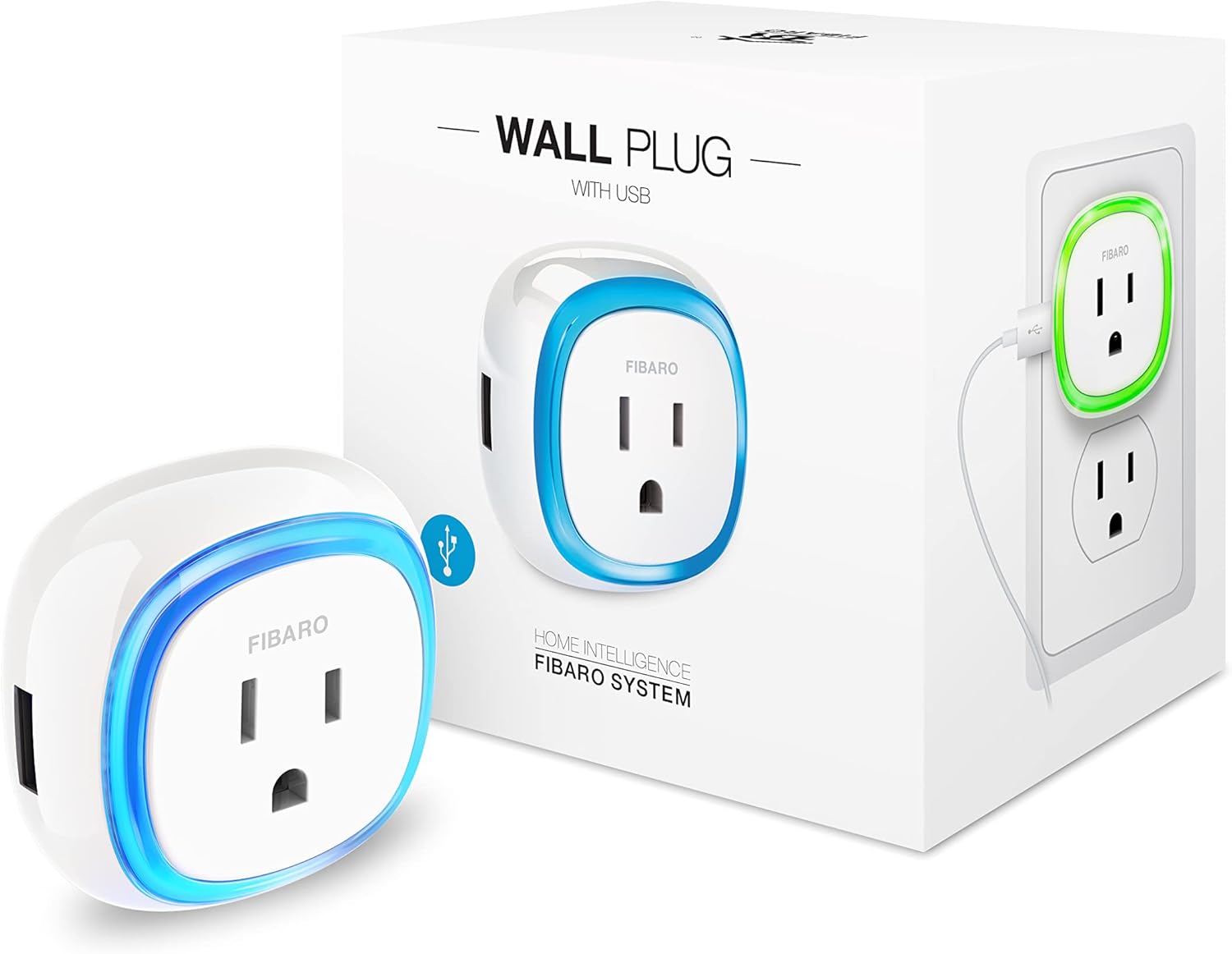
Figure 1: FIBARO Wall Plug and its packaging, highlighting the main unit and its USB charging capability.
ویژگی های کلیدی:
- کنترل از راه دور: Manage connected devices from anywhere via a Z-Wave gateway.
- پایش انرژی: Track power and energy consumption for both the main plug and the USB port independently.
- بازخورد بصری: An integrated LED ring changes color to indicate the current load of the connected appliance.
- پورت شارژ USB: Conveniently charge devices directly from the side of the plug.
- امنیت پیشرفته: Utilizes the Z-Wave S2 security framework for secure communication.
- طراحی فشرده: Engineered to avoid blocking adjacent outlets.
- تکرارکننده سیگنال: Functions as a Z-Wave signal repeater to extend network range.
2. راه اندازی و نصب
The FIBARO Wall Plug is designed for simple plug-and-play installation. Ensure your Z-Wave gateway is ready for device inclusion before proceeding.
۲.۱ جایگذاری اولیه
Insert the FIBARO Wall Plug into a standard electrical outlet. The device is designed to be compact and should not obstruct the second socket in a typical duplex outlet.

Figure 2: The FIBARO Wall Plug being inserted into a wall outlet, demonstrating its ease of installation.
۳.۳ شمول شبکه Z-Wave
- Place the Wall Plug within direct range of your Z-Wave controller.
- Set your Z-Wave controller into inclusion (add) mode. Refer to your controller's manual for specific instructions.
- Press the button on the Wall Plug three times quickly. The LED ring will indicate successful inclusion.
- Once included, the Wall Plug will appear in your Z-Wave controller's device list.

Figure 3: The FIBARO Wall Plug is compatible with a wide range of Z-Wave hubs, including FIBARO, Hubitat, SmartThings, and others.
توجه: While compatible with many Z-Wave gateways for basic on/off control and USB charging, advanced features like detailed energy monitoring and scene automation may require specific device handlers or controllers (e.g., FIBARO HC2/HCL, SmartThings, Nexin, Vera, URC, Zipato, HomeSeer).
3. Operating the FIBARO Wall Plug
۳.۱ کنترل از راه دور و عملیات دستی
- کنترل از راه دور: Use your Z-Wave controller's interface (mobile app or web portal) to switch the connected appliance on or off.
- کنترل دستی: Press the button on the Wall Plug to manually toggle the power to the connected appliance.
3.2 Energy Monitoring and LED Ring
The Wall Plug continuously monitors the power consumption of the connected device. The LED ring provides a visual indication of the current load:
- The color of the LED ring changes based on the power consumption.
- Access detailed consumption data (current, hourly, daily, weekly, monthly, total) through your Z-Wave controller's application.

Figure 4: A smartphone displaying the energy monitoring interface for the FIBARO Wall Plug, showing various consumption metrics.

Figure 5: Multiple FIBARO Wall Plugs illustrating how the LED ring changes color to visually represent the power consumption of connected devices.
3.3 پورت شارژ USB
The integrated USB port allows for convenient charging of compatible devices. Power consumption for the USB port is measured independently from the main plug load.

شکل ۲.۳: یک نمونه دقیق view of the FIBARO Wall Plug, highlighting the discreetly placed USB charging port on its side.
3.4 Automation and Notifications
Leverage your Z-Wave controller to set up automated scenes and receive notifications based on power consumption or device status. For example، شما می توانید:
- Receive alerts if an appliance has been running for an extended period.
- Automatically turn off devices when leaving home.
- Integrate with other smart home devices for complex automations.

Figure 7: The FIBARO Wall Plug can be used to control and monitor a wide array of household appliances, from entertainment systems to kitchen devices.
4. نگهداری و ایمنی
4.1 مراقبت عمومی
To ensure optimal performance and longevity of your FIBARO Wall Plug:
- دستگاه را با یک پارچه نرم و خشک تمیز کنید. از پاک کننده ها یا حلال های ساینده استفاده نکنید.
- دستگاه را از رطوبت، دمای شدید و نور مستقیم خورشید دور نگه دارید.
- Ensure proper ventilation around the plug when in use.
4.2 اقدامات احتیاطی ایمنی
- Do not exceed the maximum rated load of 1850 watts (15A). Overloading can cause overheating and damage to the device or connected appliances.
- این محصول فقط برای استفاده در فضای داخلی در نظر گرفته شده است.
- Do not disassemble or attempt to repair the device. Refer to qualified service personnel for any repairs.
- اخطار پیشنهاد 65: این محصول ممکن است حاوی مواد شیمیایی باشد که در ایالت کالیفرنیا شناخته شده و باعث ایجاد سرطان و نقایص مادرزادی یا سایر آسیب های باروری می شود.
5 عیب یابی
If you encounter issues with your FIBARO Wall Plug, refer to the following common problems and solutions:
| مشکل | علت احتمالی | راه حل |
|---|---|---|
| دستگاه به دستورات پاسخ نمیدهد. | Not properly included in Z-Wave network, out of range, or power issue. | Verify inclusion status with your Z-Wave controller. Ensure the plug is powered. Try re-including the device if necessary. Ensure it is within range of the Z-Wave network or a repeater. |
| Inaccurate energy readings or LED ring not functioning as expected. | Incorrect device handler/configuration, or internal fault. | Check your Z-Wave controller's settings and ensure the correct device handler is applied for full functionality. If the issue persists, contact support. |
| پورت USB شارژ نمیشود. | Device not powered, incompatible device, or cable issue. | Ensure the Wall Plug is powered. Test with a different USB cable and device. Note that the USB port is always on and does not have independent control from the main outlet. |
| Plug periodically falls off the Z-Wave network. | Network instability, interference, or device placement. | Improve Z-Wave network mesh by adding more repeaters. Relocate the plug to a central position. Check for sources of interference (e.g., Wi-Fi routers, large metal objects). Try unplugging and replugging the device. |
6. مشخصات

شکل ۴.۱: یک انفجار view illustrating the internal components and robust design of the FIBARO Wall Plug.
| مشخصات | جزئیات |
|---|---|
| شماره مدل | FGWPB-121 |
| نام تجاری | فیبارو |
| ابعاد (L x W x H) | 2.32 x 2.32 x 2 اینچ |
| وزن مورد | 4 اونس |
| جلدtage | 120.0 V |
| واتtage | 1850 وات |
| پروتکل اتصال | Z-Wave |
| نوع رابط | USB |
| حالت عملیات | خودکار |
| نوع تماس | به طور معمول باز است |
| نوع محرک | دکمه فشاری |
| امتیاز بین المللی حفاظت | IP54 |
| گواهینامه ها | UL Certified E479123, FCC ID 2AA9MFGWPB121, Z-Wave Plus Certified ZC10-17115892 |
7. گارانتی و پشتیبانی
7.1 اطلاعات گارانتی
The FIBARO Wall Plug comes with a ۱ سال گارانتی سازندهلطفاً فاکتور خرید خود را برای موارد گارانتی نگه دارید.
7.2 پشتیبانی مشتری
For technical assistance, troubleshooting beyond this manual, or warranty inquiries, please contact FIBARO customer support through their official webسایت یا اطلاعات تماس ارائه شده همراه با بستهبندی محصول شما.


